Looker
Looker は、ビジネスインテリジェンス・データアプリケーション・埋め込み分析のためのエンタープライズプラットフォームです。コンソールから Looker の新しいライセンスをリクエストできます。
必要な権限
-
サブスクリプションドメインに関連付けられている特定の請求プロファイルへのアクセス権が必要です。
ライセンスをリクエストする
Looker の新しいライセンスをリクエストするには、次の手順に従ってください。
-
DoiT コンソール にサインインします。
-
上部ナビゲーションのメガメニューから データ取り込みとインテグレーション > インテグレーション を選択します。
-
Looker integration カードで、管理 を選択します。
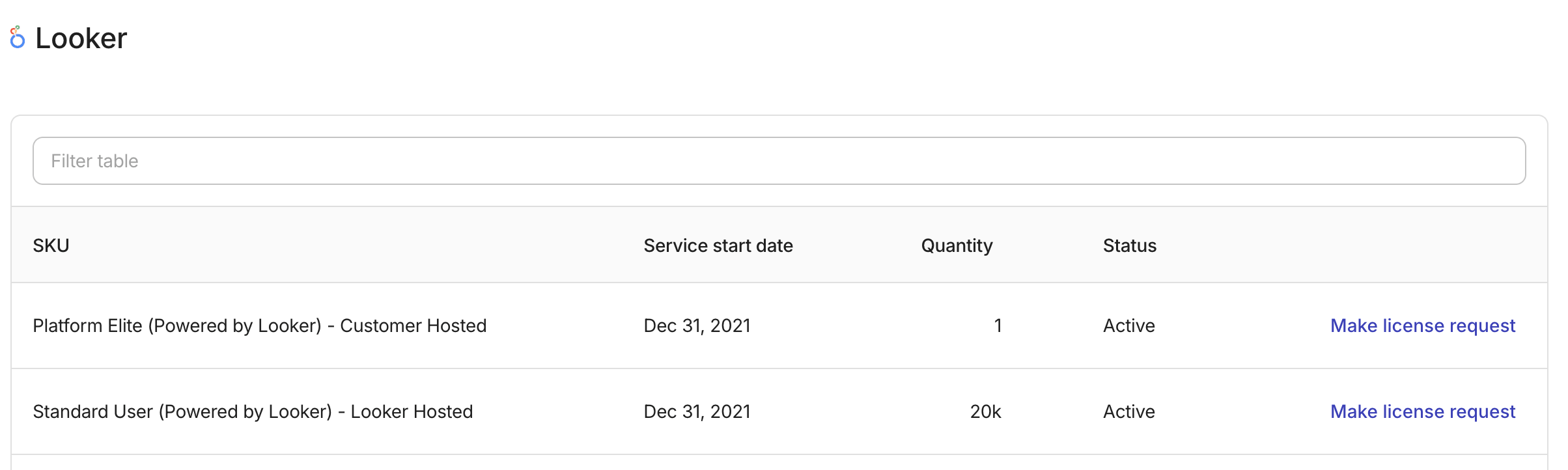
現在の Looker 契約に関連する SKU が、Looker アセットページに一覧表示されます。
-
ライセンスをリクエストする を選択します。
-
メールアドレスを入力し、ご要望の概要を簡潔に記入します。
-
リクエストを送信します。
リクエスト送信後、変更を行う前に折り返しご連絡します。
参照
請求プロファイル
Looker アセットの請求プロファイルを変更する必要がある場合は、エキスパートへ問い合わせを開く でご連絡ください。