Pause and resume an integration connection
You can pause an integration connection to stop scheduled data ingestion without losing its configuration, for example, during a maintenance window, while rotating credentials, or when you no longer need fresh data for a period.
Resume it to restart ingestion on the next scheduled run.
Pause a connection
-
Sign in to the DoiT console, select Data ingestion and integrations and then choose Integrations from the top navigation mega menu.
-
Select the integration to open its detail page.
-
In the connection row, select the kebab menu (⋮) and choose Pause.
-
In the confirmation dialog, optionally enter a reason for pausing (up to 280 characters). The reason is displayed when you or a teammate later resumes the connection.
注意If you entered a reason, hover the info icon on the Paused status to see it.
-
Select Pause to confirm.
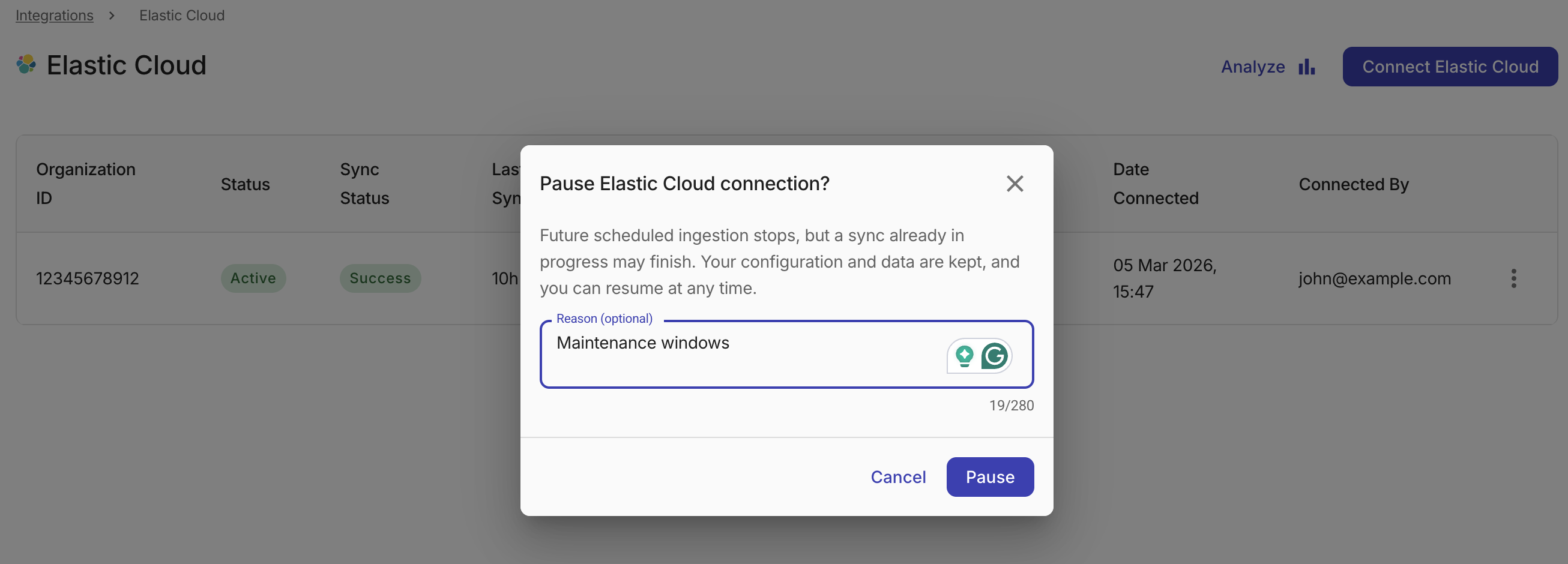
Future scheduled ingestion stops after you confirm, but a sync that is already in progress may still finish. Your configuration and previously ingested data are preserved.
Resume a connection
-
In the connection row, select the kebab menu (⋮) and choose Resume.
-
If a pause reason was recorded, it appears in the confirmation dialog as a reminder.
-
Select Resume to confirm.
Scheduled ingestion restarts from the next run.
Delete a connection
Deleting a connection cannot be undone. It removes the connection and its settings. Data already ingested is kept, but you must onboard the account again to reconnect. If you might need the connection later, keep it paused instead.
To delete an integration connection, you must first pause it. After pausing the connection:
-
In the connection row, select the kebab menu (⋮) and choose Delete.
-
Select Delete to confirm.