Transform node
A transform node takes data from an upstream node, applies your chosen actions, such as summing values, converting characters, or extracting data, and passes the result to downstream nodes.
For simple conversions — such as changing a string to an integer or rounding a number — you can apply an inline transformation directly on a reference chip without adding a Transform node.
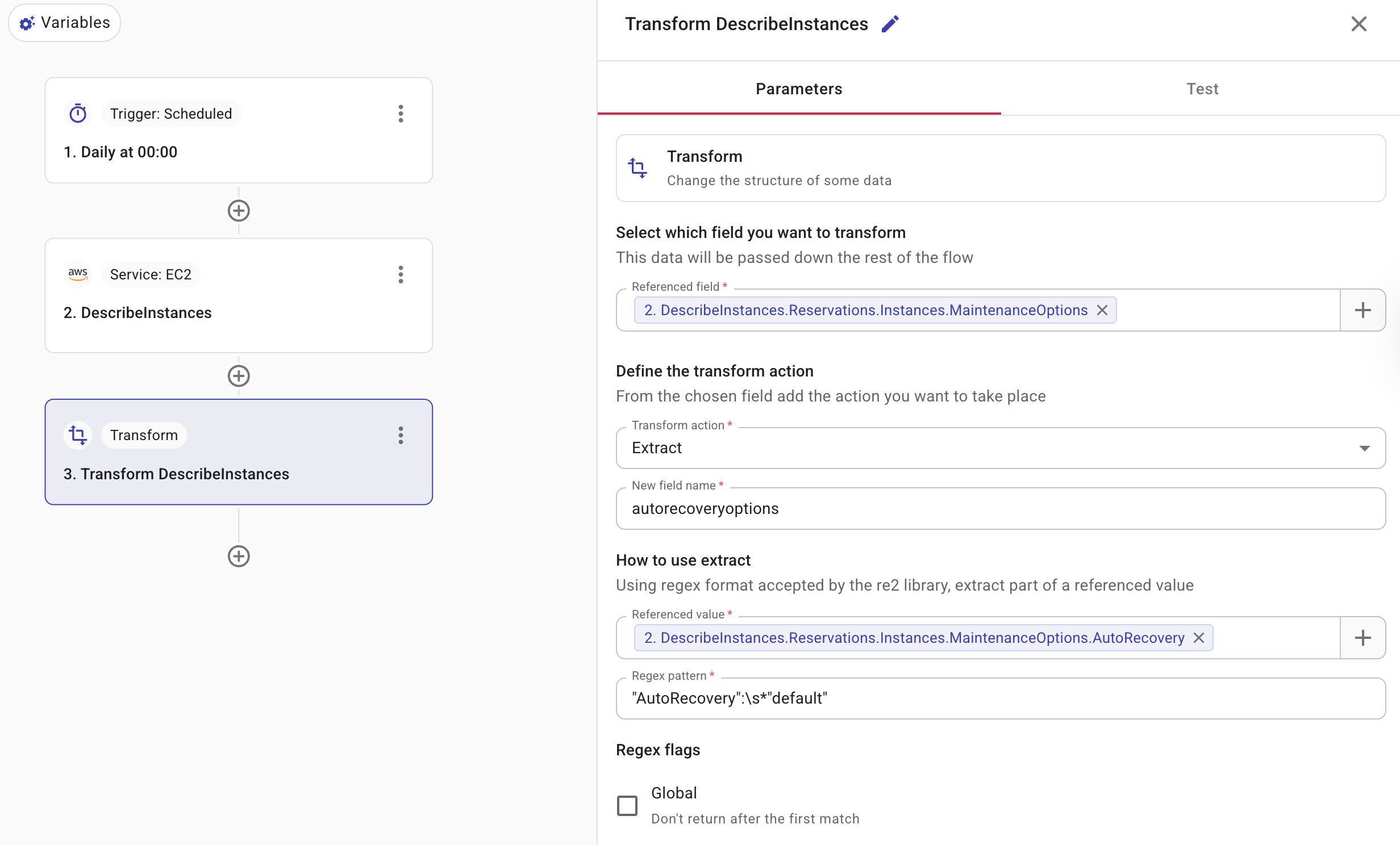
-
Select which field you want to transform: Specifies the field from the data source to be transformed. You can select only one referenced field. The field you're referencing must contain an object (key–value map) or a list of objects, not simple values like text or numbers. Insert dynamic values from upstream nodes by selecting the plus icon (+) and choosing the field. For field types and how to reference values, see Node parameters.
-
Define the transform action: Defines the action to take for the transformation and save the output to a new field. Below are the supported transformation operations. Note that different transform actions are configured differently.
- Concatenation: Combines multiple values or fields into a new field.
- Join: Joins a selected field to the referenced field to form a new field. When you add a Join action, select a Join type to control how matches are handled:
- One-to-one (default): Produces one output row for each match.
- One-to-many: Collects all matching results into a list on a single row. When there are no matches, the field contains an empty list.
- First item: Retrieves the first item from an array.
- Last item: Retrieves the last item from an array.
- Extract: Retrieves a specific part of a field's value using a regular expression written in syntax accepted by RE2. You can further select Regex flags such as case sensitivity, multi-line matching, and whether to return after the first match.
- Upper case: Converts all characters in a text field to uppercase.
- Lower case: Converts all characters in a text field to lowercase.
- Average: Averages all values from every instance of the referenced field to form a new field. The referenced field must be of
integerorfloatdata type. - Sum: Adds the values from every instance of the referenced field to form a new field. The referenced field must be of
integerorfloatdata type. - To integer: Converts a field's value to a whole number and stores it in a new field.
- To float: Converts a field's value to a decimal value and stores it in a new field.
- Append to map: Adds one or more key-value pairs to the object in the referenced field. The referenced field must be an object (map) whose values are all strings.
- Remove from map: Removes one or more keys from an object in the referenced field.
-
Test: Allows you to test the node.