Branch node
A branch is used to implement branching logic in a flow.
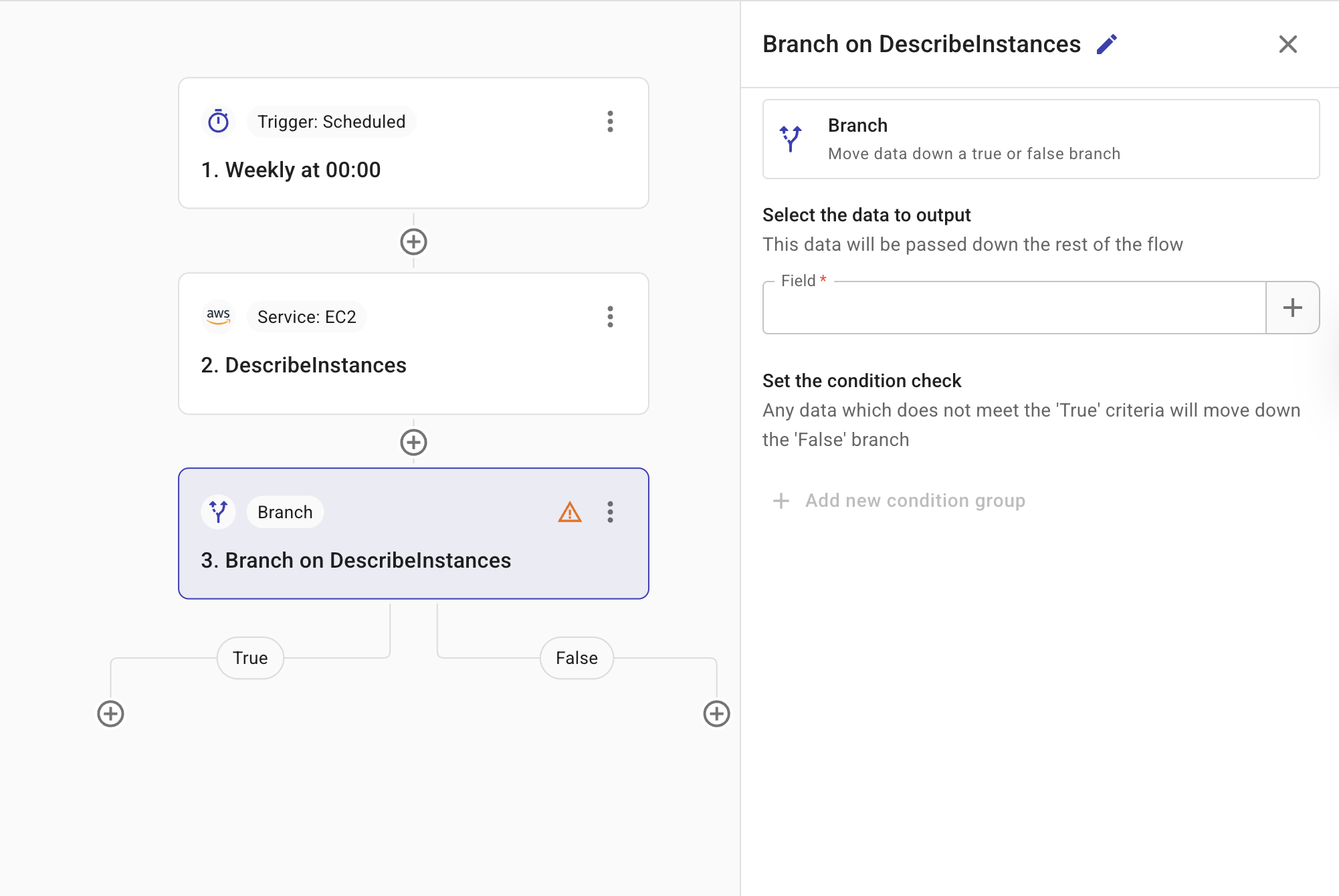
-
Select the data to output: The field that contains the information of interest. This is the data that is passed to the rest of the flow. You can reference fields from previous nodes using the + button; see Node parameters.
-
Set the condition check: The criteria applied by the branch node to determine which data should be included or excluded in the output. Conditions in the same group are combined with AND. Add another group (OR statement) to combine groups with OR. Use the link icon to group conditions as a single unit or separate them.
-
Test: Allows you to test to test the node.
The example below shows a condition node that checks whether an Amazon EC2 instance has stopped.
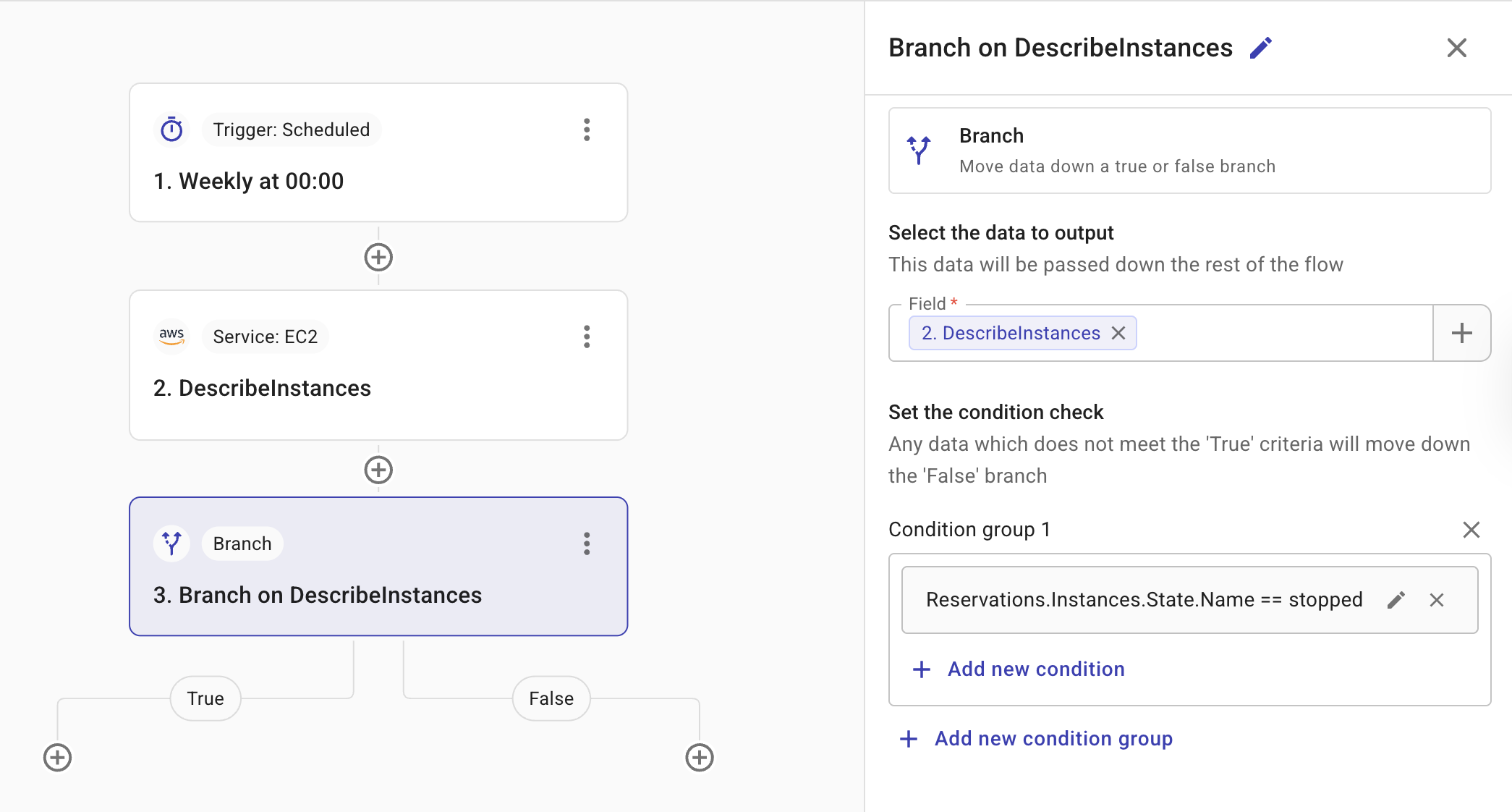
From the branch node's menu (⋮) you can Edit, Duplicate, or Delete the branch. Disable step is not available on branch nodes. See Manage nodes.
Delete a branch node
When you delete a branch node, you must decide what happens to the branch's actions.
To delete a branch, select the kebab menu (⋮) on the branch node and choose Delete.
-
If both paths are empty, the branch node is deleted immediately.
-
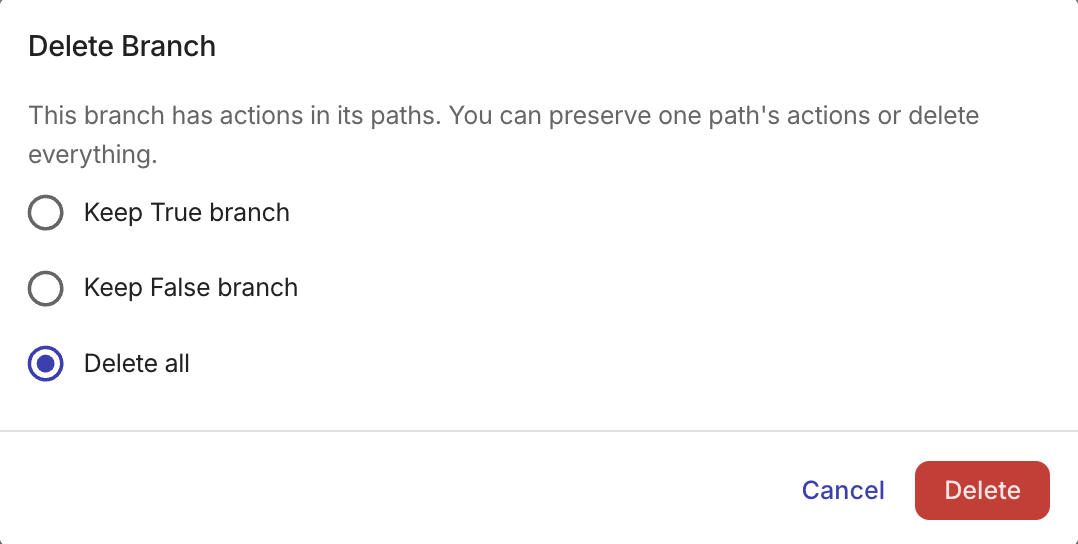
If one or both paths have actions, choose one of the following options:
-
Keep True branch: Keeps the actions in the True path. The False path and its actions are deleted.
-
Keep False branch: Keeps the actions in the False path. The True path and its actions are removed.
-
Delete all: Removes the branch node and all actions in both paths.
Empty paths cannot be kept. If only one path contains actions, that is the only one you can choose to preserve when deleting the branch.
-