Subflows
A subflow is a flow that is called by another flow. In the parent flow, you add a Sub Flow node to call a subflow and to pass parameters to that subflow from the parent flow.
You use the Flow output node in the subflow to expose data to the parent so downstream nodes in the parent can use it. Flow output nodes give you named outputs and explicit control over what the parent receives. You can expose multiple fields (for example, both a list of IDs and a summary count), and the parent references them by name in the field picker. Without Flow output nodes, the subflow has no output data for the parent apart from an executionId. Add Flow output nodes whenever the parent needs to use data from the subflow.
Subflows are useful for reusable logic (for example, list EC2 instances, Azure managed disks, or Compute Engine instances) and for keeping parent flows simpler and easier to maintain.
The parent flow waits for the subflow execution to end before continuing. If the subflow contains an approval node, the parent remains at the Sub Flow node until the approval is completed or rejected (see Approvals in subflows).
Overview
Follow this order when you add a subflow and (optionally) flow outputs:
-
Create and publish the subflow. Add a trigger, nodes, and local variables for values the parent can pass in. Optionally add Flow output nodes for named outputs. Publish the subflow.
-
In the parent flow, add a Sub Flow node. Add a Sub Flow node, select the subflow in Flow to call, and set execution parameters. When the parent runs, it runs the subflow.
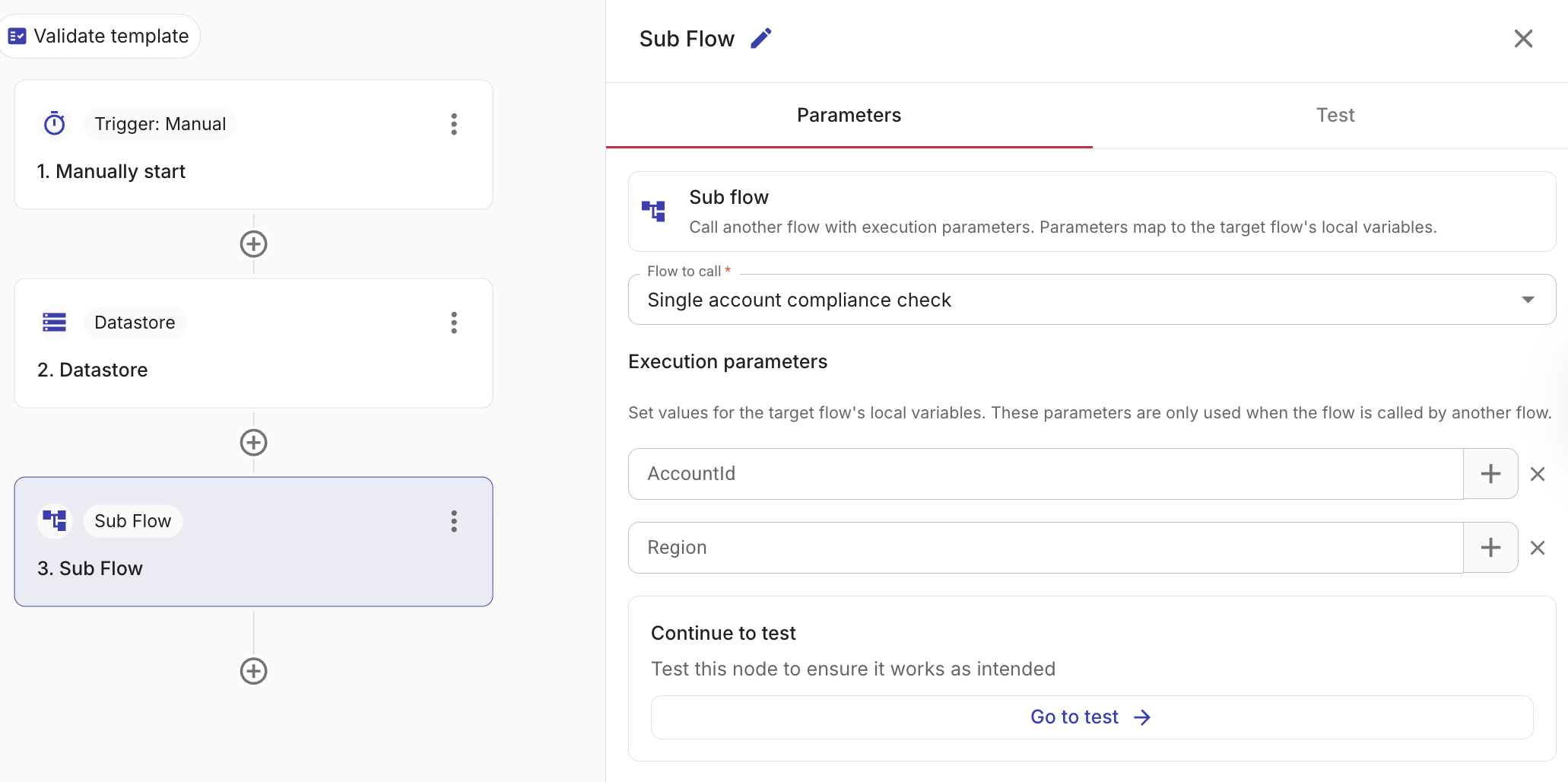
-
Use the subflow's output in the parent. In downstream nodes, reference the subflow's named outputs via the + icon or field picker. If the subflow has no Flow output nodes, there is no output data for the parent apart from an executionId.
If the subflow includes a node that requires approval (for example, an AWS, Azure, or GCP node with approval enabled), the parent flow pauses at the Sub Flow node until the approval is completed or rejected, then resumes or fails accordingly. For approval behavior and run history, see Sub Flow node.
For full configuration steps, run history, and viewing subflow runs from the parent, see Sub Flow node. For defining and using named outputs, see Flow output node.