Filter node
A filter node controls the data that moves through a flow.
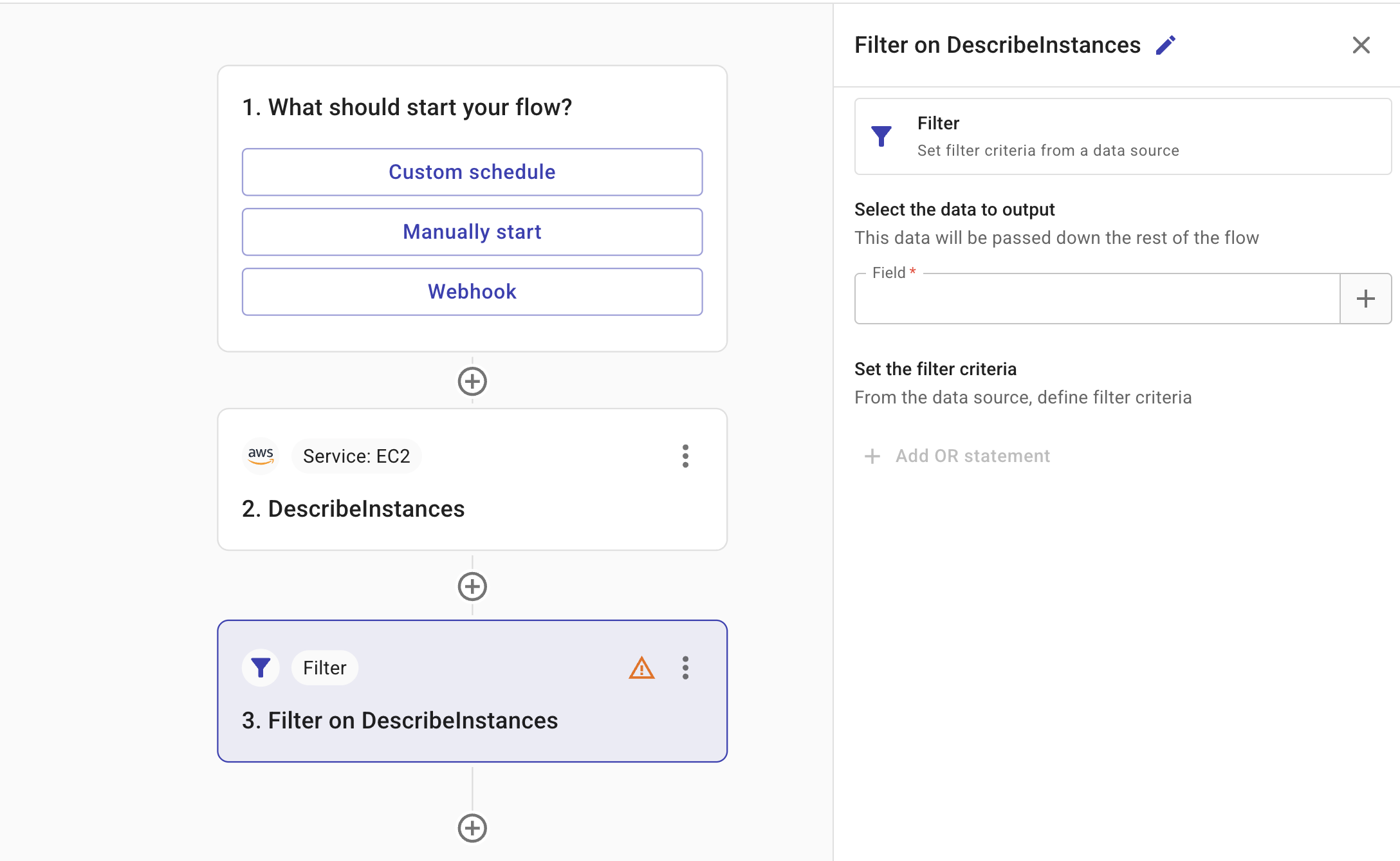
-
Field: The field that provides the input to the filter node. You can specify fields from any nodes positioned before the current node in the flow.
TipSelect the plus icon (+) to search for the fields you want to add. For field types and how to reference values, see Node parameters.
-
Filter criteria: The criteria applied by the filter node to determine which data should be included or excluded in the output. Conditions in the same group are combined with AND. Add another group (OR statement) to combine groups with OR. Use the link icon to group conditions as a single unit or separate them.
-
Test: Allows you to test the node.
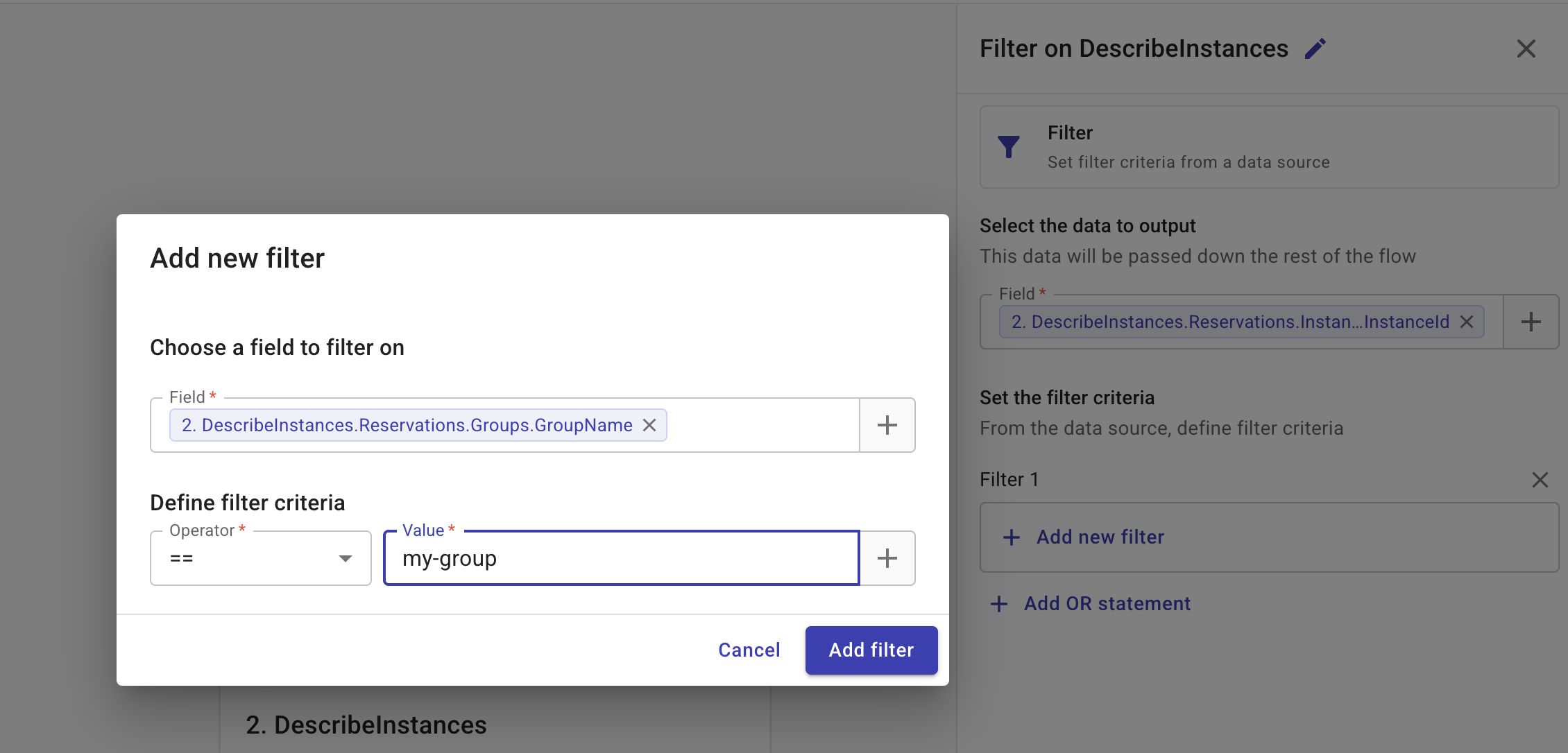
In the example below, the filter node takes the output of the second node in the flow (2. DescribeInstances) as its data source, applies the filter criteria Reservations.Groups.GroupName == "my-group", and outputs a list of instance Ids (Referenced field: Reservations.Instances.InstanceId) that meet the criteria.
Filter operators
The filter criteria use comparison operators to match field values. The available operators depend on the type of the selected field (for example, string, number, timestamp, boolean, list, or map).
| Operator | Description |
|---|---|
== | Equal to |
!= | Not equal to |
> | Greater than |
< | Less than |
>= | Greater than or equal to |
<= | Less than or equal to |
in | Value is in the list of allowed values |
not in | Value is not in the given list |
not every in | At least one element in the list falls outside your allowed values |
is null | Field is null or missing |
is not null | Field is present and not null |
contains | List or string contains the value |
not contains | List or string does not contain the value |
length | Length equals the given number |
length > | Length greater than the given number |
length < | Length less than the given number |
has key | Map or object has the given key |
has value | Map or object has a value for the given key |
starts with | String starts with the given value |
ends with | String ends with the given value |
matches regex | String matches the given regular expression |
For starts with, ends with, and matches regex you can enable case-insensitive matching to ignore capital letters. For matches regex, use the standard RE2 pattern syntax. See re2 documentation for details.
Use the in operator to find matches where any part of a list fits your criteria. Use the not every in operator to flag cases where at least one item in a list falls outside your allowed values.
When using not every in, you can optionally select Include results with empty or null values to also match items where the field is empty or null. This option is off by default, so items with empty values are excluded unless you enable it.