Threads
Threads is a powerful way to drive action and accountability in an organization. It integrates with your existing IT Service Management (ITSM) tools and facilitates interactions between interconnected disciplines, helping you optimize, reduce waste, and enable organizational adoption of FinOps.
Supported integrations
-
Jira integration: Create issues in your Jira instance to plan, prioritize, and track progress.
-
Linear integration: Connect your Linear workspace to create and track threads as Linear issues.
-
GitHub Issues integration: Install the DoiT Threads GitHub App to create and track threads as GitHub issues.
-
If you are not using any of these tools but are interested in Threads, tell us which integrations you would like to see.
Required permission
- To access threads, your DoiT account needs the Thread Manager permission.
List threads
To list all the threads in the console, select Automation and operations from the top navigation mega menu, and then select Threads.
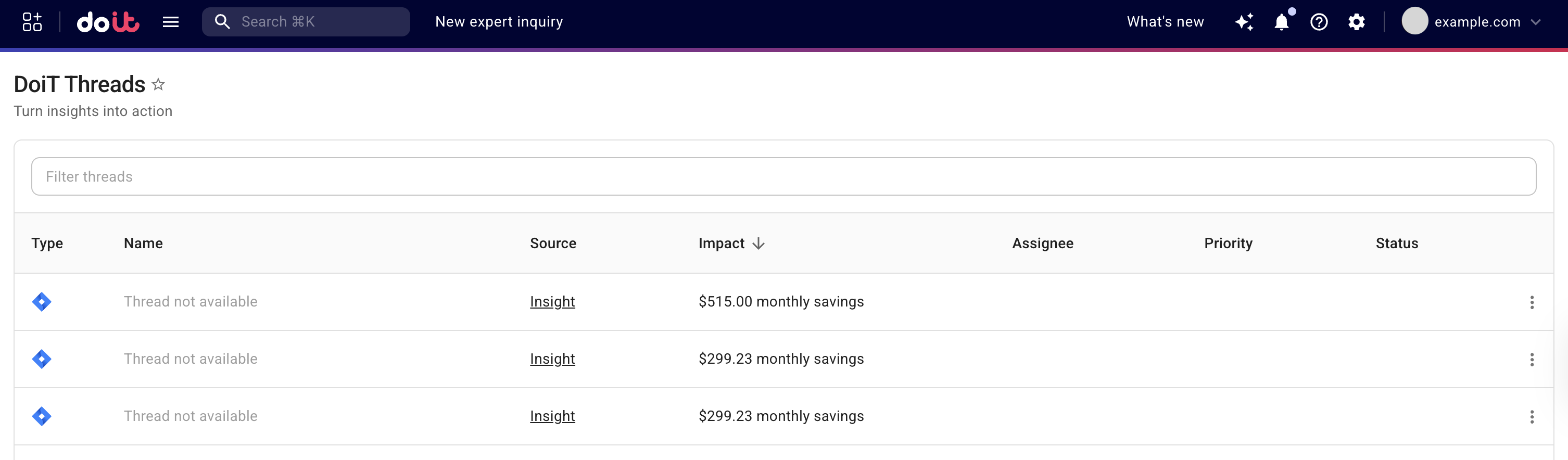
The information is fetched from DoiT and the connected system, such as your Jira instance. Updates made in the connected system, such as a status change of a Jira issue, are reflected in the console. You may need to refresh the page to see the latest updates from the connected system.
Manage threads
You have the following options on the Threads page:
-
Select a thread's Name to view the thread details.
-
Select a thread's Source to open the feature page where the thread was created. For example, it will launch the insight page if the source is Insight.
-
Choose an option from the kebab menu (⋮). The available options vary with the integration type.
Thread details
You can select individual threads to view thread details.
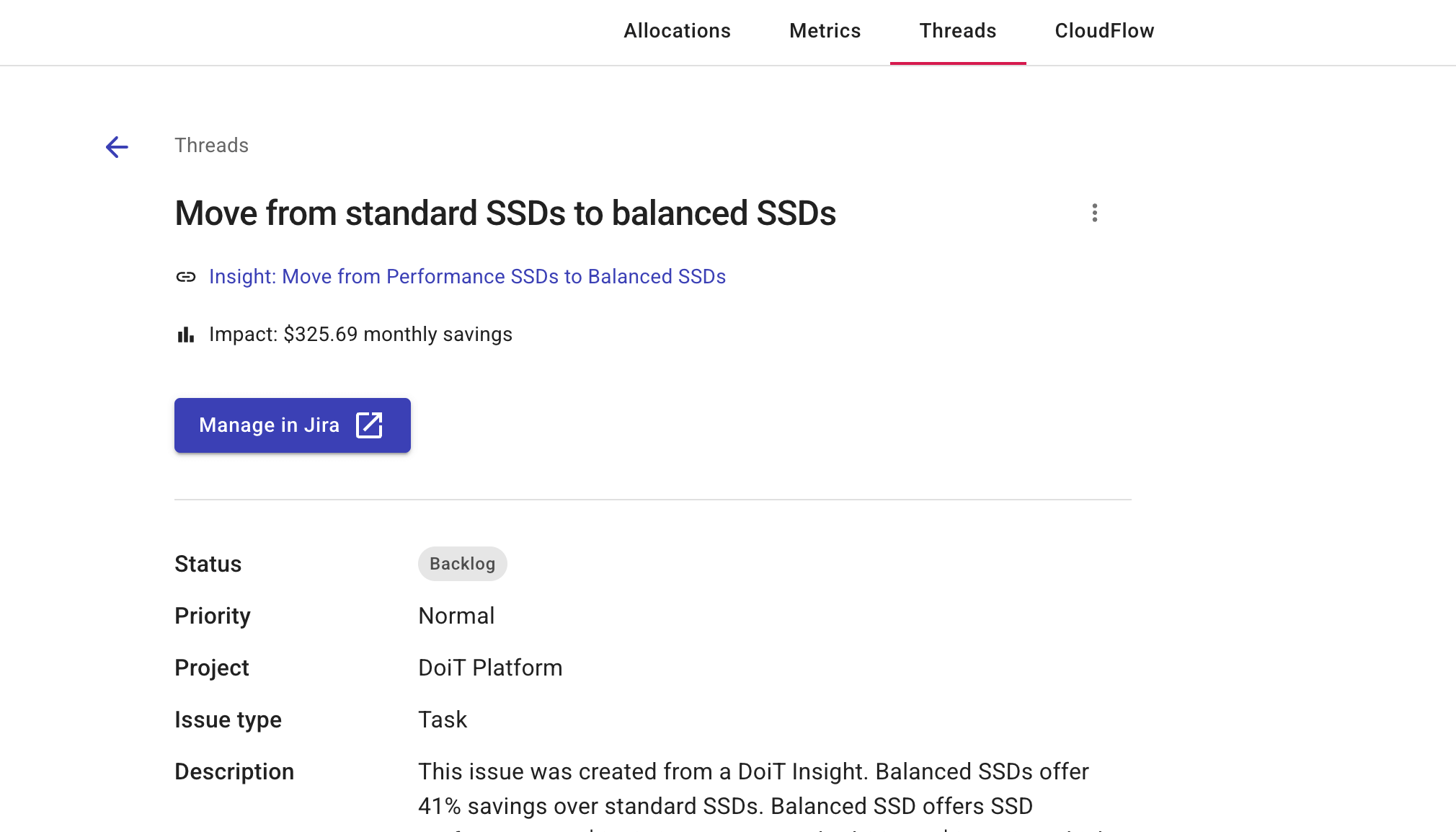
The details are fetched from DoiT and the connected system when the page loads, including the issue's status, assignee, priority, project, issue type, description, and due date (for GitHub: state, labels, assignees, milestone, and description). Updates made in the connected system are reflected in the console; you may need to refresh the page to see the latest changes. To edit the issue itself, select Manage in Jira, Manage in Linear, or Manage in GitHub to open it in the connected system.
Thread not available
Threads can become unavailable for various reasons. If the linked issue has been deleted in the connected system, or the GitHub app was uninstalled, you'll see the corresponding thread listed as Thread not available. You can safely delete the thread from the console. GitHub issues that are transferred to another repository the app can access keep their thread; the thread follows the issue.