AI Flow Builder
AI Flow Builder is a GenAI-powered tool within the CloudFlow editor that allows you to create or update flows using natural language. Instead of adding and configuring nodes manually, you simply describe your automation goals in everyday language. This speeds up building flows and helps you automate common cloud operations—for example, you might ask it to create a flow that runs daily, checks for unattached storage in your cloud environment, and posts a summary to Slack. You can also ask the agent to explain or inspect parts of an existing flow—for example, what an AWS, Azure, or GCP node does, or how a filter or waiter is configured—without making changes.
Required permission
- CloudFlow Editor
Access AI Flow Builder
-
Sign in to the DoiT console, select Operate from the top navigation bar, and then select CloudFlow. Create a new flow or open an existing one.
-
In the flow editor, select AI Flow Builder. The AI Flow Builder panel is displayed.
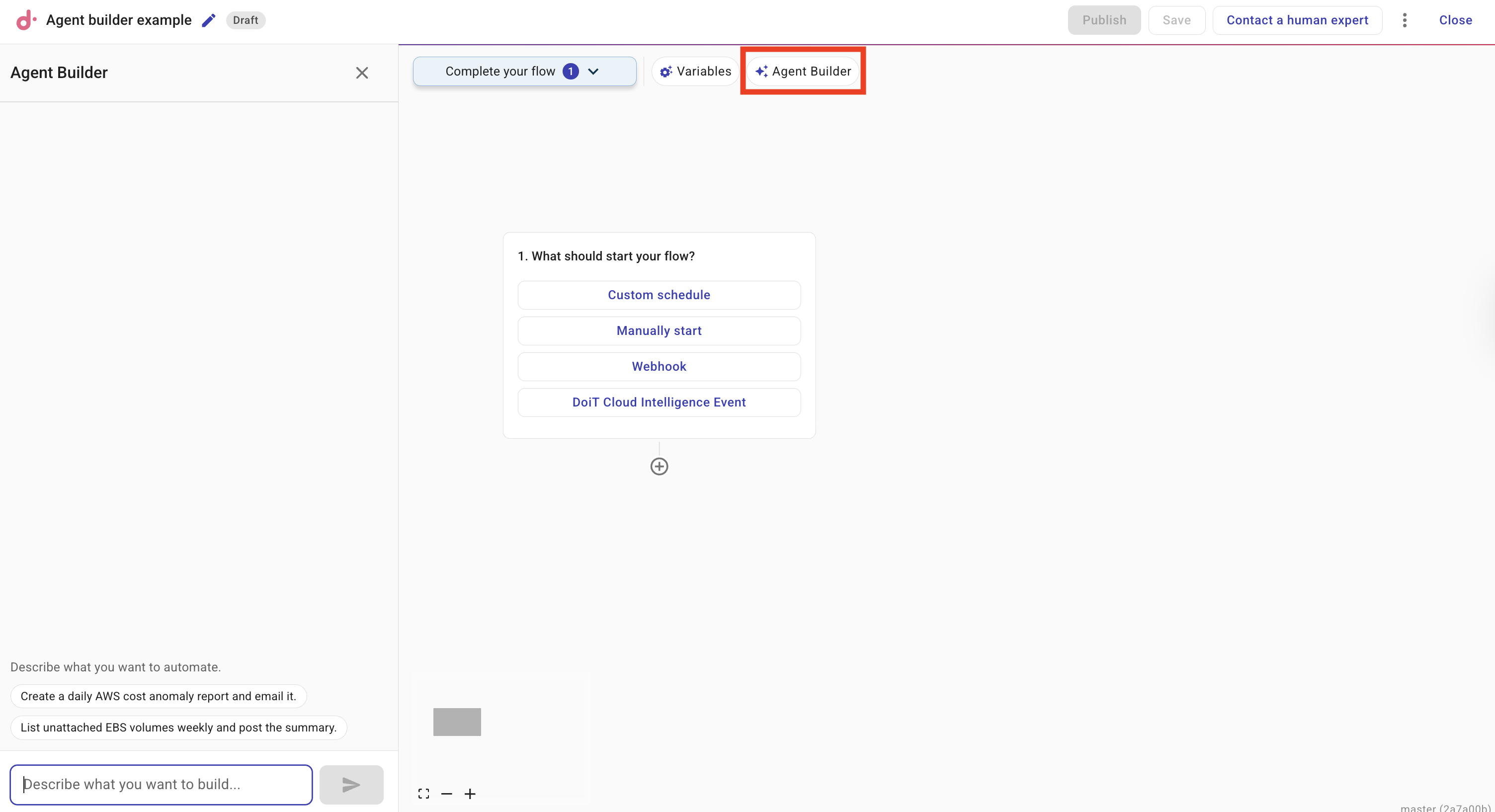
Build or edit a flow
You can ask the agent to build or edit a flow, or to explain part of the current flow. To build or edit:
-
In the AI Flow Builder panel, describe what you want to automate in the text field. For example: Create a daily AWS cost anomaly report and email it or List unattached Azure managed disks weekly and post the summary.
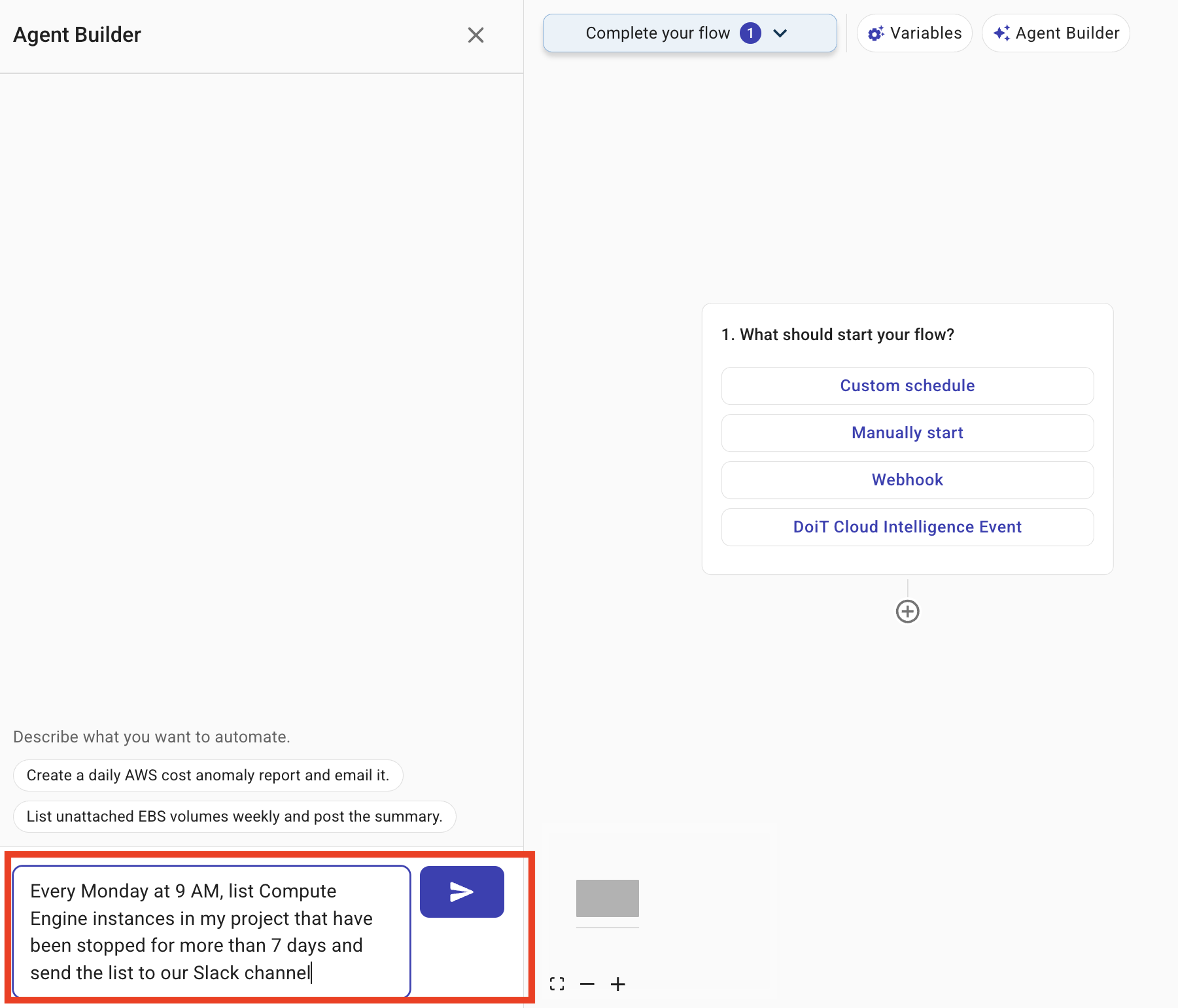
-
If the flow already has nodes, you can use @ to mention a node so the agent can add, remove, or change parts of the flow relative to that node.
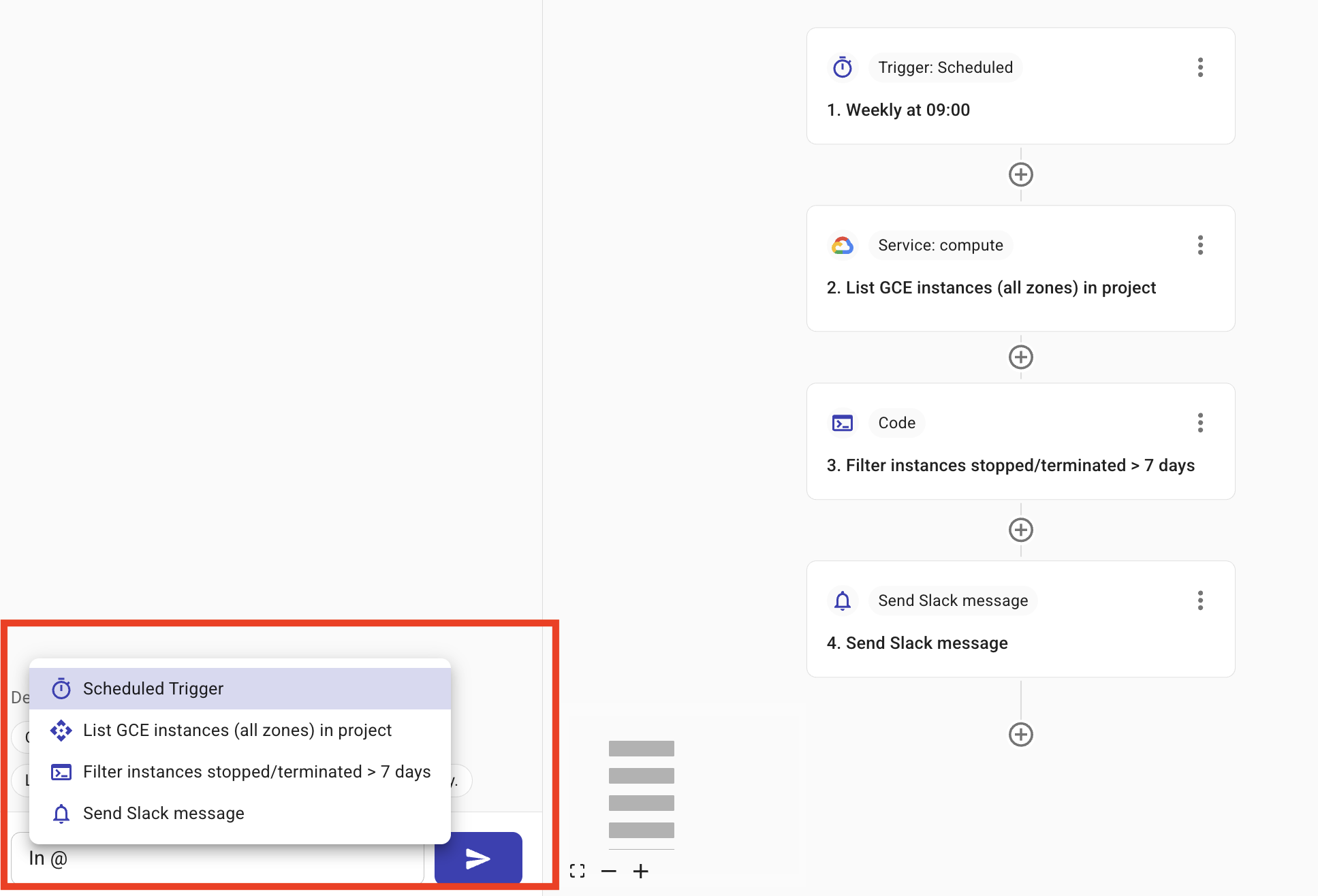
-
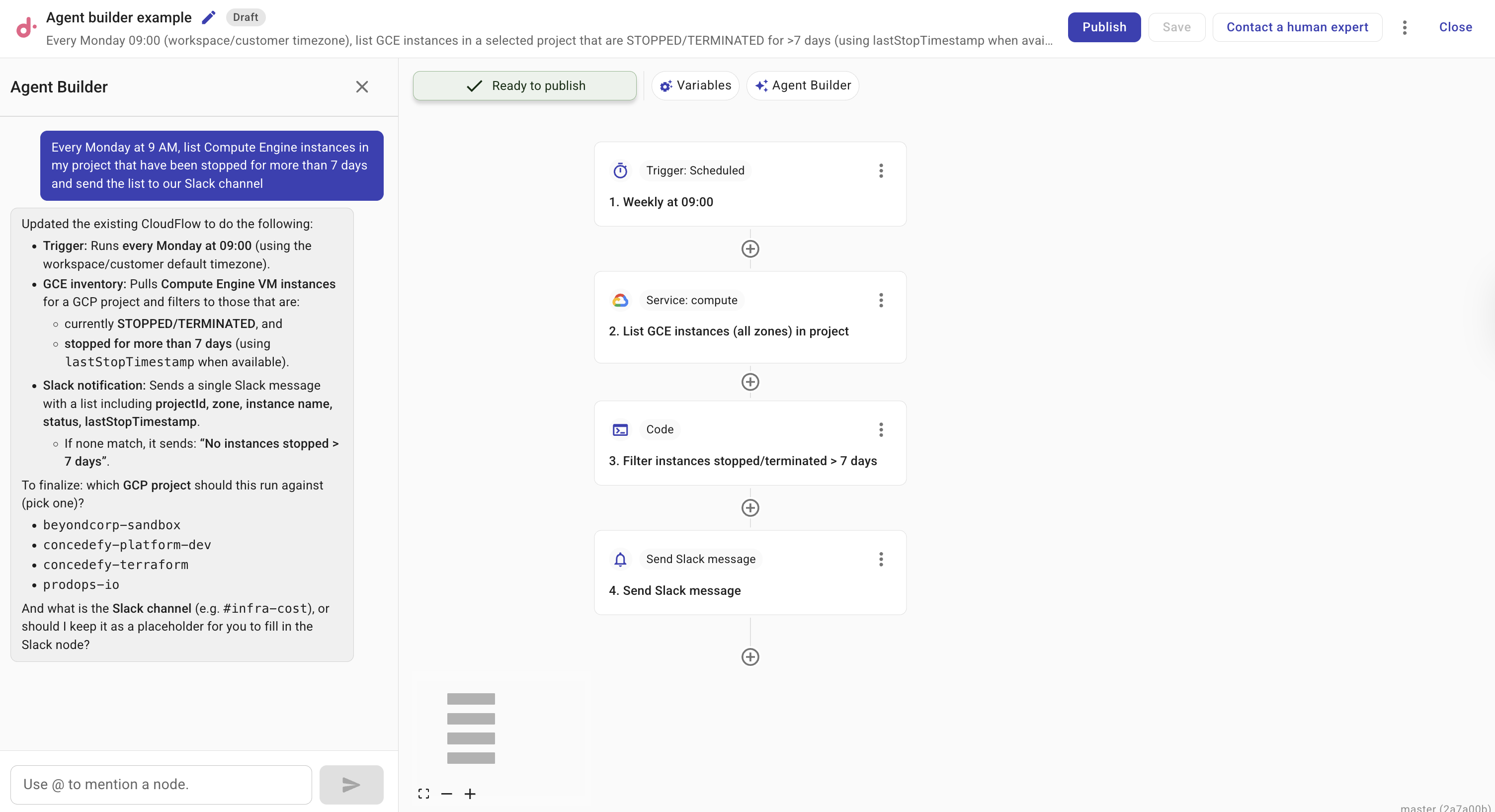
Select Submit. The agent designs the flow (trigger and nodes) and applies the changes; the canvas updates when done.
TipTry prompts like: Tag untagged EC2 instances and notify the team in Slack or Every Friday, check if we're over budget and create a Jira ticket if so.
Clear the conversation
You can clear an existing conversation and start again.
Clearing the conversation cannot be undone. The conversation history is permanently removed. Any changes already applied to the flow are not reverted.
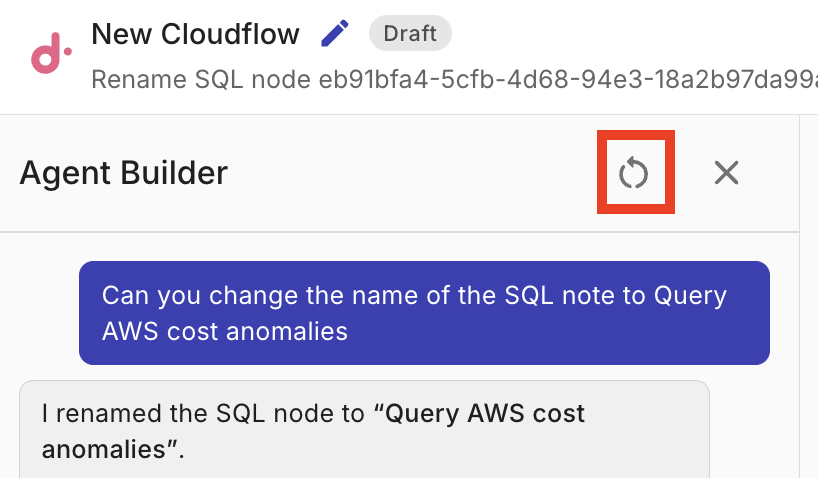
To start a conversation again, select the Clear conversation button.
Ask for information
When you have a flow open, you can ask in natural language for explanations of nodes or steps—what they do, what parameters they use, or how they connect. The agent uses the current flow and does not modify it. For example:
- What does this EC2 RunInstances node do? — The agent explains the action and typical use (e.g. launching instances and common parameters).
- Explain the filter on the branch after DescribeInstances — The agent explains the condition and when that branch is taken.
- What does the InstanceRunning waiter do in this flow? — The agent explains that the flow waits for the instance to reach a running state before continuing to the next node.
- What parameters does this GCP node need? — The agent describes the required and optional inputs for the selected node.
- What parameters does this Azure node need? — The agent describes the subscription ID, resource group when required, and action-specific inputs.
After the agent runs
The flow is updated automatically. You can run tests, adjust nodes, or send another request to refine the flow.
You can edit the generated flow manually at any time. Use the flow editor to add, remove, or reconfigure nodes as needed.
Example
Suppose you want a weekly report of idle Google Cloud Compute Engine instances in a specific project. You open AI Flow Builder and enter: Every Monday at 9 AM, list Compute Engine instances in my project that have been stopped for more than 7 days and send the list to our Slack channel. The agent creates a flow with a custom schedule trigger, a GCP node to describe instances, a filter or branch to isolate stopped instances, and a notification node to post to Slack. You can then refine the flow (for example, change the schedule or add approval) in the editor.
For an Azure example, enter: Every Monday, list unattached Azure managed disks in my subscription and email the results. The agent can create a scheduled flow with an Azure node, a filter for disks whose diskState is Unattached, and an email notification. See Find unattached Azure managed disks to build this flow manually.