Sleep node
A Sleep node pauses your flow for a configurable duration so you can add a delay before a retry, space out API calls, or wait until a later time in a scheduled flow. Provider APIs often enforce rate limits. A short sleep between calls helps avoid throttling. You can also use the Sleep node when a step depends on propagation or eventual consistency (for example, waiting for a new resource or IAM change to take effect) or when you want to re-check or notify only after a cooldown period. Execution resumes automatically after the duration elapses and continues to the next node.
Configure the Sleep node
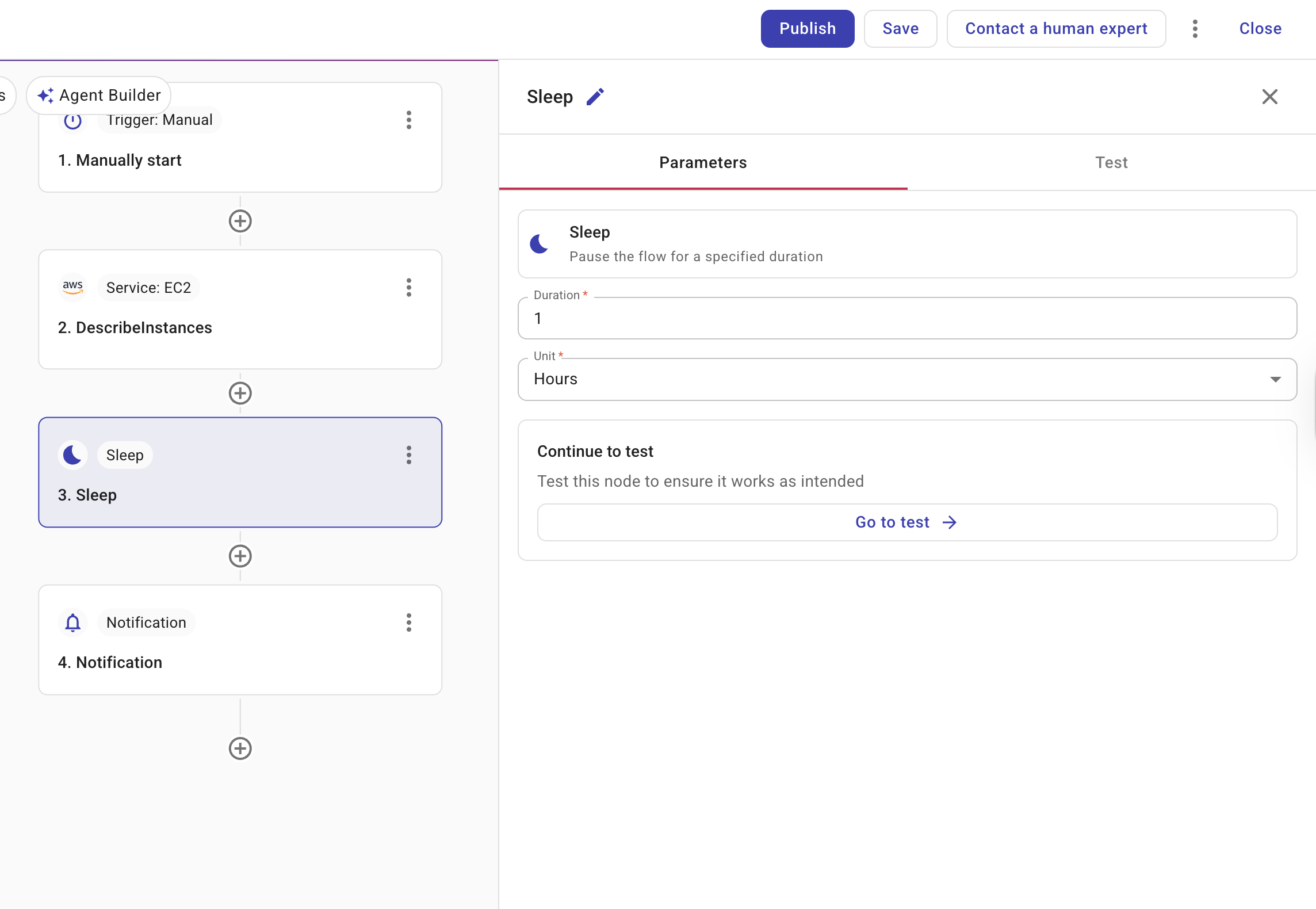
Selecting a Sleep node opens a side panel with two tabs: Parameters and Test.
-
Duration: Enter a positive integer.
-
Minutes: The minimum is 5.
-
Hours or Days: The minimum is 1.
-
-
Unit: Choose Minutes, Hours, or Days.
Run behavior
When execution reaches the Sleep node, the run is paused (Sleeping) until the configured duration elapses. CloudFlow then wakes the execution and the flow continues to the next node. In run history, the node and the run show Sleeping while the pause is active.
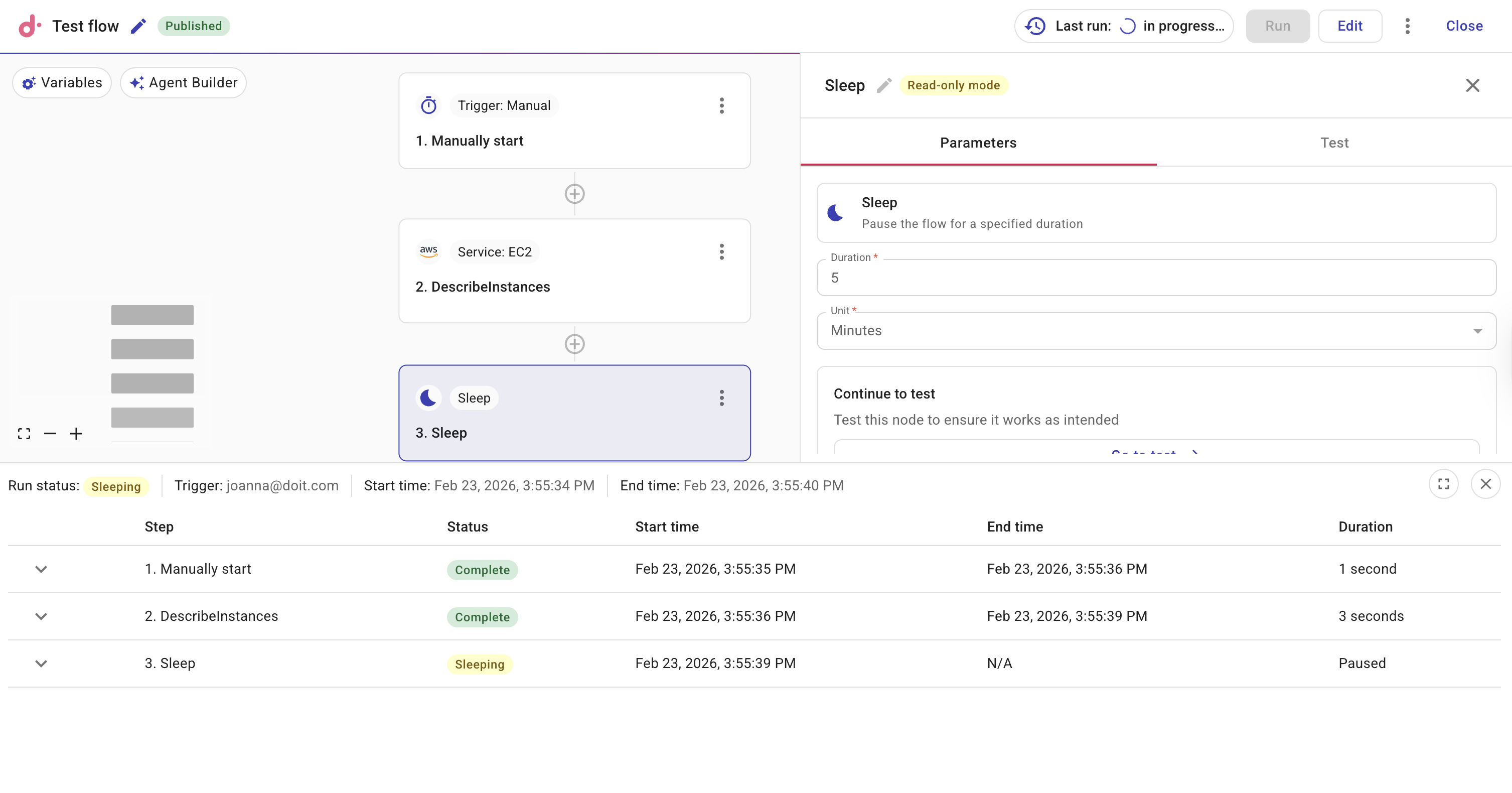
Example: Delayed summary after a check
This example uses a Sleep node so a notification is sent only after a delay, giving time for a background process or external system to finish before you alert the team.
- Schedule trigger: runs the flow daily (or on your chosen schedule).
- AWS, Azure, or GCP node: performs a check (for example, list resources or run a compliance check).
- Sleep node: set Duration to
1and Unit to Hours so the flow pauses for one hour before the next step. - Notification node: sends a summary to Slack or email (for example, Daily check completed; see run for details).
While the flow is sleeping, the run shows Sleeping in run history. After one hour, CloudFlow wakes the execution and the Notification node runs. You can shorten the delay by using Minutes (minimum 5), for example, to space out two API calls by 5 minutes to avoid rate limits.
Related docs
- Triggers — start flows on a schedule; combine with Sleep to delay steps within a run.
- Create flows — add nodes and publish your flow.
- Notification node — send alerts or summaries after a delay (for example, after a Sleep node).