Templates
A template is a prebuilt group of actions that can be added as a whole to a flow. We provide dozens of templates that provide ready-to-use recipes across AWS, Azure, GCP, Oracle Cloud, and DoiT. You can either create a flow from a template or insert a template in a flow. In addition, you can use templates to create flows from Insights.
The templates available to you depend on which cloud providers your organization has access to. If your organization only has access to certain providers (for example, AWS only), templates for other providers won't appear in the catalog, provider filter options, promoted template suggestions, or the template picker inside the flow builder.
Oracle Cloud nodes and templates are available to customers enrolled in Early Access.
Oracle Cloud cost-optimization templates create new flows and can't be inserted into an existing flow.
Access templates
To access the templates:
-
Sign in to the DoiT console, select Automation and operations from the top navigation mega menu, and then select CloudFlow.
-
In the CloudFlow sidebar, select Templates to open the template catalog. The entry is available while you work in CloudFlow—including when a workspace is selected—because templates are shared for the whole organization.
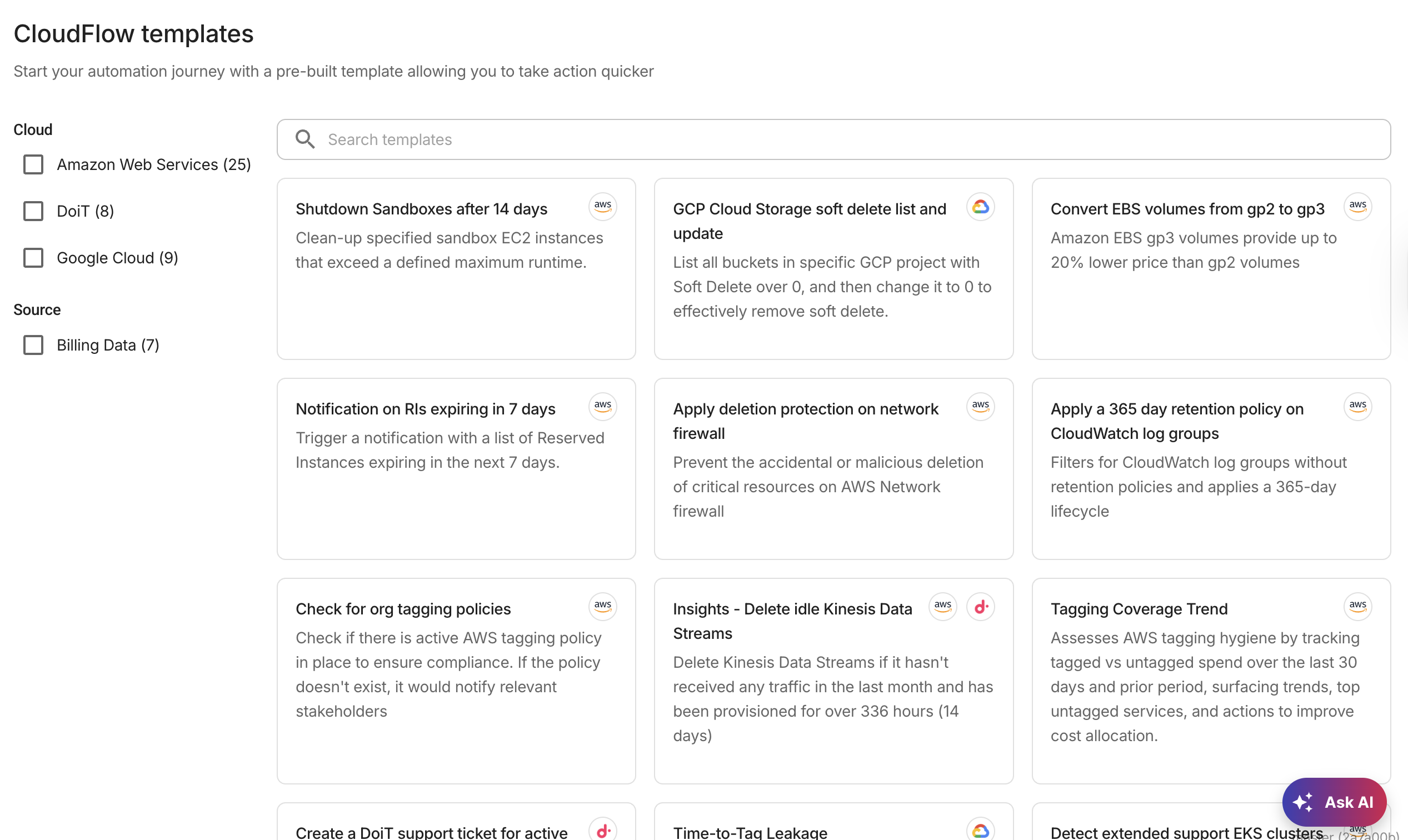
To find a template, you can search by name or filter the list.
-
Select a template to automatically create a draft flow from the template.
Some documentation pages link directly to a specific template using a URL of the form https://console.doit.com/operate/cloudflow?view=templates&templateId=<template-id>. Opening such a link takes you to the template catalog and shows a dialog where you can review the template and select Create flow.
If your organization was onboarded through DoiT PartnerOps and is operating in Presentation mode, GCP-tagged templates are not available for preview.
Insert a template in a flow
You can insert a template at any point in a flow.
-
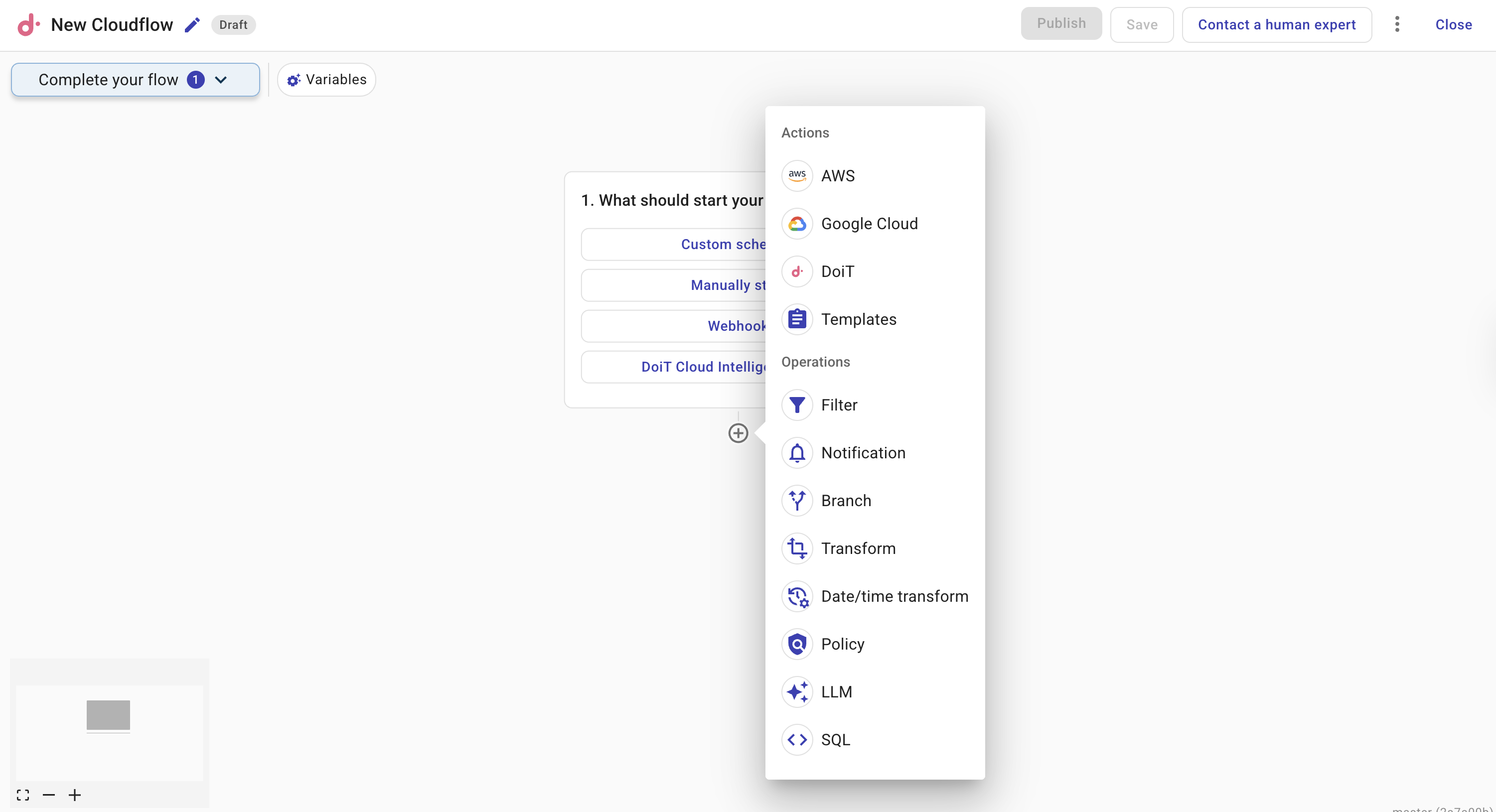
Create a flow. When you add your first action to the flow, a list of available actions is displayed.
-
Select Templates from the list.
-
You'll be asked to choose one from a list.

You can customize the template in your flow once added.
Insights
Insights is a recommendation service that helps you optimize cloud costs, enhance cloud infrastructure's security, and adopt best practices of FinOps and a well-architected framework. Using a template, you can create a flow from an insight. This facilitates data-driven decision-making by translating insights directly into actions, saving time and resources, and allowing for faster realization of benefits from insights.
Flows are currently available for a subset of insights, with support for additional insights planned for future releases.
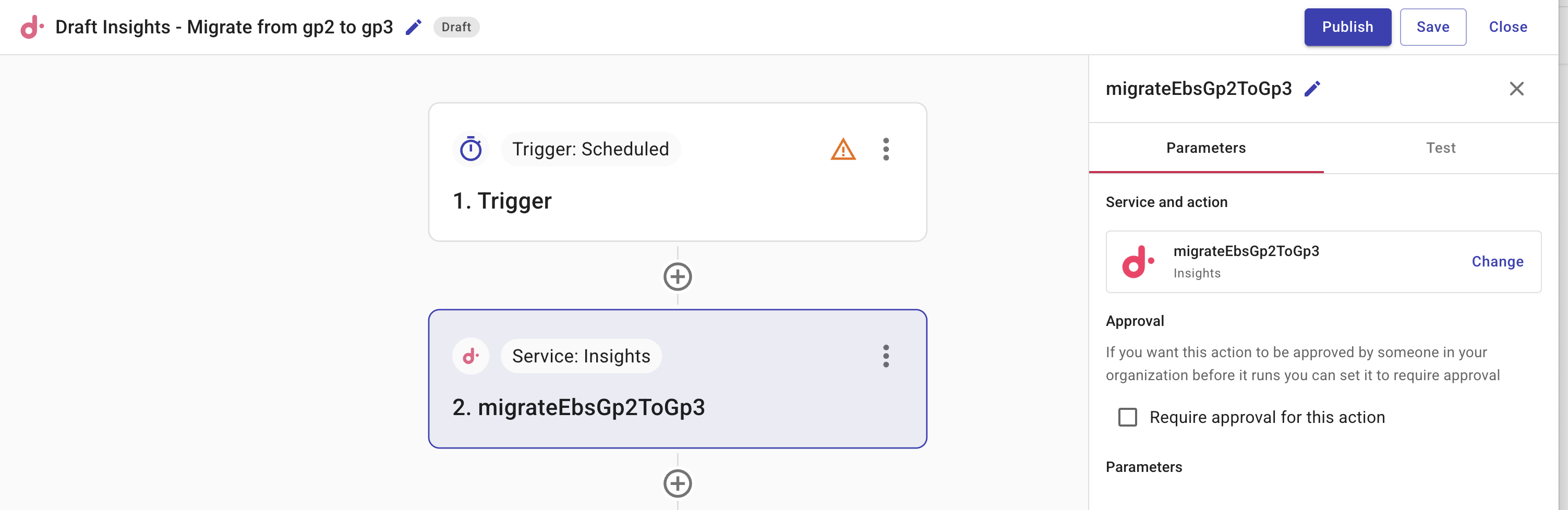
An insight node determines the insight data to use in the flow template.
-
Service and action: The specific insight data to use in this flow. If you pick a different insight, the flow might stop working correctly. To change the insight, close this and start a new flow with the insight you want.
-
Approval: Select Require approval for this action if necessary. See Require approval.
-
Test: Use Test to validate your configuration. It is important to test the configuration of each node in a flow to ensure that every node functions as expected and that data is processed correctly throughout.
CautionThis action performs a full execution of the step which can initiate real actions, such as deletion.
To learn more about creating a flow from an insight, see the Insights tutorial.
To configure the Oracle Cloud cost-optimization templates, see:
To configure the AWS Health notification template, see Notify owners of AWS Health scheduled maintenance.