Code node
A Code node lets you write custom JavaScript or Python code to perform complex data transformations, calculations, or logic that goes beyond what other nodes offer. Your code runs in a secure sandboxed environment, and the output becomes available to subsequent nodes in your flow.
Configure the Code node
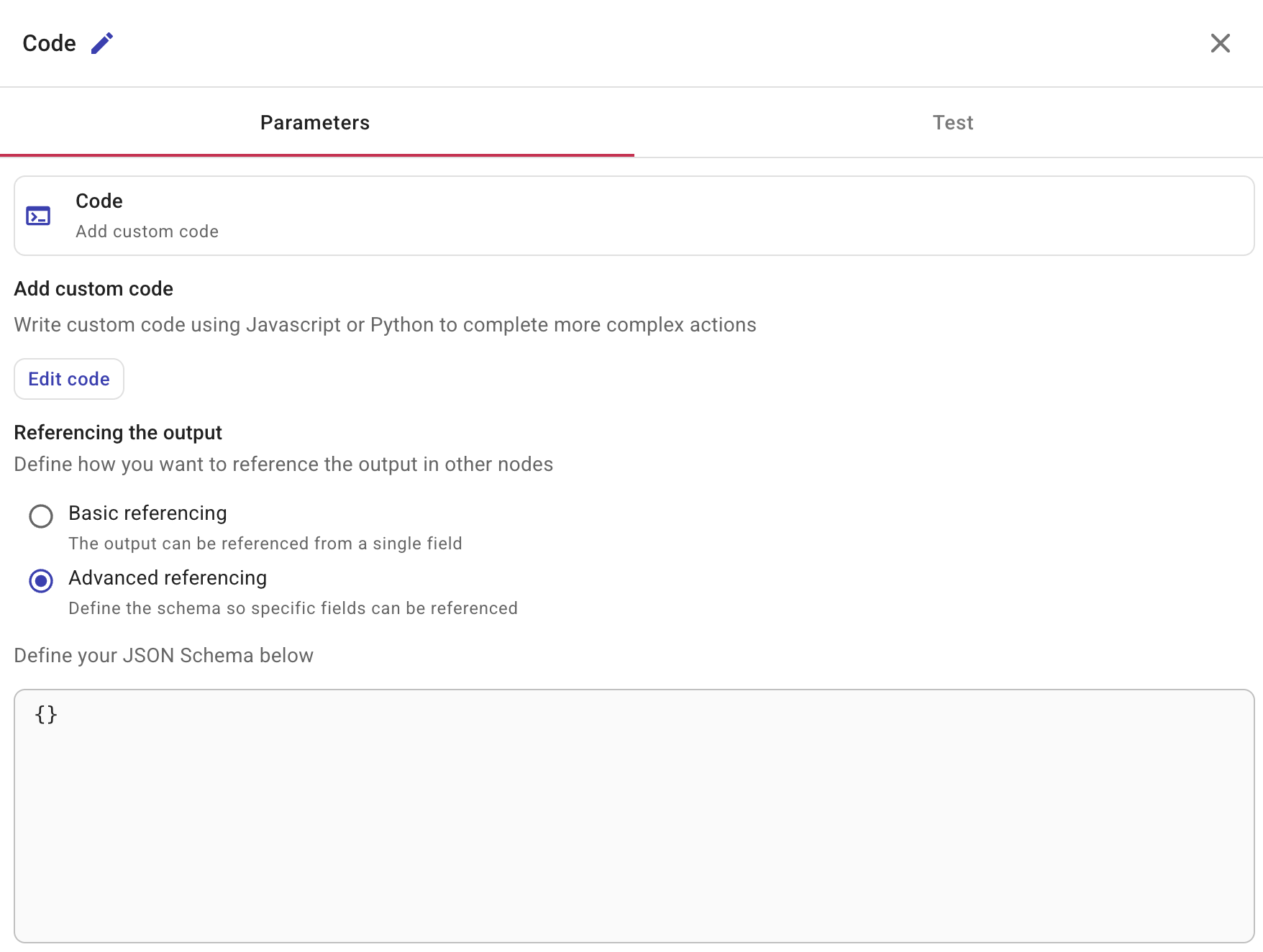
Selecting a Code node opens a side panel with two tabs: Parameters and Test.
Add custom code
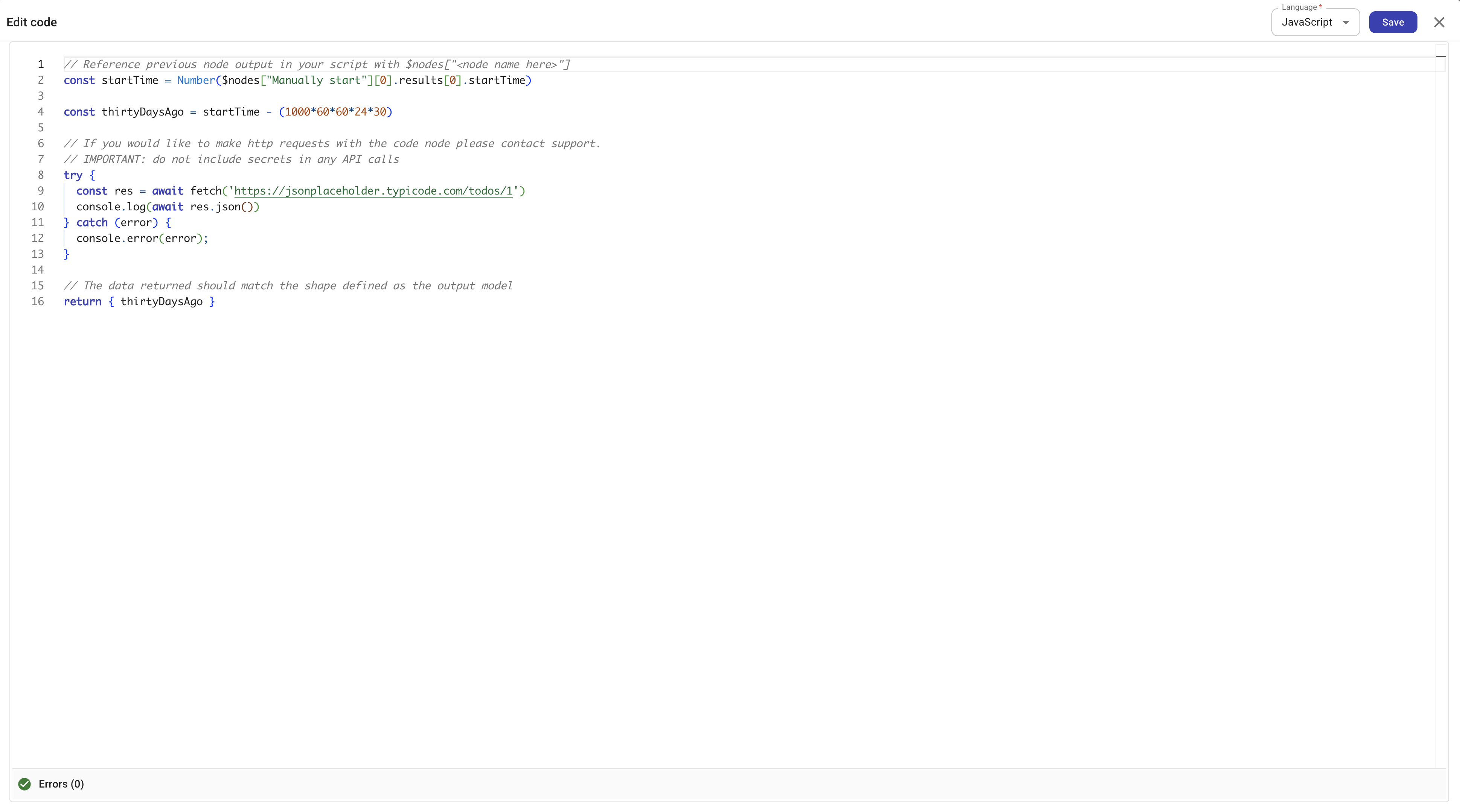
Select Edit code to open the code editor. Use the Language dropdown in the top-right corner to switch between JavaScript and Python.
Accessing data from previous nodes
Your code can access data from all preceding nodes in the flow. The runtime automatically loads results from ancestor nodes into a variable:
- JavaScript: Use
$nodes— an object keyed by node name, where each entry contains the node's results. - Python: Use
nodes— a dictionary keyed by node name, where each entry contains the node's results.
For example, to read a value from a preceding node named "Manually start":
- JavaScript
- Python
const startTime = Number($nodes["Manually start"][0].results[0].startTime)
start_time = int(nodes["Manually start"][0]["results"][0]["startTime"])
Accessing flow variables
Your code can access the flow's global and local variables at runtime. The runtime exposes a variables object that contains two properties — globalVariables and localVariables — each keyed by variable name.
- JavaScript: Use
$variables. - Python: Use
variables.
- JavaScript
- Python
// Access a global variable
const region = $variables.globalVariables.projectRegion

// Access a local variable
const retries = $variables.localVariables.retryCount
# Access a global variable
region = variables["globalVariables"]["projectRegion"]

# Access a local variable
retries = variables["localVariables"]["retryCount"]
The code editor provides autocomplete for $variables (JavaScript) and variables (Python). After typing $variables., the editor suggests globalVariables and localVariables, then suggests individual variable names within each scope.
Connection variables are not available through $variables. To use a connection in a Code node, pass the relevant values through a preceding node or a non-connection variable.
Returning data
Your code must return a value that can be serialized to JSON. The returned data becomes the output of the Code node and can be referenced by subsequent nodes (for example, via the + button in later nodes). See Node parameters.
- JavaScript
- Python
return { thirtyDaysAgo }
return {"thirty_days_ago": thirty_days_ago}
Referencing the output
Define how other nodes in your flow can reference the Code node's output:
-
Basic referencing: The output is referenced as a single field. Use this for simple return values.
-
Advanced referencing: Define a JSON schema so that specific fields in your output can be individually referenced by downstream nodes. See Output schema for how to define the schema. Unlike typical standalone JSON Schema examples on json-schema.org, the CloudFlow output schema is not a full JSON Schema document. Do not include
$schema(for example thedraft/2020-12URL) or$idin that field. They are not supported and can prevent the schema from behaving as expected.
Included libraries
The Code node sandbox comes with pre-installed libraries for common tasks. You do not need to install them — they are available by default.
JavaScript (Node.js 22)
| Library | Version | Description |
|---|---|---|
| axios | 1.13 | Promise-based HTTP client |
| zod | 4.3 | Schema validation |
| lodash | 4.17 | Utility functions |
| jmespath | 0.14 | JSON query language |
| dayjs | 1.11 | Date manipulation |
Python (3.12)
| Library | Version | Description |
|---|---|---|
| requests | 2.32 | HTTP library |
| pydantic | 2.12 | Data validation |
| PyYAML | 6.0.1 | YAML parser |
| toolz | 1.1 | Functional utilities |
| pandas | 2.3.3 | Data analysis |
Execution limits
Code runs in a sandboxed environment with the following limits:
-
Maximum execution time: 60 seconds.
-
Network access: Disabled by default. Contact support if your use case requires making HTTP requests from the Code node.
Test
Select Test to test the node.
See also
- Output schema — define a JSON schema so downstream nodes can reference specific fields
- Nodes
- Variables — global and local flow variables