Manage nodes
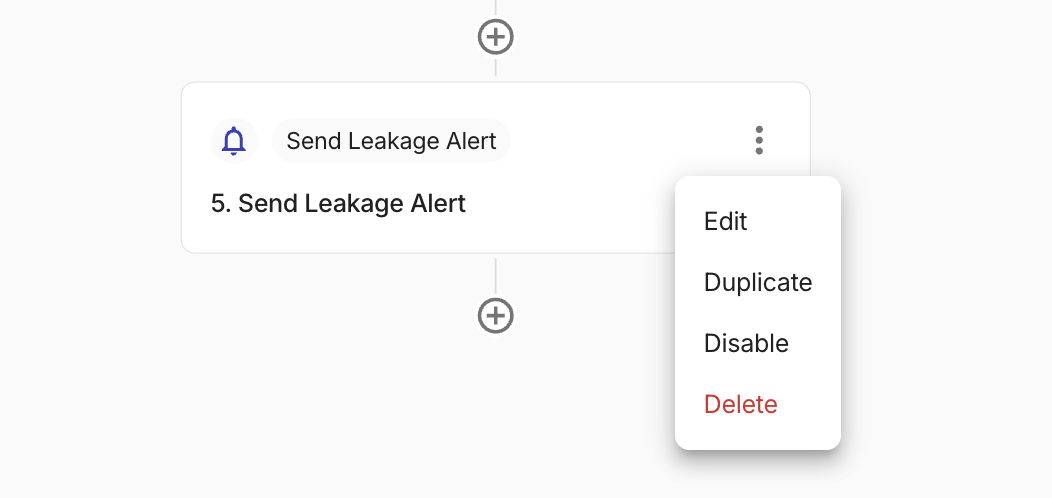
You can perform actions on a node, such as Edit, Duplicate, Disable, or Delete. Each node in a flow has a kebab menu (⋮) with the actions that apply to that node. Open the flow and select ⋮ on the node you want to change. The available items depend on the node type.
Not every node type shows every menu item.
- Trigger and some other special nodes may offer Edit only.
- Sleep, CLI, and Sub Flow nodes may show Edit, Disable, and Delete, but not Duplicate.
- Branch nodes include Edit, Duplicate, and Delete, but not Disable.
- Flow output may include Edit, Duplicate, and Delete, without Disable.
If you do not see an action, it is not available for that node.
Required permission
- CloudFlow Editor
Edit
Choose Edit to focus the node and open its configuration. This is the same as selecting the node. The URL in your browser updates automatically with a link to that node so you can copy and share it.
Duplicate
Choose Duplicate to copy the node's full configuration. The new node is named {original name} (copy) and is inserted immediately after the original in the flow, before the next downstream step. The editor selects the new node when duplication succeeds.
Disable and Enable
Choose Disable step to skip that node when the flow runs. The node's configuration is kept in the flow. To reenable the node, select ⋮ and choose Enable step.
If other nodes reference this node, a dialog lists those references. You can choose to confirm or cancel the change.
Delete
Choose Delete to remove the node from the flow.
If other nodes reference this node, a dialog lists the references before you confirm. Branch nodes have extra options when paths contain actions. See Delete a branch node.