DoiT app for Slack
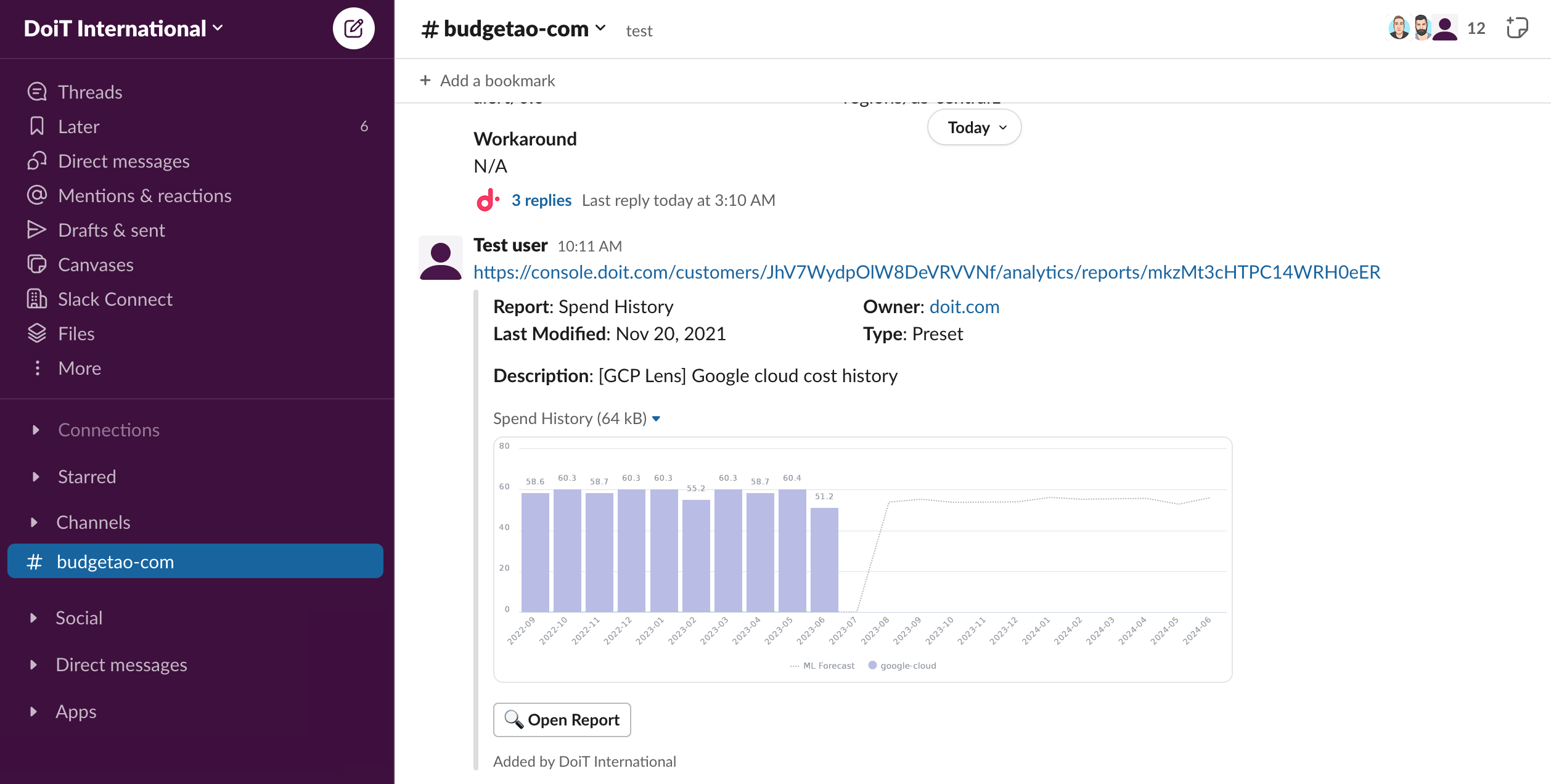
The DoiT app for Slack unfurls links to the console and provides metadata and rich previews for Cloud Analytics reports and budgets, making it easy for anyone in your Slack workspace to glean insights from the links you share without logging in to the console itself.
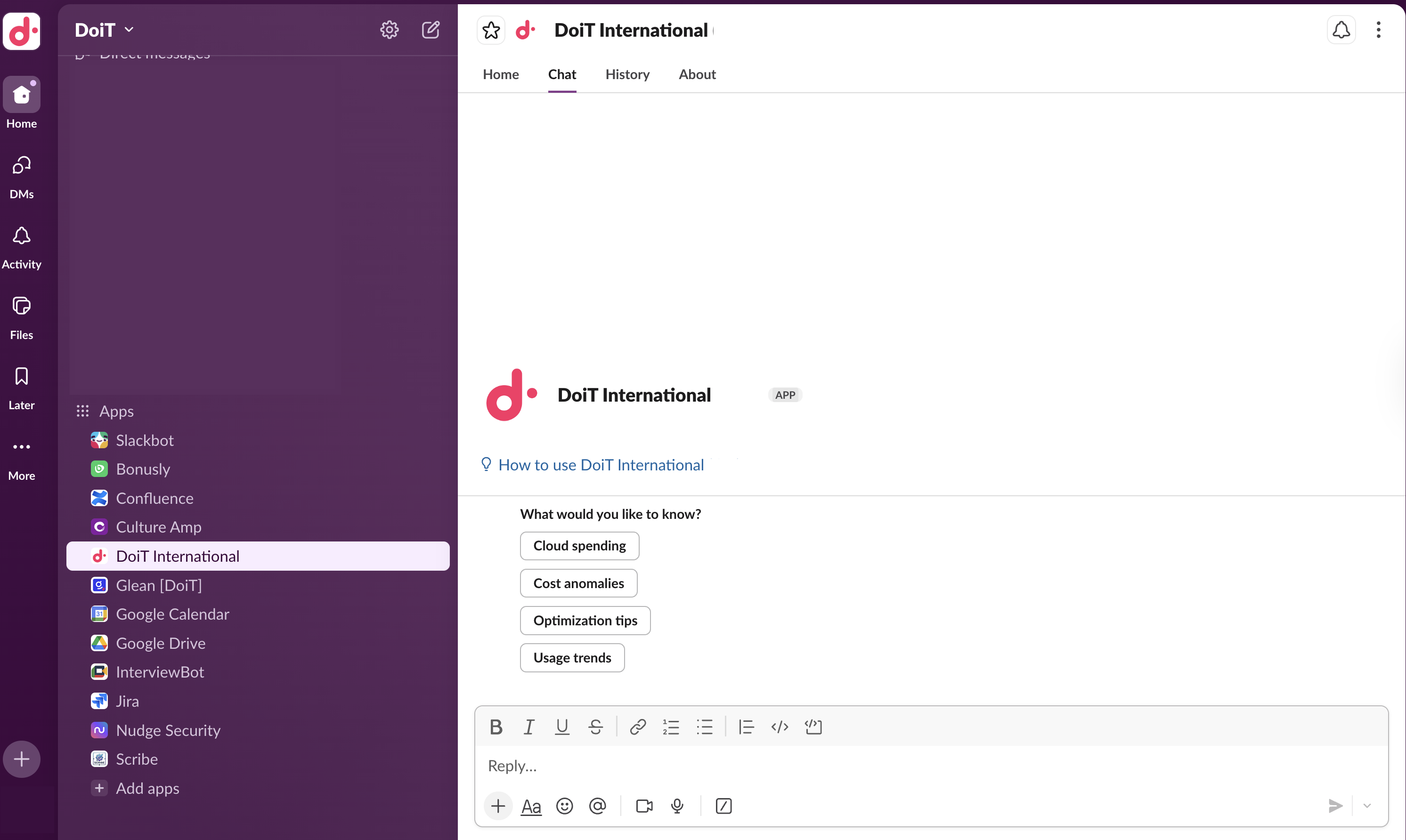
When the AI assistant is included in your DoiT plan, your users can open the DoiT app and chat with the AI assistant about cloud spend, the console, anomalies, and more. See the AI assistant in Slack.
The DoiT app for Slack and the shared Slack channel are two different components. They can be enabled or disabled independently.
Install the app
Only Slack workspace admins can install applications for Slack.
To install the DoiT app for Slack in your Slack workspace:
-
Sign in to the DoiT console.
-
In the console, select Data ingestion and integrations > Integrations from the top navigation mega menu.
-
On the Integrations page, select Work management.
-
Locate the Slack integration card and select Manage.
-
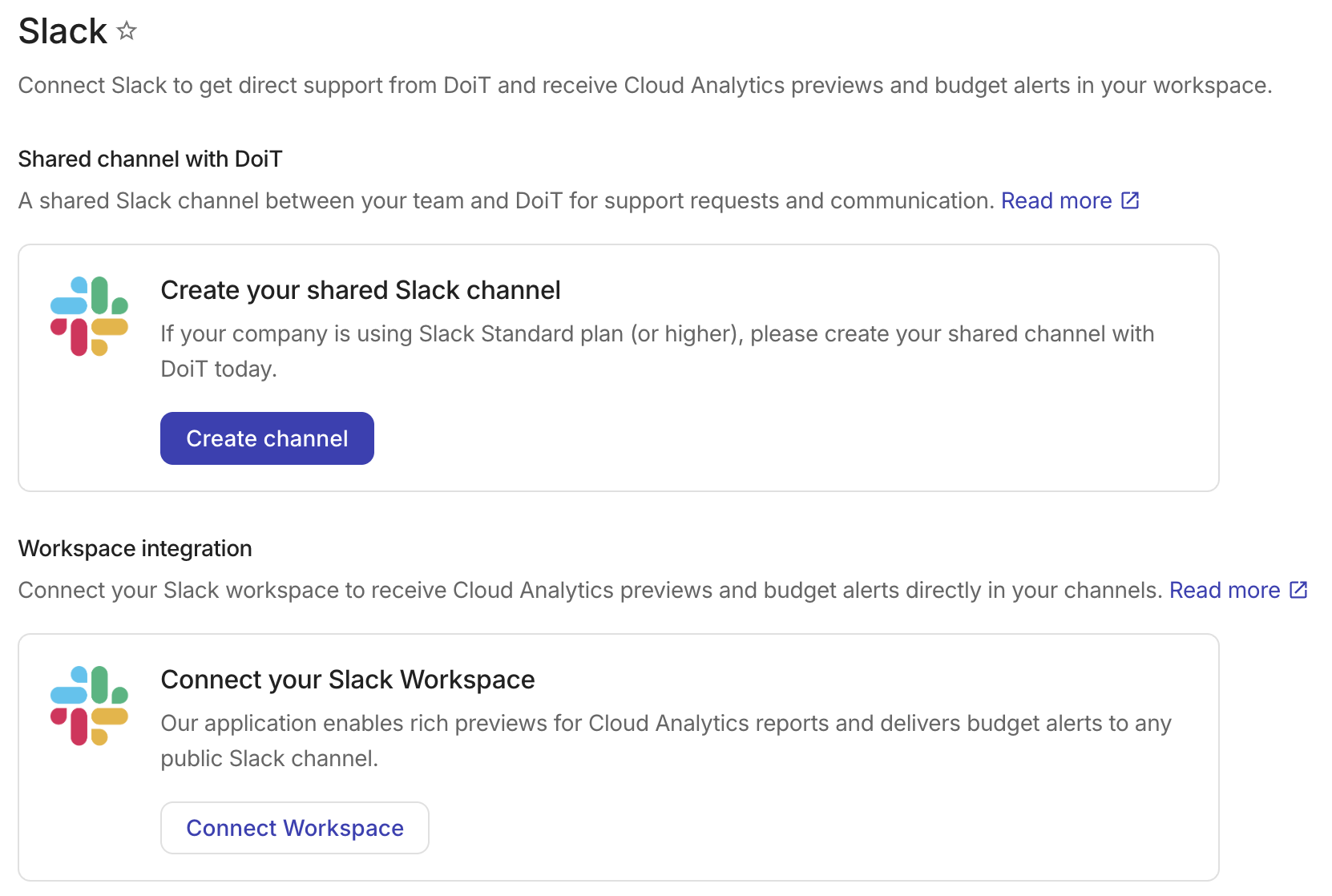
In the Workspace integration section, select Connect Workspace.
-
Sign in to your Slack workspace.
-
Grant DoiT International permission to access your Slack workspace.
-
Read the descriptions about what DoiT International will be able to view and do.
-
View basic information about your public channels: To suggest a channel when scheduling messages (e.g., budget notification thresholds) from the console.
-
View basic information about your group direct messages and private channels: To understand which users are missing permissions to view a chart that has been shared.
-
View people and their email addresses in your workspace: To validate user permissions before unfurling sensitive links.
-
-
Select Allow to proceed.
-
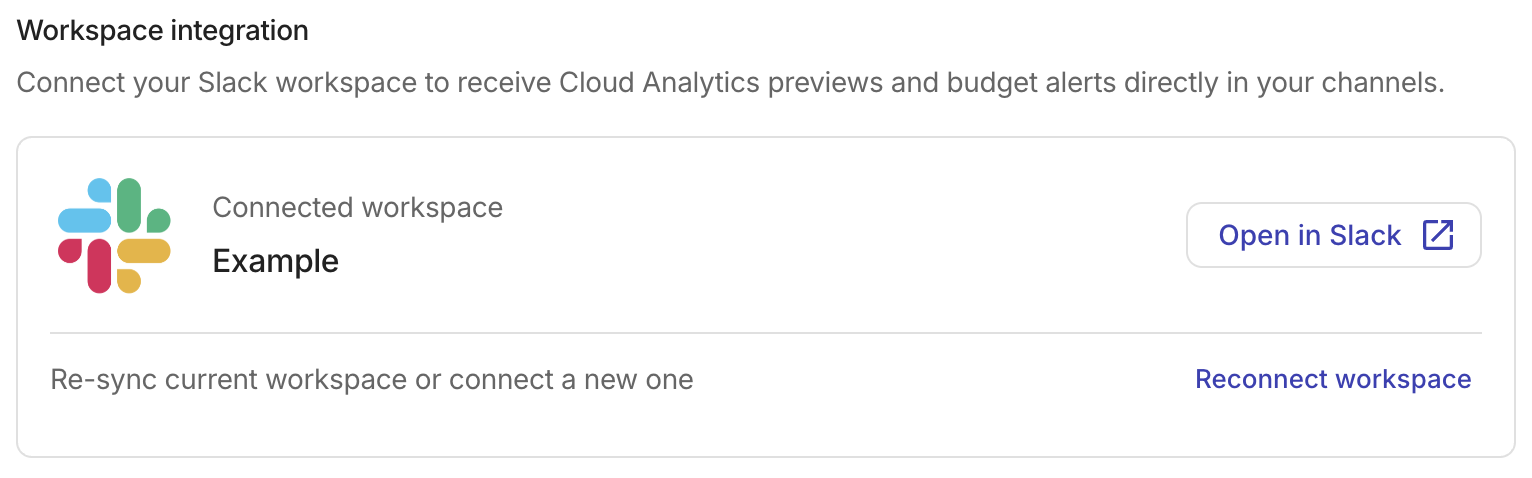
After connecting, the Workspace integration section displays the name of your connected workspace along with an Open in Slack button that takes you directly to the workspace.
Reconnect your workspace
You need to reconnect your workspace if the app is missing the required private-channel permissions, or the workspace bot token was revoked or expired. To reconnect the current workspace, select Reconnect workspace in the Workspace integration section and follow the connection steps.
Use the app
Once one member sets up the DoiT app in your Slack workspace, others will be prompted to connect their DoiT accounts the next time they share a DoiT console link. If the connection is successful, shared DoiT links in Slack will unfurl for users who have the required permissions to access the resource.
For example, Cloud Analytics report or budget links you send in Slack will unfurl with metadata and, if applicable, a chart preview.
Separately from link unfurling, members whose DoiT plan includes the AI assistant can open the DoiT app in Slack and start a direct message conversation with the AI assistant.
Notifications
To set up notifications to Slack channels in your workspace, see Create and manage notifications.
Privacy
The DoiT app for Slack adheres to DoiT International's overall privacy policy.