Cloud Intelligence ノード
Cloud Intelligence ノードを使用すると、フローから直接 Cloud Intelligence アクションを実行できます。Allocations、Alerts、Composer Insights、Threads などの DoiT API を呼び出し、AWS・Azure・GCP のノードと連結することで、プラットフォームオペレーションを 1 つのフローの中で自動化できます。
Cloud Intelligence アクションの権限
Cloud Intelligence アクションは、あなたの DoiT アカウントの権限を使用します。DoiT アカウントに必要な権限は、呼び出す機能によって異なります。各機能のドキュメントを確認し、DoiT アカウントに必要な権限を把握してください。
アクションを探す
フローに Cloud Intelligence ノードを追加する際は、プロバイダーとして Cloud Intelligence を選択し、DoiT のサービス内を検索またはブラウズしてアクションを探します。あらかじめ Cloud Intelligence アクションが組み込まれた テンプレートノード をフローに追加することもできます。
アクションを設定する
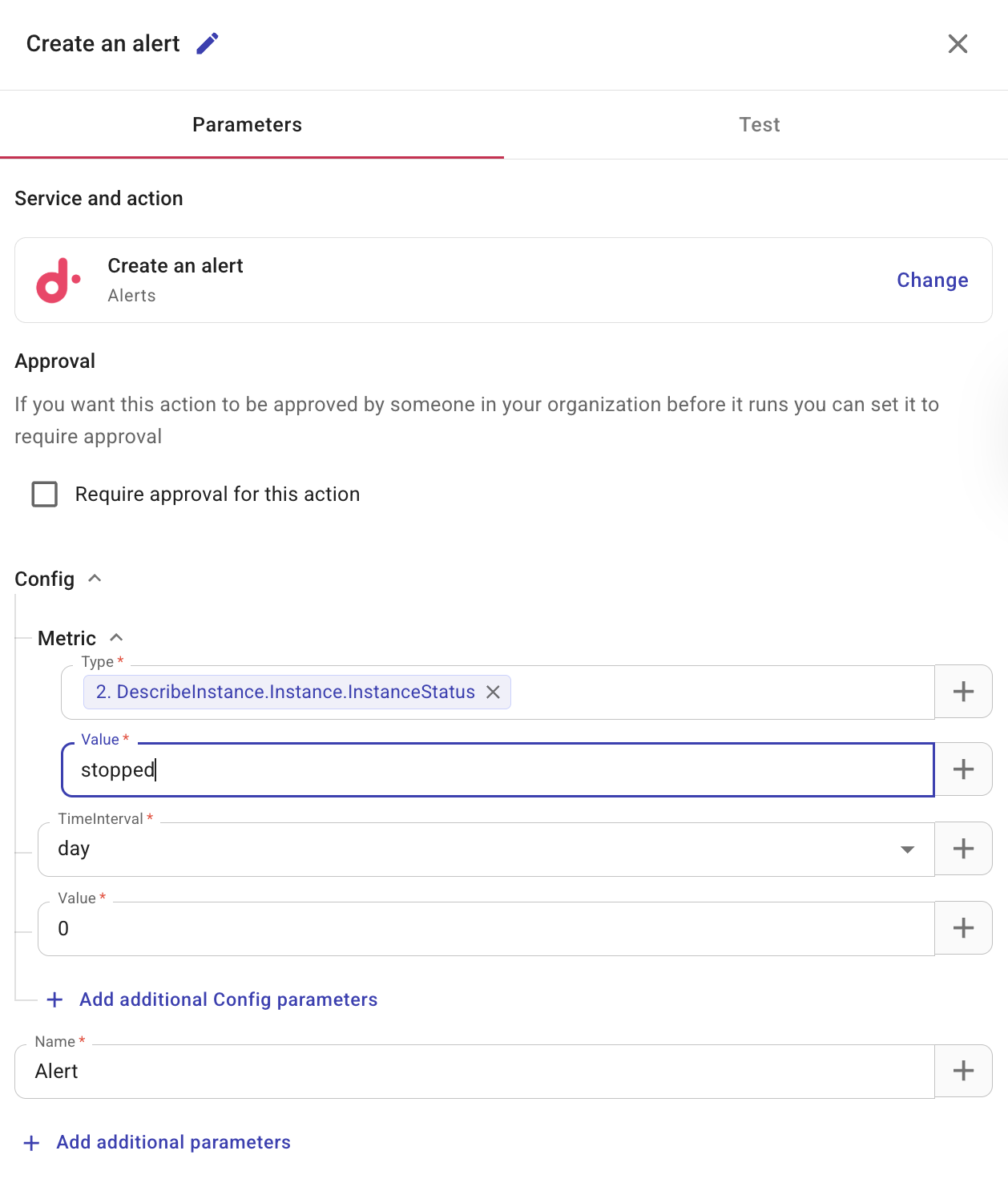
Cloud Intelligence アクションノードを選択すると、設定用の 3 つのタブを持つサイドパネルが開きます。
-
Parameters: このタブには、選択したサービスとアクション、およびそれを変更するためのオプションが表示されます。このタブで 承認設定 も行います。利用可能なパラメータは、サービスとアクションによって異なります。+ ボタンを使用して、前のノードから動的な値を挿入できます。フィールドタイプと、前のノードから値(リスト全体やマップを含む)を参照する方法については、Node parameters を参照してください。API リファレンスとリクエストの詳細については、DoiT Developer Hub を参照してください。
-
Test: Test を使用して設定を検証します。フロー内の各ノードをテストし、期待どおりに動作することと、データが正しく処理されることを確認してください。
注意このアクションはステップを完全に実行するため、実際のアクションが開始される可能性があります。
承認を必須にする
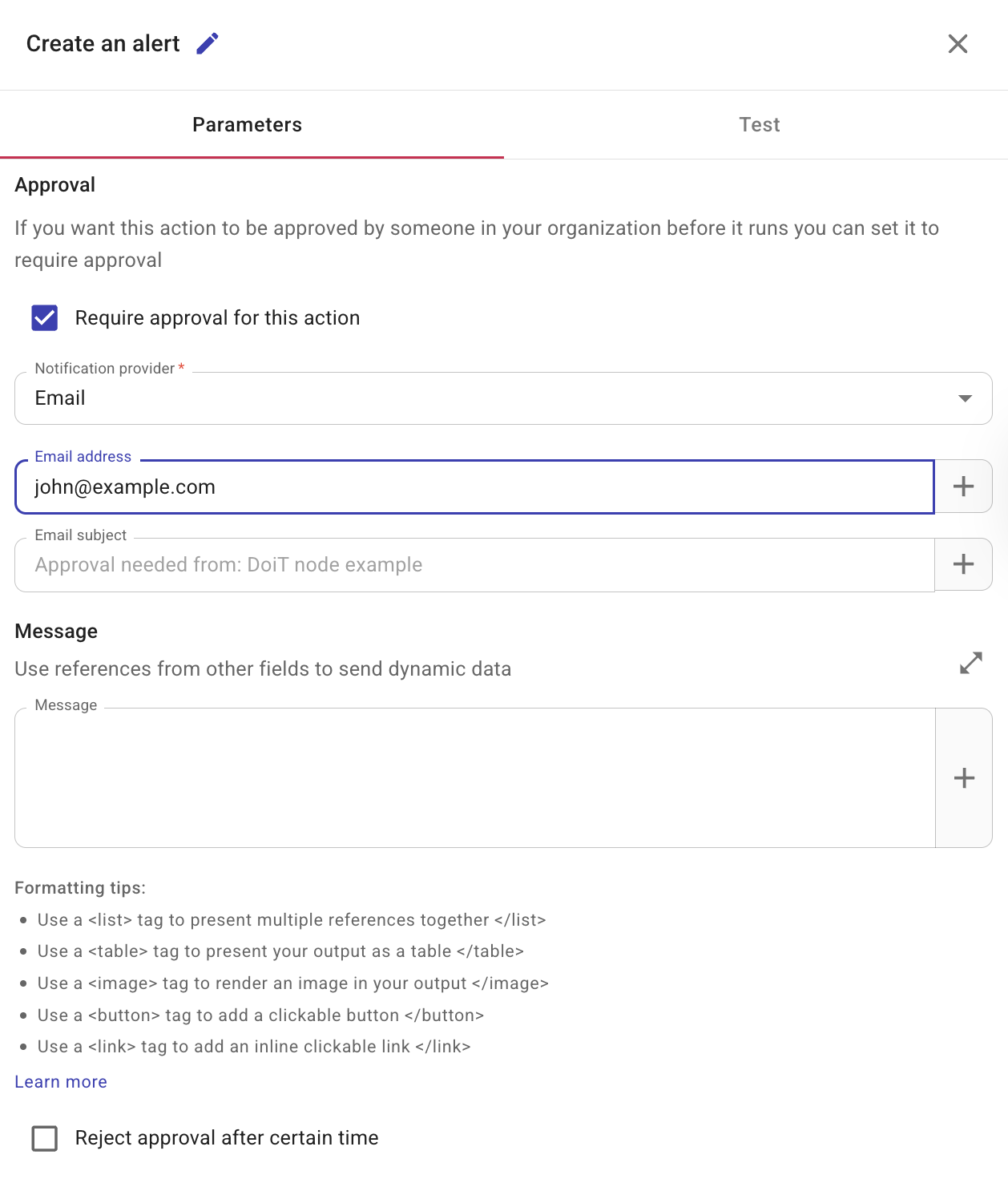
アクションを実行する前に承認が必要な場合は、Require approval for this action を選択してください。
-
Notification provider: 承認者への通知方法として Slack かメールを選択します。Slack を利用する場合は、事前に DoiT との 共有 Slack チャンネル を作成しておく必要があります。
-
(任意)Message: 承認者向けのメッセージです。前のノードのフィールドを追加して、受信者が判断に必要な詳細を確認できるようにできます。Configure the message field を参照してください。
-
(任意)Reject approval after certain time: アクションが承認を待機する時間です。承認者がこの時間内に何も行わなかった場合、アクションは自動的に拒否されます。
Composer Insights
フローから Composer のレシピと検出結果を一覧表示するには、Cloud Intelligence ノードを追加し、List recipes または List recipe findings を選択します。
スレッドを作成する
フローから ITSM ツール(例: Jira や Linear)に課題を作成するには、Cloud Intelligence ノードを追加し、Create a thread アクション を選択します。
関連情報
- Nodes
- Triggers
- Templates
- APIs in CloudFlow
- DoiT Developer Hub — CloudFlow で使用される DoiT API の API ドキュメントとリファレンス
- Composer Insights
- Threads node
- Create flows