Code ノード
Code ノードでは、カスタム JavaScript または Python コードを記述して、他のノードでは対応できない高度なデータ変換や計算、ロジックを実行できます。コードは安全なサンドボックス環境で実行され、その出力はフロー内の後続ノードで利用できるようになります。
Code ノードを設定する
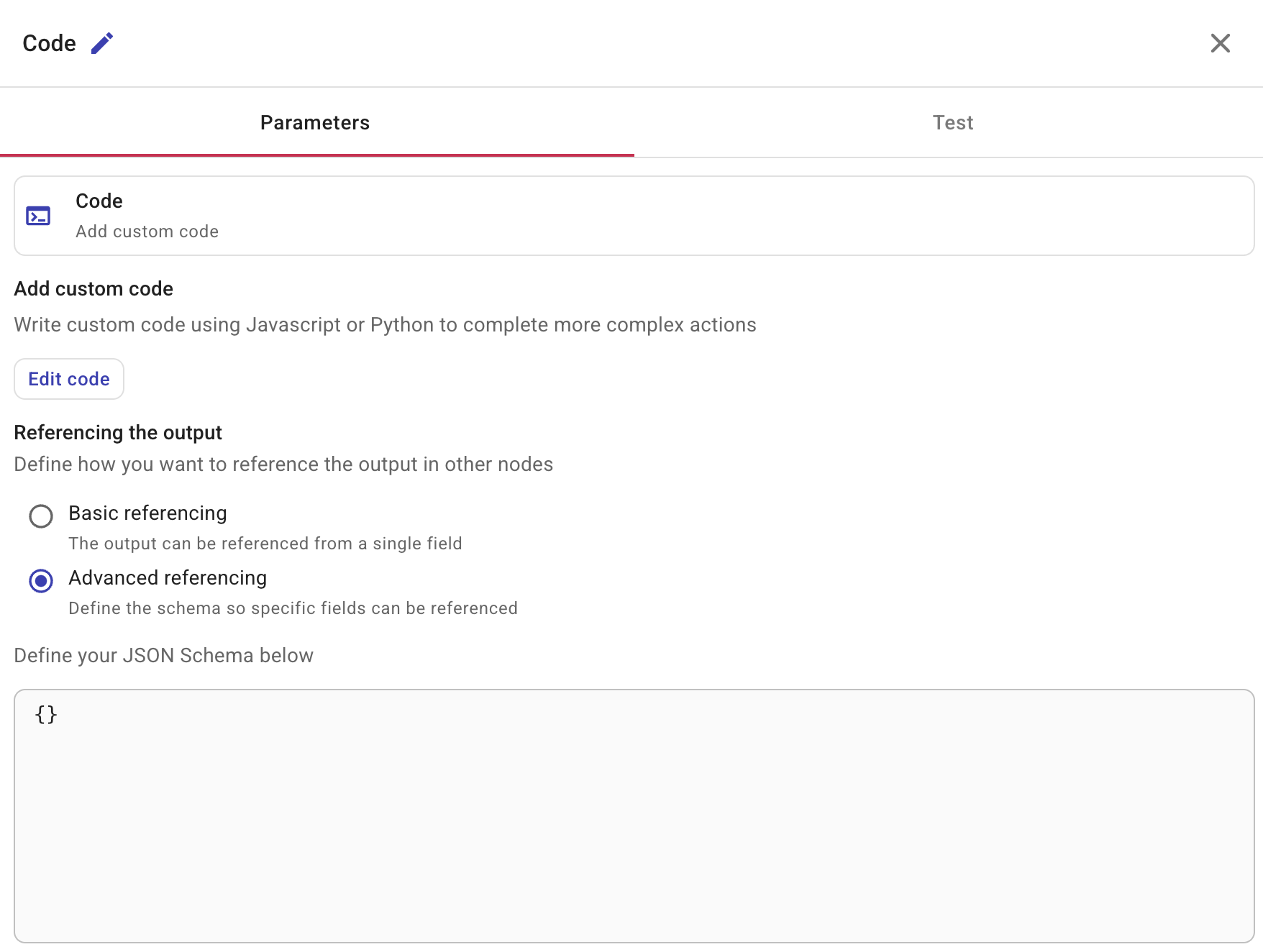
Code ノードを選択すると、サイドパネルが開き、Parameters と Test の 2 つのタブが表示されます。
カスタム コードを追加
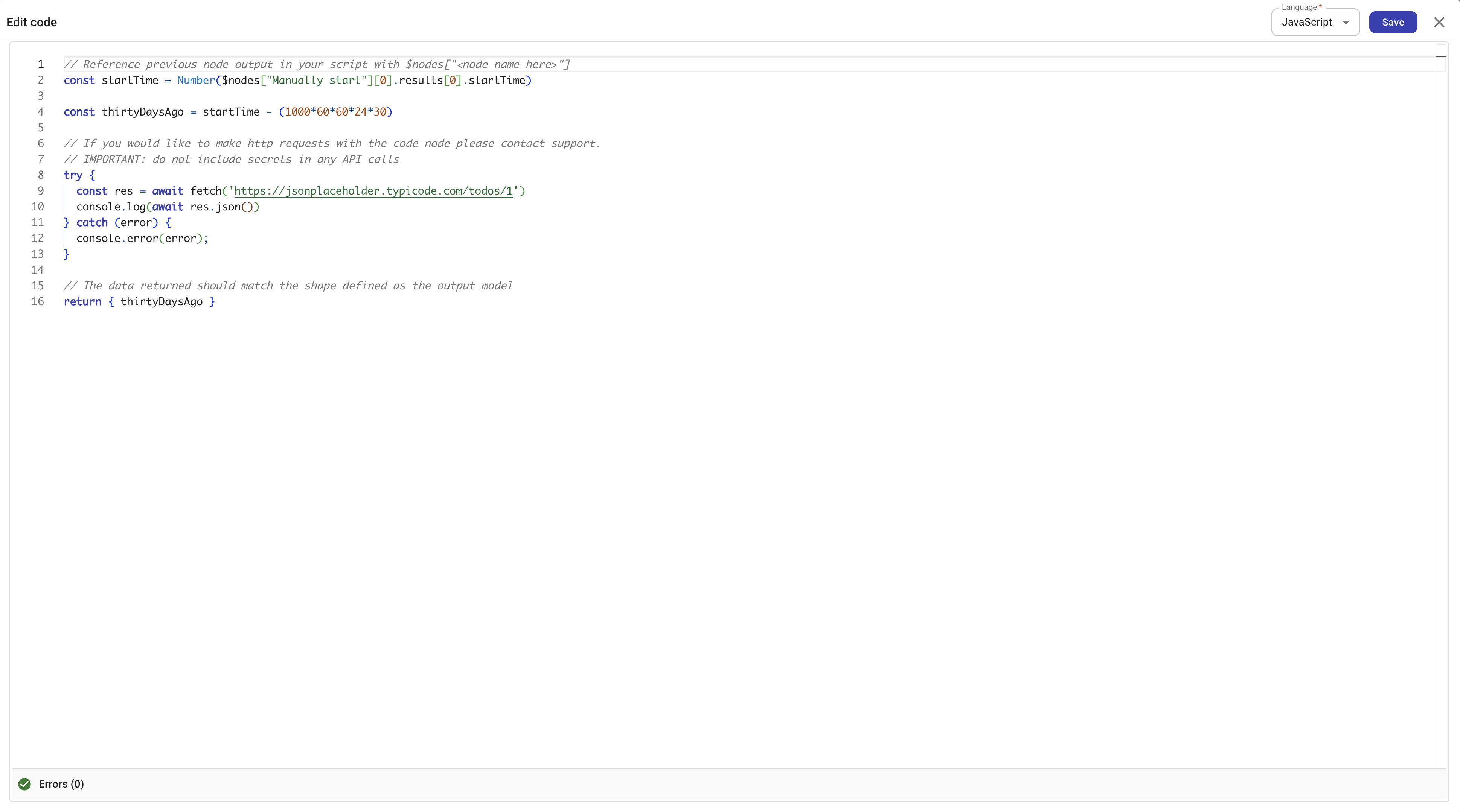
コードを編集 を選択してコードエディタを開きます。右上の Language ドロップダウンを使用して、JavaScript と Python を切り替えます。
直前のノードからデータへアクセスする
コードからは、フロー内のすべての先行ノードのデータにアクセスできます。ランタイムは、自動的に先行ノードの結果を変数に読み込みます。
- JavaScript:
$nodesを使用します。ノード名をキーとするオブジェクトで、それぞれのエントリにノードの結果が含まれます。 - Python:
nodesを使用します。ノード名をキーとするディクショナリで、それぞれのエントリにノードの結果が含まれます。
たとえば、「Manually start」という名前の先行ノードから値を読み取るには、次のようにします。
- JavaScript
- Python
const startTime = Number($nodes["Manually start"][0].results[0].startTime)
start_time = int(nodes["Manually start"][0]["results"][0]["startTime"])
フロー変数へのアクセス
コードからは、実行時にフローのグローバル変数とローカル変数にアクセスできます。ランタイムは、globalVariables と localVariables という 2 つのプロパティを持つ variables オブジェクトを公開します。どちらも変数名をキーとします。
- JavaScript:
$variablesを使用します。 - Python:
variablesを使用します。
- JavaScript
- Python
// Access a global variable
const region = $variables.globalVariables.projectRegion

// Access a local variable
const retries = $variables.localVariables.retryCount
# Access a global variable
region = variables["globalVariables"]["projectRegion"]

# Access a local variable
retries = variables["localVariables"]["retryCount"]
コードエディタでは、$variables (JavaScript) と variables (Python) に対してオートコンプリートが提供されます。$variables. と入力すると、globalVariables と localVariables が候補として表示され、さらにそれぞれのスコープ内の個々の変数名も候補として表示されます。
Connection variables は $variables からは利用不可です。Code ノードで接続を使用するには、該当する値を先行ノードまたは接続以外の変数経由で渡してください。
データの返却
コードは JSON にシリアル化可能な値を返却する必要があります。返却されたデータは Code ノードの出力となり、後続ノードから参照できます (たとえば、後続ノードの + ボタン経由)。詳細は Node parameters を参照してください。
- JavaScript
- Python
return { thirtyDaysAgo }
return {"thirty_days_ago": thirty_days_ago}
出力の参照
フロー内の他のノードが Code ノードの出力をどのように参照するかを定義します。
-
基本的な参照: 出力を単一フィールドとして参照します。単純な戻り値に使用します。
-
高度な参照: JSON スキーマを定義し、出力内の特定フィールドを下流ノードが個別に参照できるようにします。スキーマの定義方法については、Output schema を参照してください。json-schema.org にある一般的なスタンドアロンの JSON Schema の例とは異なり、CloudFlow の output schema は完全な JSON Schema ドキュメントではありません。そのフィールドには
$schema(たとえばdraft/2020-12の URL) や$idを含めないでください。これらはサポートされておらず、スキーマが期待どおりに動作しない原因になります。
同梱ライブラリ
Code ノードのサンドボックスには、一般的なタスク向けのライブラリがあらかじめインストールされています。これらをインストールする必要はありません。デフォルトで利用可能です。
JavaScript (Node.js 22)
| Library | Version | Description |
|---|---|---|
| axios | 1.13 | Promise ベースの HTTP クライアント |
| zod | 4.3 | スキーマ検証 |
| lodash | 4.17 | ユーティリティ関数 |
| jmespath | 0.14 | JSON クエリ言語 |
| dayjs | 1.11 | 日付操作 |
Python (3.12)
| Library | Version | Description |
|---|---|---|
| requests | 2.32 | HTTP ライブラリ |
| pydantic | 2.12 | データ検証 |
| PyYAML | 6.0.1 | YAML パーサー |
| toolz | 1.1 | 関数型ユーティリティ |
| pandas | 2.3.3 | データ分析 |
実行の制限事項
コードは、次の制限があるサンドボックス環境で実行されます。
- 最大実行時間: 60 秒
- ネットワークアクセス: デフォルトでは無効です。Code ノードから HTTP リクエストを行う必要があるユースケースの場合は、サポートに問い合わせてください。
テスト
ノードをテストするには、Test を選択してください。
参考情報
- Output schema — 下流ノードが特定のフィールドを参照できるように JSON スキーマを定義
- Nodes
- Variables — フローのグローバル変数とローカル変数