Add new Google Workspace subscriptions
You can purchase new Google Workspace subscriptions in the console.
Required permission
-
Assets Manager
-
You must have access to the billing profile under which the domain is managed.
Add a new subscription
To add a new Google Workspace subscription:
-
Sign in to the DoiT console, select Data ingestion and integrations > Integrations from the top navigation mega menu.
-
On the Google Workspace integration card, select Manage.
-
Select New subscription in the upper-right corner of the page.
-
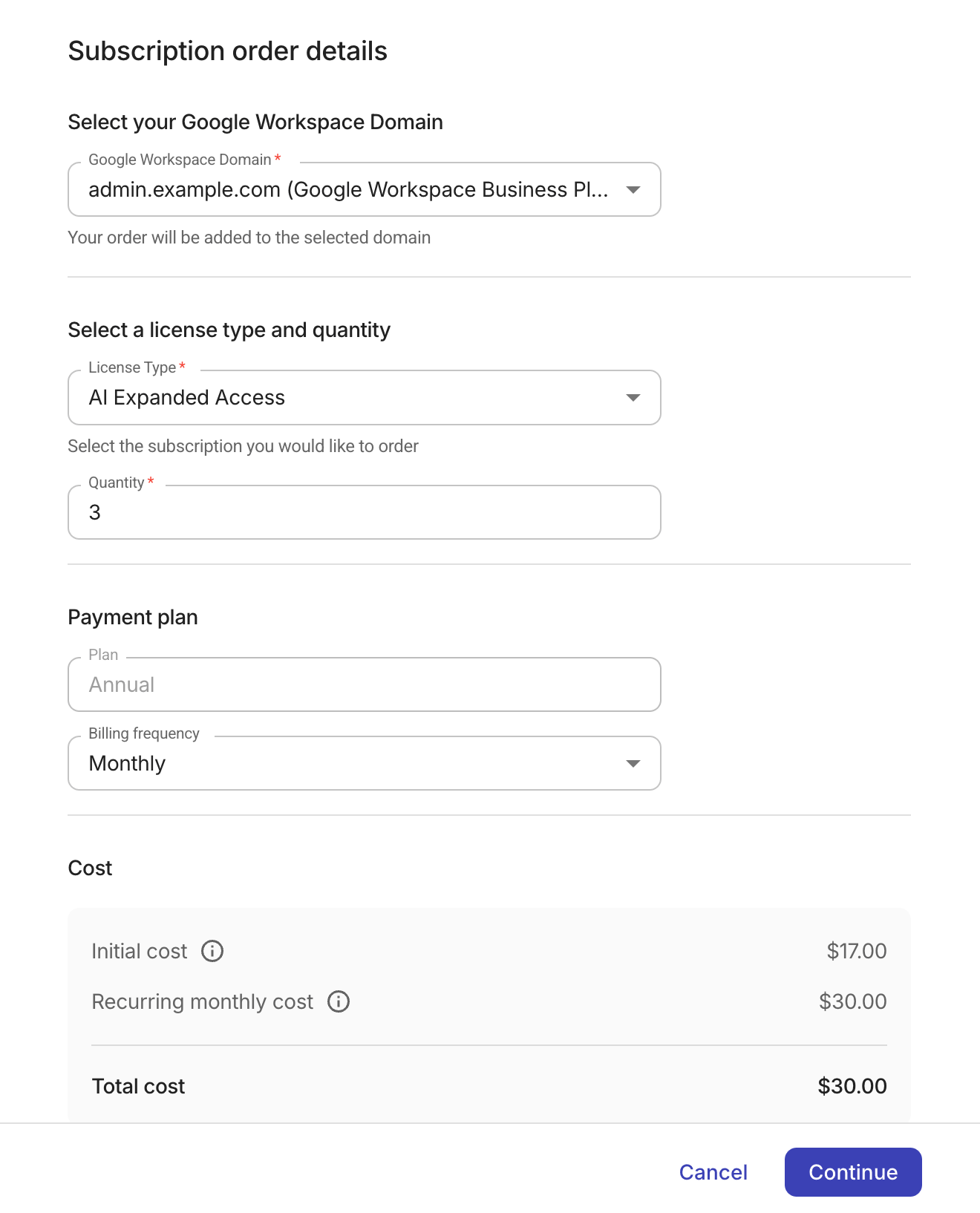
Enter the details of your order:
-
Select the Google Workspace domain.
-
Select a license type and specify the quantity.
-
Choose your payment Plan (Annual or Flexible) and Billing frequency (Monthly or Yearly). The available options depend on the selected license type.
-
Check the displayed cost information. The initial cost is prorated based on the time remaining in the current billing period. Select Continue to proceed.
-
-
Review your order summary and select Submit to complete the purchase.