Sub Flow node
A Sub Flow node lets you call another flow from within your flow. The flow you call is a normal flow; it acts as a sub flow only when it is invoked from a Sub Flow node. You can reuse shared logic, break complex flows into smaller pieces, or orchestrate multiple flows from a single parent flow. For example, a parent flow might decide which cloud account or region to act on, then call a sub flow that performs the same cleanup or compliance check for that target, so you maintain one sub flow instead of duplicating logic per account. The sub flow runs as a child of the current flow, and its output is available to subsequent nodes.
When both the parent flow and the sub flow use a schedule trigger, the sub flow's schedule is ignored. When the parent flow is triggered, it invokes the sub flow immediately when execution reaches the Sub Flow node, regardless of the sub flow's own schedule. You do not need to disable the sub flow's schedule when it is called by another flow.
Input and output
Input: The sub flow receives input from the parent via the parameter values you configure in the Sub Flow node. Those values are passed into the sub flow as its local variables when the parent runs, so nodes inside the sub flow can use them like any other flow variables.
Output: The sub flow's result (the output of its run, typically the last node's output) becomes the output of the Sub Flow node in the parent. Subsequent nodes in the parent can reference this output (for example, via the + button or by node name) like any other node's output.
Configure Sub Flow node
-
Create the sub flow you want to call. In that flow, define any local variables that the parent should pass in when it invokes the sub flow. You must create and publish the sub flow first so you can select it in a parent flow's Sub Flow node; if it is not published, CloudFlow throws an error when the parent flow reaches the Sub Flow node.
-
Add a Sub Flow node to your parent flow.
-
In Flow to call, select the sub flow you want to invoke.
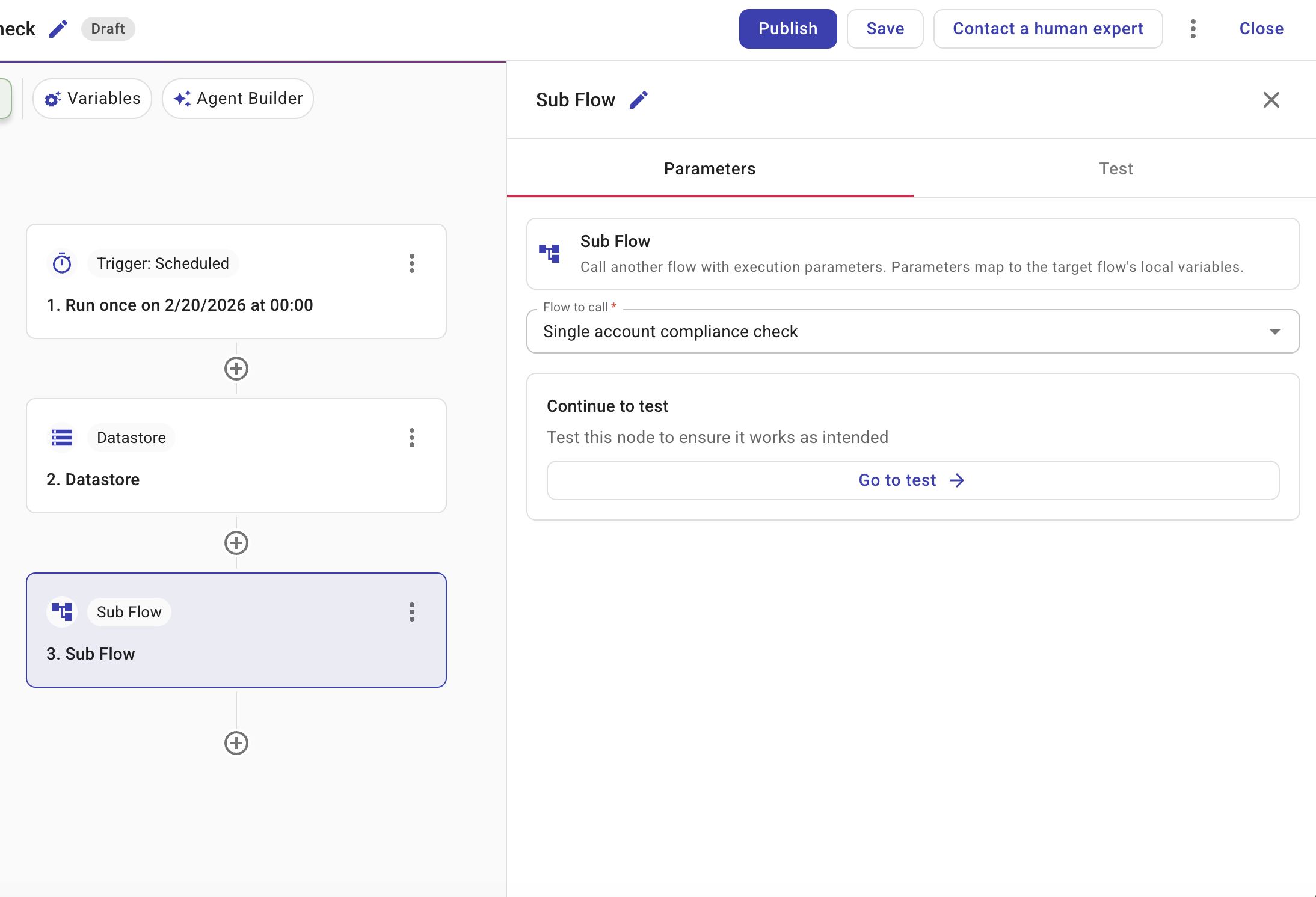
-
Configure the parameter values you want to pass to the sub flow. The parameters available here are the sub flow's local variables (defined in that flow in step 1). CloudFlow automatically maps the values you set in the parent flow to the sub flow's local variables. The sub flow uses these parameters only when it is invoked by another flow. When the sub flow runs on its own (for example, via its own trigger or a manual run), you set those variables in that run; it does not use the values from the parent flow.
When the parent flow runs, it executes the selected flow as a sub flow. The sub flow runs in the context of the parent run, so you can pass data in and use the sub flow result in subsequent nodes in the parent flow. That result is the sub flow's output (see Input and output).
Sub flow run history
In the parent flow's run history, each Sub Flow node run includes a link to the corresponding sub flow run so you can open the child run and inspect its steps, outputs, and timing.
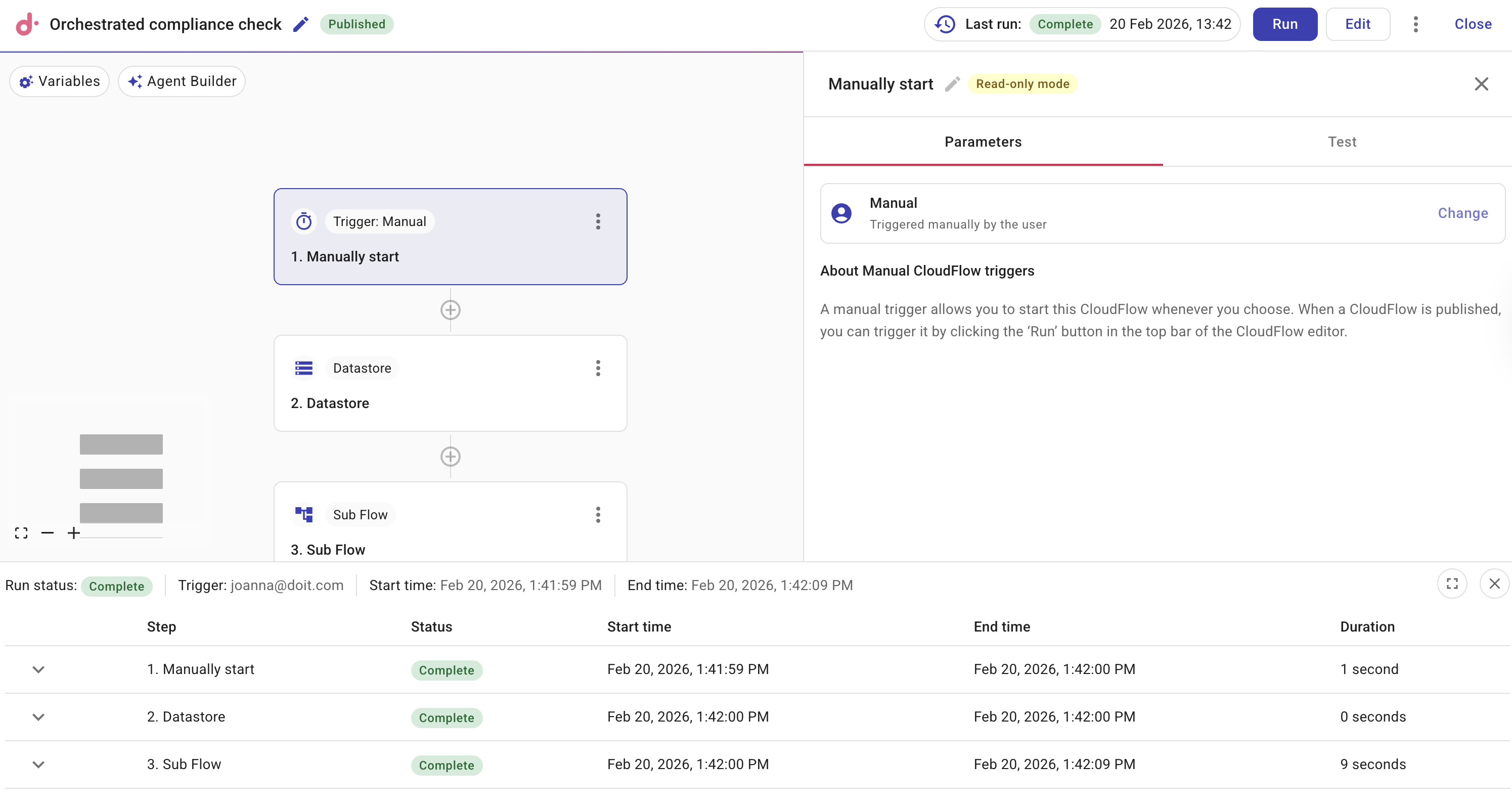
Select View subflow run to view a subflow's run history.
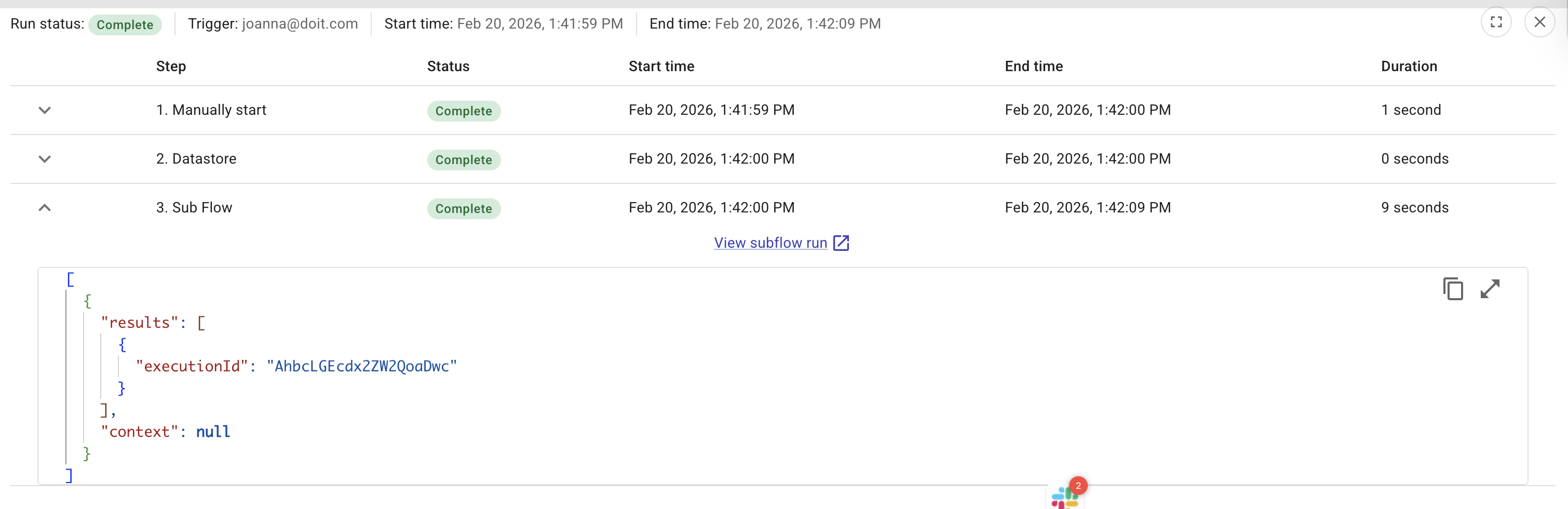
When a sub flow fails, the parent flow fails at the Sub Flow node. In the parent flow run history, the error shown at that node is the same error from the failed node inside the sub flow (which node failed and why), so you can understand what went wrong without opening the sub flow run. Select View subflow run to inspect its full history.
Example: Orchestrated compliance check
The following design uses a parent flow to run a weekly compliance check by calling a reusable sub flow that evaluates one account. The sub flow can also be run on its own (for example, manually for a single account) using its own parameters.
Parent flow: Weekly compliance orchestration
- Schedule trigger: Runs the flow weekly (for example, every Monday).
- Datastore node: Reads which account ID and region to check from a config table (for example, a list of accounts to include in the weekly run). For a single-account setup, this could be a fixed value or a Code node that returns one account.
- Sub Flow node: Calls the sub flow Single-account compliance check and passes the account ID and region from the previous node as execution parameters.
- Branch node: Evaluates the sub flow output (for example, violation count). One path when violations exist, one when the account is compliant.
- Notification node: Sends a summary to Slack or email (for example Compliance check completed for account X: 3 violations or No issues found).
Sub flow: Single-account compliance check
The sub flow defines local variables accountId and region. When called from the parent, the Sub Flow node supplies these; when the sub flow is run on its own (manual or its own trigger), you manually set them in that run.
- AWS node (or GCP node): Lists resources in the given account and region (for example, S3 buckets or EC2 instances). Uses
accountIdandregionfrom the flow parameters. - Filter node: Narrows the list to resources that need checking (for example, buckets without a specific tag or instances in a given state).
- Policy node: Evaluates the filtered resources against a policy (for example, "S3 buckets must have cost-allocation tags").
- Transform node: Builds a summary from the policy result (for example, violation count, list of resource IDs). This output is what the parent flow receives from the Sub Flow node.
The parent flow then uses that summary in the Branch and Notification nodes. You can reuse Single-account compliance check from other parent flows (for example, different schedules or triggers) without duplicating the compliance logic.