Capabilities
As an expert on the console, the AI assistant helps you gain new insights into your cloud spend, discover more about the cloud, and optimize data across both your cloud environment and the console.
You can also perform many of these actions using the AI assistant in Slack without opening the console.
The following sections describe some ways you can use the AI assistant.
The capabilities you have available depend on your DoiT plan. Any capabilities not available in your plan do not appear in your AI assistant conversations.
Alerts
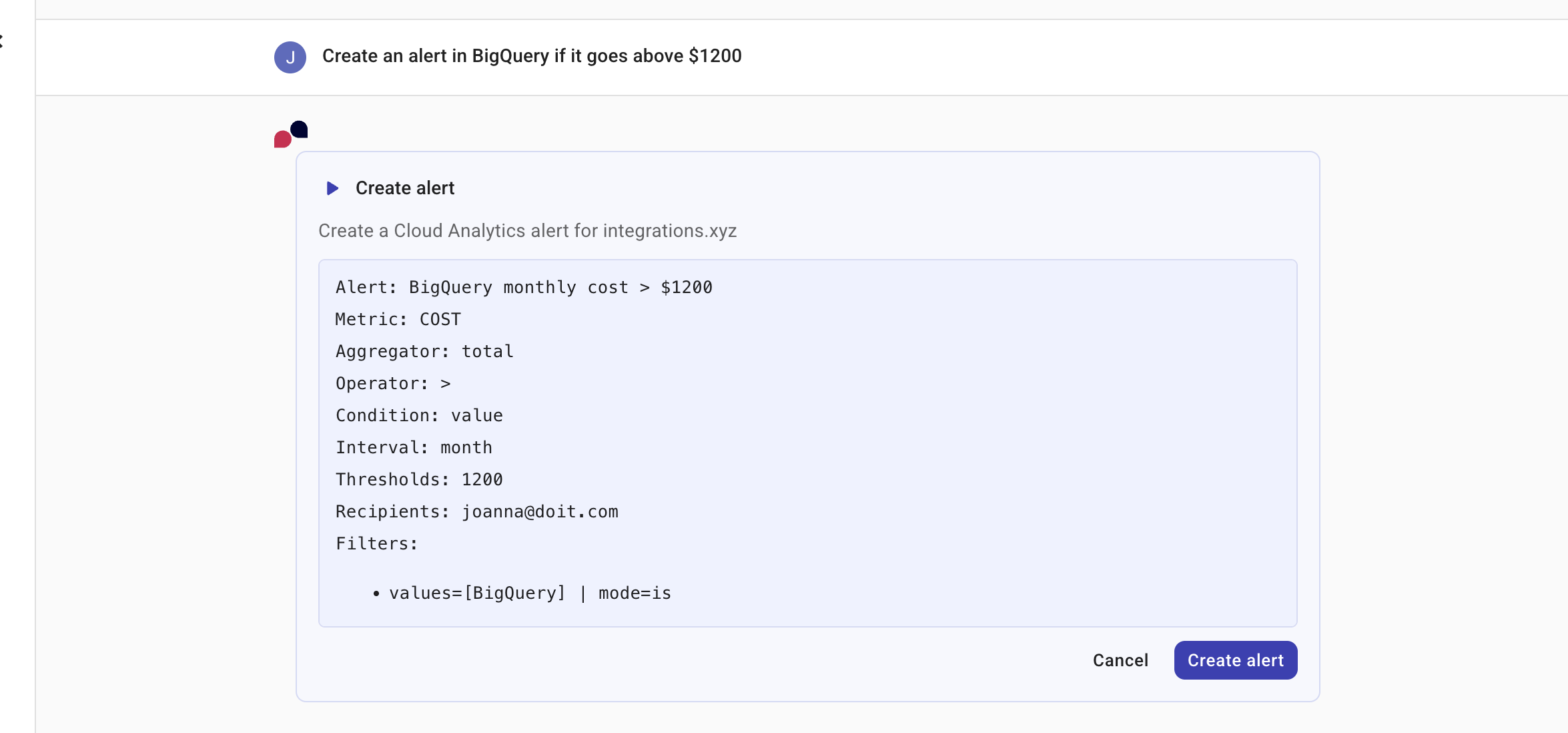
For DoiT alerts the AI assistant is able to understand and reference the user-defined events or conditions used to flag issues in your cloud environment. You can ask the AI assistant to list, analyze, and generate alerts based on your conversation, providing a seamless workflow between analysis and action.
Examples
List my alerts
Create an alert in BigQuery if it goes above $1200
Allocations
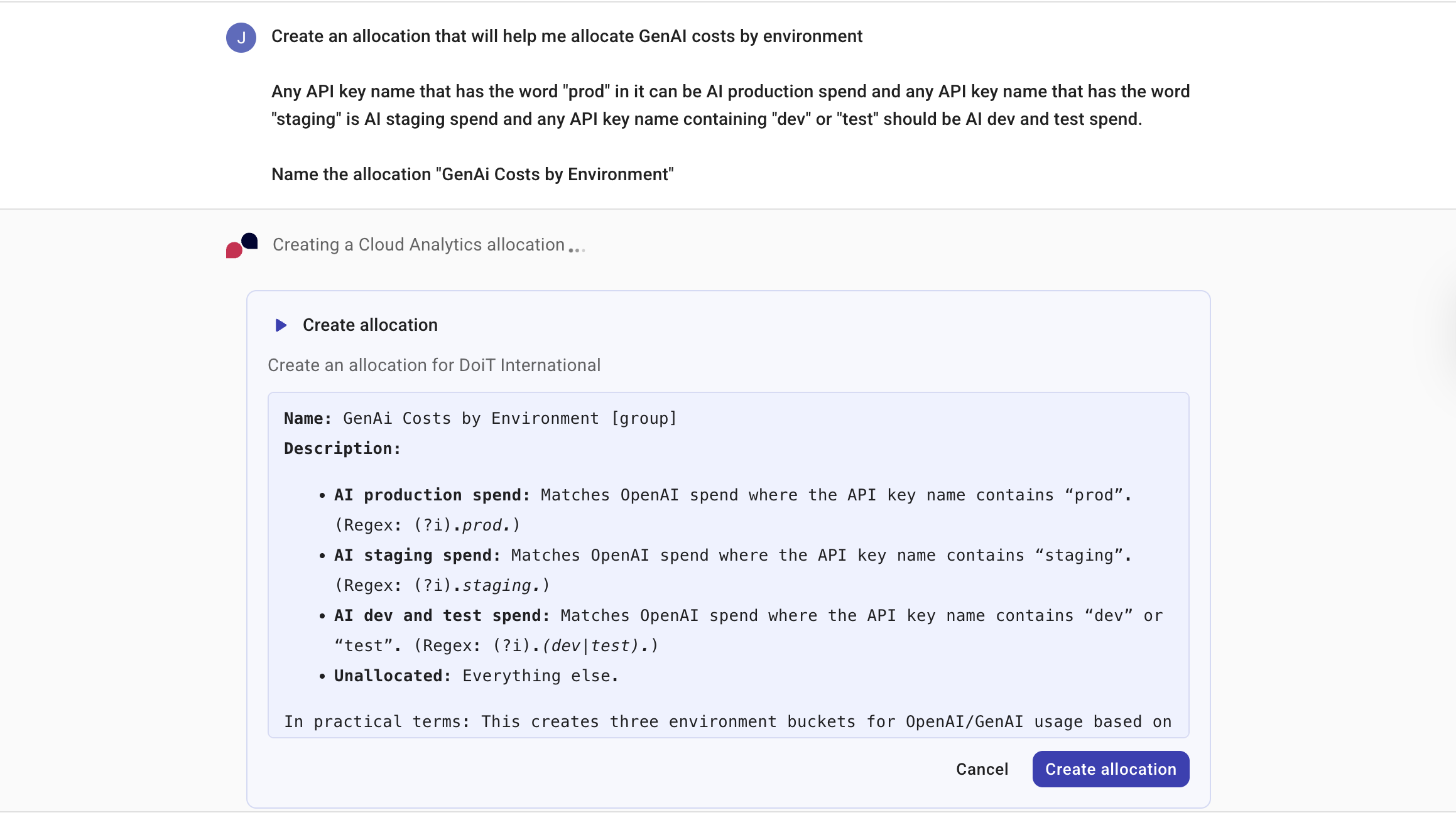
For DoiT allocations the AI assistant is able to understand how costs are attributed to relevant business units, applications, or projects. You can ask the AI assistant to help you with all aspects of your allocation strategy, including creating, editing, sharing, and managing your allocations based on your conversation, providing a seamless workflow between analysis and action.
Examples
How much of my spend is unallocated this month, and what are the biggest drivers of it?
Create a rule that allocates anything with label/tag 'app=*' into app buckets; keep the rest in Shared.
Why is project/account x not landing in the Production bucket even though it has the right tags?
Anomalies
For DoiT cost anomalies the AI assistant is able to list the anomalies detected in your cloud environment and investigate a specific anomaly in depth, including the affected services and time window. You can also start from an anomaly: on the anomaly details page, select Get deeper insights to hand the anomaly's context to the AI assistant. See Investigate anomalies.
For Attribute usage anomalies, the AI assistant can also retrieve and present a usage breakdown. The breakdown includes:
-
Usage comparison: Compares anomaly-day usage against the prior 7-day average in native units (such as tokens or requests).
-
Delta tracking: Shows how each measure changed.
-
Dimension attribution: Highlights which dimensions (such as projects or regions) drove the increase.
This lets you investigate a usage spike directly in the conversation without navigating to the anomaly details page.
Examples
List my cost anomalies from the last month
What caused yesterday's anomaly in my AWS account?
Show me the usage breakdown for my latest usage anomaly
Budgets
For DoiT budgets the AI assistant is able to understand how you are tracking your actual cloud spend against your planned spend. You can ask the AI assistant to help you with all aspects of your budgeting, including creating, editing, sharing, and managing your budgets based on your conversation, providing a seamless workflow between analysis and action.
Examples
How much of my Q1 budget have I already consumed?
Why is my BigQuery usage 20% higher than the amount I budgeted for?
Which projects are predicted to exceed their budgets in the next 30 days?
Cloud Diagrams
The AI assistant is able to help you when viewing a cloud diagram. For example, you can ask the AI assistant to:
-
toggle diagram layers on or off using natural language. The supported layers are Security and Cost. When you ask the AI assistant to toggle a layer, the diagram updates in real time and the AI assistant confirms which layer was activated or deactivated. If a layer is not available for the current diagram (for example, the security layer on an Azure diagram or any layer on the global network view), the AI assistant lets you know. For example, Show the security layer, Hide the security layer, Turn on the cost overlay, or Turn off the cost overlay.
-
apply, modify, or clear diagram filters. The AI assistant can filter by service type, region, resource type, and tags. After applying a filter, the AI assistant confirms the action and reports the number of visible resources. The diagram reflects the filters applied by the AI assistant. For more details on Cloud Diagrams filtering, see Filter Cloud Diagrams. For example, Show only EC2 instances in us-east-1, Remove the Lambda filter from this diagram, or Clear all filters.
-
find, focus, or zoom to resources on the active diagram by name, type, tag, or property. When one resource matches, the AI assistant selects it, centers the diagram on it, and opens the resource side panel. When multiple resources match, the AI assistant highlights them and fits the diagram to show the matches. For example, Find prod-db, Show me all Lambda functions, Where are the S3 buckets?, or Find resources with tag env:prod.
-
explore relationships between resources on the active diagram. The AI assistant can answer questions about direct or transitive connections, upstream or downstream dependencies, and group membership, using the selected resource or a resource name as the starting point. The AI assistant highlights the related resources and fits the diagram to show the results. For example, What is prod-db connected to?, Show me everything connected to the load balancer, Which subnets are in this VPC?, or What depends on this RDS?.
-
control the cost overlay and answer cost-related questions about your diagram. You can ask the AI assistant to turn the cost heatmap on or off, change the time range or interval, and query costs for the resources on the diagram. When the AI assistant turns on the cost overlay, the cost details panel opens with the heatmap. The AI assistant grounds its answers in the actual cost data from the diagram, so the numbers reflect your real infrastructure spend. For example, Turn on the cost overlay for the last 7 days with daily intervals, Switch to weekly intervals, Report total spend for the diagram, List the most expensive resources, Break down costs by service, or Show cost trends over time.
NoteCost queries through the AI assistant are not available for network diagrams. If you ask a cost question on a network diagram, the AI assistant lets you know that cost data is not available for that diagram type.
Cloud service quotas
The AI assistant can check your Google Cloud and AWS service quotas and report which quotas are approaching their limits. The AI assistant reads from DoiT's internal quota-monitoring store, so results are returned quickly without querying live cloud APIs. Results are sorted by utilization percentage, showing the quotas closest to their limits first.
You can ask the AI assistant about quotas for a specific cloud platform, or ask a general question to check all connected clouds at once. Each result includes the service name, region, and account or project so you can identify exactly where action is needed.
Cloud service quota data is only available for customers with an organization-scoped cloud connection that has quota monitoring enabled.
Examples
Which of my cloud service quotas are near their limits?
Show me Google Cloud quotas that are above 90% utilization.
Are any of my AWS service limits close to being exceeded?
Commitment Manager
For DoiT Commitment Manager the AI assistant is able to understand how you are tracking your spend-based commitment discounts with AWS and Google Cloud. You can ask the AI assistant to help you understand your progress against a committed goal and highlight potential capacity planning.
The AI assistant cannot create, edit or, manage commitments. You must use the DoiT Commitment Manager for these actions.
Examples
What percentage of my compute spend is currently covered by commitments?
Show me a timeline of all commitment expirations for the upcoming year.
What is the total effective savings I've gained from commitments year-to-date?
Composer
For DoiT Composer the AI assistant is able to create, modify, and explain recipes in the Recipe builder using natural language. You describe the check you want and the AI assistant applies the recipe to the canvas, including resources, filters, and cloud provider. See Build recipes with the AI assistant.
This capability is available as an early access feature. Your DoiT account must have the Admin role to enable the Composer AI assistant early access feature.
Examples
Build a recipe to find idle EC2 instances
Find S3 buckets missing the Environment tag
Explain this recipe
Dashboards
The AI assistant is able to understand your Dashboards. There are two ways to interact with dashboards:
-
Explore chart data directly with the AI assistant. Select the kebab menu (⋮) in the upper-right corner and then select AI insights & next steps. Or, on Sankey charts, hover over a data point and choose Select to explore with the AI assistant in the tooltip; on treemap charts, double-click instead to start the same exploration flow. The prompt is pre-populated with the chart's data, so you can immediately start investigating what drove the selected value.
-
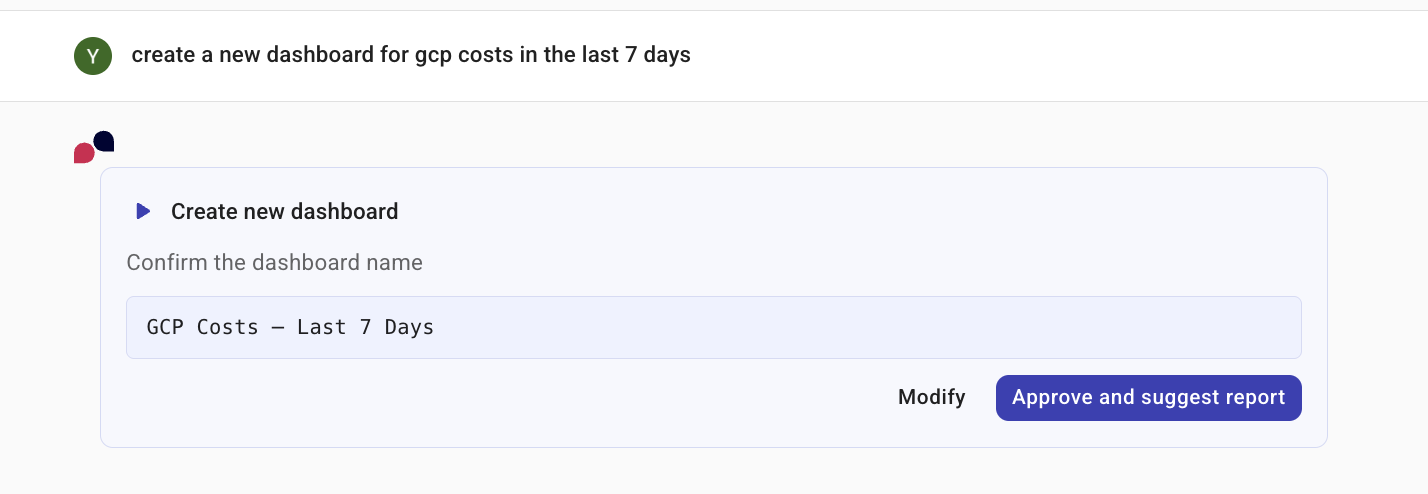
Ask the AI assistant to create a dashboard. To generate a new dashboard, start a new conversation in the AI assistant and describe the report you want. The AI assistant takes you step-by-step through the process, prompting you for input as the AI creates the dashboard and adds each widget. Once dashboards are created, the AI assistant has awareness of those dashboards so you can quickly and easily add more widgets.
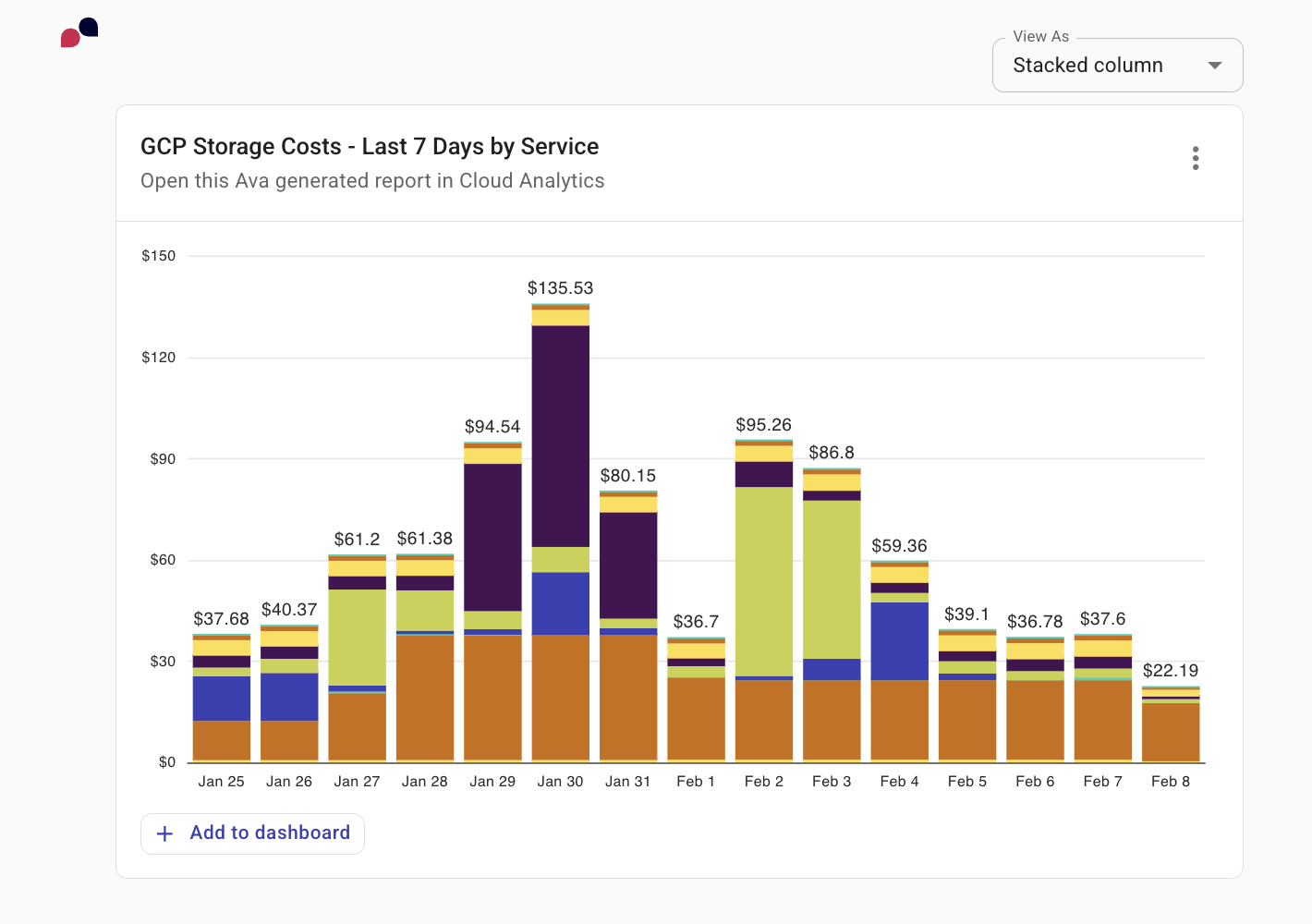
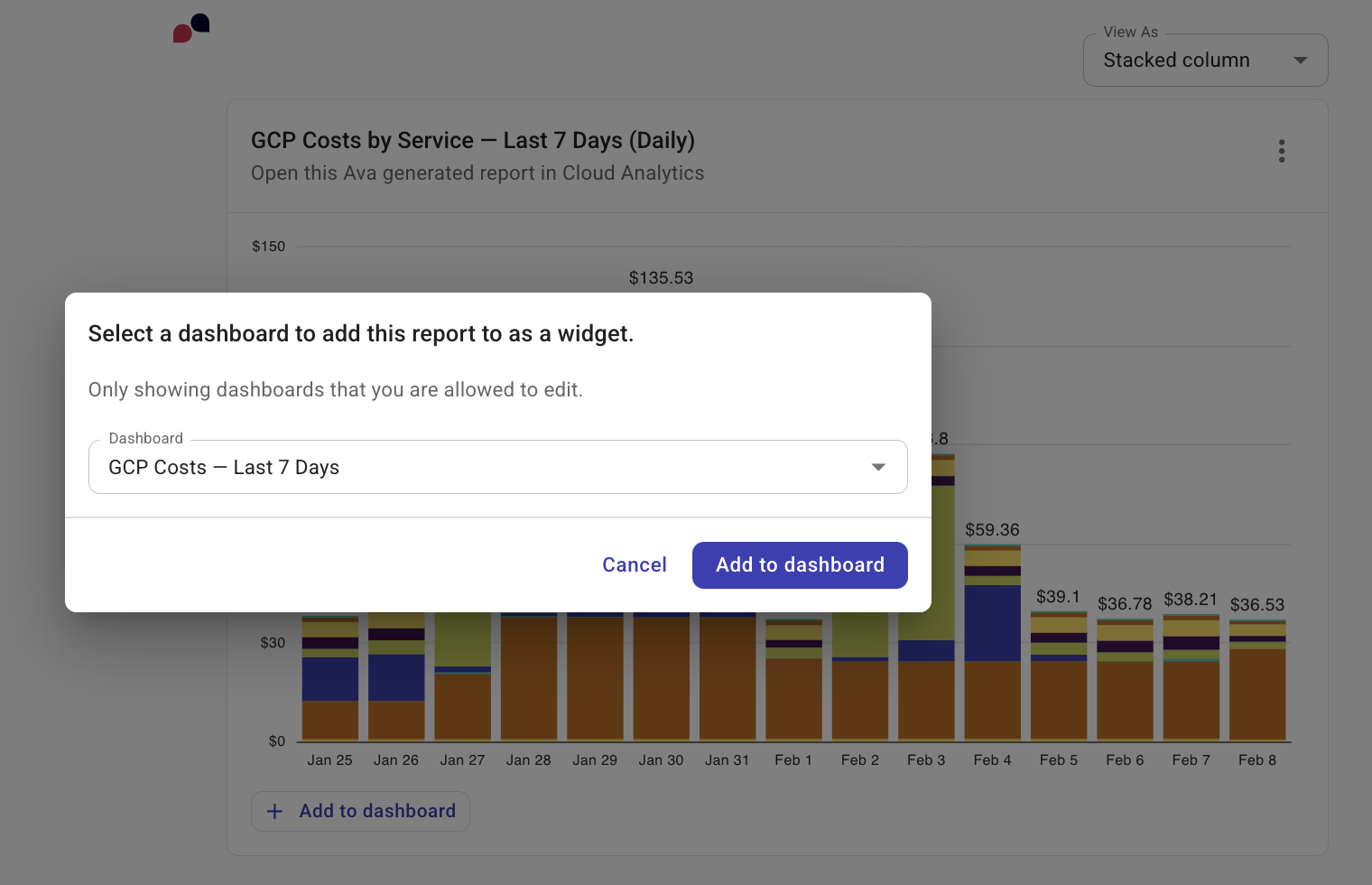
Furthermore, the AI assistant recognizes the connection between reports and dashboards. You can ask the AI assistant to generate a report and then add those findings as a widget to a dashboard, providing a seamless workflow between analysis and action.
The option to create a report with AI from a dashboard is only available when your organization has AI assistant access in its DoiT plan.
Examples
Create a dashboard showing GCP storage costs over the last 7 days.
Add a widget to this dashboard showing costs grouped by GCP project.
Create a report showing GCP storage costs over the last 7 days.
If this is a dashboard you have just created, the AI assistant automatically recognizes this and defaults to this dashboard.
Expert inquiries
The AI assistant can display your active expert inquiries directly in the conversation. When you ask to see your inquiries, the AI assistant shows cards for each inquiry with the subject, status, requester email, cloud platform, and date of the last interaction. Select an inquiry subject to open the full inquiry in the console.
Active inquiries are expert inquiries that are not closed or solved. If you have no active inquiries, the AI assistant automatically shows your recent inquiries from the last 30 days instead, regardless of status.
Below the inquiry cards, the AI assistant suggests follow-up actions you can select to continue the conversation, for example, asking for updates on a specific inquiry or summarizing your inquiry activity for the week.
The AI assistant shows the same inquiries you can access on the expert inquiries page. If inquiry sharing is enabled for your organization, you can also see inquiries submitted by other users.
Examples
Show me my expert inquiries
Any updates on inquiry #12345?
Summarize my expert inquiries this week
Get insights into your costs
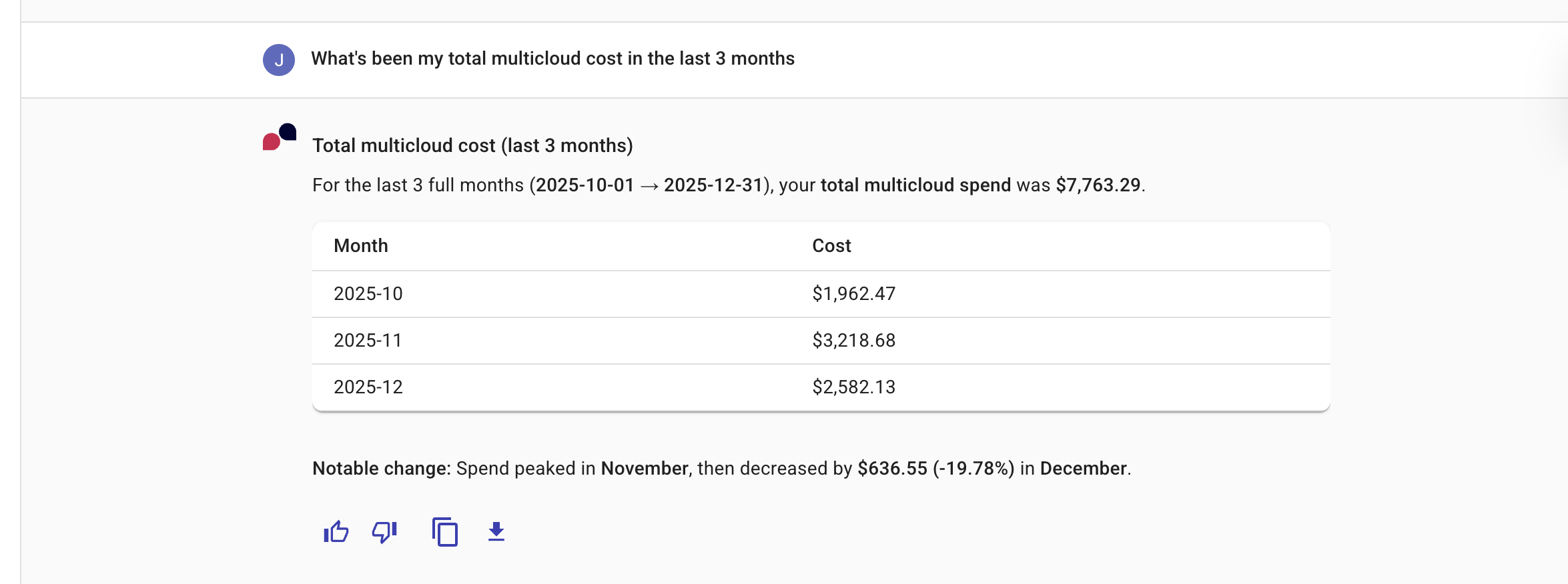
By having a conversation, the AI assistant can help you gain quick insights on your cloud spend, and dig deeper if you need to.
Example
What's been my total multicloud cost in the last 3 months?
Invite new users
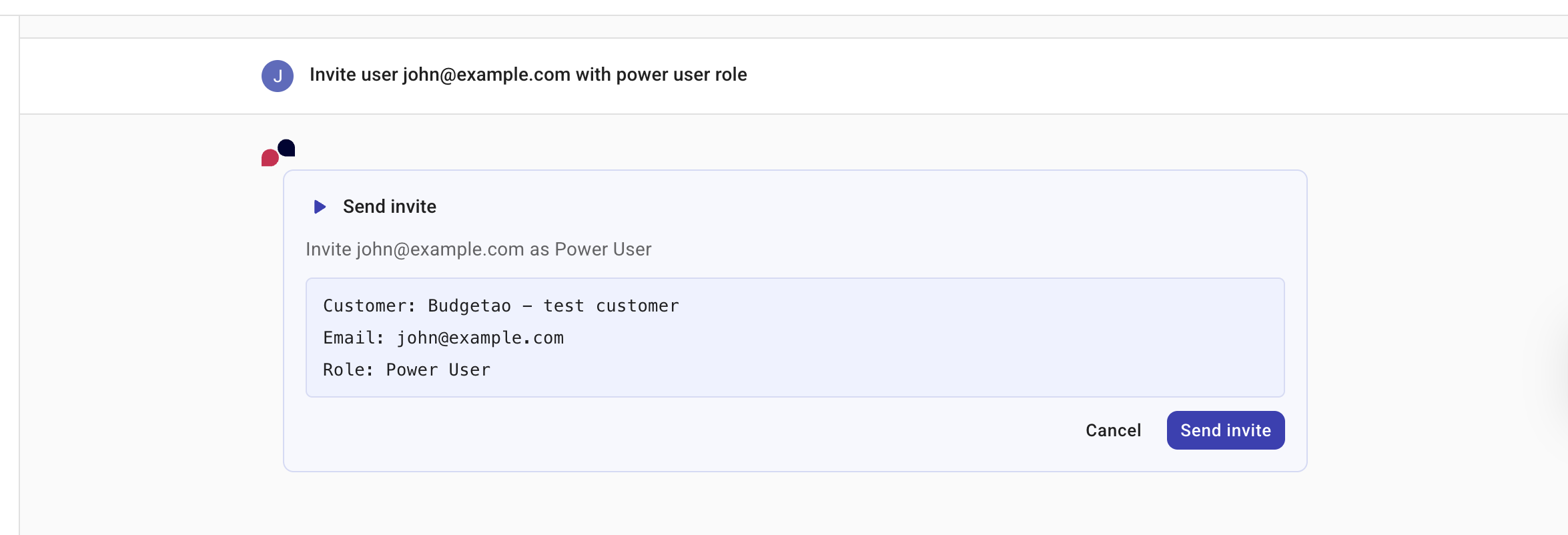
Using the AI assistant, you can invite new users who need access to Cloud Intelligence. You must provide the email addresses of the users you wish to invite. Optionally, specify a role for the new users. The recipients you invite receive an email that contains a link that they should use to complete sign up for a Cloud Intelligence account.
Your DoiT account must have the User Manager permission.
Example
Invite user [email protected] with admin role.
Labels
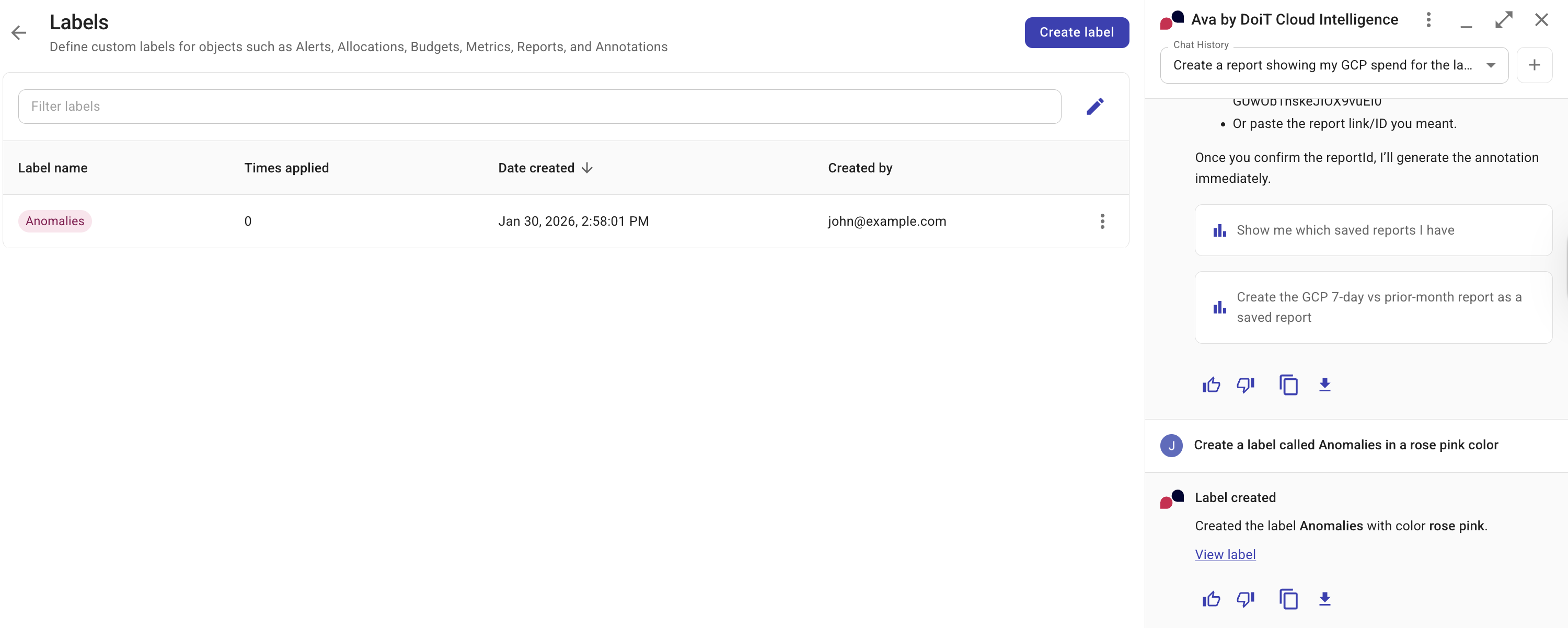
The AI assistant can define custom labels for Cloud Intelligence features such as alerts, allocations, budgets, metrics, and reports.
Example
Create a label called Anomalies with a rose-pink color.
Reports
You can use the AI assistant to dive deeper into your reports. There are two ways to interact with reports.
-
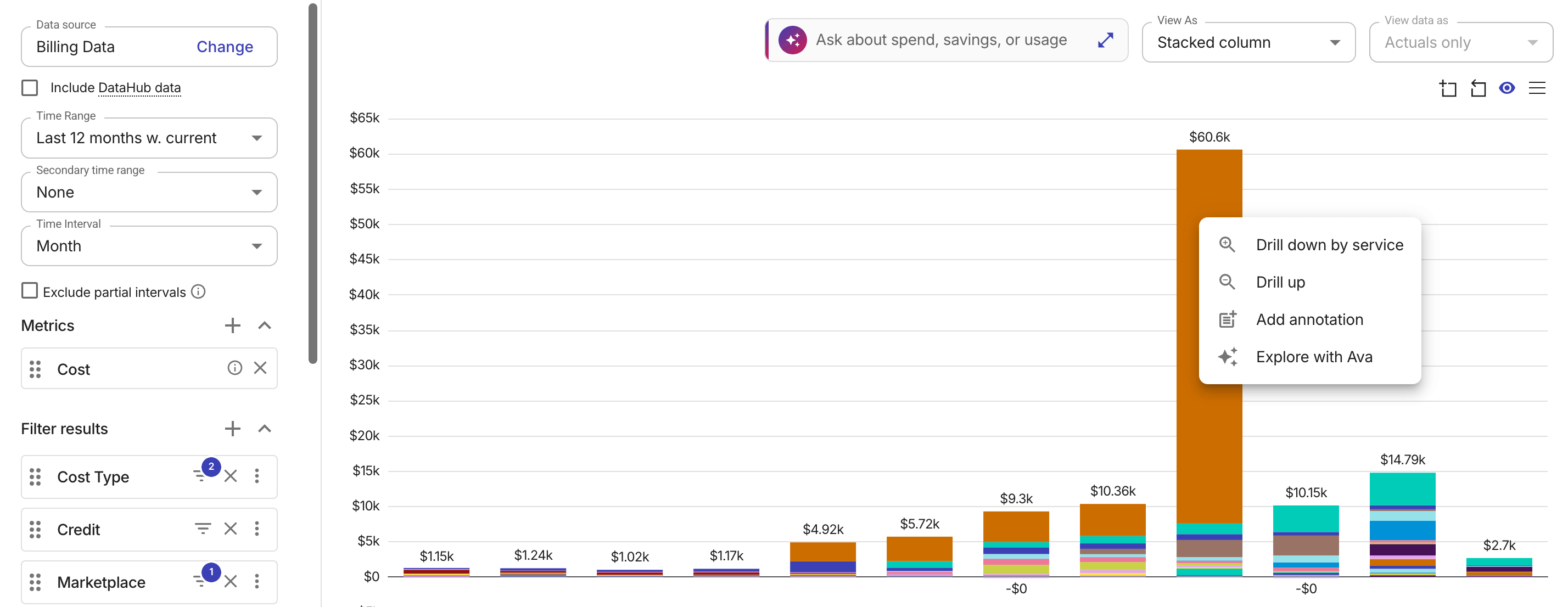
Explore chart data directly with the AI assistant. On line and bar charts, right-click a data point or column to open a context menu, and then select Explore with the AI assistant to start a new conversation. On Sankey charts, hovering over a data point shows Select to explore with the AI assistant in the tooltip; choose that option to open a new conversation. On treemap charts, double-click instead to start the same exploration flow. The prompt is pre-populated with the chart's data, so you can immediately start investigating what drove the selected value.
-
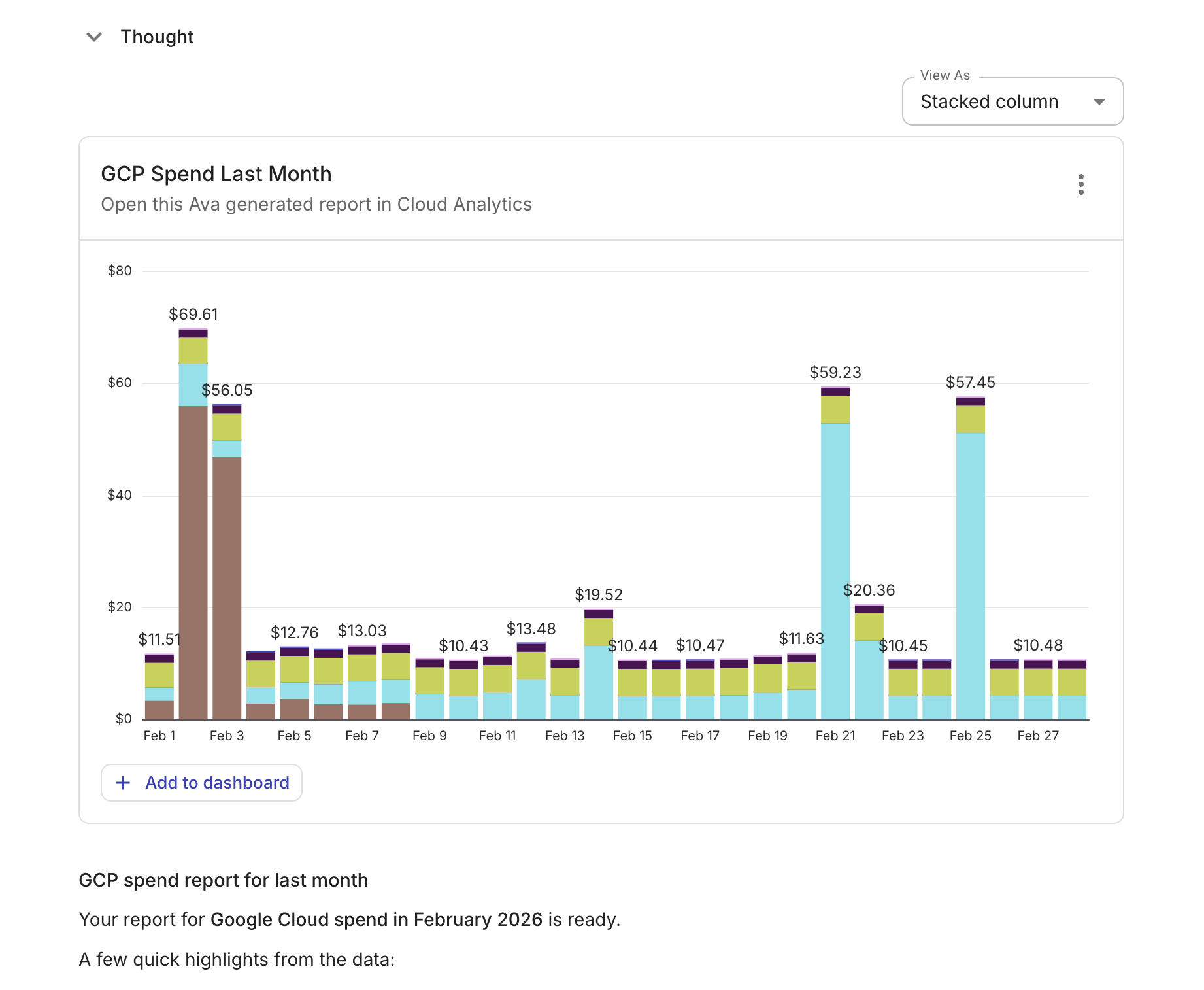
Ask the AI assistant to generate a new report. To generate a new report, start a new conversation in the AI assistant and describe the report you want. This includes forward-looking questions: when you ask for a forecast, such as
Forecast my AWS spend for the next 3 months, the AI assistant configures the report's forecast settings automatically. When the AI assistant generates a report, it provides an explanation with a summary of the most relevant findings. It also allows you to:-
Change the report's visualization using the Chart type dropdown.
-
Add the report to a dashboard.
-
Select the kebab menu (⋮) in the upper-right corner and choose the option to:
-
Open full report in Cloud Analytics.
-
Copy CSV to clipboard: Exports the pivoted data you see in the console to the clipboard.
-
Export as CSV: Exports the pivoted data you see in the console to CSV.
-
Export as PNG: Exports the chart you see in the console to a PNG file.
-
Additionally, you can ask the AI assistant to create report annotations for saved reports. For example, you could ask the AI assistant to
Create an annotation for 23/1/2026 entitled Secondary time range for the report.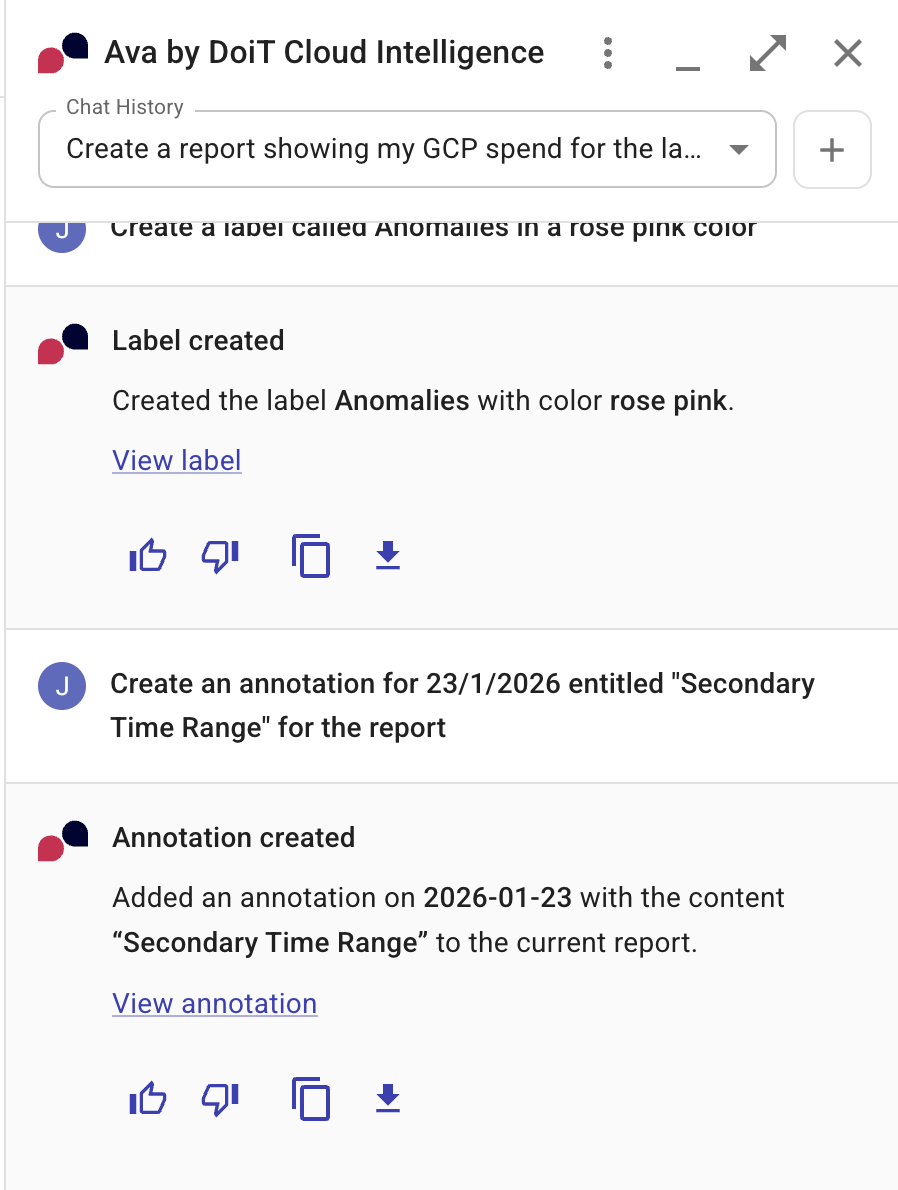
-