Keyboard shortcuts, color mode, and compact UI
Keyboard shortcuts, color mode, and compact UI help you tailor your console workspace for efficiency and comfort.
Keyboard shortcuts
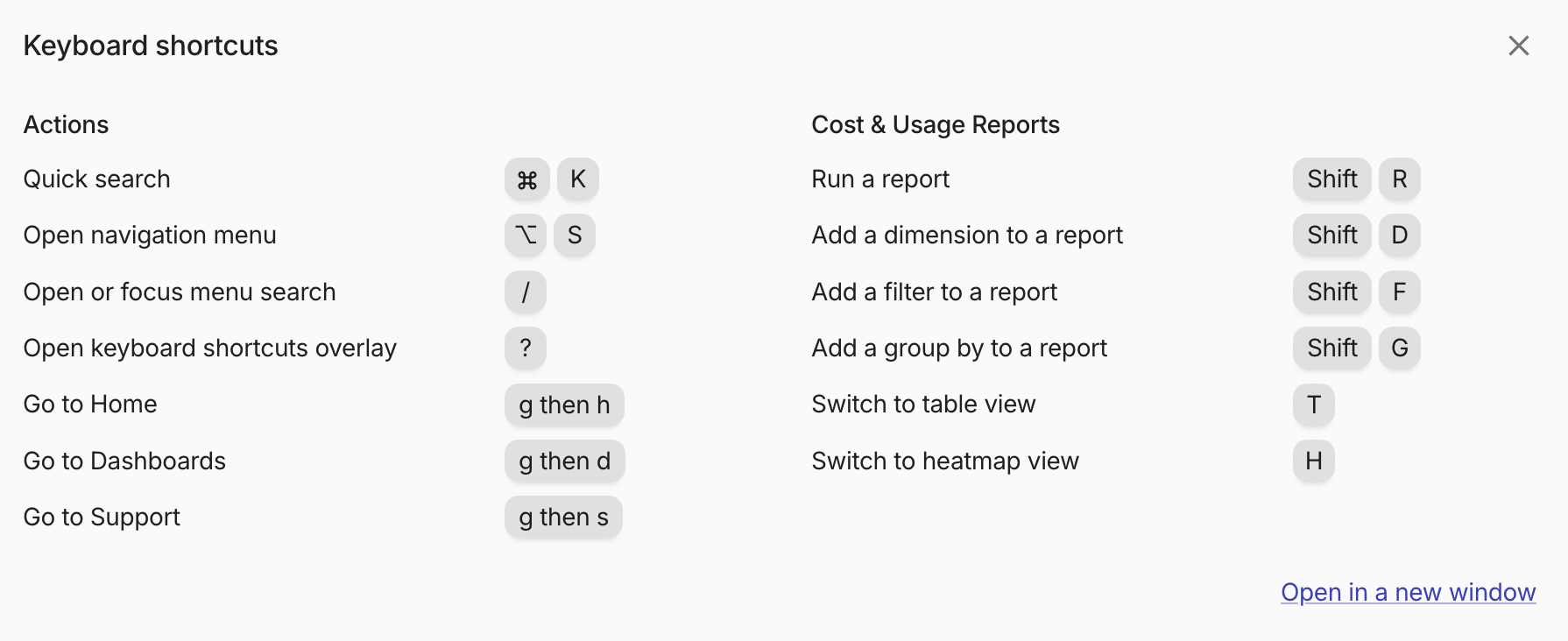
Keyboard shortcuts let you navigate the console faster and execute common actions without leaving the keyboard.
To open the shortcuts overlay from anywhere in the console, press ?.
Navigation and general actions
- Quick search: ⌘ + K (macOS) or Ctrl + K (Windows)
- Open navigation menu: ⌥ + S (macOS) or Alt + S (Windows)
- Expand or collapse sidebar: Shift + S
- Open or focus menu search: /
- Open keyboard shortcuts overlay: ?
- Go to Home: press g, then h
- Go to Dashboards: press g, then d
- Go to Support: press g, then s
Reports actions
These shortcuts are available while working with Cloud Analytics Reports.
- Run a report: Shift + R
- Add a dimension to a report: Shift + D
- Add a filter to a report: Shift + F
- Add a group by to a report: Shift + G
- Switch to table view: T
- Switch to heatmap view: H
Home actions
These shortcuts are available on the new Home page (early access). They are ignored while you type in a field.
- Open the Home launcher: /
- Show or hide the savings actions: e
- Switch between the simple and advanced layouts: a
- Customize the sections on Home: l
- Open or close the comments panel (advanced layout): c
- Show the Are we on budget? or Where is the money going? story: b or m, when the story switcher is shown
Color mode
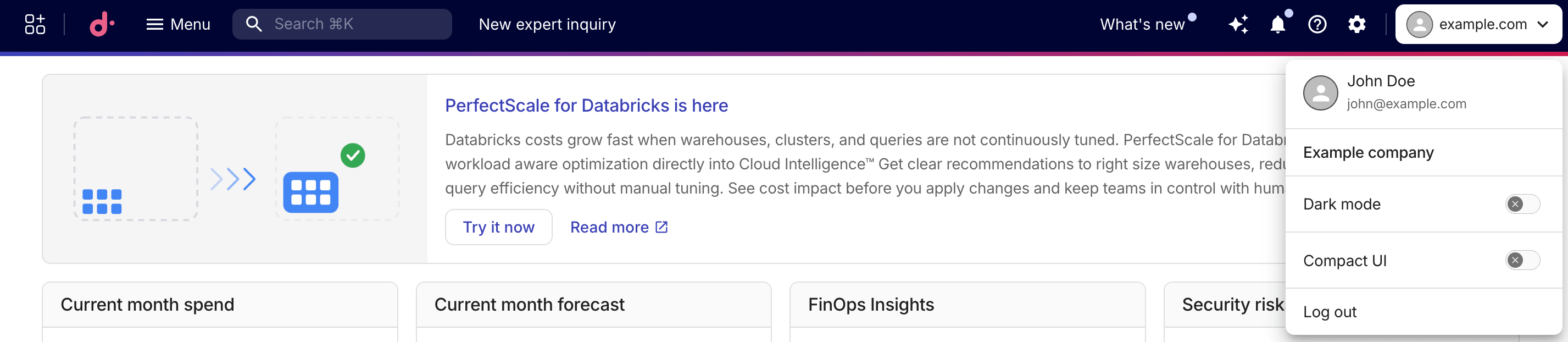
To switch between light and dark themes, select your avatar in the top navigation bar, then toggle Dark mode on or off. Your preference is saved automatically and persists across browser sessions.
If you have not selected a theme, the console follows your operating system's light or dark preference.
Compact UI
Compact mode increases the information density of the console interface, allowing you to see more content on screen.
Select your avatar in the top navigation bar and toggle Compact UI on to enable it. Your preference is saved automatically and persists across browser sessions.
Compact mode reduces spacing and element sizes, it also alters the Cloud Analytics reports layout to devote more screen space to charts and tables.