Date/time Transform node
A date/time node is used to change timestamp data from one node before it goes into the next node. Date/time transformation is useful when automating time-sensitive processes, analyzing time-based data, and ensuring consistency in date/time representations in your cloud environment. For example, if you want to schedule a backup to run 7 days after a previous one, filter log entries within a specific time window by subtracting the start time from the end time, or convert date/time formats to match the requirements of different APIs.
Note that:
-
The date/time node only accepts
timestampdata type fields as input from earlier nodes in a flow. -
The date/time node supports input from both a preceding trigger node or other activity nodes in a flow.
-
Date/time nodes can be chained together.
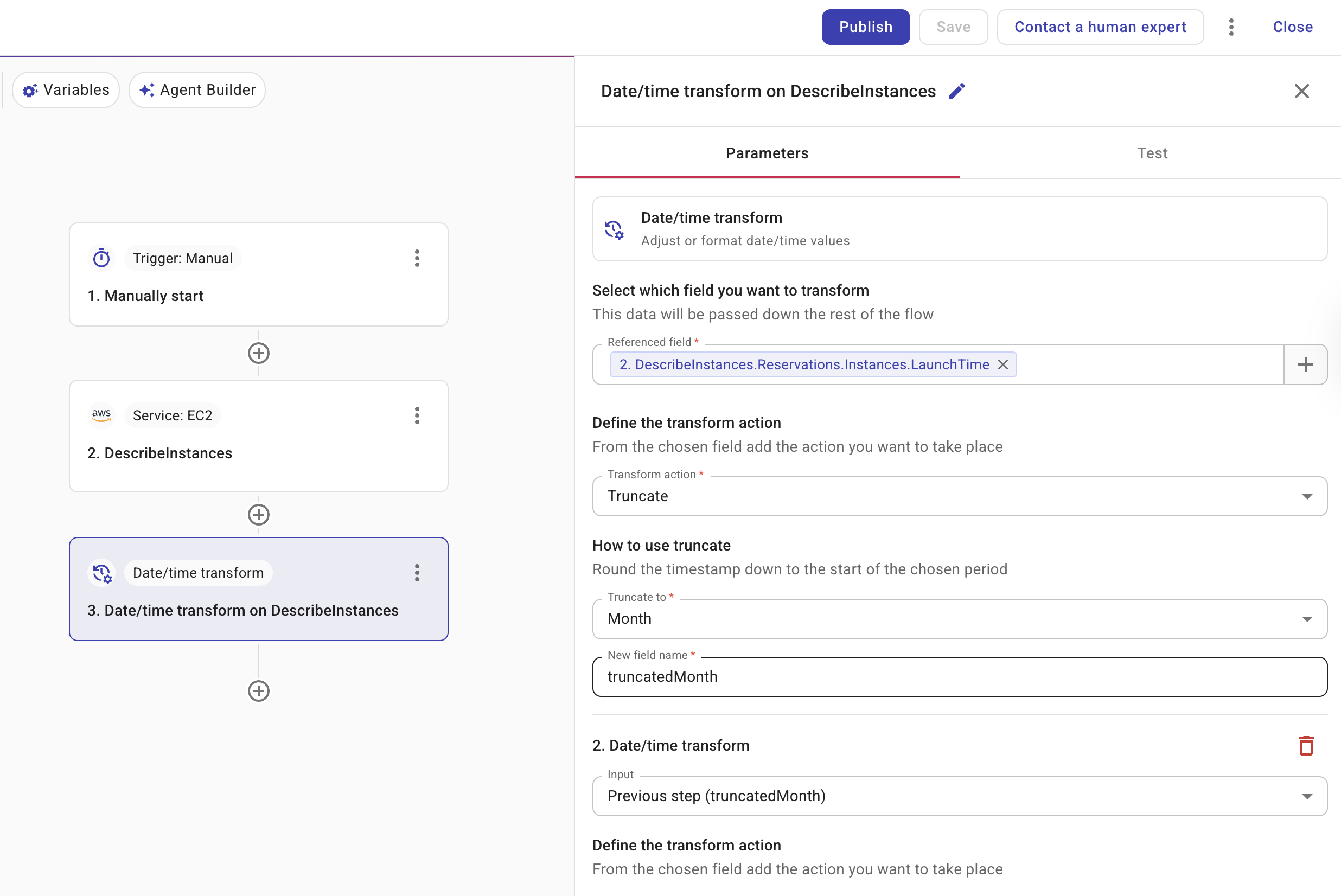
-
Select which field you want to transform: Specifies the field to be transformed. The field must be a
timestampdata type field. For each transformation, you choose the input: either a timestamp field from an earlier node in the flow, or the result from the previous transformation in this node. -
Define the transform action: Defines the action to take for the transformation and saves the output to a new field. Below are the supported transformation operations. Note that different transform actions are configured differently.
- Add: Adds time to a referenced
timestampfield. - Subtract: Subtracts time from a referenced
timestampfield. - Format: Changes a referenced
timestampfield to a new format. For example, you might change a date from YYYY-MM-DD to MM/DD/YYYY. The ISO 8601 format is available for APIs that require that standard (for example, DataHub ingestion). - Truncate: Rounds a timestamp down to the start of a chosen period. You can truncate to the start of a second, minute, hour, day, or month. For example, truncating
2008-12-25by month results in2008-12-01.
- Add: Adds time to a referenced
-
+ Add another transform: Transforms multiple date/time fields simultaneously, applying the same or a different transformation to each one. Each step can use the output of the previous step as its input, so you can chain operations in one node (for example, truncate to month, then subtract 1 day, then format). This is useful for ensuring date fields, such as a start date and end date, are consistently formatted before being used in an API call or downstream process that has strict format requirements.
-
Test: Allows you to test the node.