Connect and disconnect (Terraform PR agent)
This page describes how to connect the Terraform PR agent to your GitHub repositories from the console. When completed, the Terraform PR agent can read your Terraform code in GitHub and open remediation pull requests when an Insight is processed through the DoiT-provided CloudFlow during early access.
Required permissions
-
Billing Profiles Admin permission
-
GitHub access for the organization that hosts your Terraform repositories. You need one of the following:
-
GitHub organization administrator: You can install the IaC Remediation Agent GitHub App during setup.
-
Not a GitHub organization administrator: You can request installation. A GitHub organization owner must approve the request before the connection is established.
-
Connect GitHub repositories
Set up your Terraform PR agent:
-
Sign in to the DoiT console, select Data ingestion and integrations > Integrations from the top navigation mega menu.
-
Select the Agents category tab.
-
On the Terraform PR agent integration card, select Connect + to launch the setup page.
-
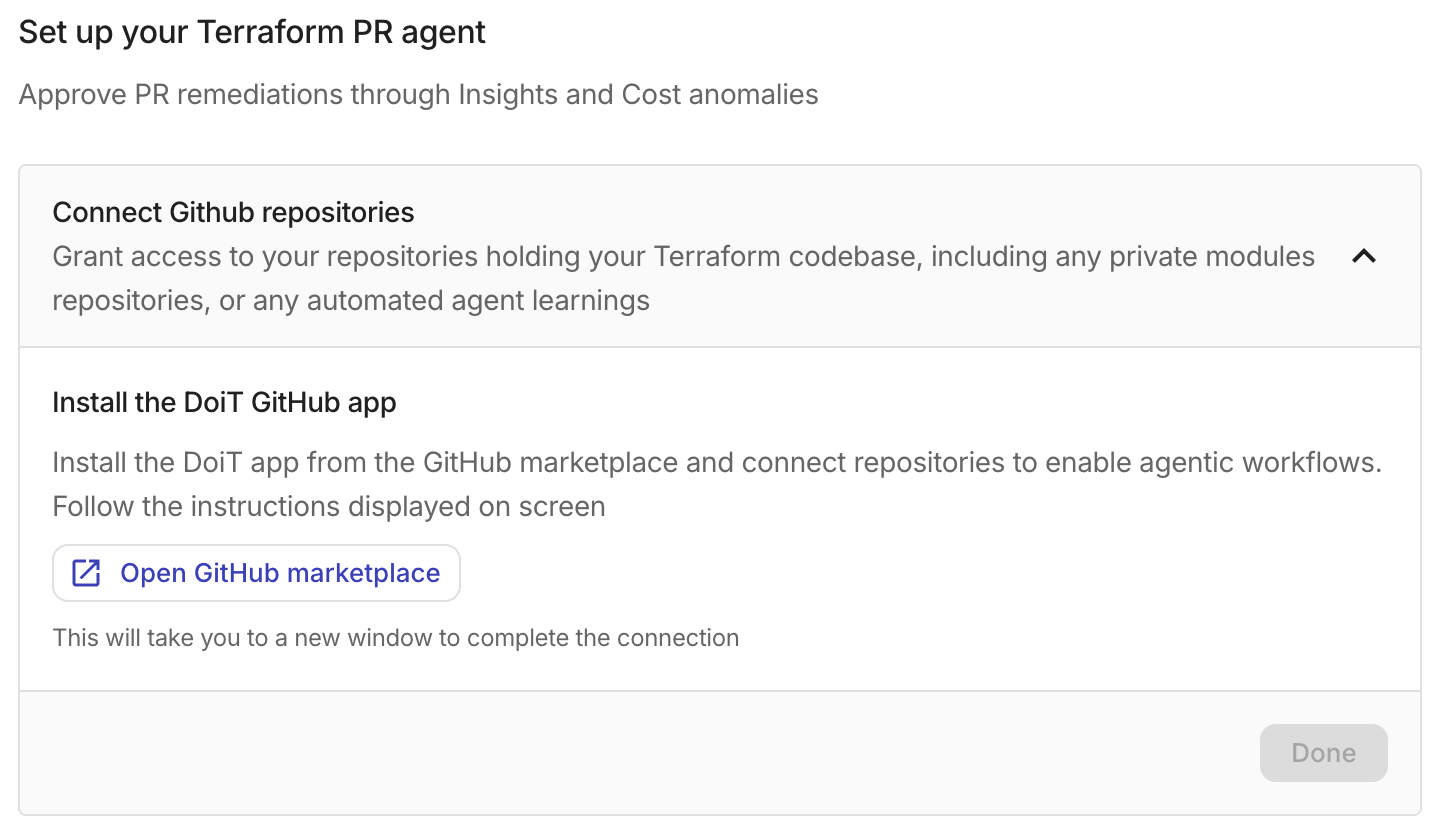
Under Connect Github repositories, select Open GitHub marketplace.
-
Follow the prompts in the GitHub Marketplace to install the IaC Remediation Agent on your organization, or to request installation if you are not an organization administrator, and choose the repositories to connect. Include repositories that hold your Terraform root modules. If those modules reference private modules in other repositories, select those repositories as well. Without access, the agent may not resolve module definitions when generating remediations.
The app needs permission to create pull requests, push branches, and read pull request comments so it can open remediations and respond to reviewer feedback.
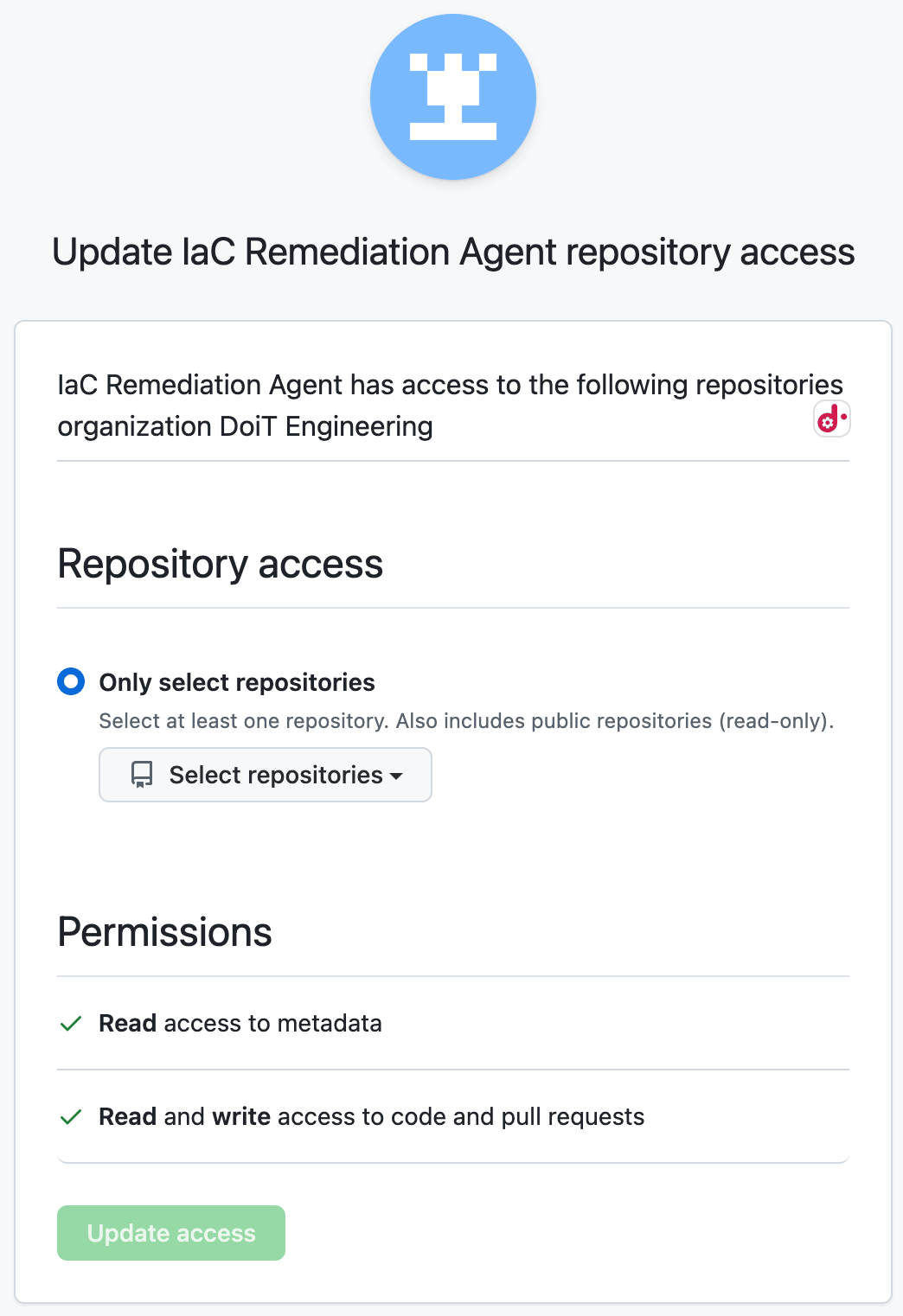
Depending whether you are or are not a GitHub organization administrator:
-
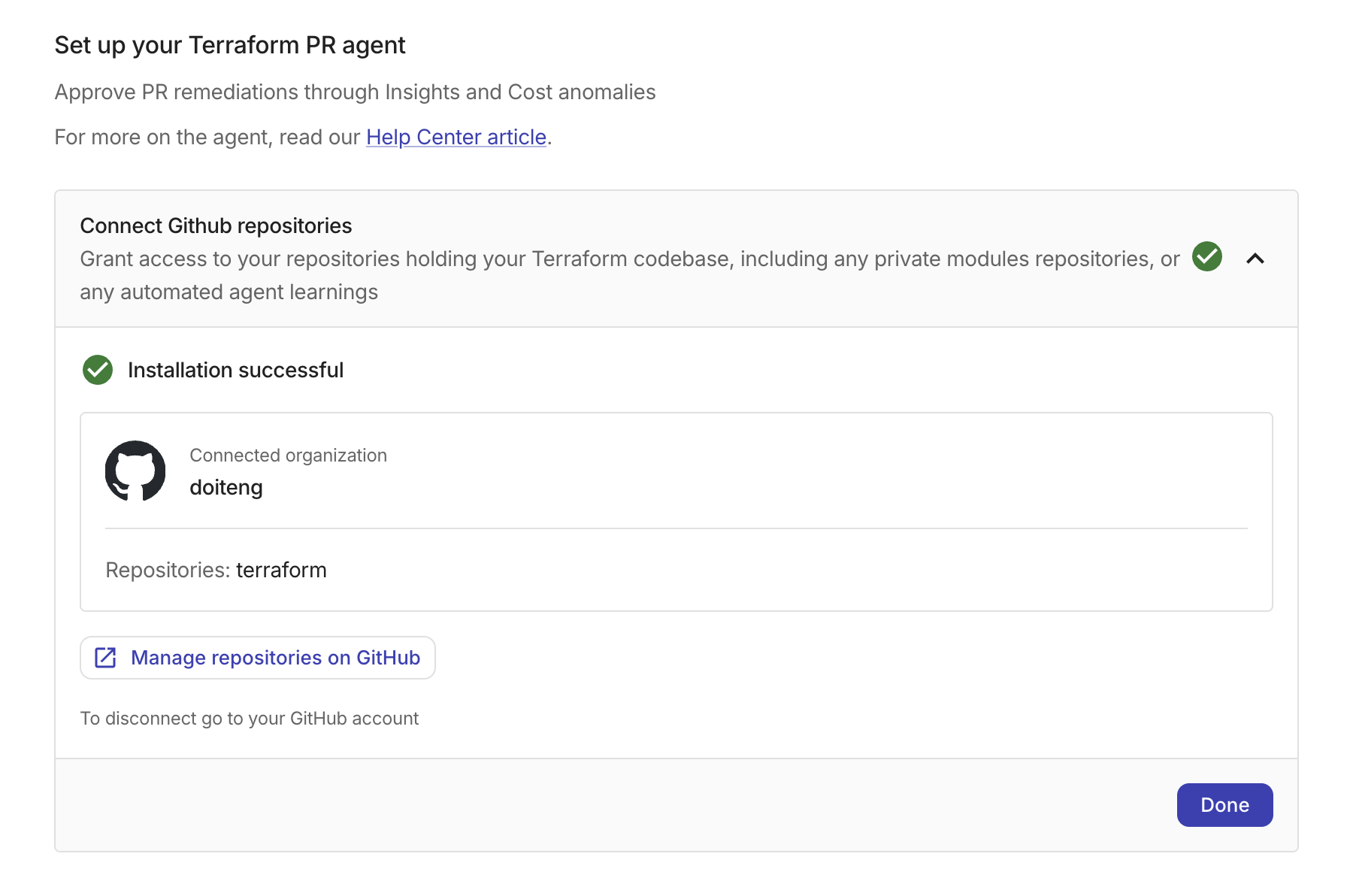
GitHub organization administrator: After installation completes, the setup page shows a success confirmation with your connected organization and selected repositories.
-
Not a GitHub organization administrator: GitHub sends an installation request to the organization owners instead of installing the app directly. The DoiT console setup page displays one of the following states:
-
Waiting for approval: The setup page shows that a GitHub organization owner must approve the request. The page checks for approval automatically every 10 seconds, so you do not need to refresh. Once the owner approves, the page updates to show the success confirmation.
-
Request expired: If the organization owner does not approve the request before it expires, the setup page notifies you that the request has expired. Select Restart setup to send a new installation request.
The organization owner who approves the request in GitHub sees a confirmation page indicating that the approval is complete and that DoiT finishes the connection automatically.
-
-
Manage connected repositories
After setup, you can add or remove repositories from the Terraform PR agent directly from the DoiT console.
-
Sign in to the DoiT console, select Data ingestion and integrations > Integrations from the top navigation mega menu.
-
Select the Agents category tab.
-
On the Terraform PR agent card, select Manage.
-
On Set up your Terraform PR agent, select Manage repositories on GitHub.
This opens the GitHub App installation settings for the IaC Remediation Agent, where you can select additional repositories or remove existing ones. If you are not a GitHub organization administrator, this sends an installation change request to your organization owners for approval.
Disconnect GitHub repositories
To disconnect GitHub access for the Terraform PR agent, go to your GitHub organization settings and uninstall the IaC Remediation Agent. This stops the agent from accessing your repositories and opening new remediation pull requests.
After you uninstall the app, the Terraform PR agent card in the Integrations catalog returns to Not connected, and the setup page shows Connect + again so you can reconnect later.