Threads node
A Threads node lets you create issues in your configured ITSM tool — such as Jira or Linear — directly from your flow. For example, if your flow detects cost anomalies over a certain threshold, it can automatically create a ticket with all the relevant details. This saves time and ensures every significant issue is logged without any manual intervention.
Before you begin
Your ITSM tool should be connected to the DoiT platform. For example, if you are using Jira, see Set up Jira integration.
Required permissions
-
Your DoiT account needs the Thread Manager permission.
-
You do not need an account in the ITSM tool to create threads in the DoiT console.
Create a ticket
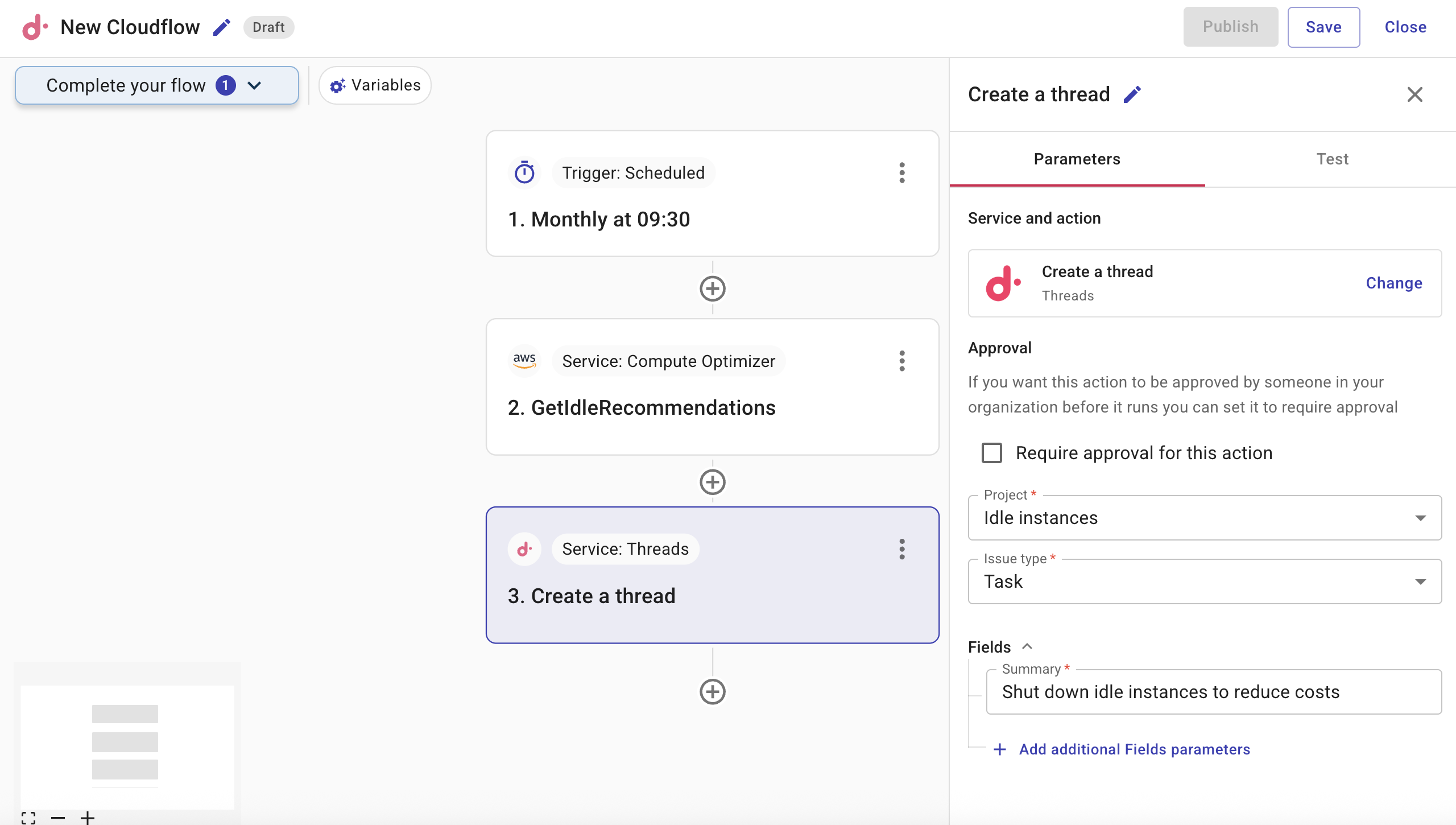
You can create a ticket from a flow by adding a DoiT action node to your flow and selecting the Create a thread action. The following example shows how to create a Jira ticket.
-
When adding a node, from Actions, select DoiT. The Find DoiT actions pane is displayed.
-
Search for the Threads service.
-
Select the Create a thread action.
-
Configure the Create a thread action. The available fields depend on the ITSM tool you are using. For Jira, the following fields are available:
-
Project: Defines the Jira project in which to create the ticket. The list of available projects is fetched from your Jira instance.
-
Issue type: Defines the category for the ticket, for example, Epic, Task, or Bug. The list of available issue types is fetched from your Jira instance.
-
Fields: Defines any additional fields required by your Jira instance, for example, Summary, Priority, Component, and so on. The list of available fields is determined by the project and issue type you've selected.
-