Add a waiter
(Applies to AWS actions only) A waiter ensures that an action in a CloudFlow is complete before the flow proceeds to the next step. This enables you to configure a pause in your CloudFlow for time-dependent factors, asynchronous operations, or external dependencies. For example, when launching an EC2 instance, you might want to wait for the operating system to start before continuing to the next step in the flow.
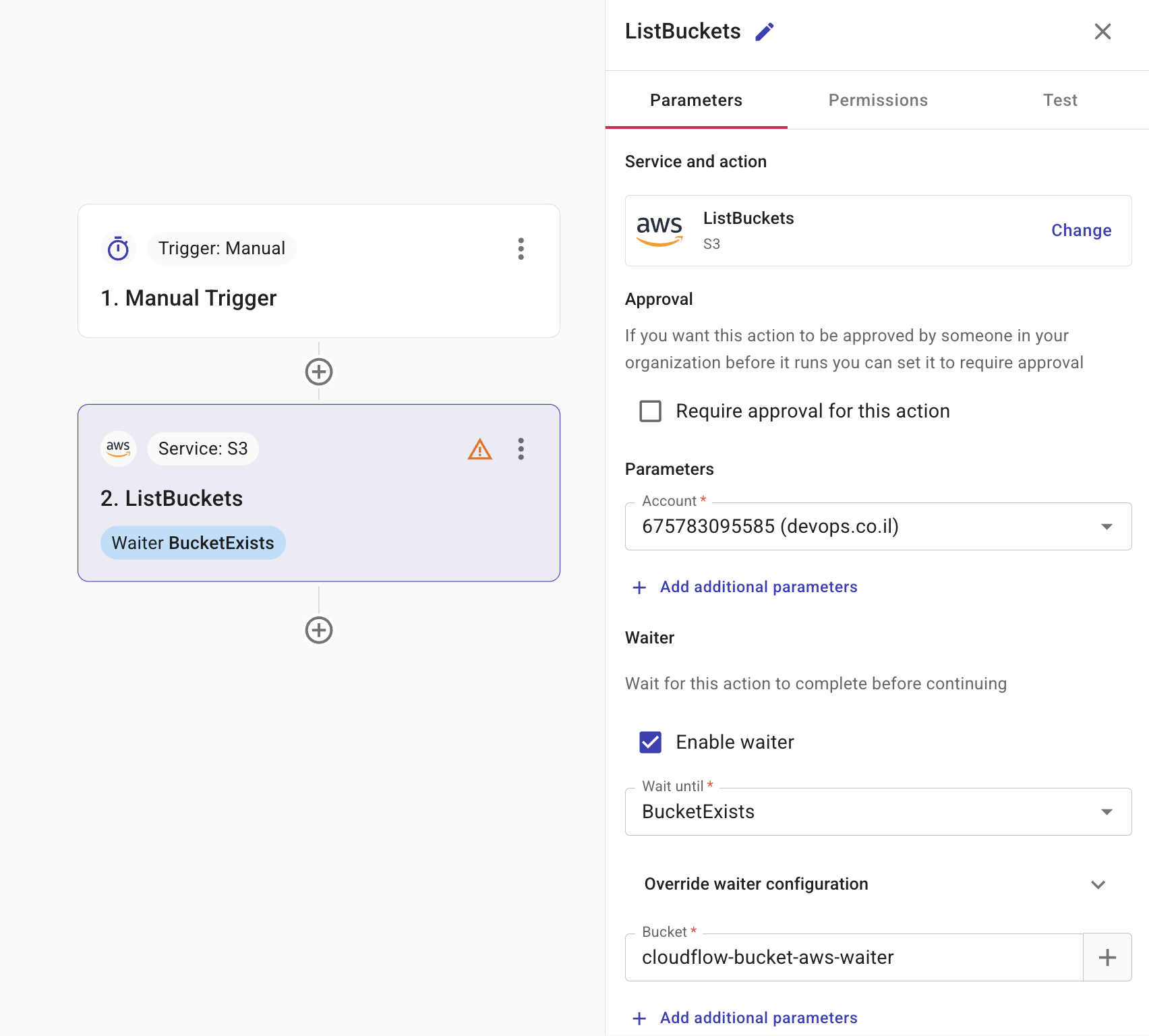
To configure a waiter, select Enable waiter.
-
Wait until: Defines the waiter to take for the action. As each service works differently, the available waiters are unique to each AWS action you are using.
-
(optional) Override waiter configuration: Enables you to provide overrides for waiter behavior. For example, if you are waiting for a critical, fast operation, you might reduce a waiter's default delay from 5 seconds to 1 second to get a quicker result. See also WaiterConfiguration.
-
(optional) Parameters: Specifies the parameters you need to define for the waiter. For example, if you want to wait for an S3 bucket to exist before proceeding, then specify the name of the bucket.