Require approval
If an action should be approved before its execution, select Require approval for this action on the Permissions tab.
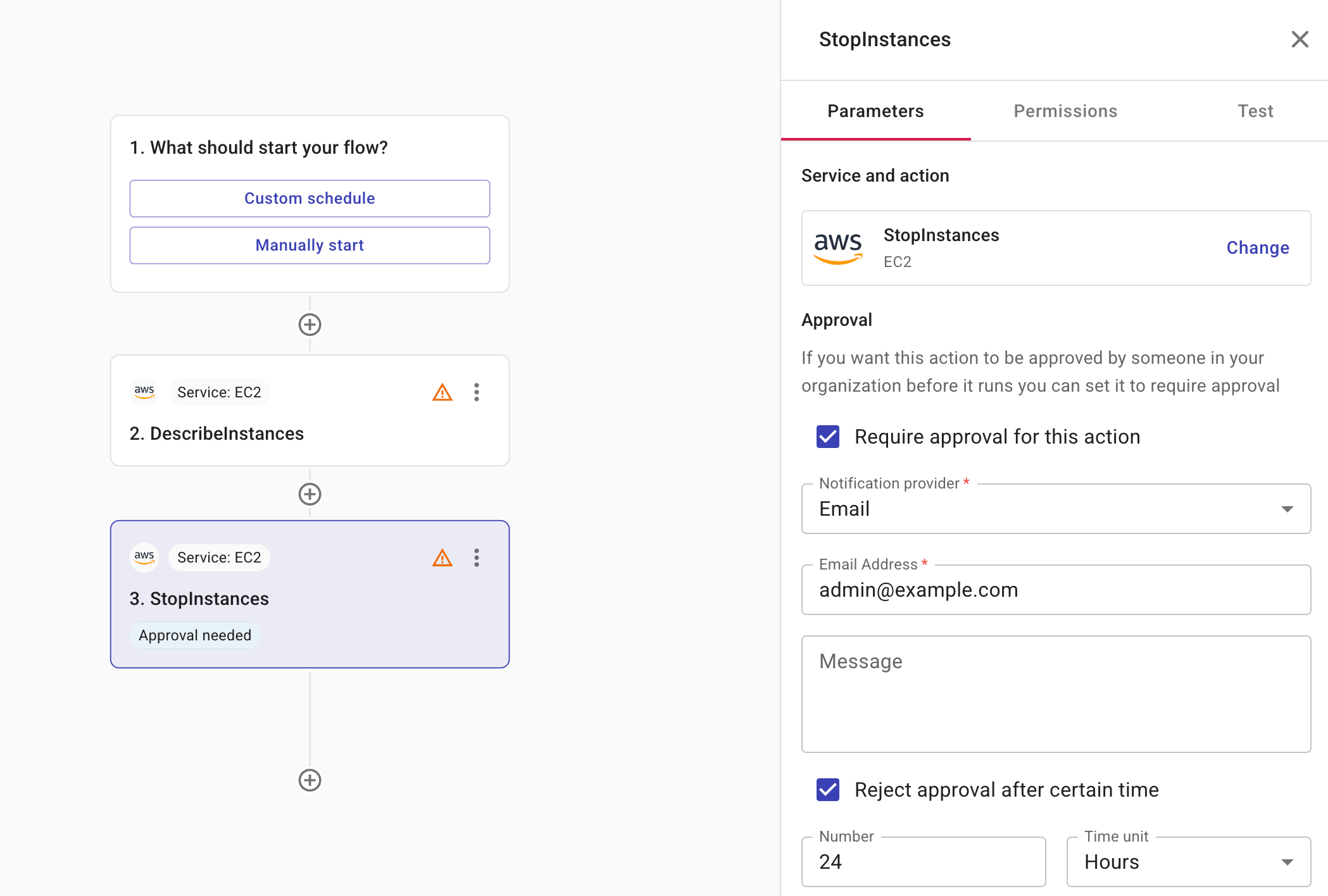
-
Notification provider: Specifies whether to notify the approver via Slack or email. For the former, you should have created a shared Slack channel with DoiT.
-
Message (optional): A message for the approver. You can add fields from previous nodes to your message. When the message is created, the data from the field is displayed in the message. This is useful because it provides recipients with the details they need to make a decision without having to navigate to the system and manually search for the relevant information. An array of fields are displayed as a comma-separated list. For example,
Instance ID: i-123,i-466. -
Reject approval after certain time (optional): Limits for how long the action will wait for an approval. Possible time units are Hours, Days, Weeks, and Months. For example, you can set that an approver must approve/reject the action within 24 hours. If the approver takes no action before the specified time period expires, the action is automatically rejected.