Example reports
This page provides examples that demonstrate common use cases of Cloud Analytics reports.
General
Virtual machines
This example shows how to list the individual VM instances using the standard dimensions Service and Resource.
- Amazon Elastic Compute Cloud (EC2) service: The format of an Amazon EC2 instance ID is the resource identifier
ifollowed by a 17-character string. - Google Cloud Compute Engine service: The last part of each resource ID is the name of the VM instance. To view GCE instance IDs, choose the dimension Global resource.

Unique accounts, projects, or resource groups
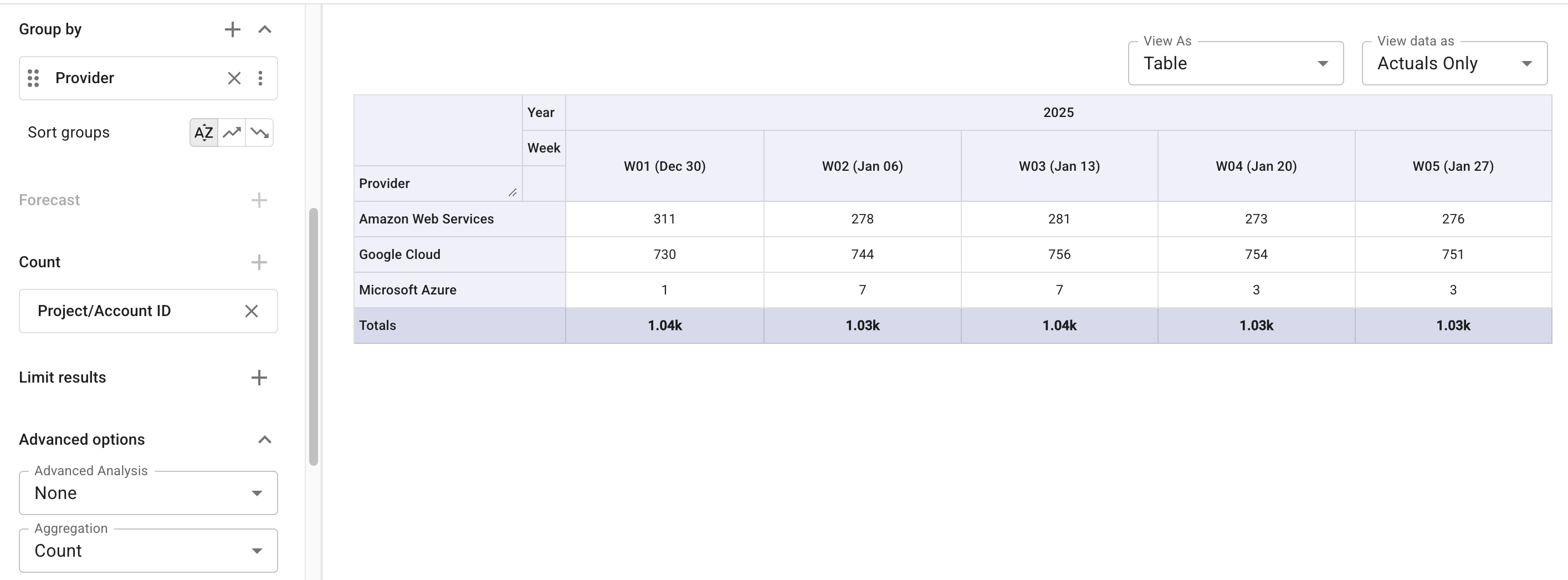
This example uses the Count aggregation to identify the number of distinct AWS accounts, Google Cloud projects, or Azure resource groups that incurred cost in the given period.
Marketplace expenses
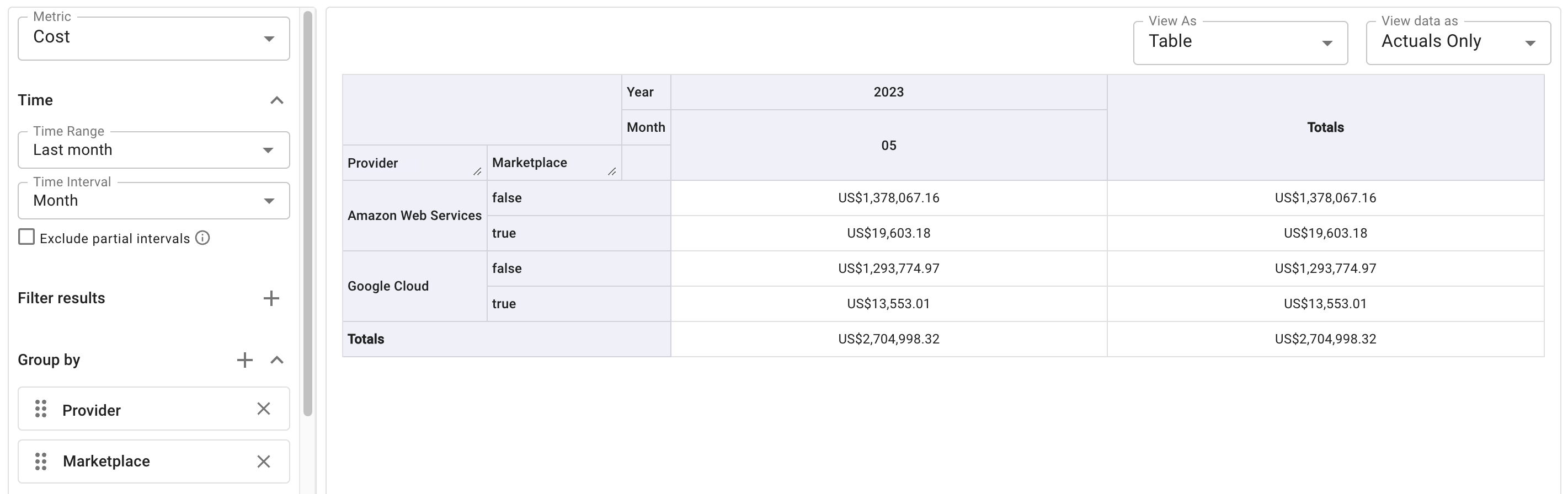
This example shows how to use the Marketplace dimension to report on costs incurred from Marketplace purchases.
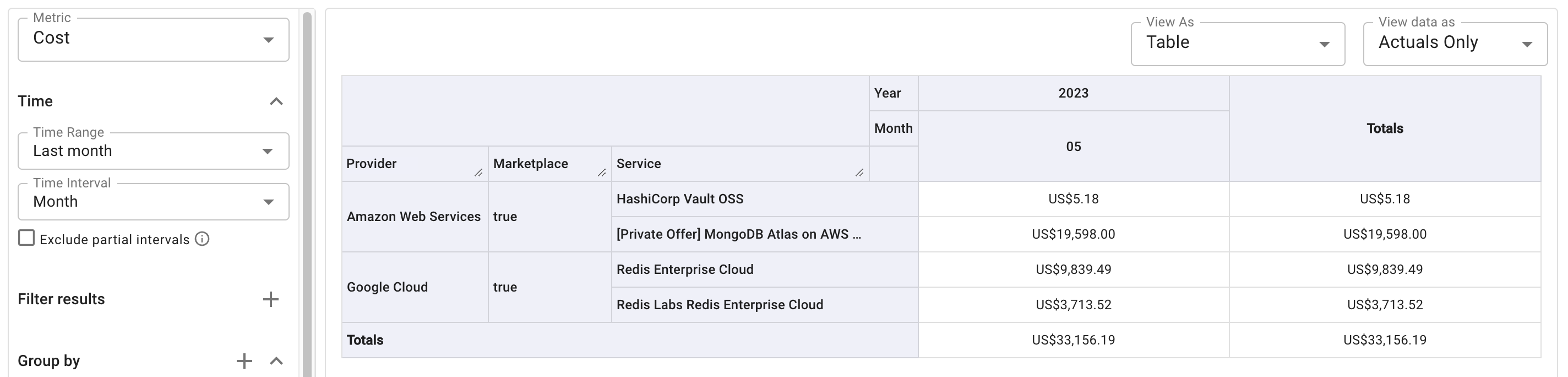
To drill down further, you can add a filter, e.g., Marketplace equals true, and combine with other dimensions.
Amazon Web Services
AWS Enterprise Discount Program (EDP) analysis
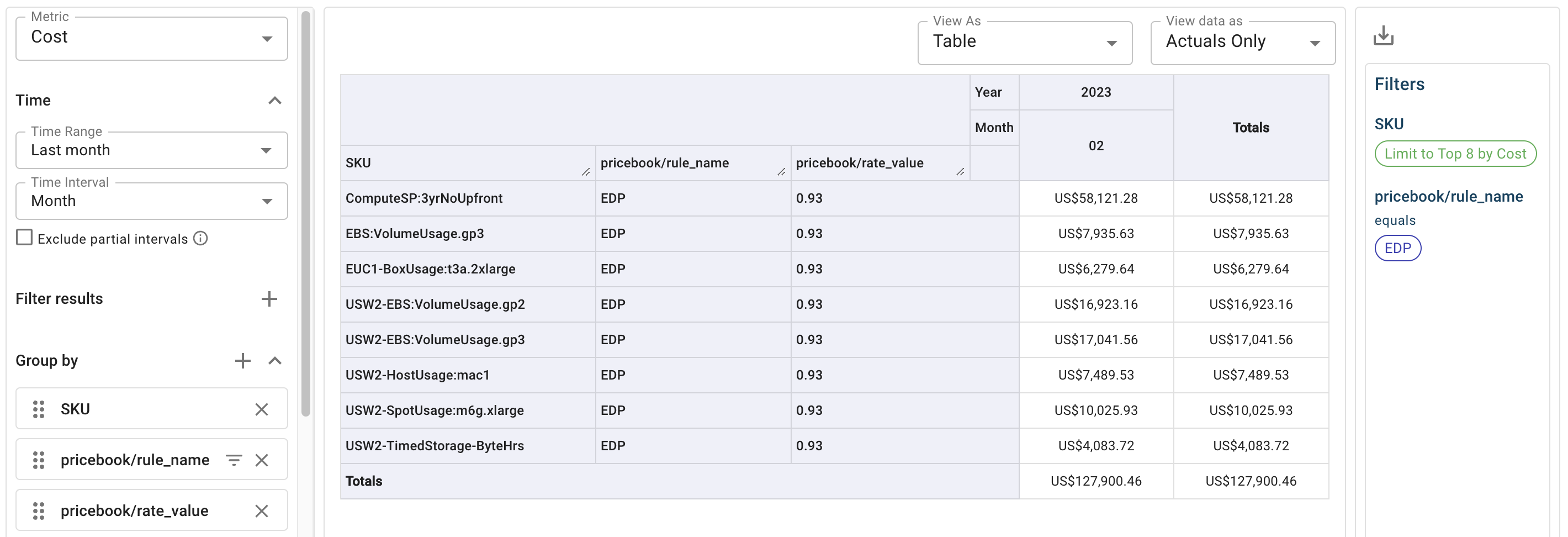
This example shows how to investigate the AWS EDP pricing using a Cloud Analytics report.
The cost values are the amount the customer pays for the resources after the EDP was applied.
AWS support plan charges
This example shows the costs of AWS support plans.
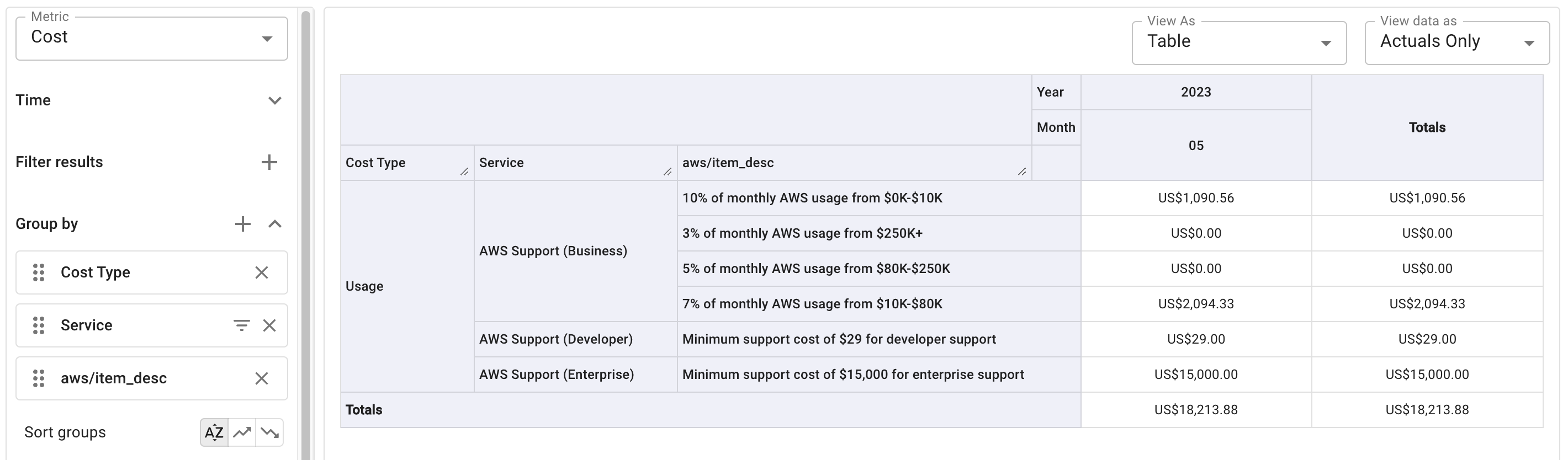
Starting June 2023, AWS support plans are charged on the last day of the invoice month.
Flexsave projects/accounts
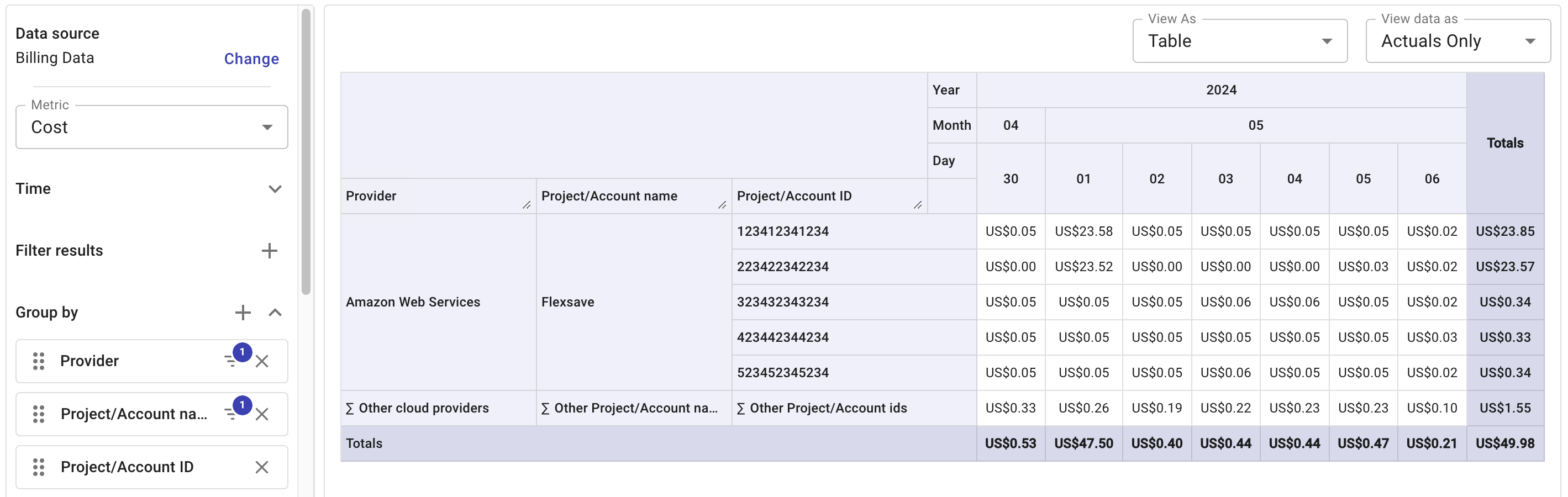
This example shows how to organize your Flexsave projects/accounts in a Cloud Analytics report using the standard dimensions (Project/Account name and Project/Account ID).
Azure usage, purchases, and refunds
This example groups data by the azure/charge_type system label to show usage, purchases, and refunds. It further applies the Cost Type standard dimension for a breakdown of savings plan, on-demand, and other costs.

Google Cloud
Granular cost analytics on Google Cloud Run and Cloud Functions
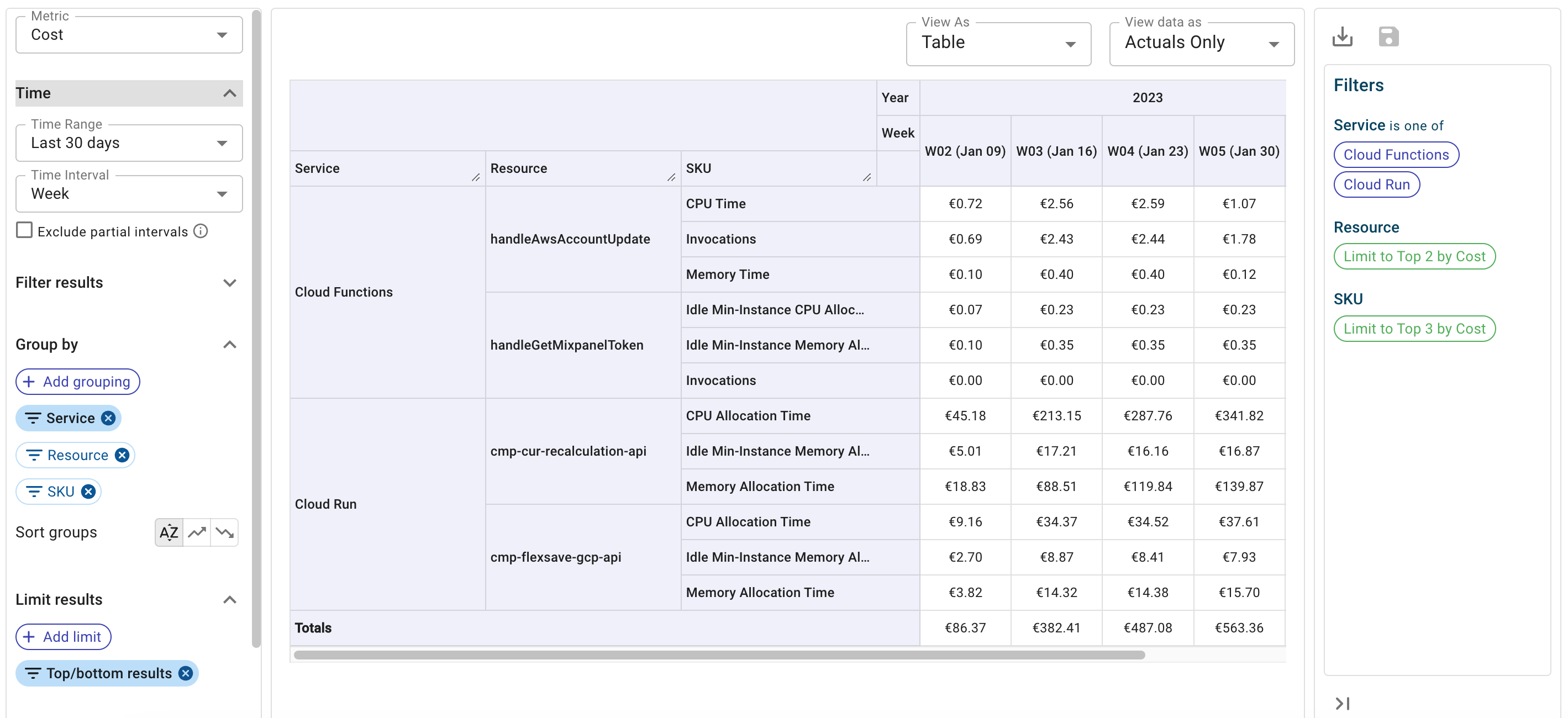
This example shows how to combine the standard dimensions Service, Resource and SKU to identify granular cost data from Google Cloud Run instances and Cloud Function instances.
Google Cloud new CUD model
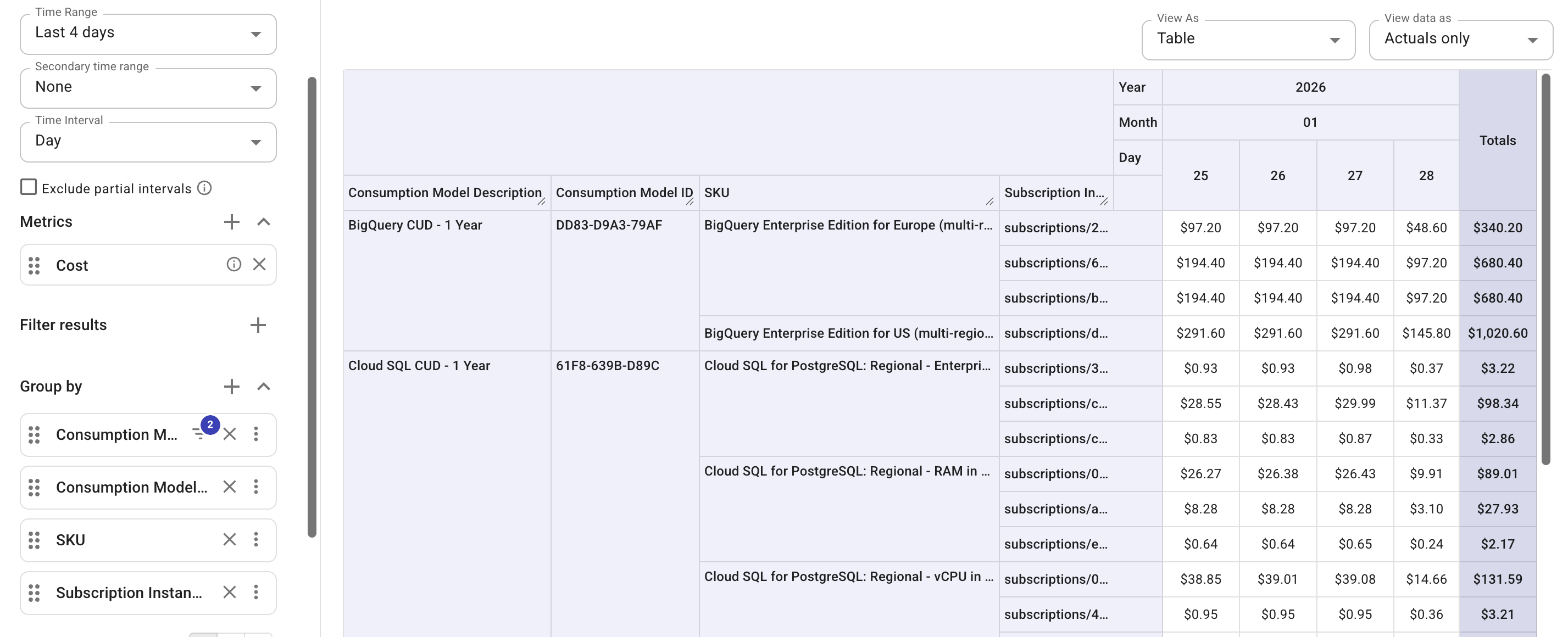
This example shows how to track the costs of your spend-based CUD commitments under the new CUD program.
Spend-based CUD savings
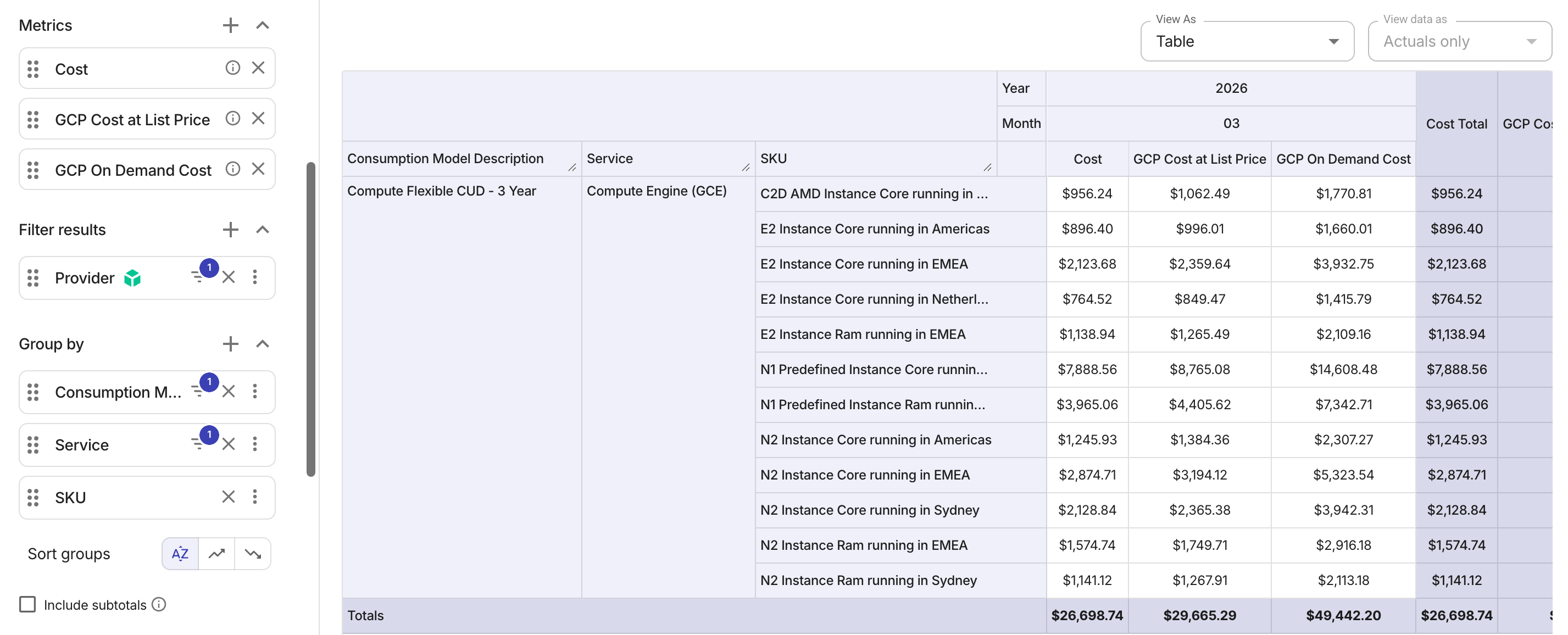
To better understand your spend-based CUD savings under the new CUD model, run a report with extended metrics GCP Cost at List Price and GCP On Demand Cost.
In the example below:
-
GCP Cost at List Priceincludes your savings from CUDs/SUDs, but not your discounts negotiated with DoiT, such as price book adjustments and DoiT contractual discounts. -
GCP On Demand Costincludes your discounts negotiated with DoiT, but not your savings from CUDs/SUDs.
Google Cloud promotional credits
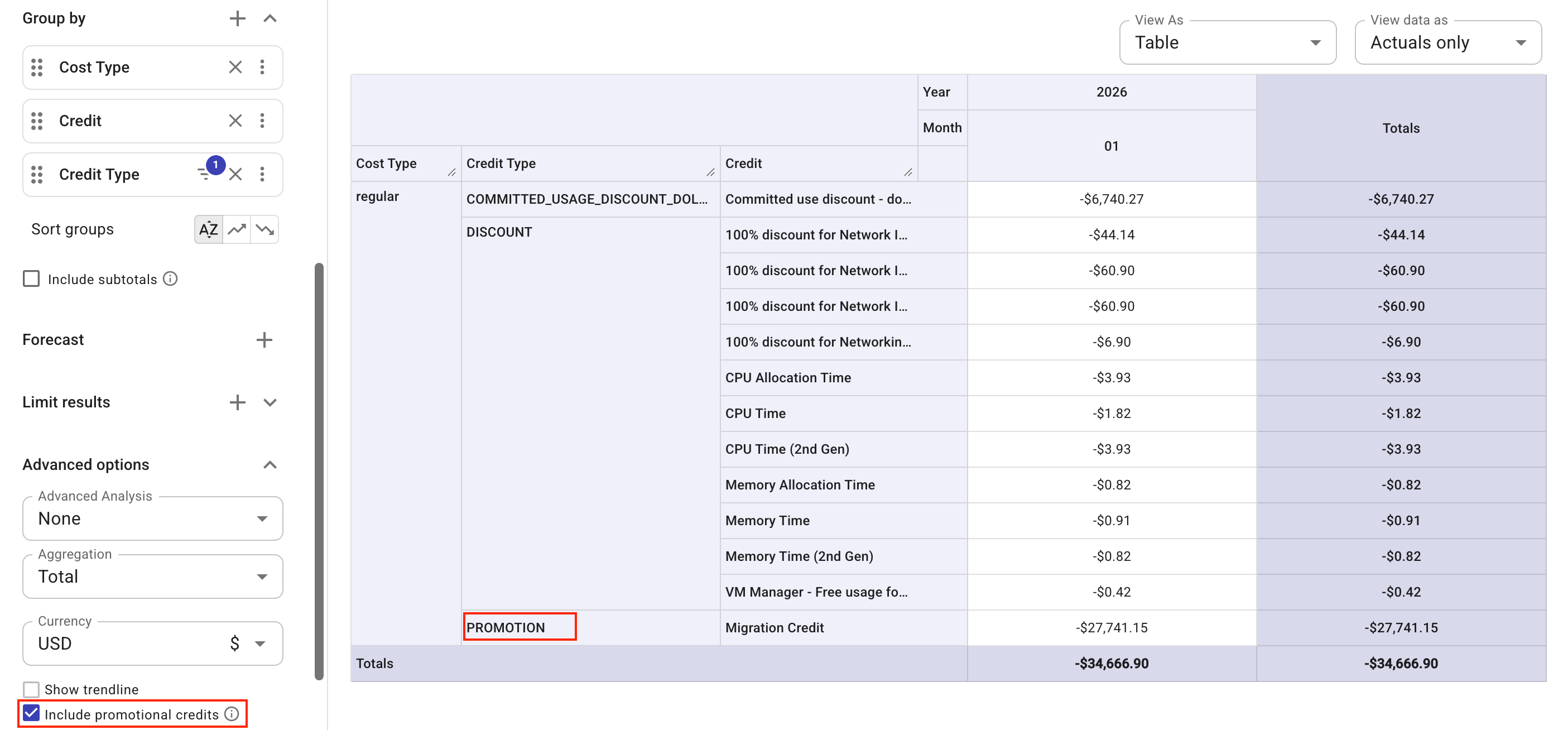
Starting January 1, 2026, DoiT auto-forwards promotional credits from Google Cloud to eligible customers. The example below shows how to check such credits. For more information, see Promotional credits in the console.
Seller and transaction type
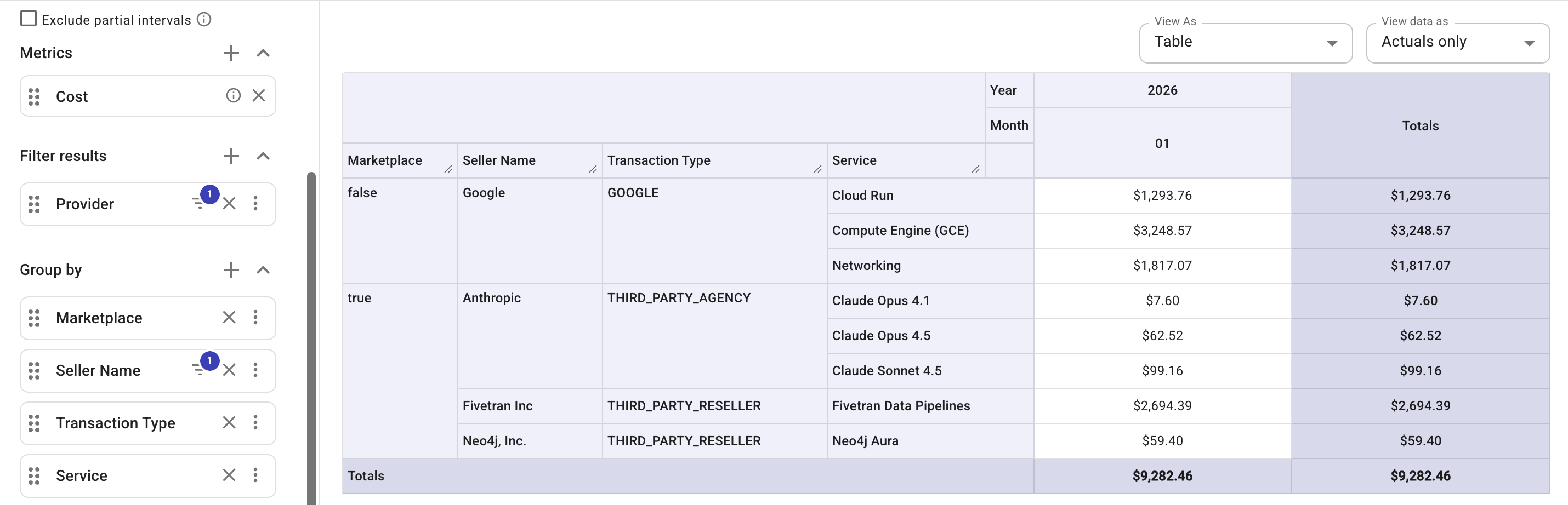
This example shows how to track the costs of services by transaction type.
Google Cloud invoice month
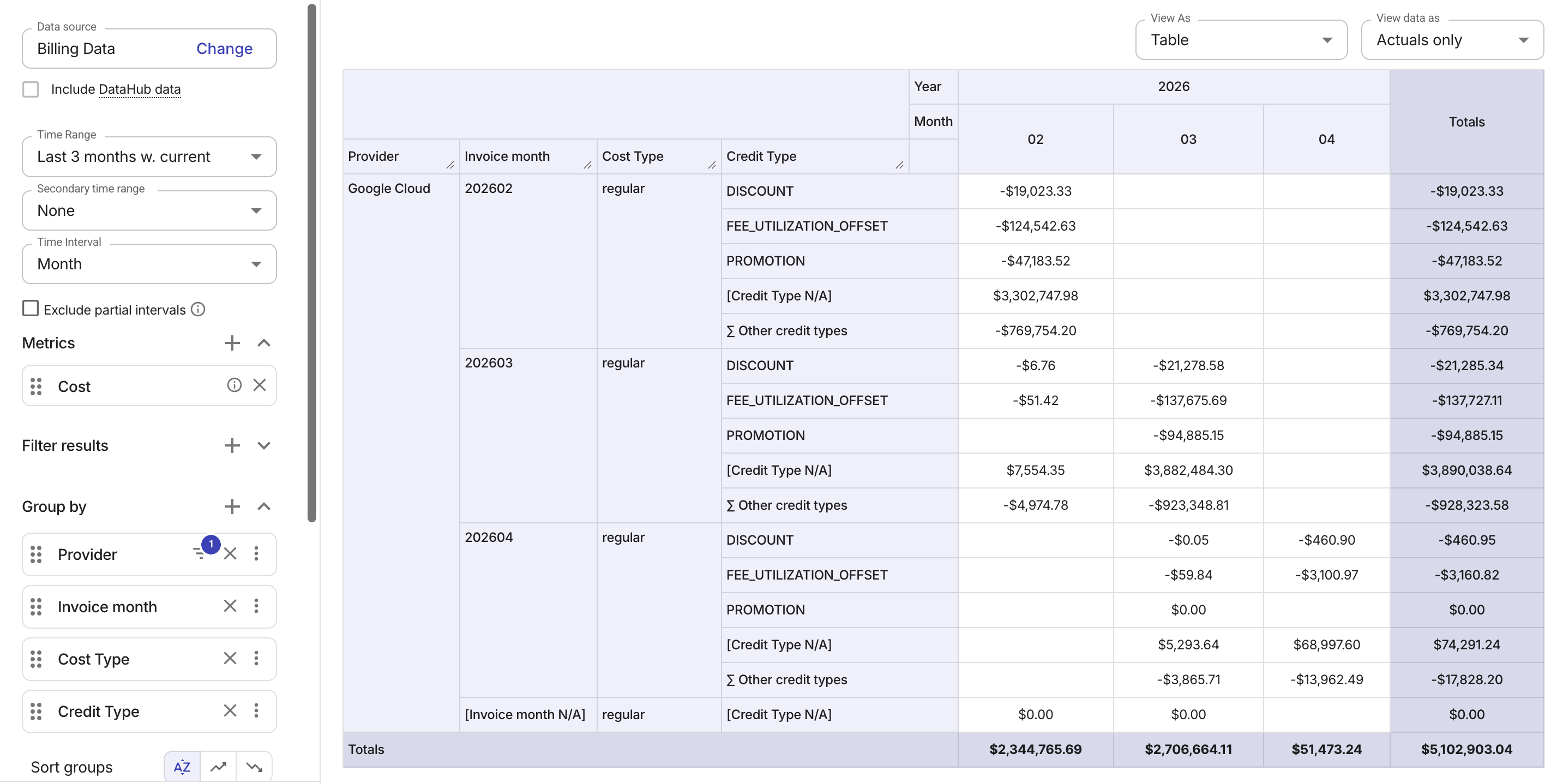
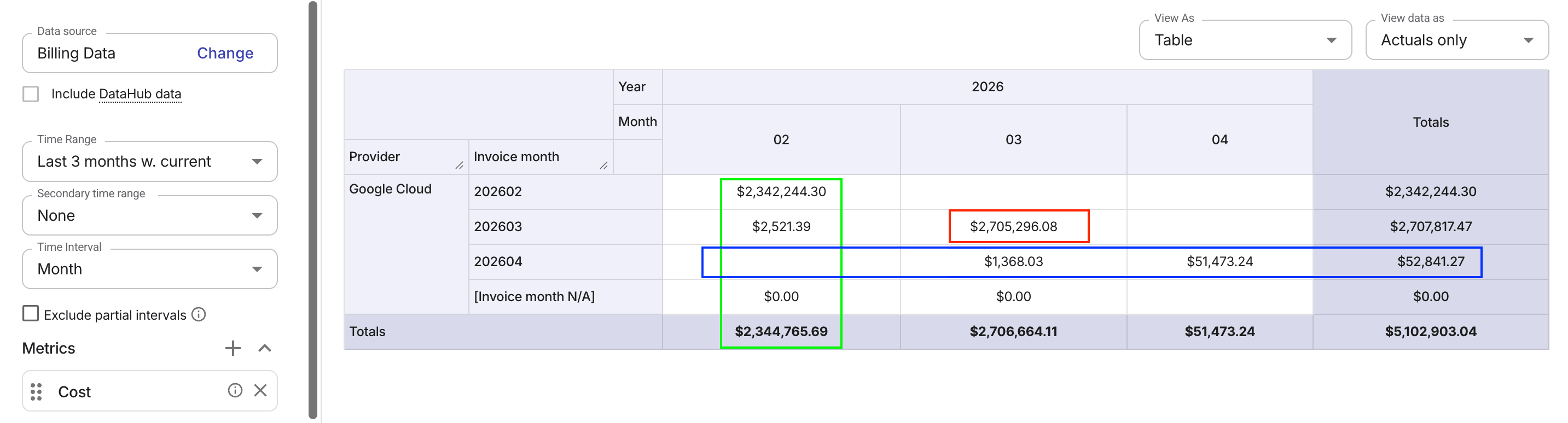
Starting with the March 2026 invoices (issued in April), DoiT transitions Google Cloud billing from a usage_start_time basis to an invoice.month basis. This change ensures that costs near month boundaries and late adjustments are billed in the correct invoice month.
The example below shows how to verify your billing during this transition using Invoice month grouping.
-
February 2026:
usage_start_time-based billing. The invoiced amount corresponds to the column total for the usage month. -
March 2026: Hybrid approach. A transitional method used to ensure no double counting. The invoiced amount corresponds to the intersection of the usage-month column and the invoice-month row.
-
April 2026:
invoice.month-based billing. The invoiced amount corresponds to the row total for that invoice month, aggregated across all usage-month columns.
You can break down the report using Cost Type and Credit Type to better understand the costs.