User change history
The History page allows you to review lifecycle changes for a specific user, such as invitations, role changes, profile updates, MFA changes, and removals.
Required permissions
- Manage Settings
View a user's change history
You can reach a user's change history from the profile page or directly from the users list.
-
Sign in to the DoiT console, select the gear icon () from the top navigation bar, and then select Users and access.
-
Select Users from the left-hand menu.
-
Locate the user of interest. Use either of the following approaches to open the history page.
-
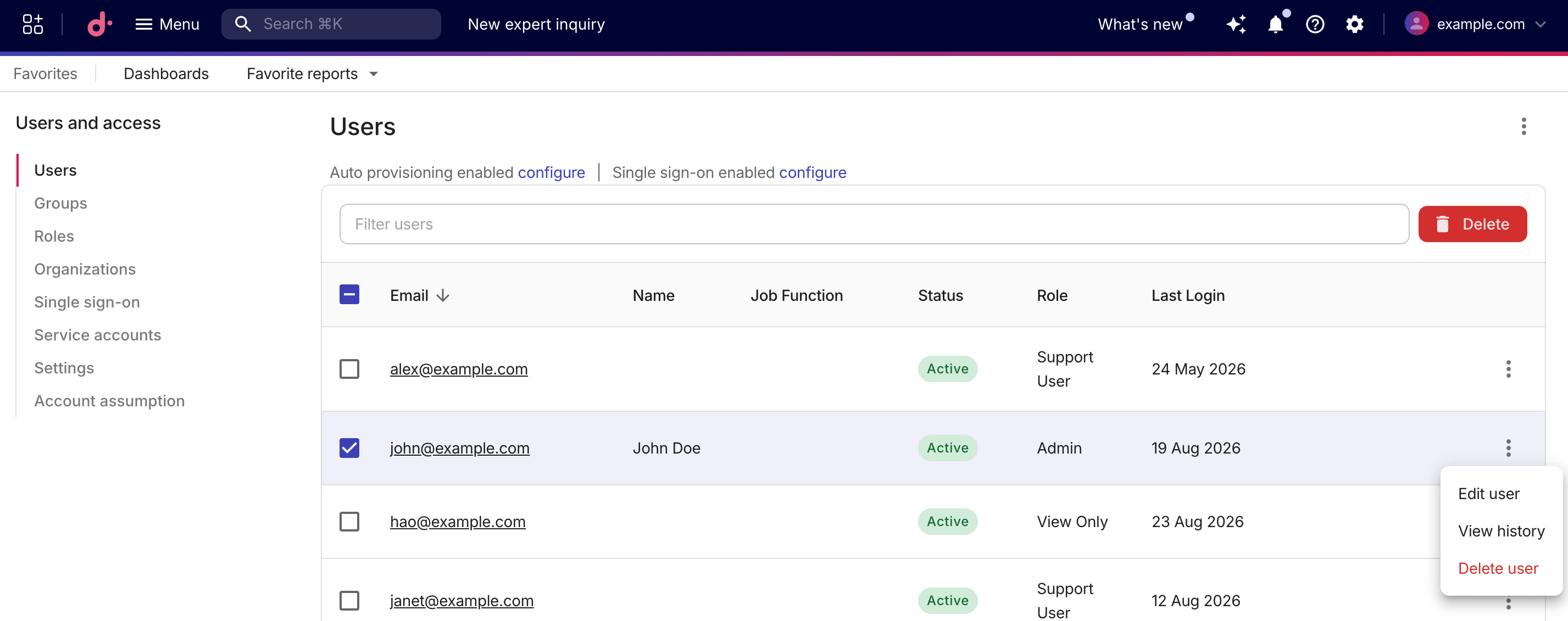
Select the kebab menu (⋮) at the end of the user row and select View history.
-
Select the user email to open the profile page, and then select the History tab from the left-hand menu.

-
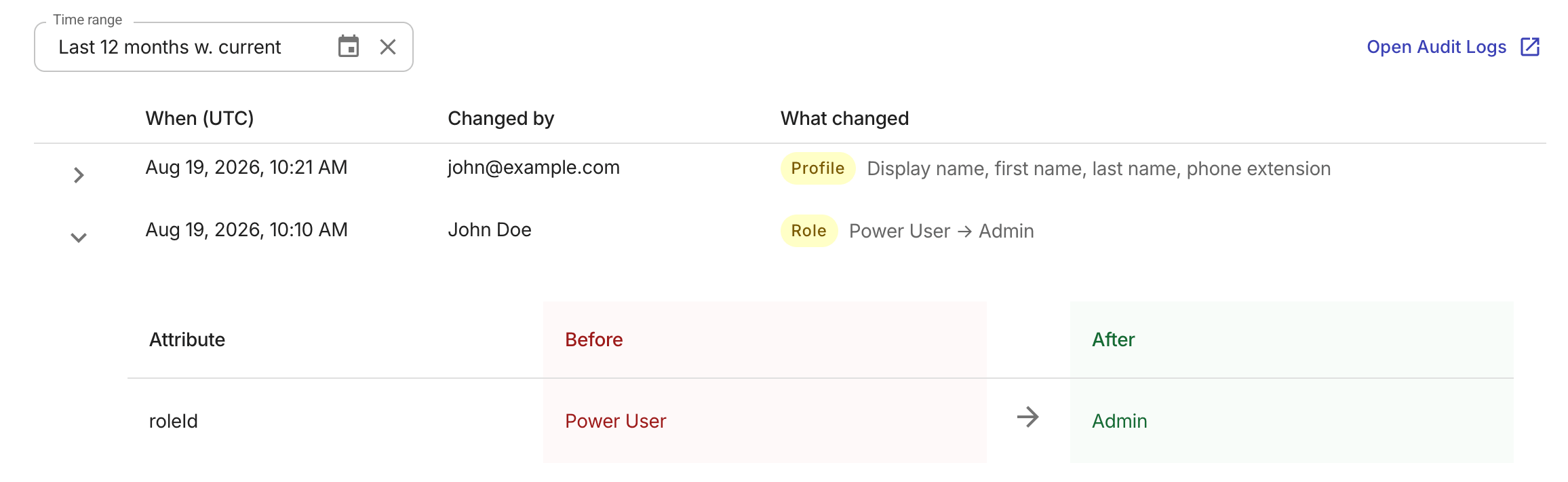
By default, the History page shows changes from the last 12 months. Use the time range filter above the table to choose a predefined range or specify a custom one.
History table
The history table displays up to 100 events per page, newest first. Each row shows the following columns:
-
When (UTC): The date and time the change occurred, in UTC.
-
Changed by: The name or email address of the person who made the change.
-
What changed: The type of the change and a summary.
-
Invited: An invitation was sent to the user. The summary includes the assigned role, if recorded.
-
Removed: The user was removed from the account.
-
Role: The user's role or permissions were changed. The summary shows the previous and new role names.
-
MFA: The user's multi-factor authentication requirement was enabled or disabled.
-
Profile: Other profile fields were updated. The summary lists the changed fields.
-
You can select a row to see the full details of a change.
Limitations
-
Change history covers lifecycle changes only. Account creation and sign-in activities are excluded here but remain available in Audit logs.
-
A user's history is matched on their email address. If a user's email address has changed, events recorded under the previous address are not migrated.
-
When a user is removed, their History page is no longer accessible. You can filter the Audit logs by the user's former email address for the removal and activities preceding it.