Advanced mode (AWS only)
Advanced mode is a simulation workspace where you define commitment parameters and run a what-if analysis against historical usage data.
Required permissions
To run simulations, you need the Commitments Admin permission.
Run a simulation
To run a simulation:
-
Select the commitment type you want to simulate.
-
Currently, the Advanced mode supports AWS Compute and Database.
-
Advanced simulations analyze the full payer account, you cannot choose a specific linked account.
-
-
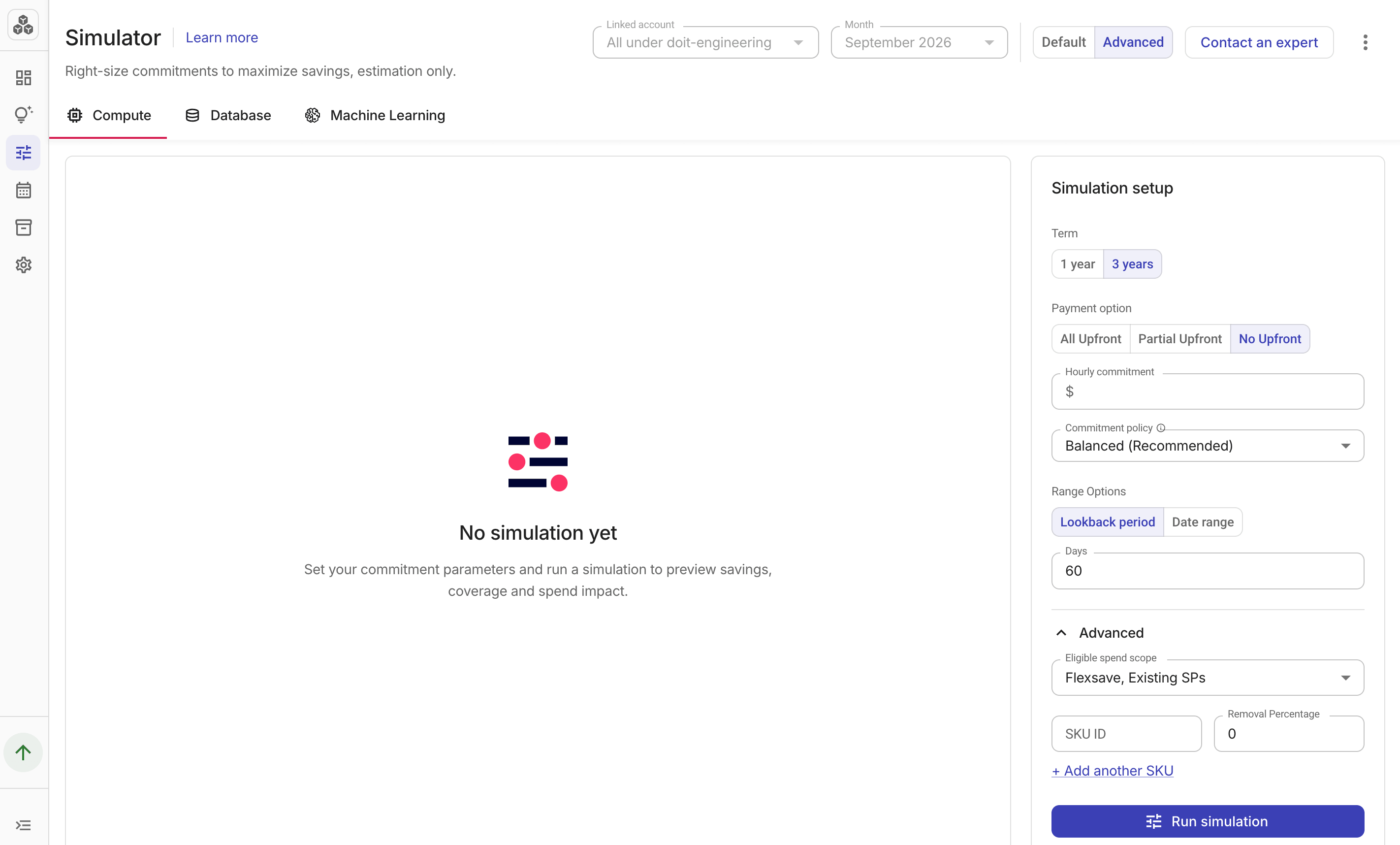
In the Simulation setup pane, specify commitment parameters for your simulation. The available options vary with the commitment type you choose.
-
Term: The commitment term:
1 yearor3 years. -
Payment option:
All Upfront,Partial Upfront, orNo Upfront. -
Hourly commitment: (Optional) The hourly commitment amount in dollars. Leave this field empty to let the simulation size the commitment from the selected policy, or enter a specific amount to simulate that exact $/hr commitment.
-
Commitment policy: The commitment policy used to size the commitment when the hourly commitment field is empty.
-
Range Options: Specify a Lookback period or a Date range. The range cannot exceed 180 days or extend past today.
Expand Advanced for additional parameters:
-
Eligible spend scope: Controls which spend categories are included in the simulation. Options vary by account configuration — for example, Flexsave appears for customers with Flexsave enabled on Compute.
-
SKU exclusions: Specifies SKUs that should be partially or fully excluded from the simulation. You can add up to 10 SKUs in one simulation.
-
-
Select Run simulation.
The results show projected savings, a coverage breakdown over time, and hourly cost by service.
Simulation results
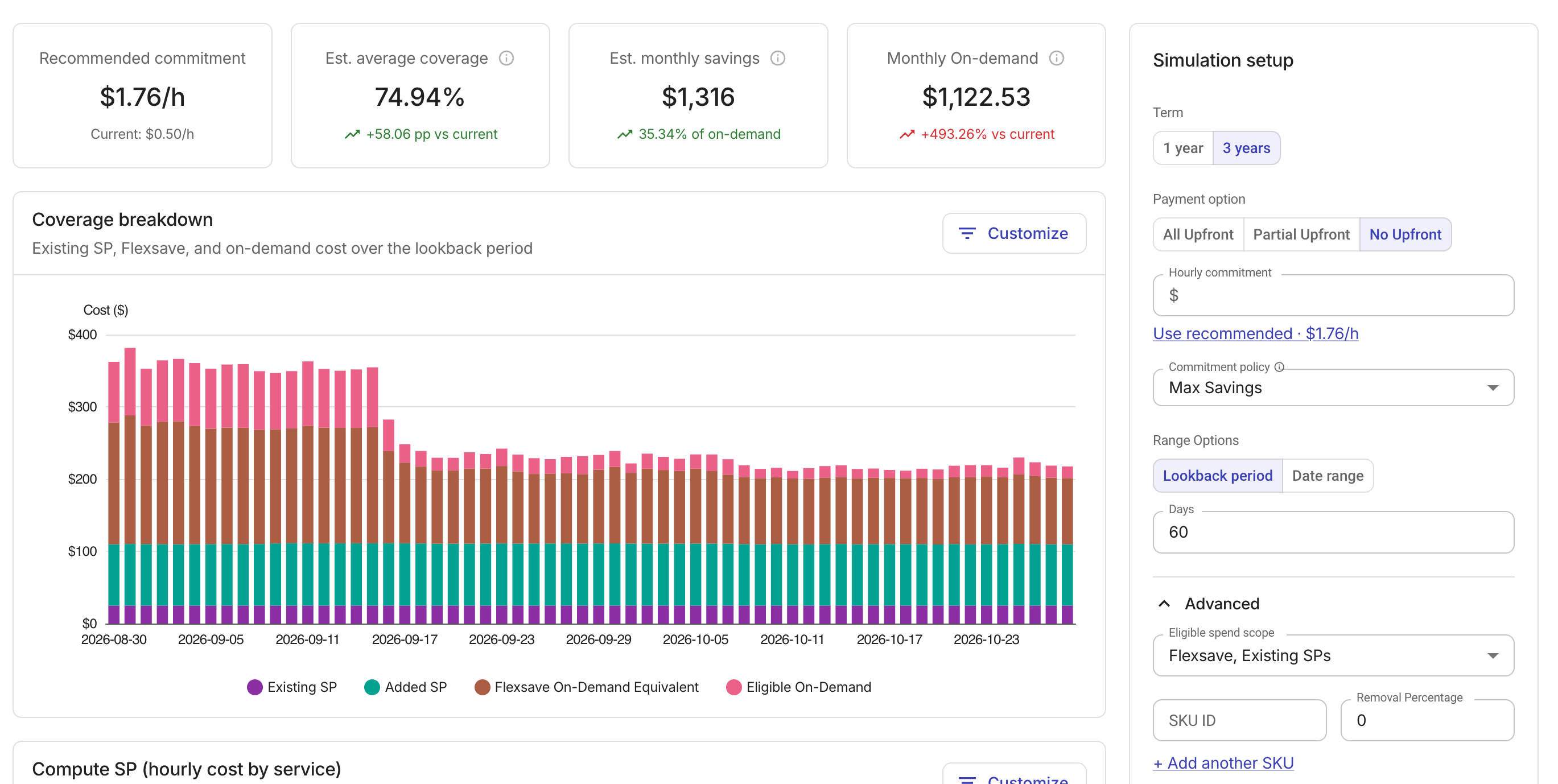
After a simulation completes, the results area displays a group of metric cards and two charts.
Metric cards
-
Recommended commitment / Simulated commitment: The optimal hourly commitment sized by the policy or the specific amount you entered. The
Currentvalue shows the payer's active non-Flexsave Savings Plan hourly rate. -
Est. average coverage: The estimated average share of eligible spend covered by Savings Plans after this commitment, averaged over the simulation range.
-
Est. monthly savings: Estimated monthly savings versus on-demand pricing, with the savings as a percentage of on-demand cost.
-
Monthly On-demand: Estimated on-demand spend per month that the simulated commitment would leave uncovered. The
% vs currentshows how the estimate compares to current monthly on-demand spend.
Coverage breakdown
The Coverage breakdown chart shows how eligible spend is distributed over the simulation range.
-
Existing SP: Spend already covered by the payer's active Savings Plans.
-
Added SP: Additional spend that would be covered by the simulated commitment.
-
Flexsave On-Demand Equivalent: Spend covered by Flexsave, shown at on-demand equivalent rates. Visible only when Flexsave is active.
-
Eligible On-Demand: Remaining eligible spend billed at on-demand rates.
Use the Customize option to show or hide individual series.
Hourly cost by service chart
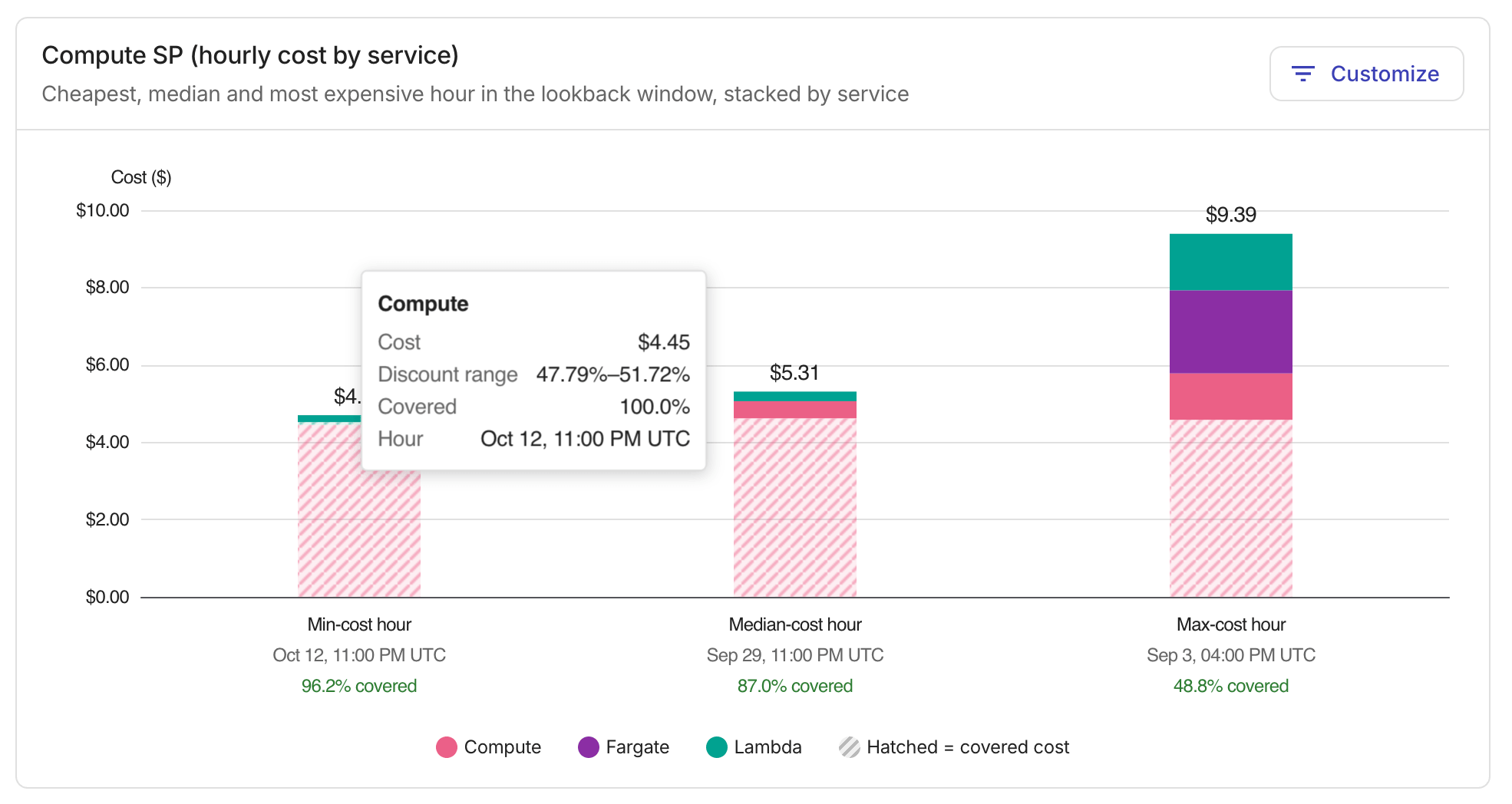
The Hourly cost by service chart displays the minimum-cost, median-cost, and maximum-cost hours in the simulation range, broken down by service.
Use the Customize option to show or hide individual service series.