Custom policies
Custom policies let you define your own parameters that match specific workload patterns or risk preferences.
You can create up to 10 custom policies per organization. After creation, custom policies appear alongside built-in policies in the commitment policy selectors on the Settings and Recommendation pages.
Required permissions
-
To view custom policies: PerfectScale Commitments Admin or PerfectScale Commitments Read Only permission.
-
To create, edit, or delete custom policies: PerfectScale Commitments Admin permission.
Create a custom policy
To create a custom policy:
-
On the Commitment Policies page, select New custom policy.
-
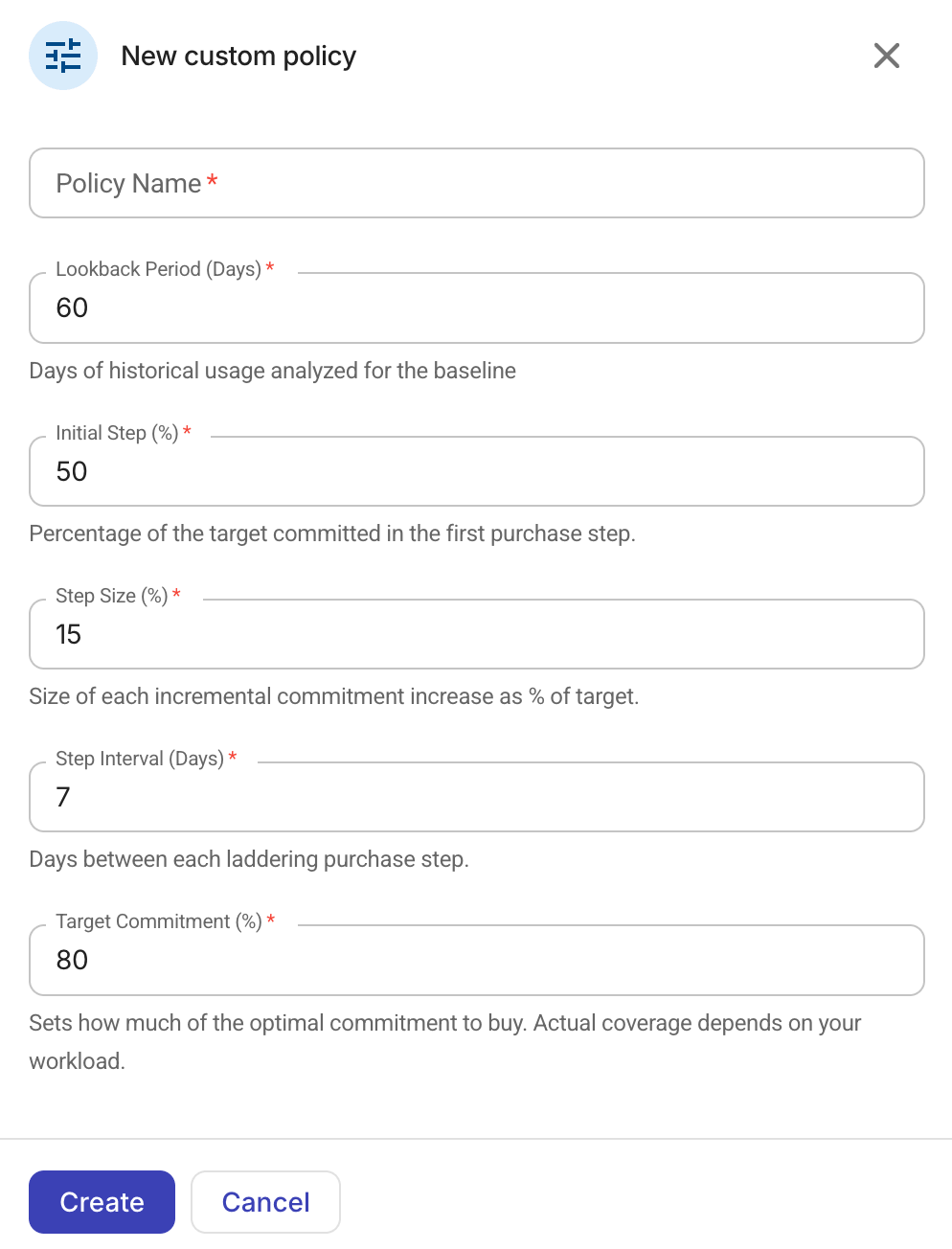
Configure the policy.
-
Enter a unique name for the policy. You can't change the name after creation.
-
Adjust the default policy parameters if necessary.
-
-
Select Create.
Edit a custom policy
-
On the Commitment Policies page, locate your target policy.
-
Select the right arrow (>) at the end of the policy row to open it in the side panel.
-
On the Parameters tab, adjust the parameter values. The policy name and the Assignments tab are read-only.
-
Select Update to save your changes.
-
If the policy is assigned to one or more account services, a confirmation dialog displays the following information:
-
Parameter differences between the current and proposed values.
-
The projected cost impact for each assigned account and service, showing current and projected commitment and monthly savings.
-
A notice to manually approve the recalculated scheduled purchases before they take effect, if applicable.
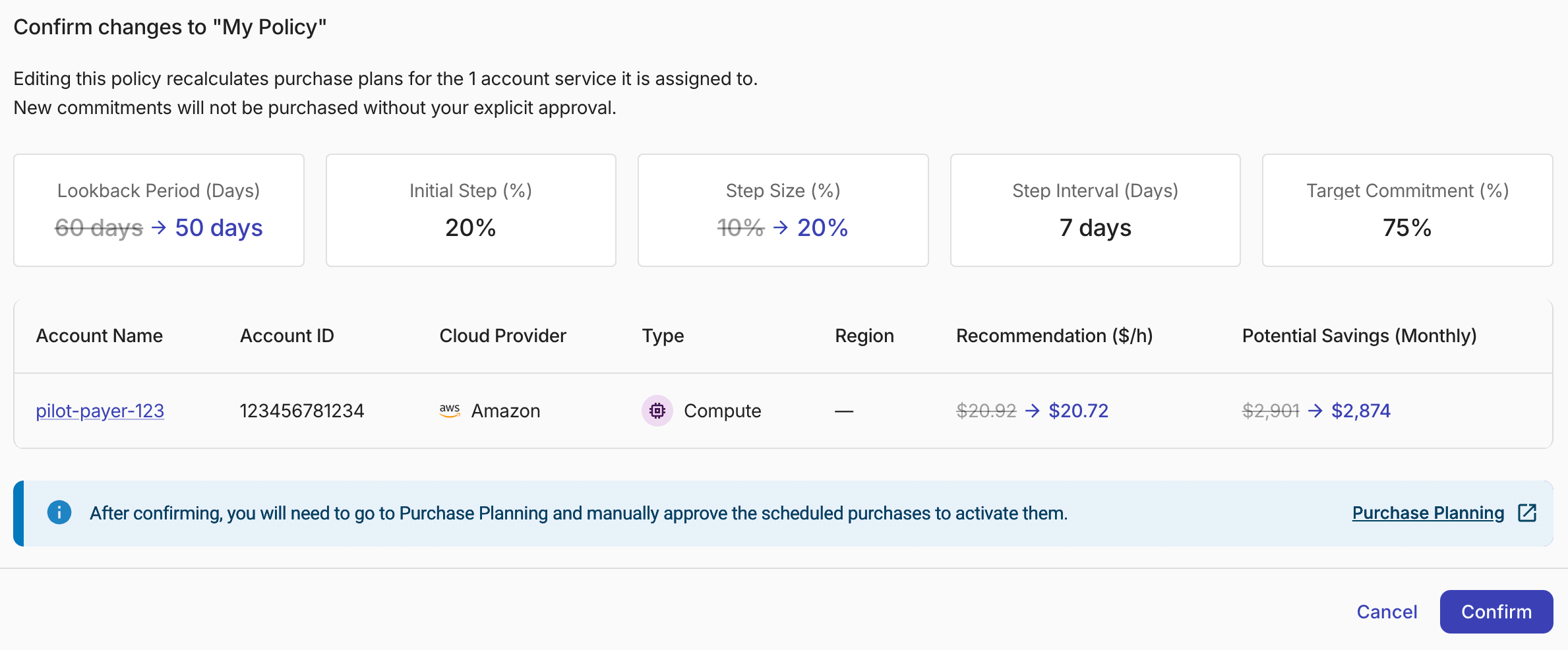
Select Confirm to update the policy and trigger recalculation for all affected account services.
-
Delete a custom policy
To delete a custom policy, select the right arrow (>) at the end of the policy row to open it in the side panel, and then select Delete.
-
If the policy is not assigned to any account services, you'll be prompted to confirm the deletion.
-
Otherwise, a dialog displays the list of assigned account and service combinations. You must reassign or remove those assignments before you can delete the policy.