Built-in policies
Built-in policies are read-only. You cannot modify or delete them.
Required permissions
- To view built-in policies: PerfectScale Commitments Admin or PerfectScale Commitments Read Only permission.
Policy profiles
PerfectScale for Commitments provides three built-in policies that cover common risk profiles.
-
Conservative: Low risk, high flexibility. Commits only to your most stable usage, reducing the risk of underutilization. Best for unpredictable workloads.
-
Balanced: Medium risk, moderate savings. Balances savings with a buffer to absorb usage dips. Suitable for most workloads.
-
Max Savings: High risk, maximum savings potential. Targets higher commitment faster with the highest savings potential, but uses a smaller buffer that may increase underutilization risk if your usage decreases. Best for stable, predictable workloads.
For more about how the risk profiles affect recommendations, see Commitment policy.
Policy parameters
Select any built-in policy on the Commitment Policies page to view its description and parameter values.
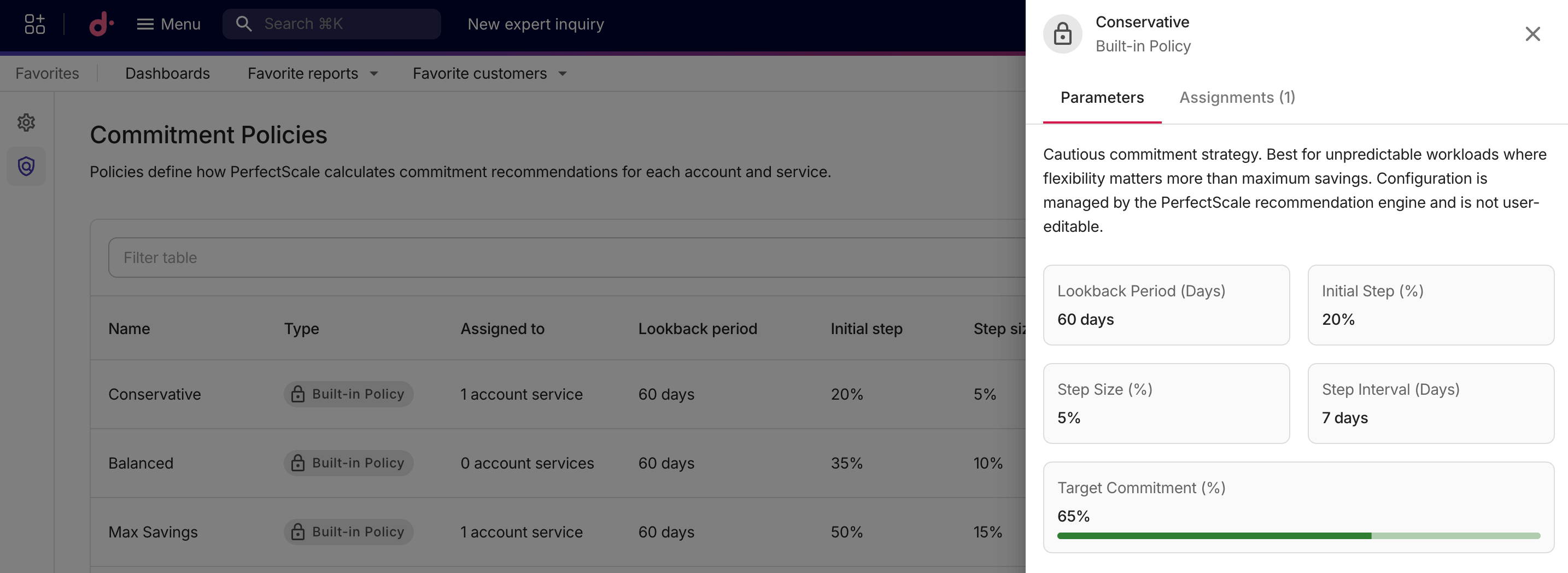
Below is a comparison between the settings of built-in policies.
| Policy | Target commitment | Lookback period | Initial step | Step size | Step interval |
|---|---|---|---|---|---|
| Conservative | 65% | 60 days | 20% | 5% | 7 days |
| Balanced | 80% | 60 days | 35% | 10% | 7 days |
| Max Savings | 90% | 60 days | 50% | 15% | 7 days |