MSP workspace
The AWS Managed Service Provider (MSP) workspace provides a central place for DoiT PartnerOps customers to set up a team, assess eligibility, track compliance controls, and manage evidence during their MSP certification journey.
The MSP workspace feature is available to users who belong to an organization with an active MSP partnership.
Access the MSP workspace
To access the MSP workspace, sign in to the DoiT console and select Channel from the top navigation mega menu.
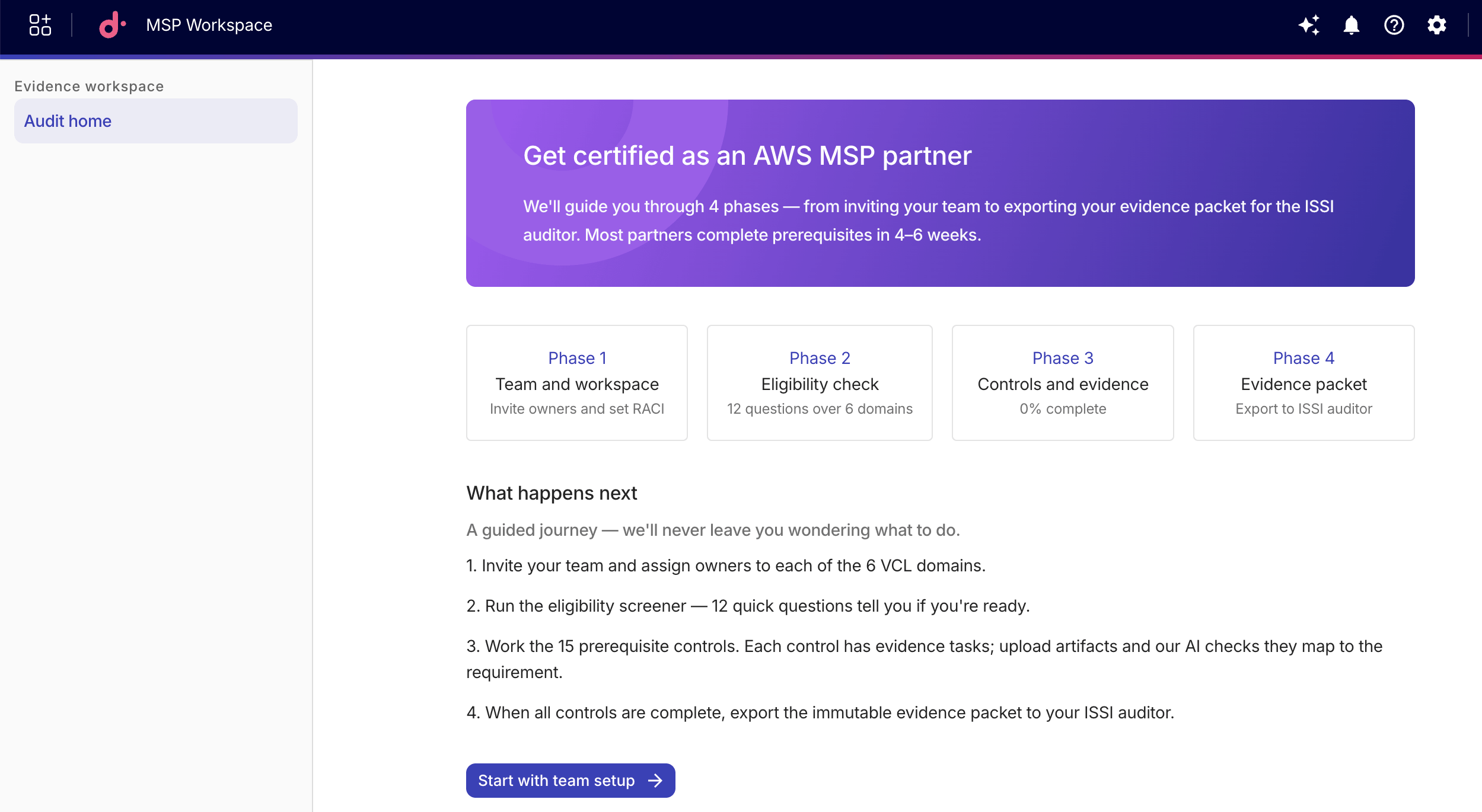
When you first open the workspace, only the Audit home page is accessible in the sidebar. The full workspace sidebar appears after you complete team setup.
Certification journey
Certification progresses through four phases:
-
Phase 1: Team and workspace. Set up your workspace profile, invite team members, and assign RACI roles across compliance domains.
-
Phase 2: Eligibility check. Answer the screener questions across all domains to identify blockers.
-
Phase 3: Controls and evidence. Work through prerequisite controls, collect evidence, and upload artifacts.
-
Phase 4: Evidence packet. Export the completed certification package to your ISSI auditor.
Evidence workspace
The Evidence workspace is the administration hub where you manage various tasks. It contains the following pages:
-
Audit home: The central dashboard for tracking your certification readiness and submission status.
-
My tasks: Your personalized task view.
-
Eligibility screener: Answer screener questions across all domains to confirm eligibility.
-
Controls and evidence: Work through compliance controls and collect evidence artifacts.
-
Artifact library: A centralized view of all evidence artifacts across your MSP workspace. Visible to Workspace Admins only.
-
Certification submissions: View and manage your certification package submissions.
The sidebar displays a progress ring next to Eligibility screener and Controls and evidence that reflects your completion percentage.
Workspace settings
The Workspace settings section appears in the sidebar after team setup is complete:
- Team and RACI: Manage your MSP workspace team members and domain assignments.
Workspace permissions
Each MSP workspace is organized into six domains (sections): Business, People, Governance, Platform, Security, and Operations.
The workspace uses section-scoped permissions control. A user's access to controls, evidence tasks, and artifacts is restricted to the sections where they hold at least one RACI role (see Assign owners for more information):
-
Section Owner: Responsible for completing the control or task.
-
Approver: Reviews and approves completed work.
-
Contributor: Provides input or evidence for the task.
-
Informed: Has read-only visibility into the section's progress.
Workspace Admins are exempt from section-scoping and have full visibility across all sections.
Multiple AWS workspaces
Organizations that need to certify against more than one VCL checklist version can create a second AWS workspace.
-
In the MSP Workspace sidebar, select the VCL version you want to certify against from the Evidence workspace dropdown.
Checklist versions that have passed their availability window are not included. Existing workspaces are unaffected; you can continue working on a workspace regardless of whether the checklist version's availability window has ended.
-
The platform creates the new workspace and opens team setup so you can configure it.
Each workspace tracks its own controls, evidence tasks, and certification submissions independently.
Terminology
-
Artifacts: Artifacts are documents or files attached to evidence tasks as proof of compliance.
-
Evidence tasks: Evidence tasks in the MSP Workspace are individual units of work tied to certification controls. They are specific items of proof or documentation required to satisfy a control.
Ava in the MSP workspace
You can chat with Ava, our AI assistant, to get answers about your compliance controls, evidence tasks, and partner documents, all within the context of your current workspace.
-
Ava automatically receives context from the page you are viewing in the MSP workspace. When you open a control or task in a side panel, Ava uses that context to provide relevant answers.
-
Ava in the MSP workspace has tools scoped to your partner data. You can ask about control definitions, evidence task progress, or questions grounded in your organization's documents.
-
Ava in the MSP workspace does not have access to the full set of DoiT console Ava capabilities such as cost analytics, cloud service quotas, or report generation.
As with all AI-generated responses, verify Ava's answers against your source documents.