Team and RACI
The Team and RACI page is where you manage your MSP workspace ongoing team membership and RACI assignments after you've completed the Team setup.
Required permission
Your DoiT account must have the Admin role to access the Team and RACI page.
Access Team and RACI
To access the page, navigate to the MSP Workspace, select Team and RACI under Workspace settings in the sidebar.
Team
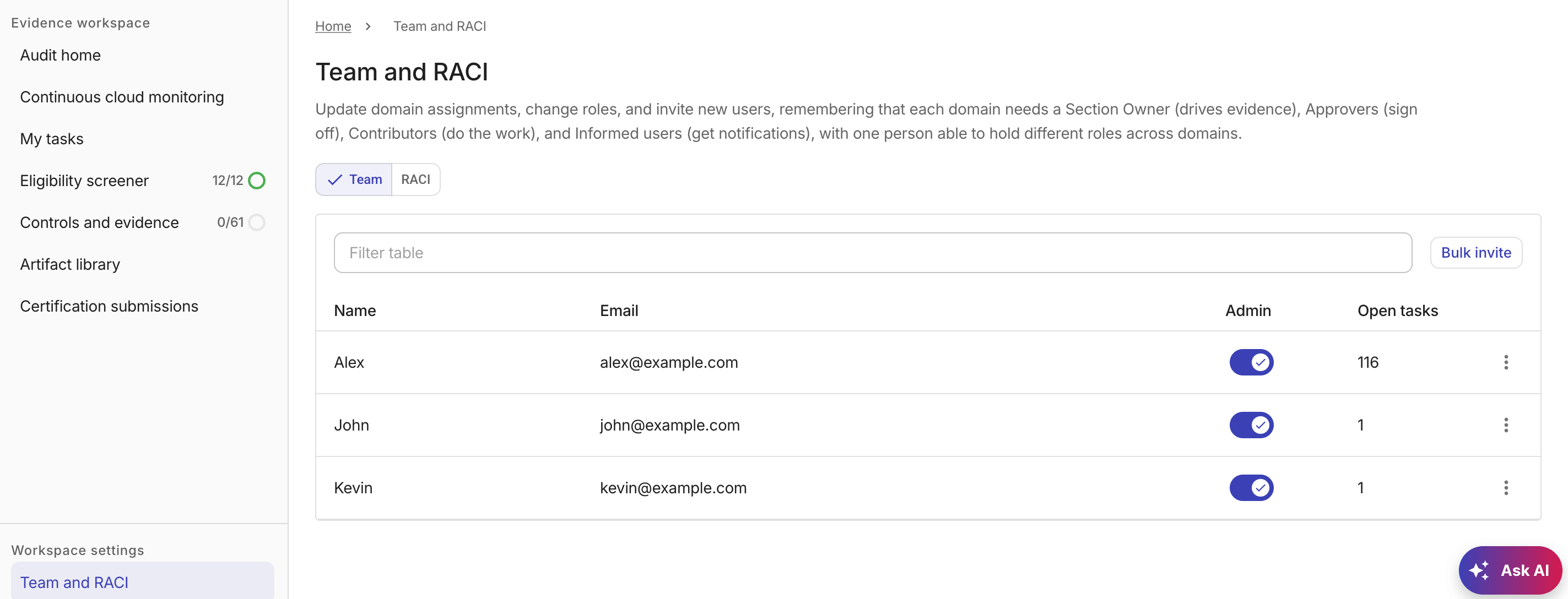
The Team tab displays workspace members with their display names, email addresses, and the number of evidence tasks assigned to each member that are not yet complete.
You can perform the following tasks from the Team tab:
-
Select Bulk invite to invite one or more users.
-
Use the Admin toggle to grant or revoke admin privileges for the member.
-
Select the kebab menu (⋮) at the rightmost end of a row:
-
Resend invite: Resend the invitation to a member who hasn't yet accepted.
-
Remove: Remove the member from the workspace. Removing a member also removes them from any RACI domain assignments. If the member had open tasks, those tasks are reassigned to the corresponding Section Owner.
A member who is the sole Owner or Approver for any RACI section cannot be removed until a replacement is assigned.
-
Role changes are saved automatically after two seconds of inactivity. A confirmation appears after each successful save.
Member removal takes effect immediately and does not wait for the autosave interval.
Invite team members
Workspace admins can invite team members to the workspace during team setup or from the Team and RACI page.
-
Select Bulk invite.
-
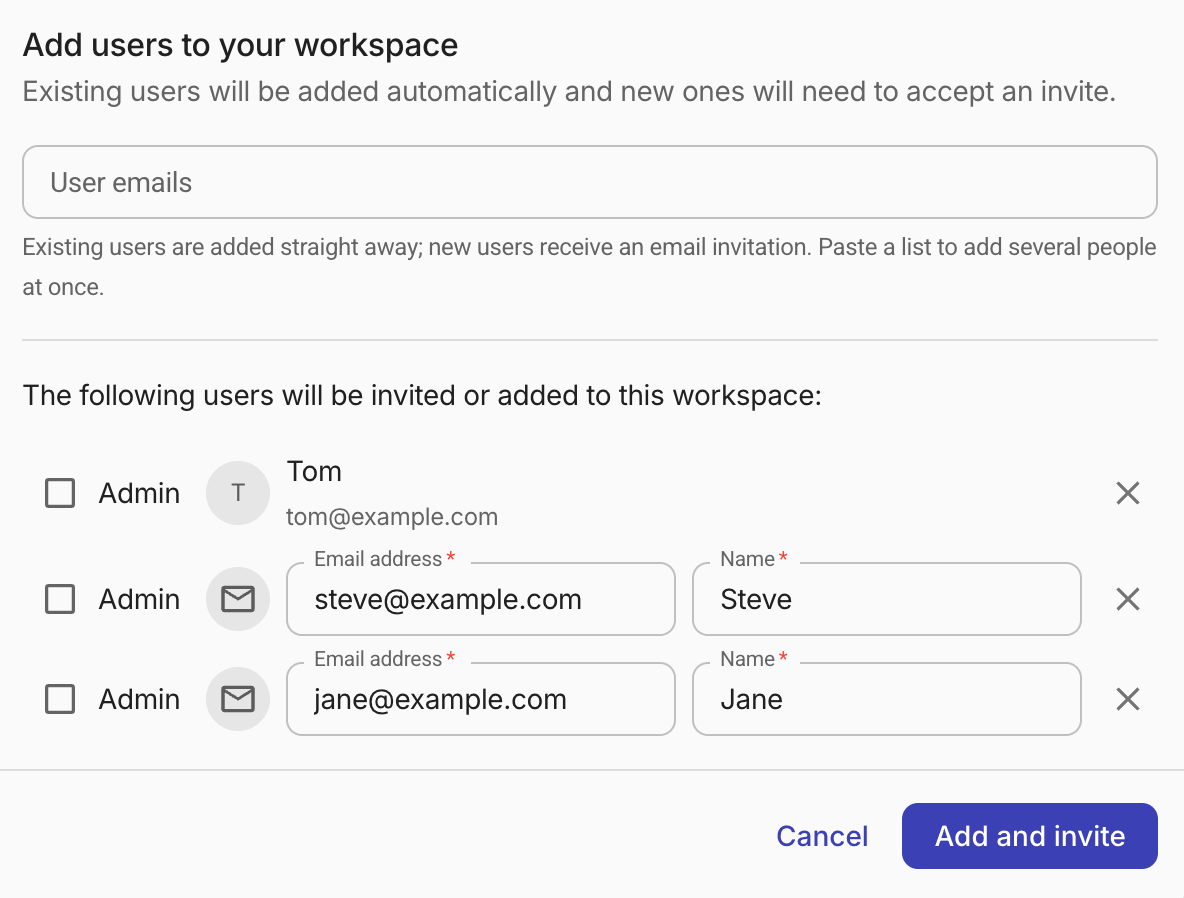
In the User emails field, enter the name (existing users only) or email address (existing and new users) of the person you want to invite.
-
If the person already has a DoiT account, select the person from the dropdown list. The person is added to the invite list immediately.
-
If the person doesn't have a DoiT account yet, press Enter after entering the name or email address, and then update the email address if necessary and enter the display name of the invited user.
TipPaste a list of email addresses (separated by spaces, commas, or newlines) to add several people at once. Addresses that match existing DoiT accounts are added as existing users; others become editable rows for new invitations.
-
-
Select the Admin checkbox to grant workspace-admin access to individual users. By default, users are invited without admin privileges.
-
Select Add and invite.
-
Existing users are added to the workspace directly.
-
New users receive a DoiT account invitation by email.
-
RACI
The RACI tab shows a matrix of domain assignments (see Assign owners for more information about RACI roles).
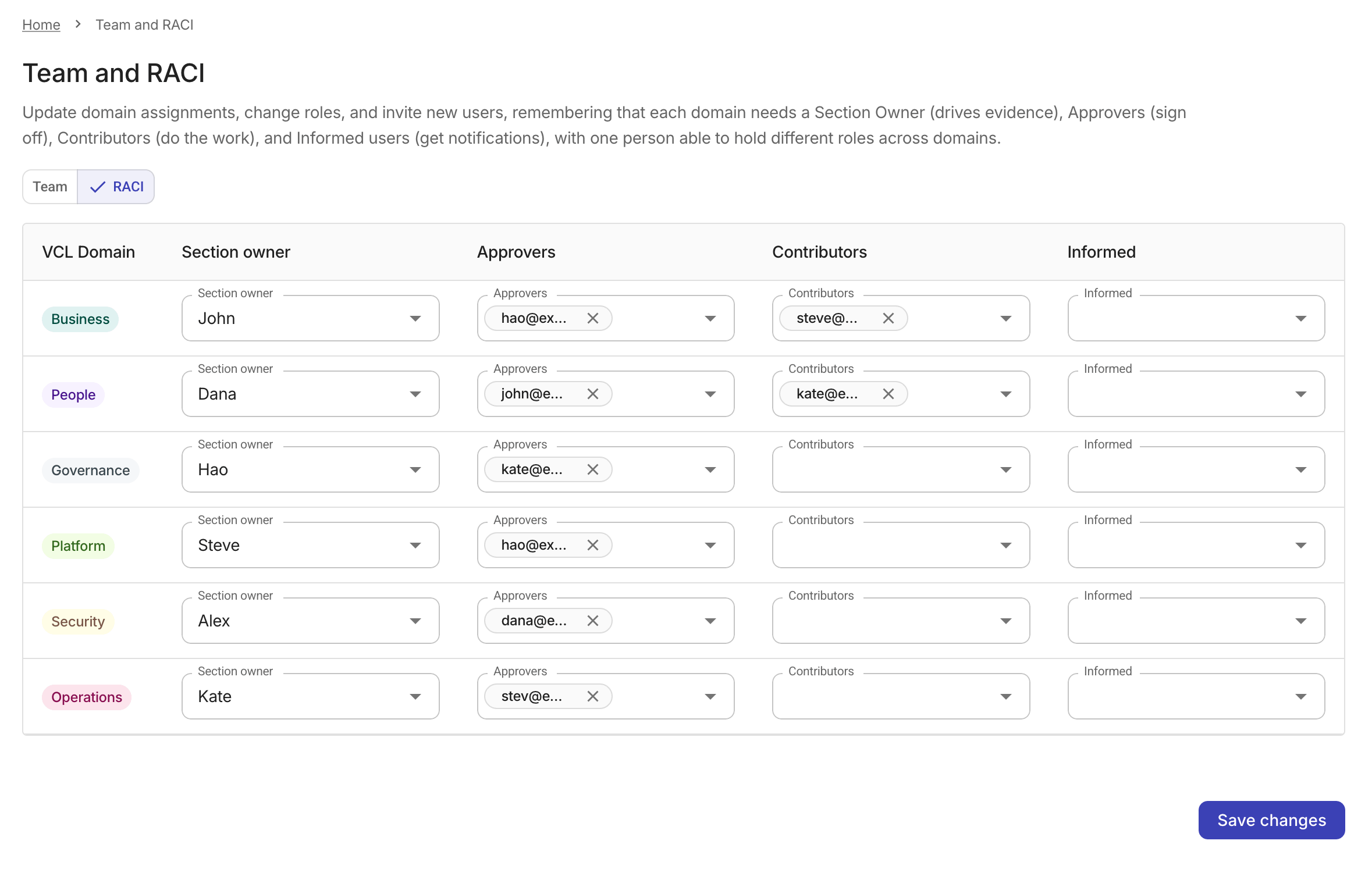
RACI assignments are saved automatically after two seconds of inactivity. A Changes saved confirmation appears at the bottom of the screen after each successful save.