Audit home
The Audit home page is the central dashboard for tracking your MSP certification progress. It shows your current submission status, overall readiness scores, a 30-day readiness trend, and a domain-by-domain breakdown of control completion.
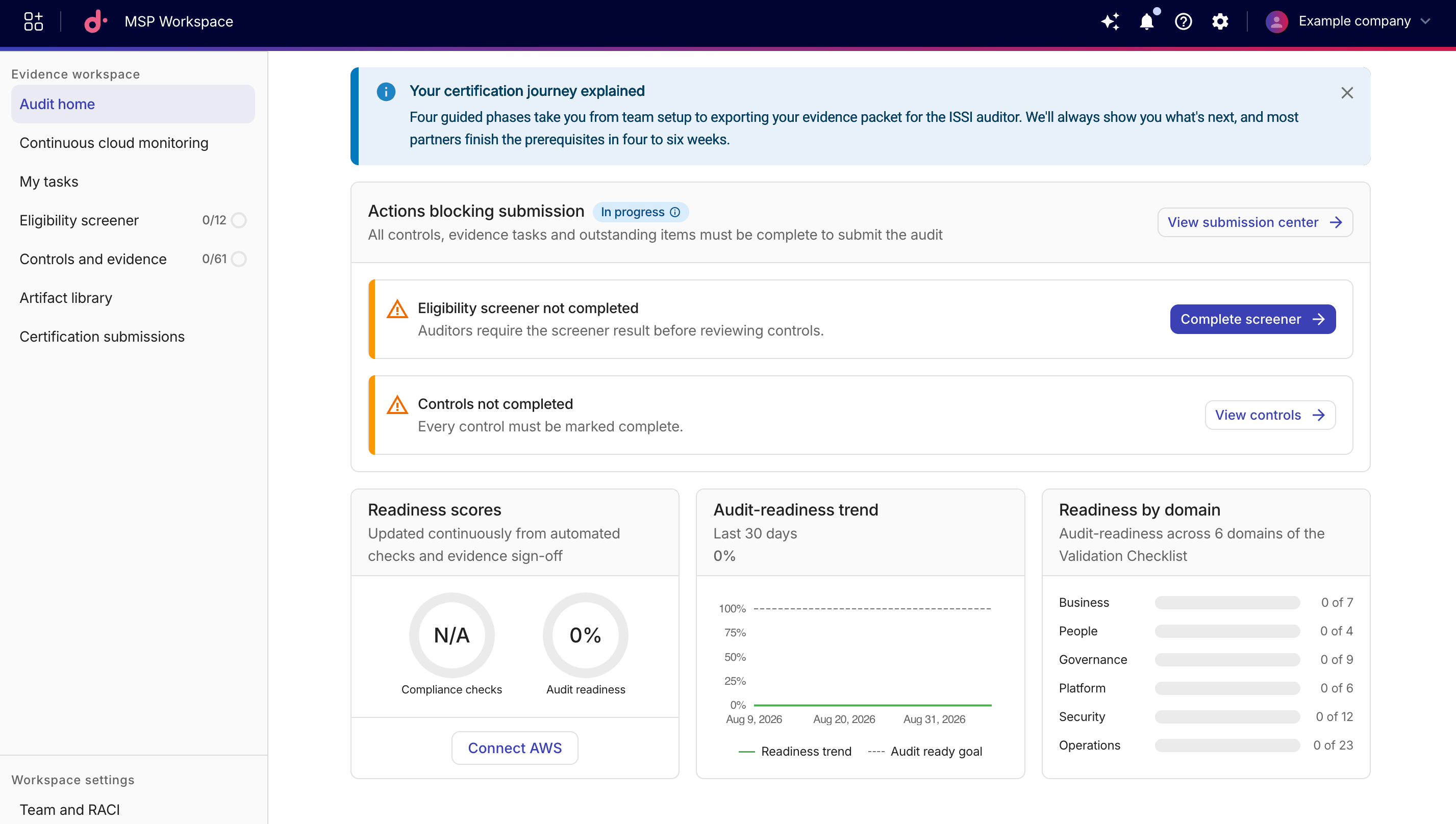
Submission status
Depending on the current state of your certification process, you'll see one of the following states:
-
Actions blocking submission: Outstanding items are preventing you from submitting. Select View submission center to open the Certification submissions page for details.Common blockers include:
-
Eligibility screener not completed: Auditors require the screener result before reviewing controls. Select Complete screener to navigate to the Eligibility screener. -
Controls not completed: Every prerequisite control must be completed. Select View controls to open the Controls and evidence page filtered to incomplete controls.
-
-
Ready for submission: All controls, evidence tasks, and outstanding items are complete. Select Submit package to proceed to the Certification submissions page. -
Certification submitted: Your certification draft has been submitted.
Readiness scores, trend, and domain breakdown
-
Readiness scores: This card is updated continuously from automated checks and evidence sign-off:
-
Compliance checks: Shows the percentage of compliance checks passed.
-
Audit readiness: Shows the overall percentage of audit-readiness criteria met.
Select Connect AWS to add AWS Management Accounts to the MSP Workspace.
-
-
Audit-readiness trend: This card shows your readiness score over the last 30 days.
-
Readiness by domain: This card shows audit readiness across the six validation checklist (VCL) domains: Business, People, Governance, Platform, Security, and Operations.