Kubernetes utilization data analysis
The Kubernetes Intelligence agent transmits utilization data into the platform, which allows you to conduct custom analysis using Cloud Analytics reports.
Required permission
- Cloud Analytics Read Only, Cloud Analytics User, or Cloud Analytics Admin
Metrics
Below are the metrics available when the report data source is Kubernetes Utilization.
Extended metrics
| Metric | API value | Description |
|---|---|---|
| Average CPU usage | cpu_utilization | The average CPU resources consumed by a container. |
| CPU request | cpu_request | The guaranteed amount of CPU resources to be allocated to a container. The CPU resource is measured in CPU units. |
| CPU limit | cpu_limit | The maximum amount of CPU resources assigned to a container. Containers cannot use more CPU than the configured limit. |
| Average memory usage | memory_utilization | The average memory resources consumed by a container. |
| Memory request | memory_request | The guaranteed amount of memory to be allocated to a container. |
| Memory limit | memory_limit | The maximum amount of memory that a container is allowed to consume. |
| Average GPU usage | gpu_utilization | The average GPU processing power consumed by a container. |
| GPU request | gpu_request | The guaranteed number of GPUs to be allocated to a container. See Schedule GPUs. |
| GPU limit | gpu_limit | The maximum number of GPUs that a container is allowed to consume. |
Multiple metrics
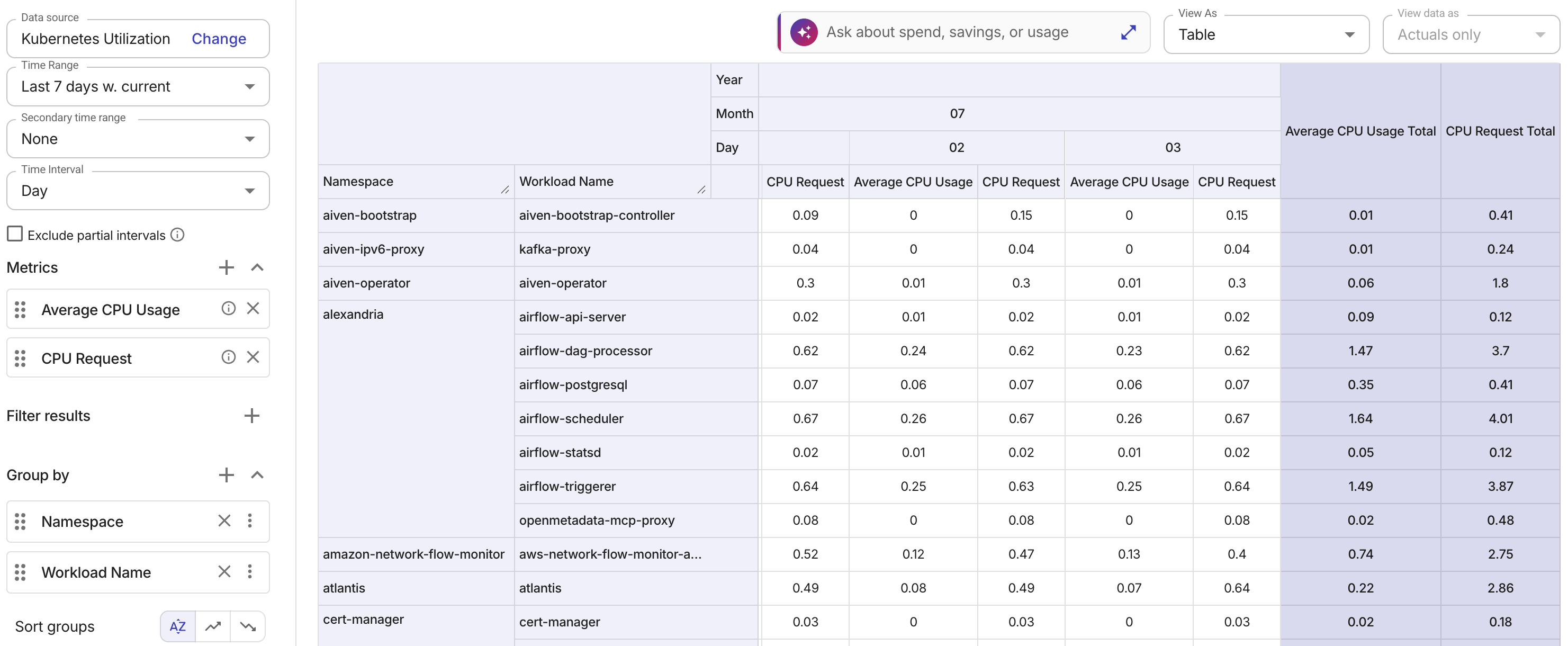
You can select up to four extended metrics per report to compare different aspects of resource utilization side by side. For example, you might combine Average CPU usage and CPU request to identify containers where actual consumption doesn't match the requested resources.
Only Kubernetes Utilization extended metrics are available. Basic metrics (such as Cost and Usage) and custom metrics are not supported for this data source.
For general guidance on working with multiple metrics, see Multi-metric reports.
Dimensions
The following dimensions are available for Kubernetes Utilization data:
| Dimension | API value | Description |
|---|---|---|
| Cluster name | cluster_name | The cluster name as defined in your cloud environment. |
| Cluster project ID | cluster_project_id | The ID of the AWS account or Google Cloud project to which the cluster belongs. See Standard dimensions: Project/Account ID. |
| Cluster region | cluster_region | The region that the cluster was created in. |
| Container name | container_name | The name of the container. |
| Namespace | workload_namespace | The namespace of the workload. |
| Workload name | workload_name | The name of the workload. |
| Workload type | workload_type | The type of the workload, for example, Pod, Deployment, DaemonSet, Jobs. |
Work with API
To query Kubernetes Utilization data with the Reports API, including via the MCP server:
-
Set
dataSourcetokubernetes-utilization. -
Each metric must use type
extended, and itsvaluemust be an API value from the extended metrics table. -
Each dimension must use type
fixed, and itsidmust be an API value from the dimensions table.
Below is an example query that returns average CPU usage for one namespace over the last 30 days:
{
  "config": {
    "dataSource": "kubernetes-utilization",
    "metrics": [
      {
        "type": "extended",
        "value": "cpu_utilization"
      }
    ],
    "timeRange": {
      "mode": "last",
      "amount": 30,
      "unit": "day",
      "includeCurrent": true
    },
    "timeInterval": "month",
    "filters": [
      {
        "id": "workload_namespace",
        "type": "fixed",
        "values": ["example-namespace"]
      }
    ]
  }
}
Example reports
Container utilization
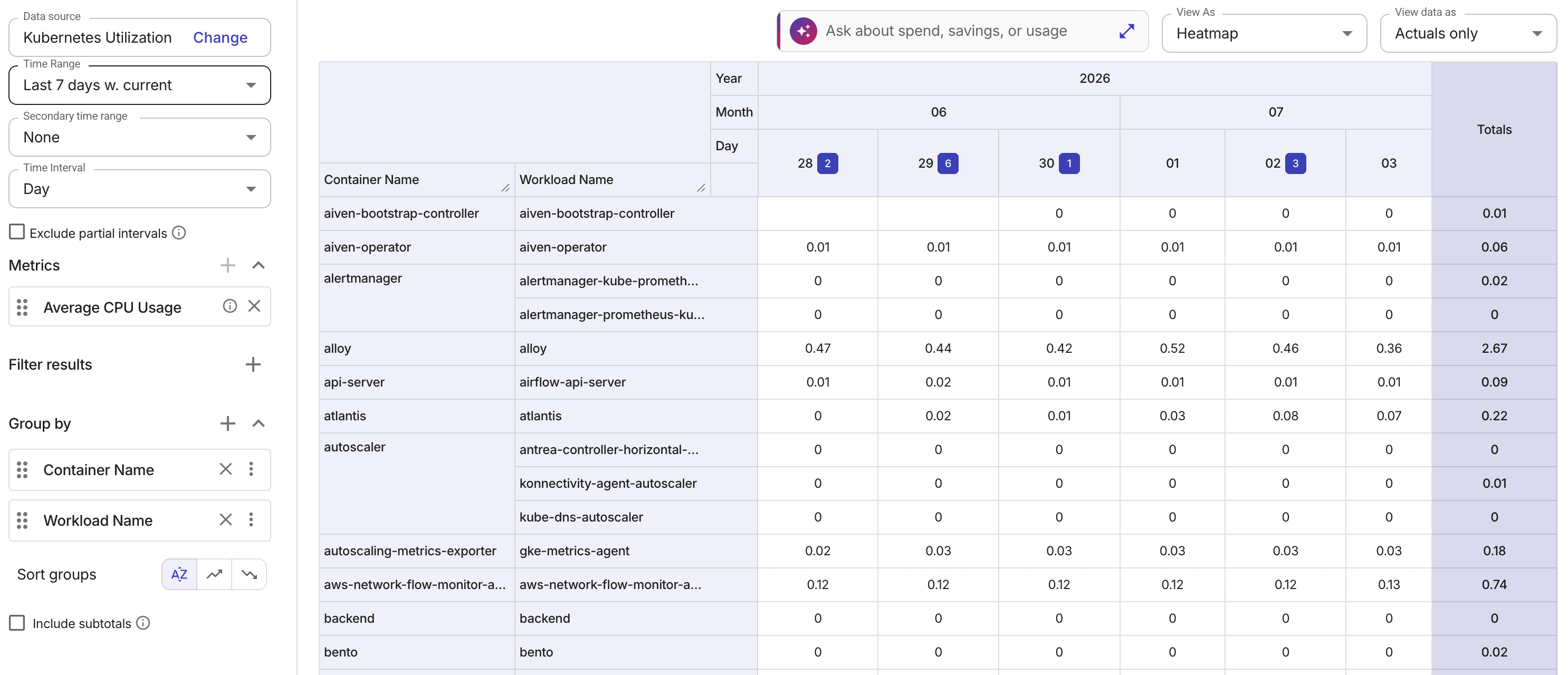
The example report below shows the average container CPU usage in the last 7 days. It helps you pinpoint underutilized or overutilized containers and understand utilization in the context of the workload and environment.
Workload memory utilization
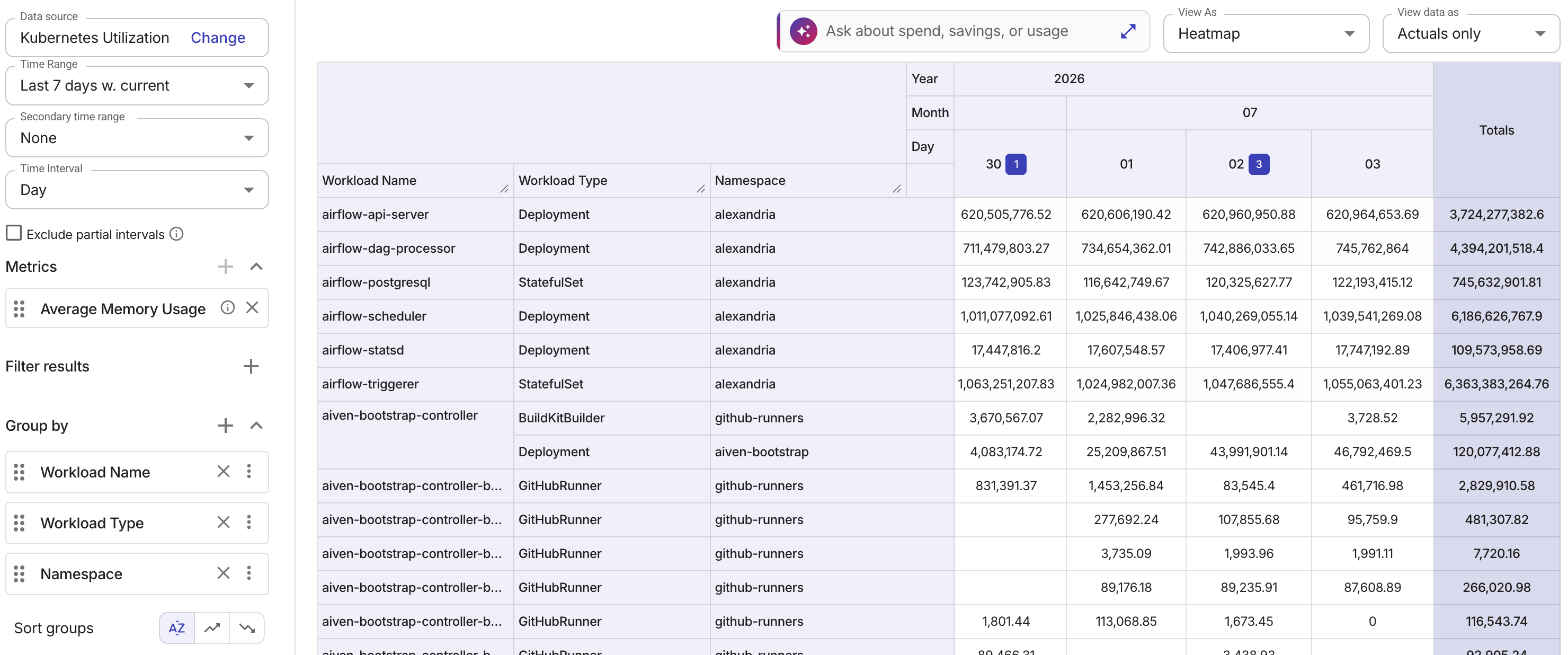
The example report below shows the average workload memory usage in the last 7 days. It helps you identify workloads with high or low memory usage and understand memory utilization patterns across workload types and namespaces.
Cluster utilization
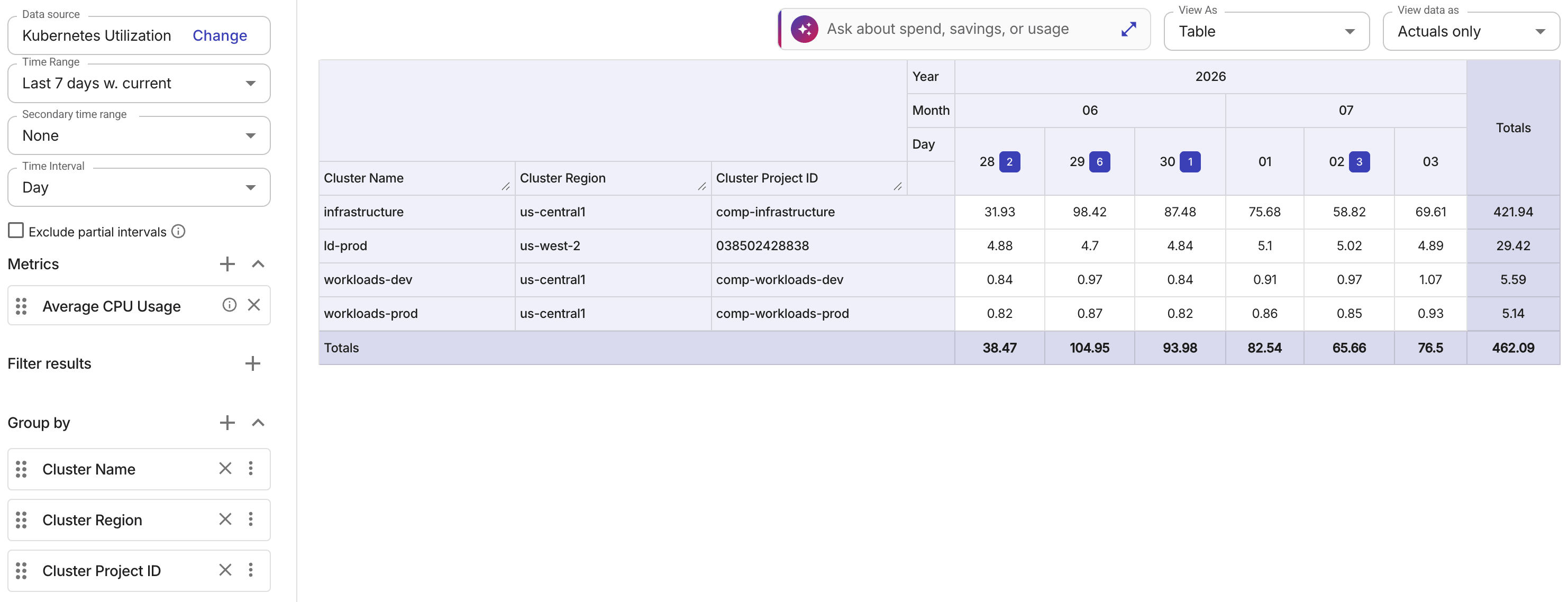
The example report below helps you compare CPU utilization across clusters and understand performance in relation to cluster region and project context.
Multi-metric utilization
The example report below combines multiple utilization metrics — such as average CPU usage and memory request — in a single report. Viewing these metrics together helps you identify workloads where actual resource consumption doesn't align with resource requests.