Analyze AKS costs
Cloud Analytics allows you to break down AKS compute costs by Kubernetes-level dimensions such as cluster, namespace, workload, and node pool, along with other dimensions and labels in the platform.
-
AKS cost analysis is available for Azure billing data via the legacy billing pipeline; Azure FOCUS billing is not supported at the moment.
-
For AKS clusters with an active Kubernetes Intelligence agent, PerfectScale collects utilization and topology data from each one. The platform joins AKS cluster metrics with your Azure VM billing rows daily. New cost data typically appears in Cloud Analytics within 24 hours of the daily Azure billing update.
Required permission
-
To run existing Cloud Analytics reports, you need the Cloud Analytics Read Only, Cloud Analytics User, or Cloud Analytics Admin permission.
-
To create a Cloud Analytics report, you need the Cloud Analytics User or Cloud Analytics Admin permission.
Components of AKS costs
When analyzing AKS costs, it helps to distinguish between the Kubernetes management service and the underlying compute:
-
AKS service costs: Azure Kubernetes Service pricing includes charges for optional features such as the uptime SLA and managed add-ons. The AKS control plane is free for standard clusters.
-
Compute costs: You pay separately for the Azure Virtual Machines that run your Kubernetes worker nodes. AKS cost analysis enriches these VM billing rows with Kubernetes-level dimensions so you can attribute compute spend to individual workloads and namespaces.
AKS labels
In Cloud Analytics, AKS system labels are grouped under the AKS labels section. These labels use the AKS_ prefix and display with underscores replaced by spaces (for example, AKS_namespace appears as AKS namespace).
-
Kubernetes metadata: Labels that identify AKS resources. For example,
AKS namespace,AKS WorkloadName,AKS billing type,AKS billing source, andAKS node. -
Namespace labels: Kubernetes labels assigned at the namespace level. These labels appear with the prefix
AKS NSLabel/in the console (for example,AKS NSLabel/team). Use namespace labels to filter and group AKS costs by metadata applied to entire namespaces rather than individual workloads.
Example reports
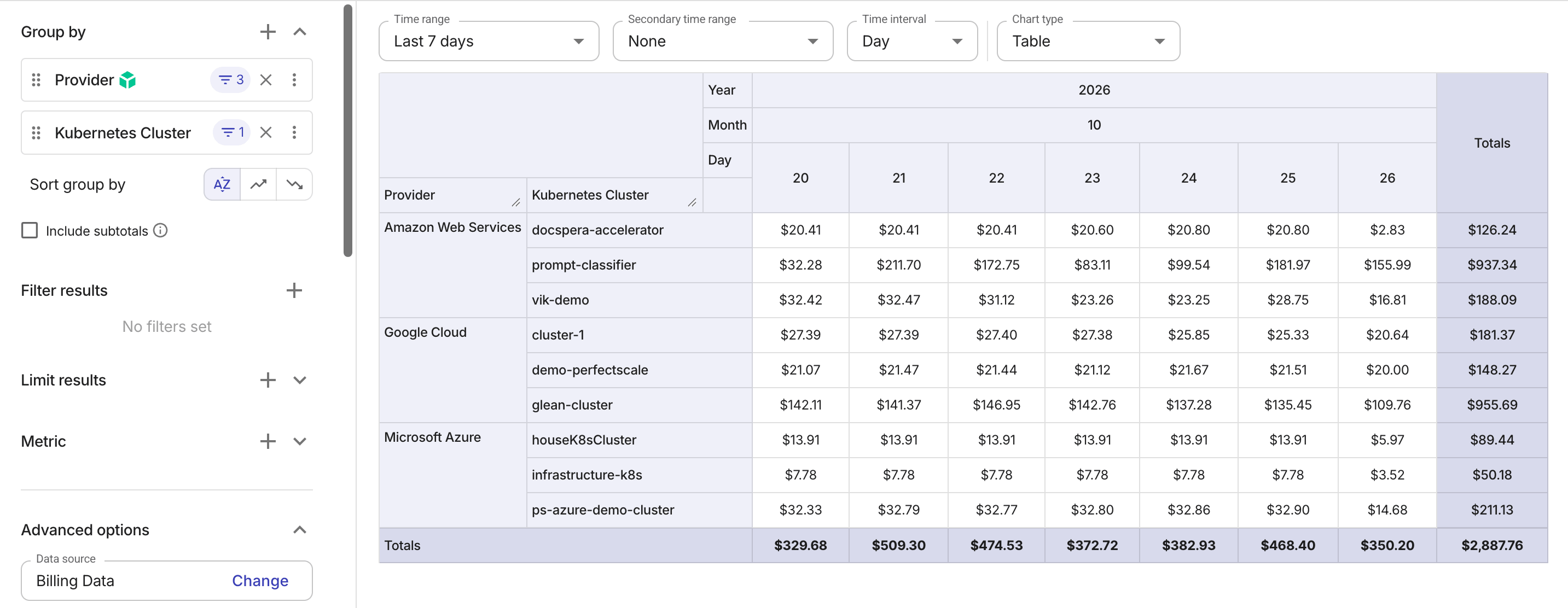
EKS, GKE, and AKS clusters in one report
This example groups data by Kubernetes Cluster and shows costs of EKS, GKE, and AKS clusters side by side.
Split AKS cost by namespace and workload
This example filters to one AKS cluster and splits its virtual machine cost by namespace and workload. Unrequested capacity (node cost that no pod requested) appears on its own line.
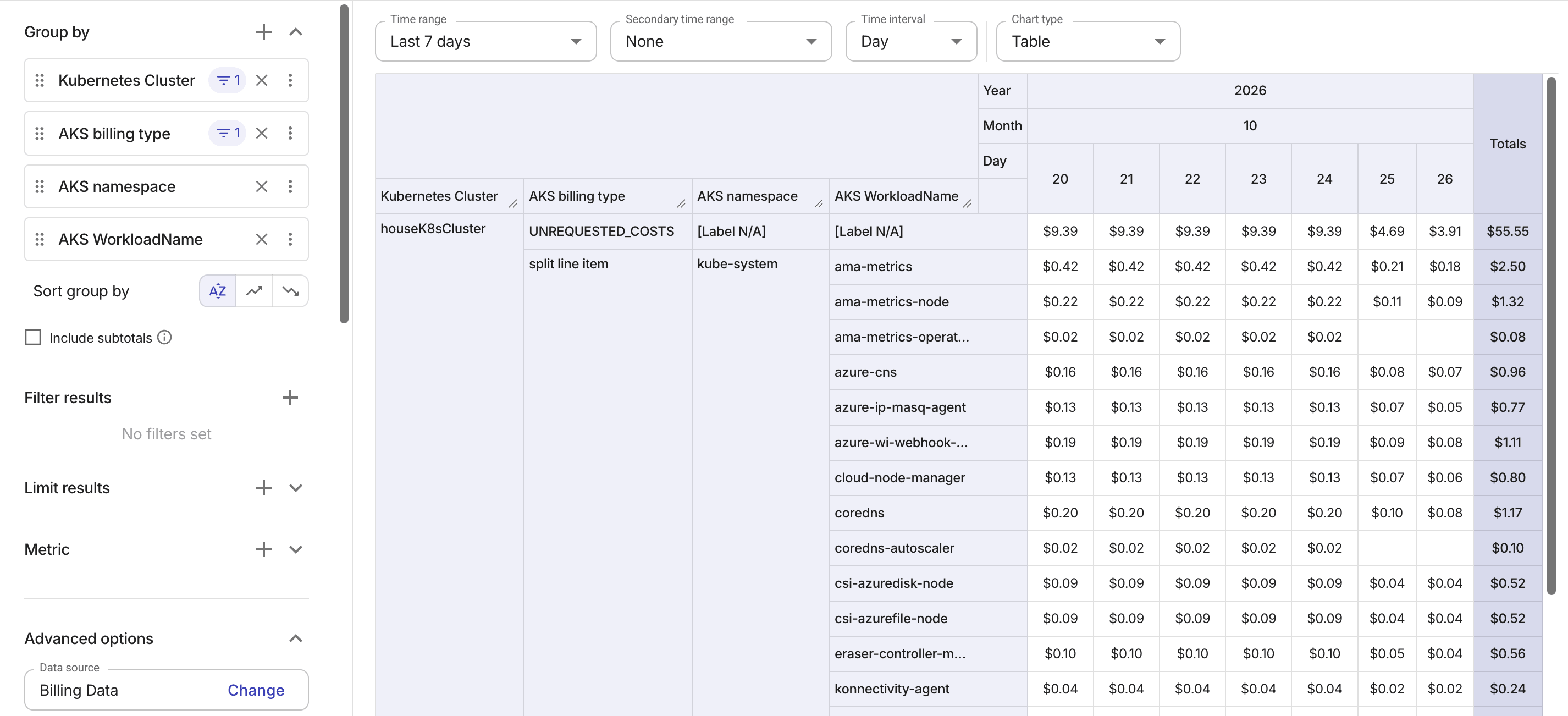
You can break the cost down further with your own Kubernetes pod labels and namespace labels.
Track requests, limits, and usage
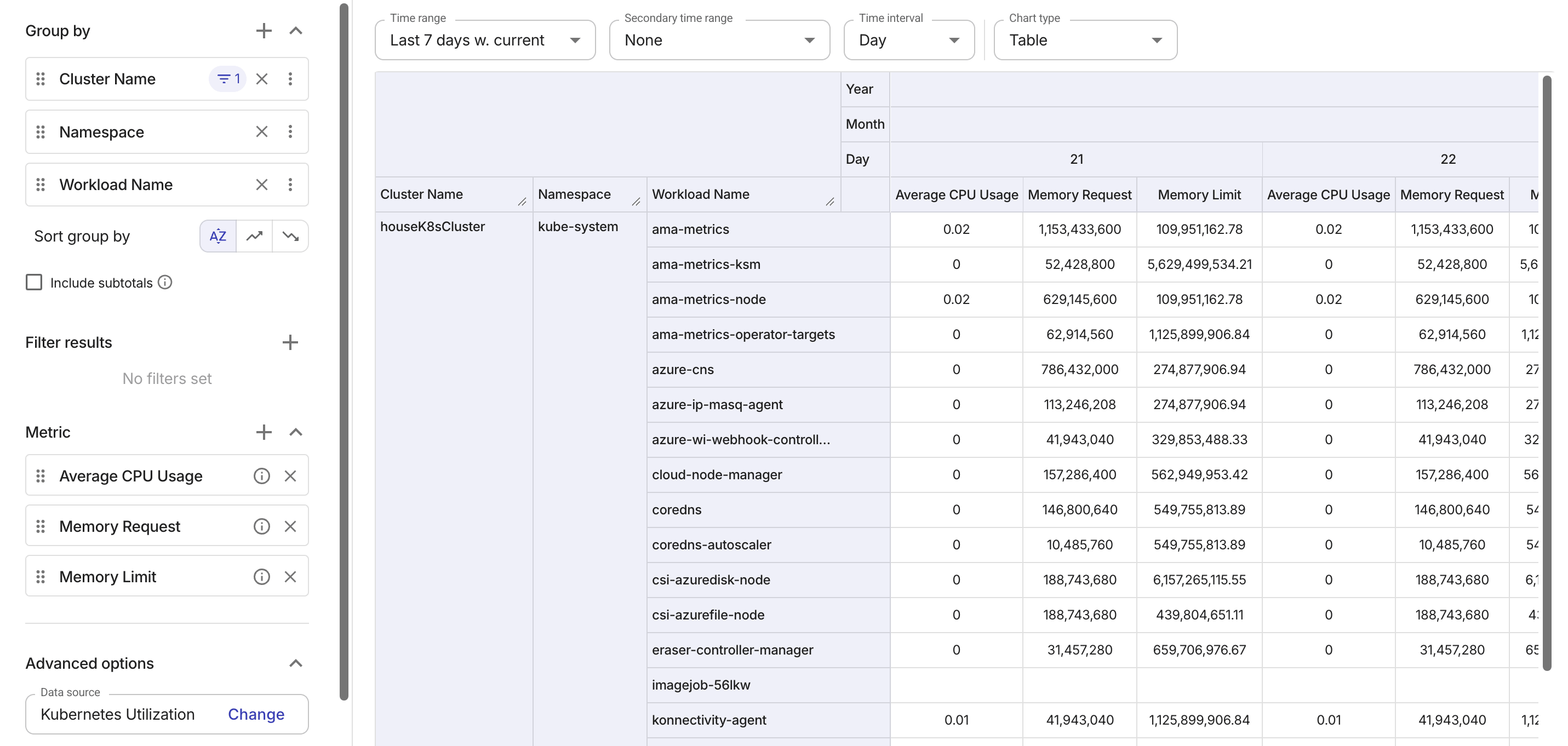
The following example uses Kubernetes Utilization as the report data source. It tracks the average CPU usage, memory requests, and memory limits for each cluster, namespace, and workload.
See also Kubernetes utilization data analysis.