Custom line items
Custom line items define custom billing adjustments, such as flat-rate/percentage discounts, surcharges, a charge for tax (% amount), or a special credit (dollar amount).
Add custom line items
Custom line items are available in Tier-2 and Tier-3 contracts. They can be added when adding a new contract or editing an existing one.
-
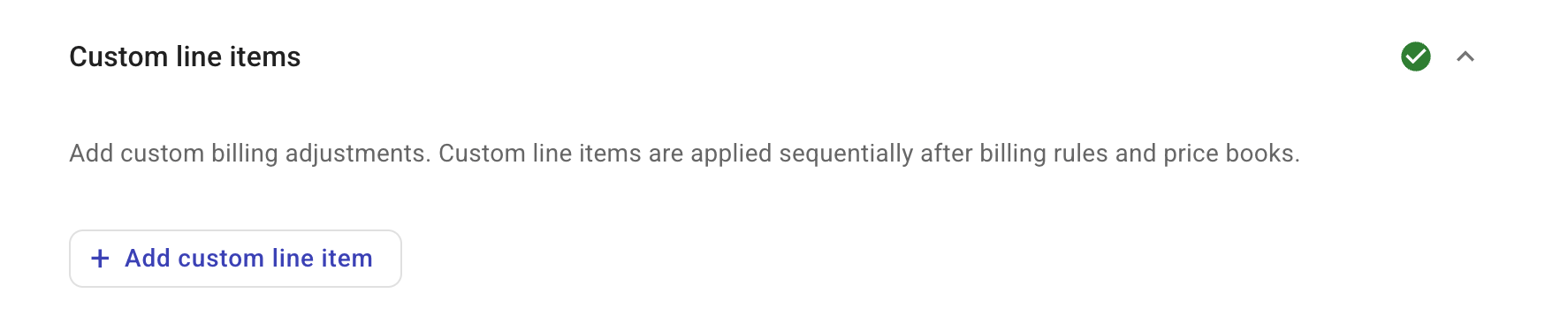
Select Add custom line item.
-
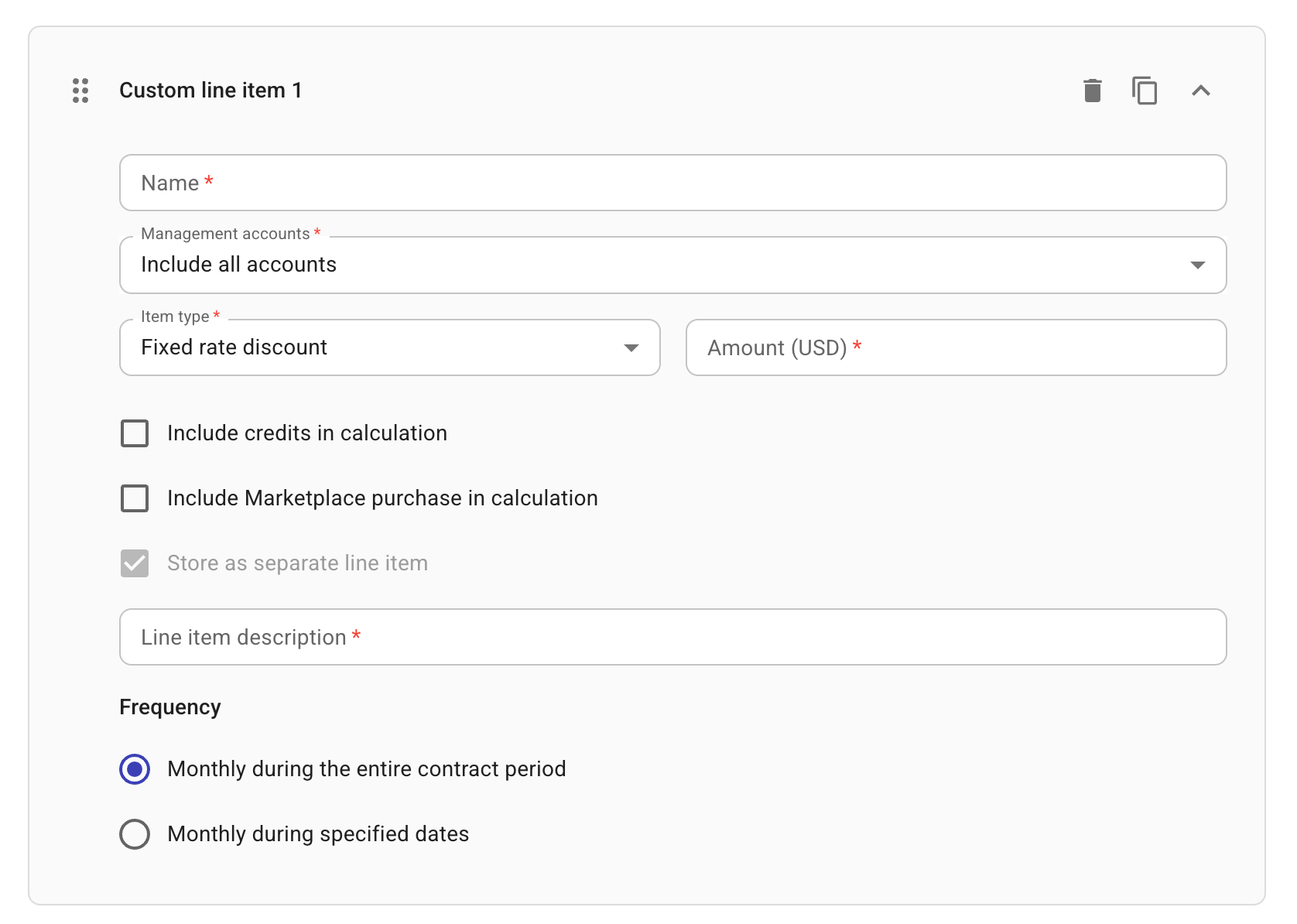
Enter a name for the custom line item.
-
Specify the scope of Management accounts to which the line item applies.
-
Tier-2 contracts: Not configurable. Always set to
Include all accounts. -
Tier-3 contracts: If you choose
Include only selected accounts, you need to specify at least one management account.We recommend creating one custom line item per management account. If your custom line item defines
$500 upchargeand you specify three management accounts, the charge will be added three times (once per MPA).
-
-
Configure the billing adjustment. See item type settings.
-
Specify the Frequency of how often the adjustment defined by the line item should be applied.
-
Monthly during the entire contract period
-
Monthly during specified dates: For this option, you need to specify the start month/year and end month/year
-
-
Add more line items if needed.
You can select Duplicate from the kebab menu (⋮) at the rightmost end to duplicate an existing item or select Add custom line item to add an empty one.
Item type settings
Choose a line item type in accordance with the billing adjustment:
-
Fixed rate discount, Fixed rate charge: For a fixed-rate line item, you need to specify the amount in US dollar. A fixed rate defined in the custom line item is a billing adjustment, not the actual rate.
-
Percentage discount, Percentage charge: For a percentage line item, you need to specify the percentage.
-
Percentage charge - Support (Tier-3 contracts only): This option is used for adjustments regarding AWS support charges.
-
Include credits in calculation: This option allows you to include credits during billing calculation.
-
Include Marketplace purchase in calculation: This option allows you to include marketplace spend during billing calculation.
-
Store as a separate line item: This option allows you to have the adjustment caused by the custom line item appear separately on the invoice. Fixed rate and Percentage charge - Support custom line items always have this option selected.
-
Line item description: Required when the Store as a separate line item option is selected.
AWS support charges
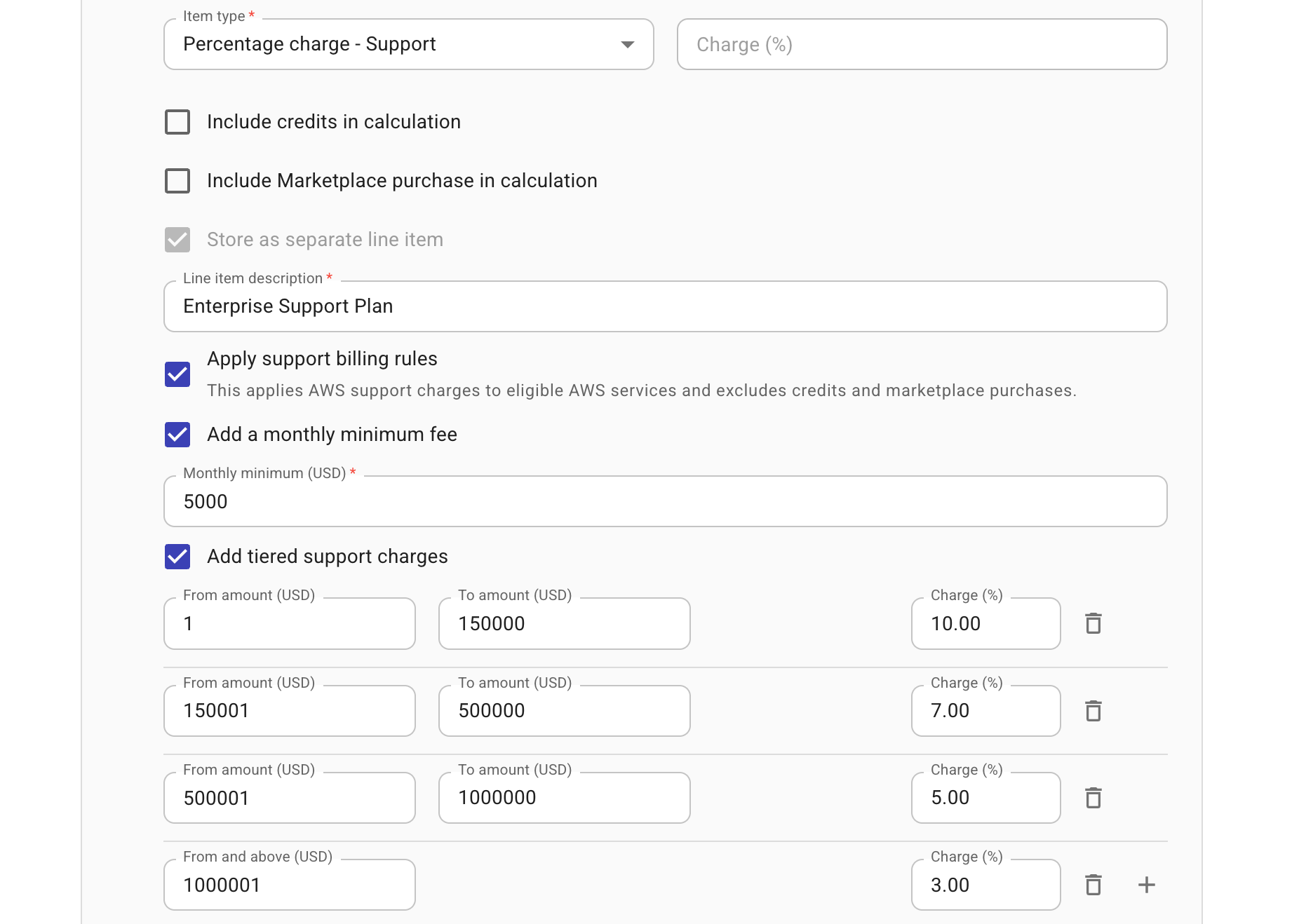
The item type Percentage charge - Support is used to specify AWS Support (Direct or Partner-Led) charges in contracts. Cloud ChannelOps provides three options that can be used independently or in combination to accommodate various pricing structures.
-
Apply support billing rules: Applies AWS support charges to eligible AWS services, excluding credits and marketplace purchases.
You define a simple percentage charge when using this option alone. When combined with tiered charges, this option specifies the scope of the eligible spend.
-
Add a monthly minimum fee: Defines a percentage charge alongside a monthly minimum fee for eligible AWS services. The customer is charged whichever amount is higher. When combined with tiered charges, this option defines the monthly minimum fee.
-
Add tiered support charges: Defines tiered charges. Tiers must be sequential, non-overlapping, and assigned valid percentages.
Below is an example custom line item that combines all three options to reflect the AWS Enterprise Support plan pricing structure (see AWS support plan pricing overview).
Application order
Custom line items are applied sequentially, starting with the item at the top.
Similar to Billing Rules, end customers inherit custom line items from their resellers.
Consider the following example:
-
Tier-2 Custom Line Items: $1000 charge for Support
-
Tier-3 Custom Line Items: 7% VAT charge
When recalculating end customer's data, first, a $1000 Support charge is added, and then 7% VAT.
View custom line items in reports
To view custom line items in Cloud Analytics reports, filter the standard Charge Category dimension to CustomCharge. AWS support charges can be filtered by Service Name, for example, AWS Support (Business), AWS Support (Enterprise), etc.
See AWS support charges in reports for examples.