Customer management
The Customers page is the centralized place for customer management.
Required permissions
Distributor/reseller:
-
Admin role: Full access. This role allows you to view, add, and edit customers.
-
Sales role: View-only access. This role allows you to view customers but not add or modify customers.
Access customers
To view customers, sign in to the DoiT console, select Customers from the top navigation mega menu.
-
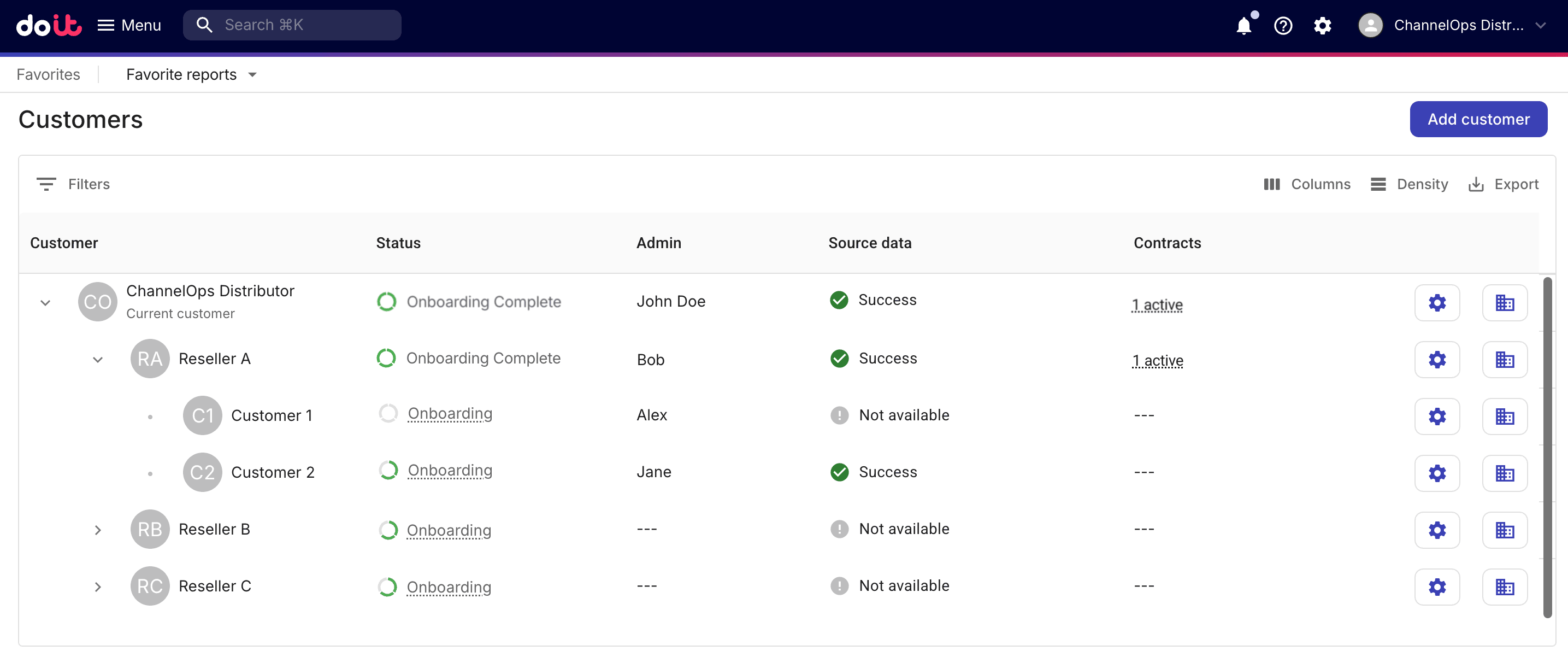
A distributor will see the full three-tier hierarchy.
-
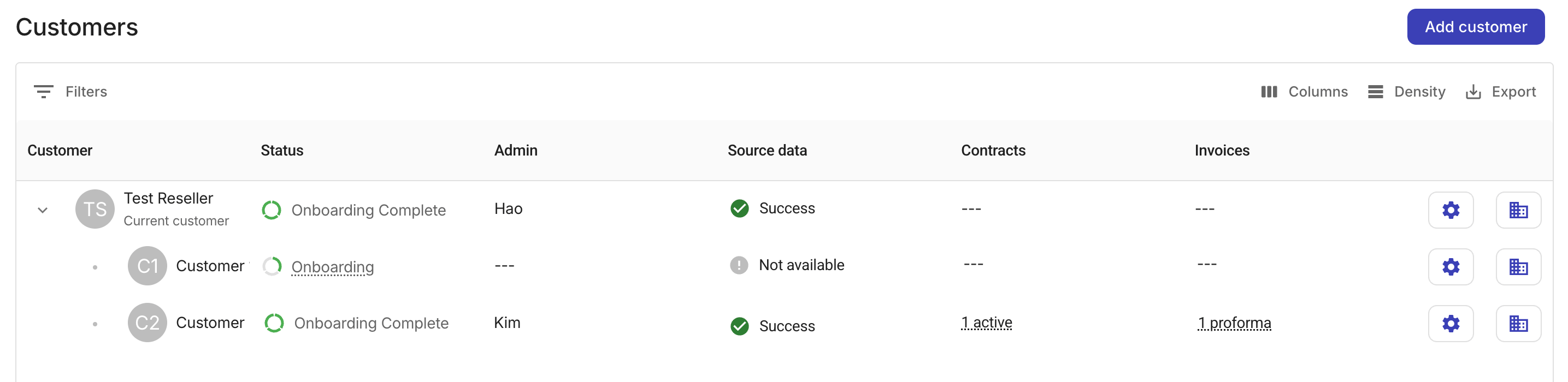
A reseller will see a two-tier hierarchy with its own account and end customers assigned to it, but not the distributor or other resellers. A reseller will also see an Invoices column for end customers.
General options
-
Filter: Filters the list by customer, by source data, or by status. Note that if a child account appears in the result, its parent account is also listed even if the parent account doesn't match the filter.
-
Columns: Specifies columns to show or hide.
-
Density: Adjusts the line spacing of the list: Compact, Standard, or Comfortable.
-
Export: Downloads the customer list as a CSV file.
Users with the Admin role can add new customers or update the configurations of downstream tenants.
Status
The status field indicates a customer's position in the onboarding process.
-
A distributor has access to the onboarding statuses of all downstream tenants, including both resellers and end customers.
-
A reseller has access to the onboarding statuses of its own end customers.
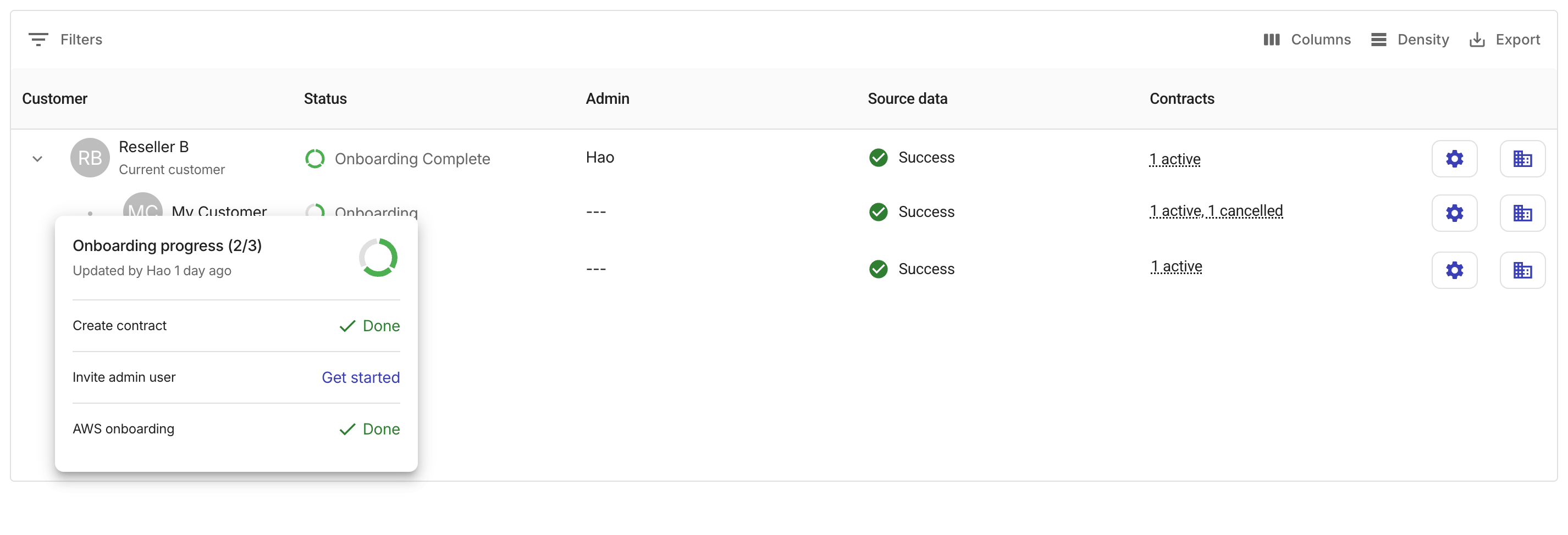
Each customer that is still in the onboarding process displays a circular progress bar. You can select the progress bar to check the status of each onboarding task. Users with the Admin role can also start an onboarding task directly.
Admin, Source data, and Settings
-
Admin: Name of the admin user of the customer. If there are multiple admin users, this field displays the first invited one.
-
Source data: The aggregated health/status of billing data (CUR) ingestion for the customer and its downstream tenants. Possible status:
Success,Warning,Failed,Not available. -
Settings (the gear icon ): Opens the details page of the customer.
Contracts
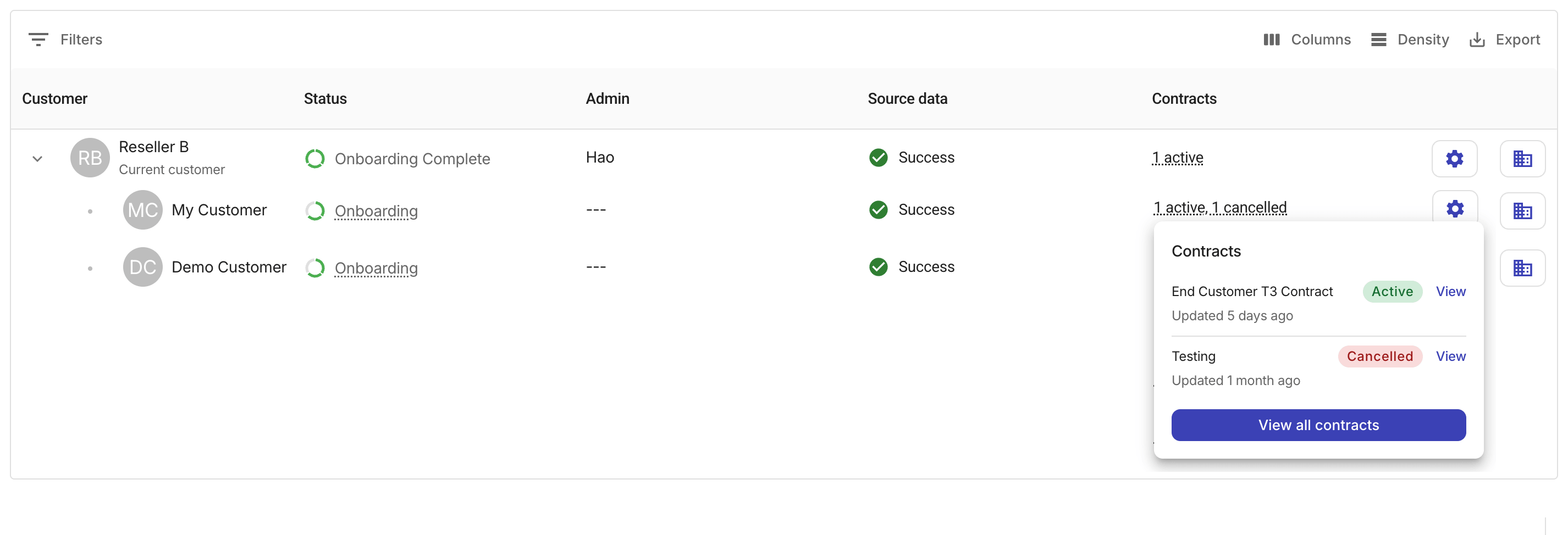
The Contracts field displays the number of contracts associated with each customer, grouped by contract status.
Selecting the contracts summary will open a pop-up, which shows up to three contracts with their status and a View option to open the contract details page. If the customer has more than three contracts, select View all contracts to navigate to the full list of Contracts.
Invoices (Reseller only)
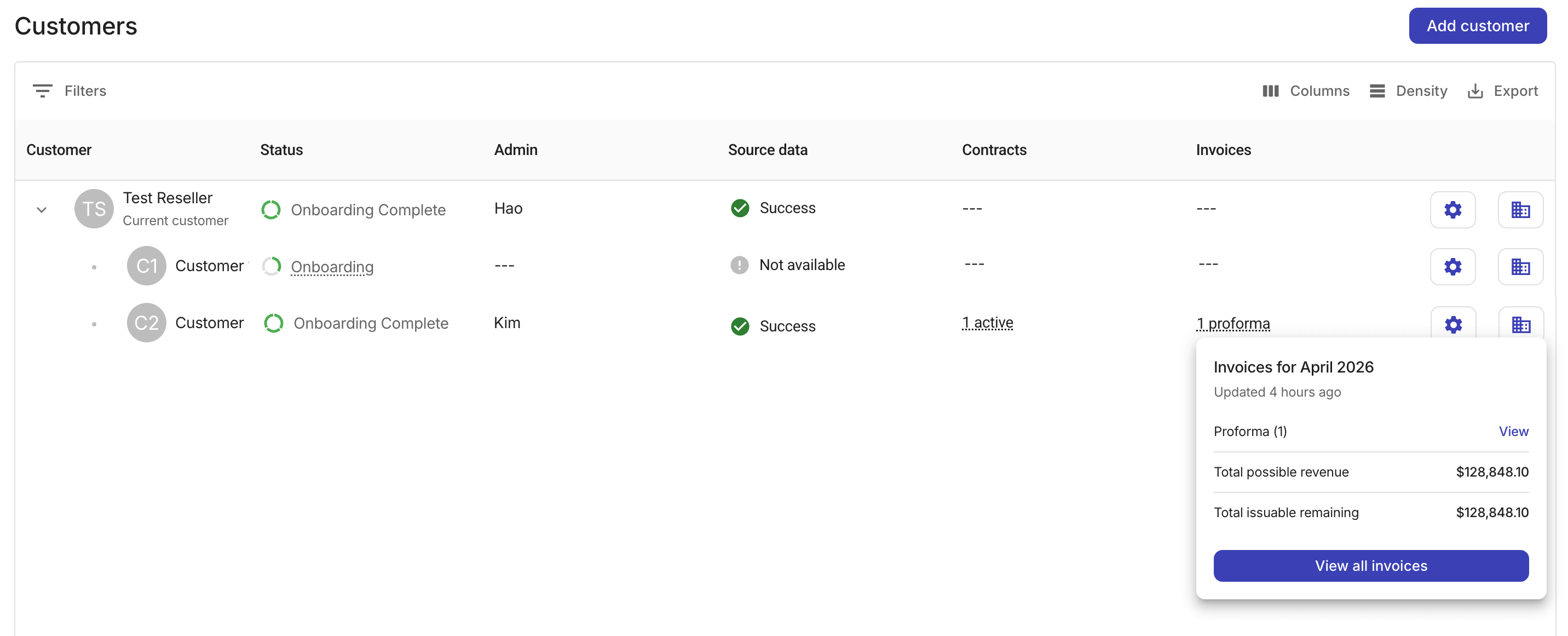
The Invoices column is visible only to reseller tenants. It displays the number of invoices for each end customer during the current billing month, grouped by invoice status.
Selecting an invoice summary will open a pop-up with the following options and information:
-
View/Review: Each status row includes a link to the specific invoice on the Invoices page.
-
Total possible revenue: The combined total across all invoice statuses.
-
Total issuable remaining: The combined total of invoices that have not yet been issued (proforma, ready, and issuable).
-
View all invoices: Opens the full Invoices list filtered by the customer name and billing period, without a status filter.
Tenant switcher
The tenant switcher at the rightmost end of a tenant entry allows a distributor or reseller admin to switch to the perspective of a downstream tenant, in a context-aware customer view.
For example, when a distributor admin switches into a reseller, the Customers page automatically scopes its view to match that reseller's context, displaying only the reseller and its own end customers, and adjust all other features accordingly to reflect what a native admin of that reseller tenant would see.
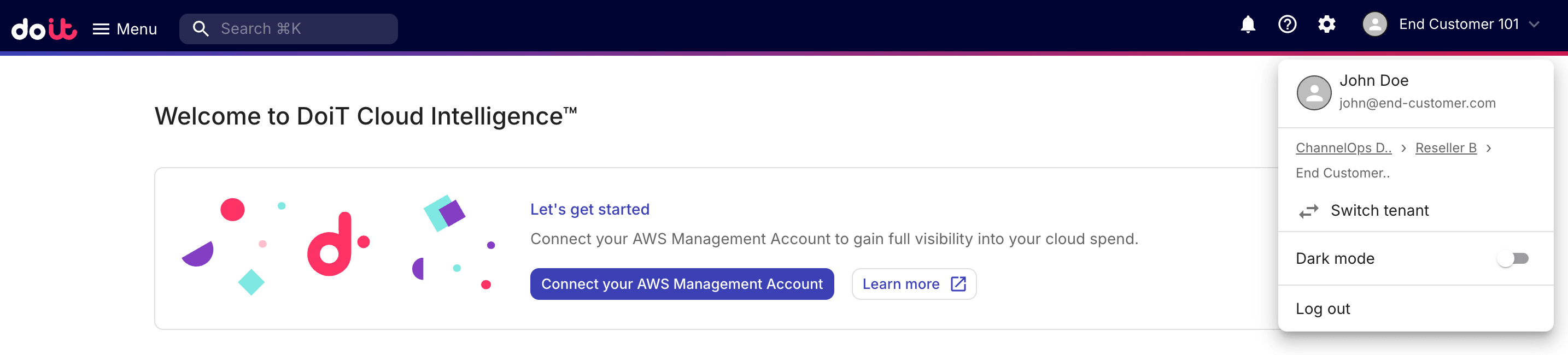
To switch back to their own tenant, the distributor or reseller admin can select thee avatar in the upper-right corner of the top navigation bar, and then select Switch tenant from the drop-down.