Users and roles
Distributors and resellers can manage users of their downstream tenants.
Required permissions
Distributor/reseller:
-
Admin role: Full access. This role allows you to view, add, and edit customers.
-
Sales role: View-only access. This role allows you to view the user list but not invite, edit, or delete users.
Invite a new user
To invite a new user:
-
Sign in to the DoiT console, select Customers from the top navigation mega menu.
-
Locate the customer of interest, select Settings (the gear icon ) of the entry.
-
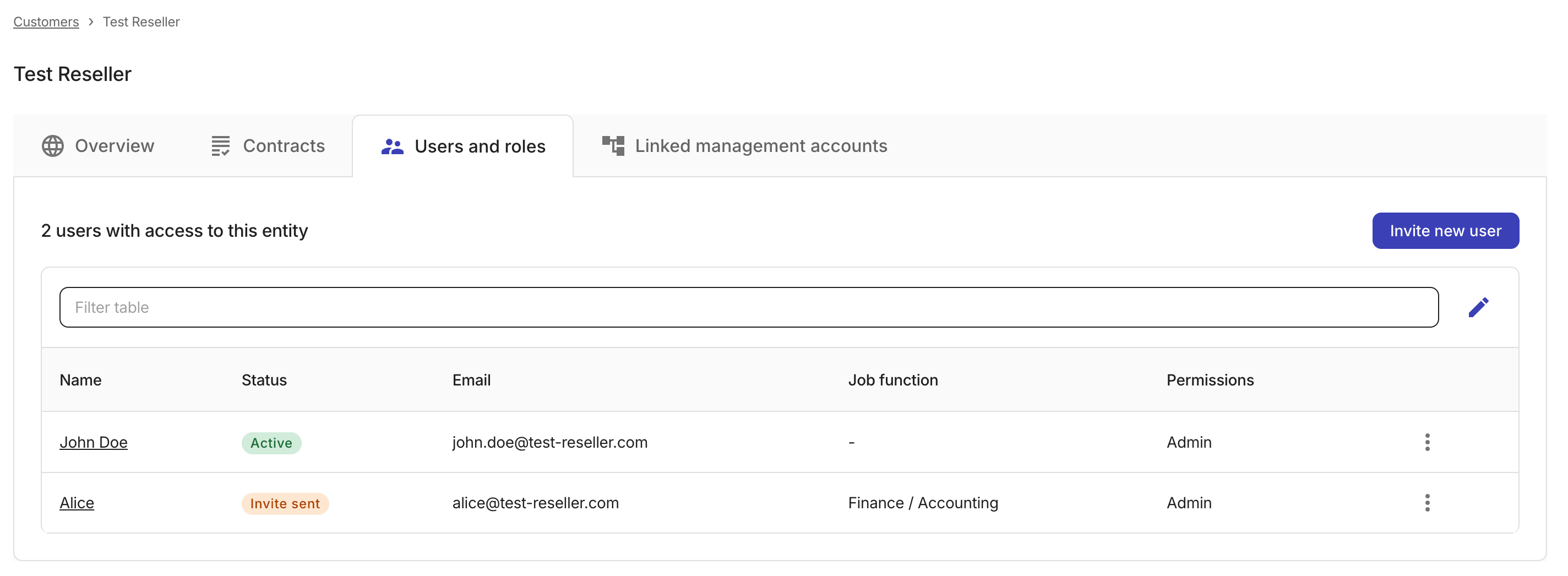
On the Users and roles tab, select Invite new user.
-
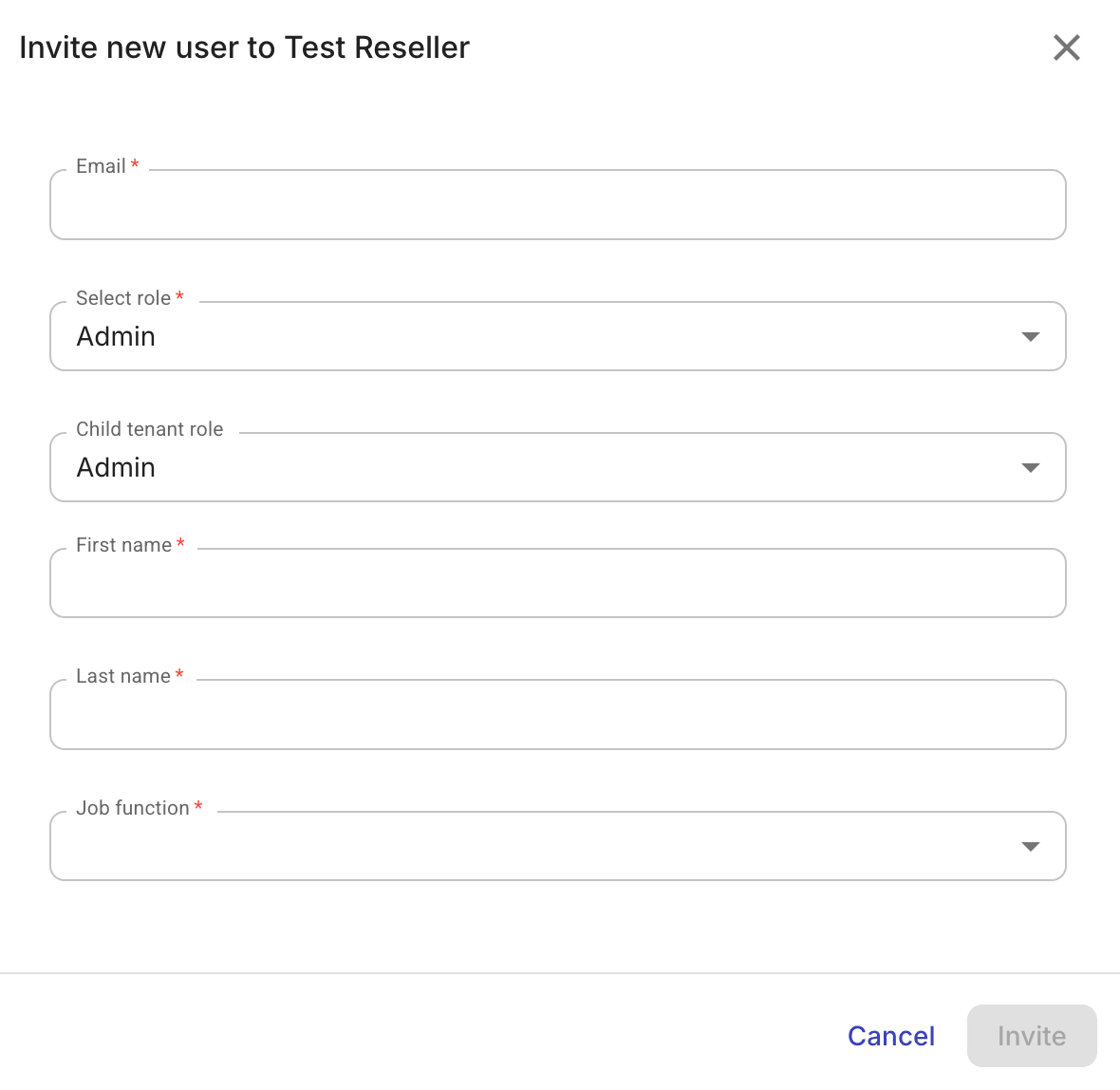
Fill in the required information for the new user.
-
Basic information: email, first and last name, job function.
-
Select role: Specify the role of the invited user in the current tenant. (For the full list of supported permissions and pre-built roles, see Roles and permissions.)
-
Child tenant role (available when inviting a reseller user): Specify the role a user gets when accessing downstream tenants. This option is available when the role of the invited user in the current tenant is Admin. It allows permission cascading through the multi-tenant hierarchy without having to invite the user to each child tenant. For example, if a distributor admin invites a user at the distributor level and assigns them a child tenant Sales role, that role automatically applies whenever the user navigates into a downstream tenant.
Available options: Admin, Sales, None (this option explicitly denies child tenant access to the new user)
-
-
Select Invite. The invited user will receive an email to activate the account in the DoiT console.
Manage users
To edit or delete a user:
-
Select Customers from the top navigation mega menu.
-
Navigate to the Users and roles tab of the target customer.
-
Locate the user of interest.
-
Select the kebab menu (⋮) at the rightmost end of the entry, and then choose an action:
-
Edit: To update the user information. Select Save changes when you finish editing. Note that if you change a user's role from Admin to any other role, their child tenant role is automatically revoked.
-
Delete: To delete the user. You'll be prompted to confirm the deletion before it's executed.
-