Invoices
DoiT PartnerOps allows resellers to generate invoices for end customers in PDF and CSV formats.
Required permission
- Your DoiT account must have the Admin role.
Access invoices
To view the invoices of a specific end customer:
-
Sign in to the DoiT console, select Customers from the top navigation bar.
-
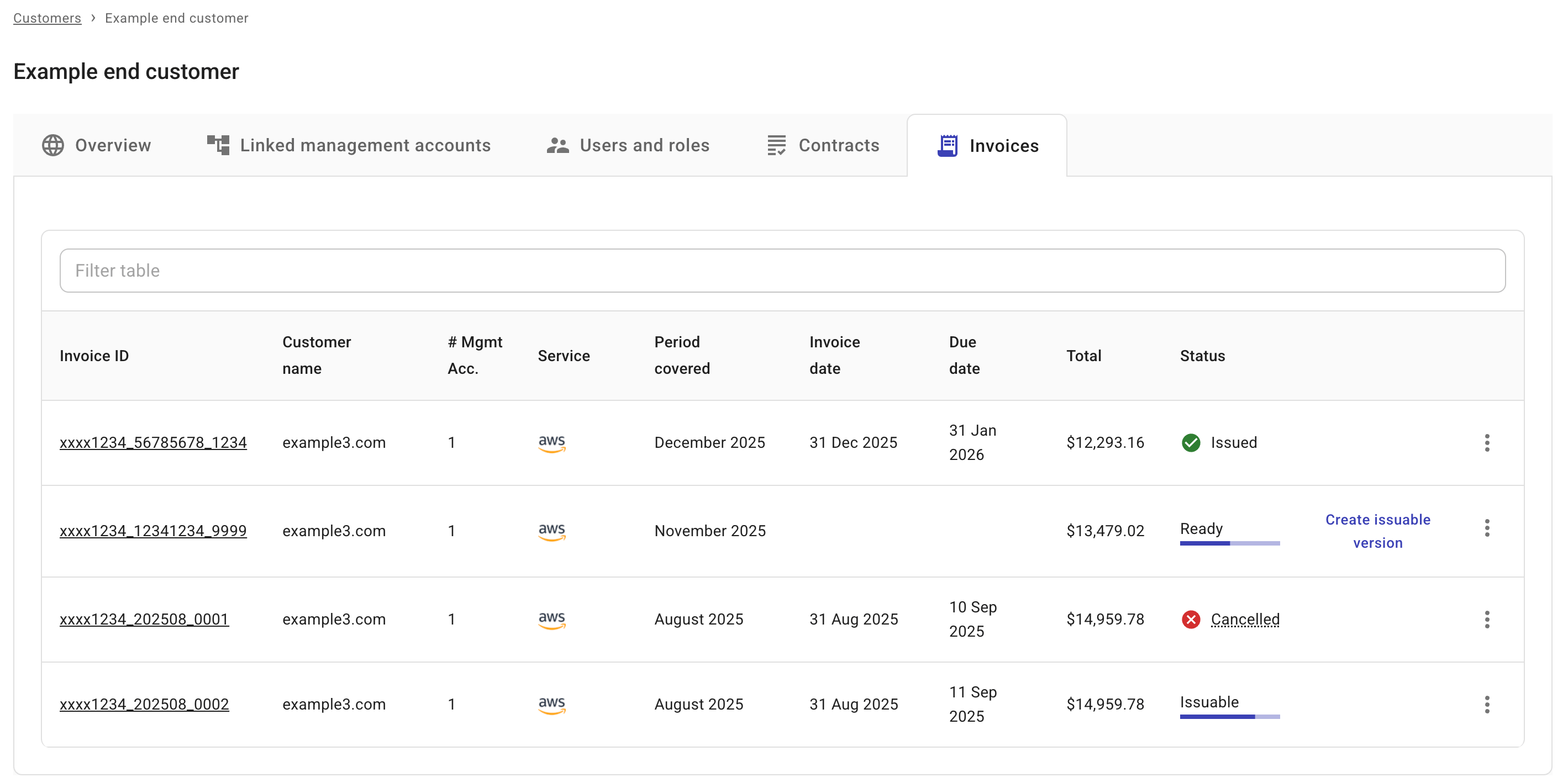
Locate the end customer of interest, select Settings (the gear icon ) of the entry, and then select the Invoices tab.
Invoice statuses
An invoice can be in one of the following statuses:
-
Ready: The invoice is ready. You can generate an issuable version based on such an invoice.
-
Issuable: The invoice is ready to be issued to the customer.
-
Issued: The invoice has been inssued.
-
Cancelled: The invoice has been cancelled.
-
Proforma: Proforma invoices are provided for informational purposes only. A proforma invoice is a preliminary bill based on the available data up to the current day of the month. It helps you verify billing information and make corrections.