Add customers
Distributors can add both resellers and end customers. Resellers can add only end customers.
Required permission
- Distributor/reseller: Your DoiT account must have the Admin role.
Add a customer
To add a customer (reseller or end customer):
-
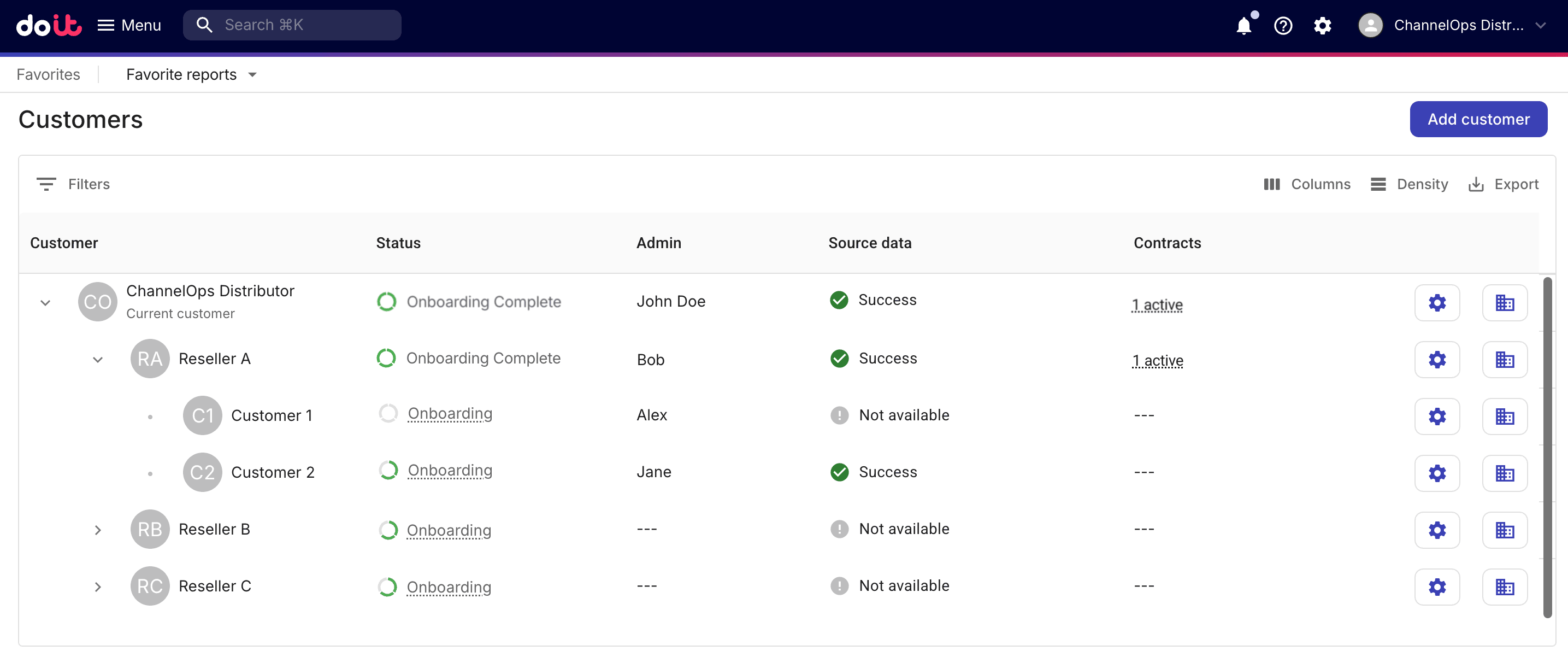
Sign in to the DoiT console, select Customers from the top navigation mega menu.
-
On the Customers page, select Add customer.
Step 1: Customer profile
-
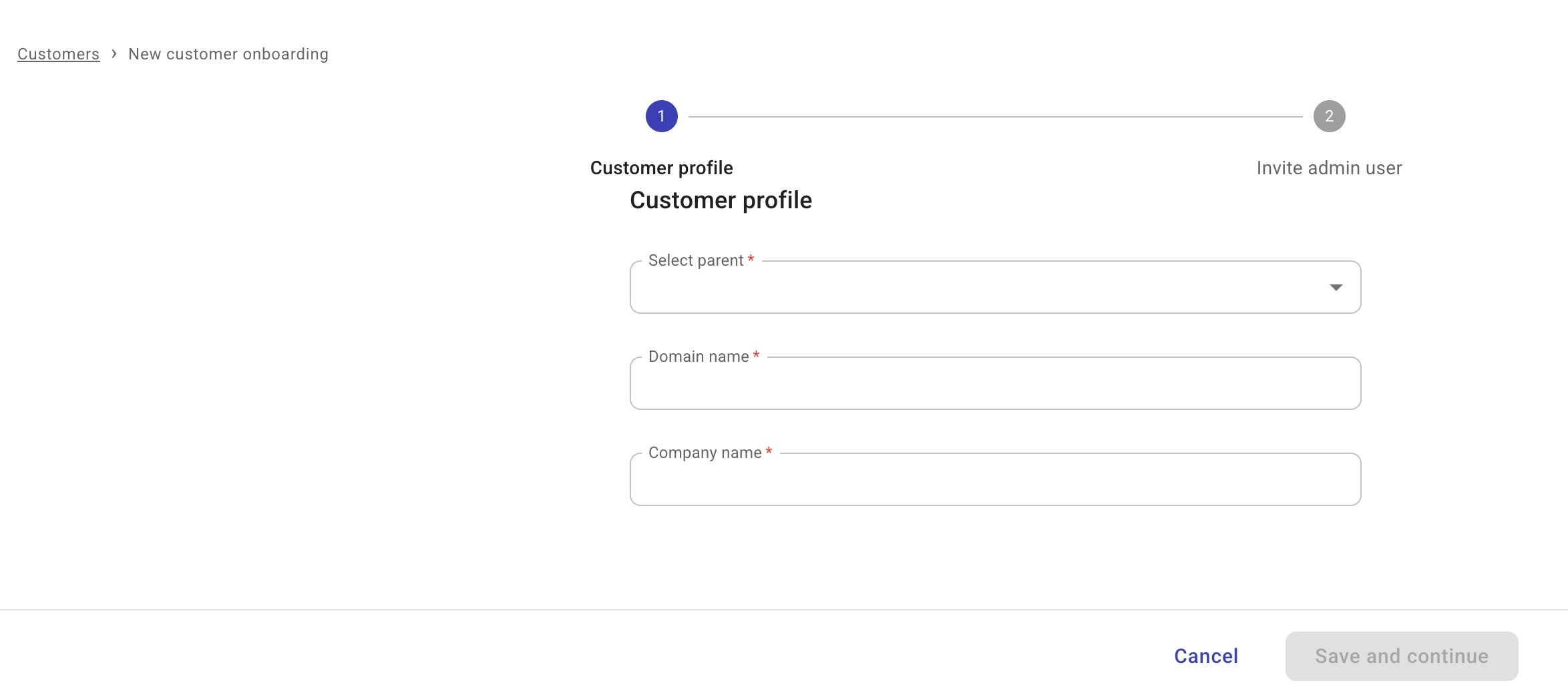
Provide basic information of the customer profile.
-
Select parent: Select the parent tenant in the hierarchy.
-
To add a reseller, choose its distributor as the parent.
-
To add an end customer, choose its reseller as the parent.
-
-
Domain name: The customer's primary domain.
-
Company name: The customer's company name.
-
-
Select Save and continue.
Step 2: Invite admin user
A customer must have at least one active Admin user to complete the onboarding process.
-
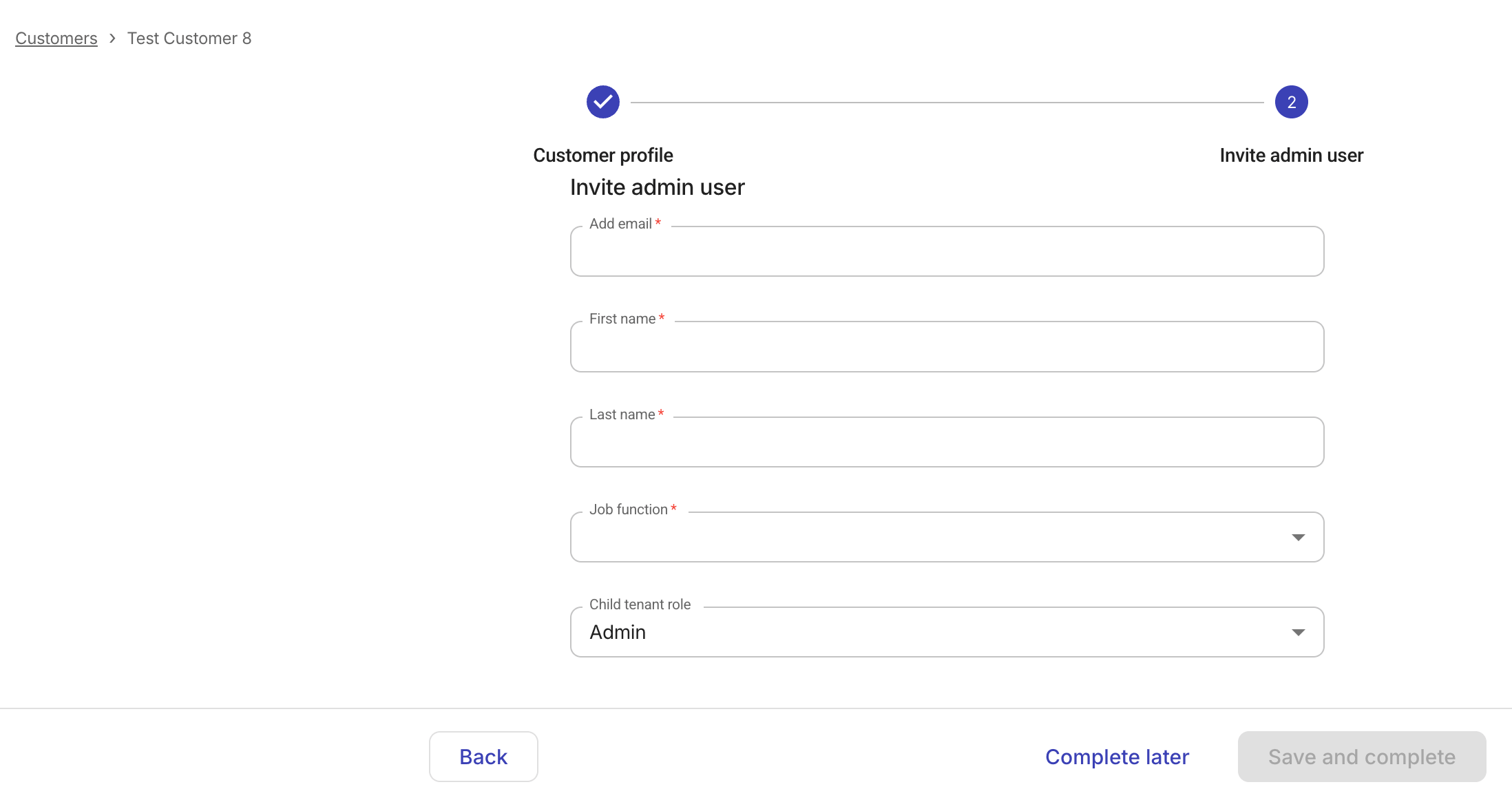
Fill in the required information of the Admin user.
-
Basic information: email, first and last name, job function.
-
Child tenant role (available when adding a reseller): Specify the role the admin user gets when accessing downstream tenants. This option allows permission cascading through the multi-tenant hierarchy without having to invite the user to each child tenant. For example, if an admin user is invited with a child tenant Sales role, that role automatically applies whenever the user navigates into a downstream tenant.
Available options: Admin, Sales, None (this option explicitly denies child tenant access to the new user)
-
-
Select Save and complete.
If you choose Complete later, you'll have an Invite admin user task in the onboarding process. You can resume the configuration from there.
If successful, the invited user will receive a welcome email with an activation link.