複数メトリクスレポート
同じレポート内に複数のメトリクスを含めることで、複数のレポートを切り替えることなく、データをコンテキスト付きで確認できます。
制限事項
-
1 つのレポートにつき最大 4 つのメトリクスを追加できます。基本メトリクス、カスタムメトリクス、拡張メトリクスを任意に組み合わせることができます。
-
複数メトリクスレポートでは、次のオプションは利用できません。
-
View as: Heatmap(ヒートマップ)、Row heatmap(ヒートマップ(行))、Col heatmap(ヒートマップ(列))、Treemap(ツリーマップ)、Ranked bars(ランキングバー)、Sankey chart(サンキーチャート)
レポート例
以下は、複数メトリクスレポートの典型的な利用方法を示す例です。
Usage と Cost
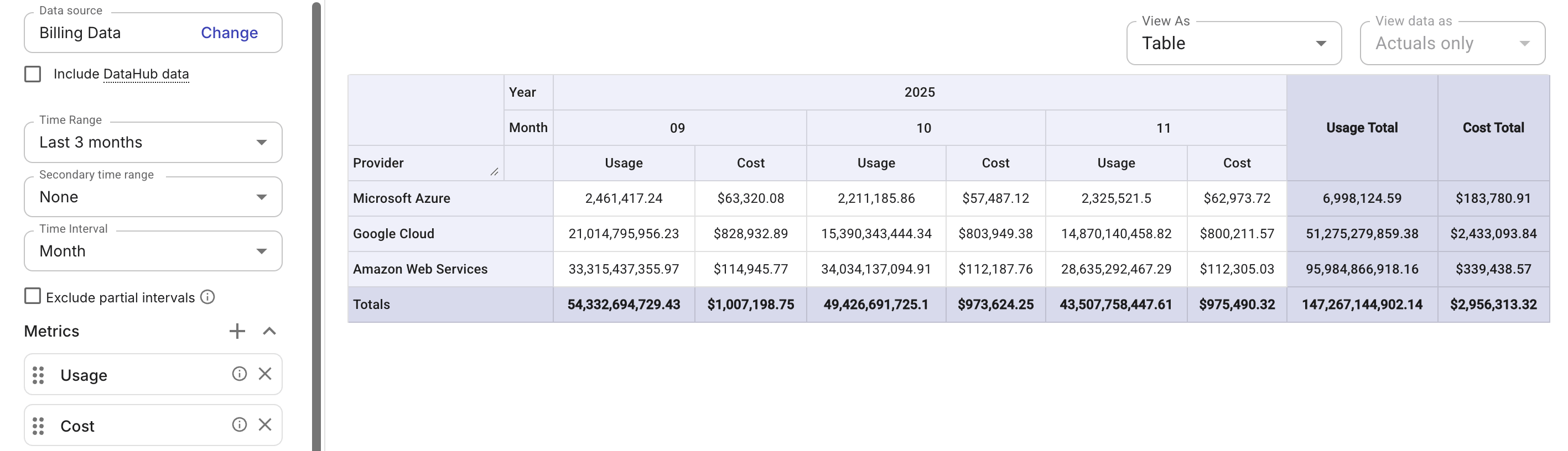
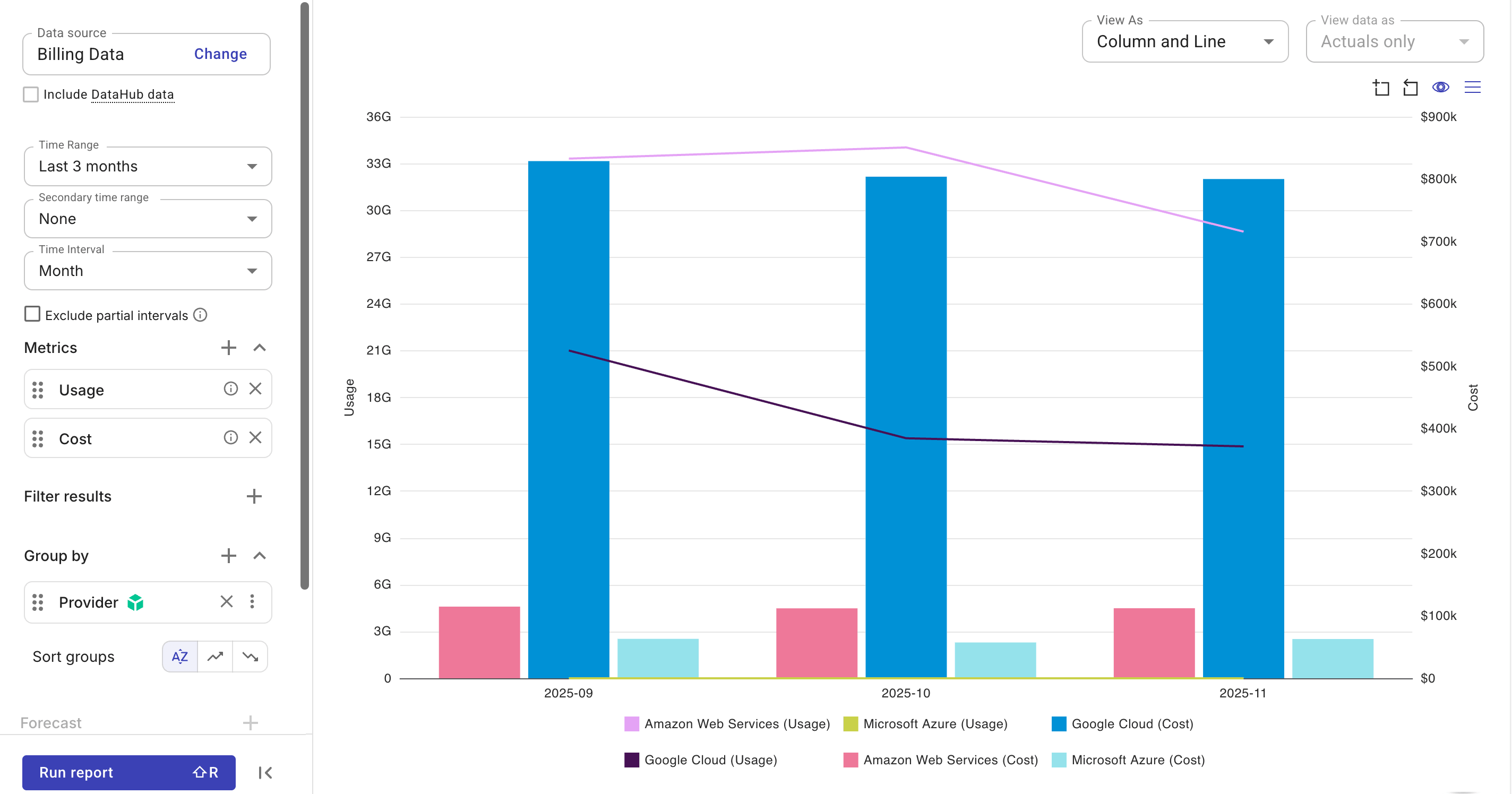
この例では、2 つの基本メトリクス Usage と Cost を使用し、利用状況がどのように金銭的な影響に変換されるかを把握できるようにしています。
また、メトリクス間の関係性や傾向をより直感的に可視化するために、カラムとライン 表示に切り替えることもできます。
Amortized savings と Cost
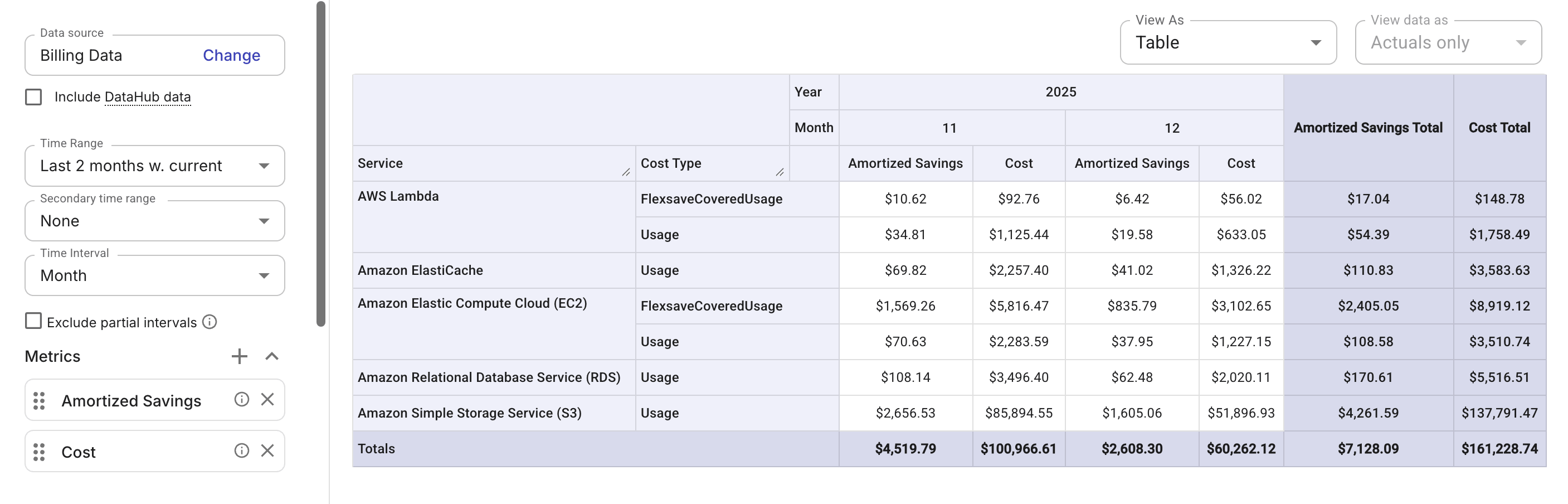
この例では、拡張メトリクス Amortized savings と基本メトリクス Cost を使用し、AWS の Amortized データを請求データのコストと並べて表示します。
Custom metric
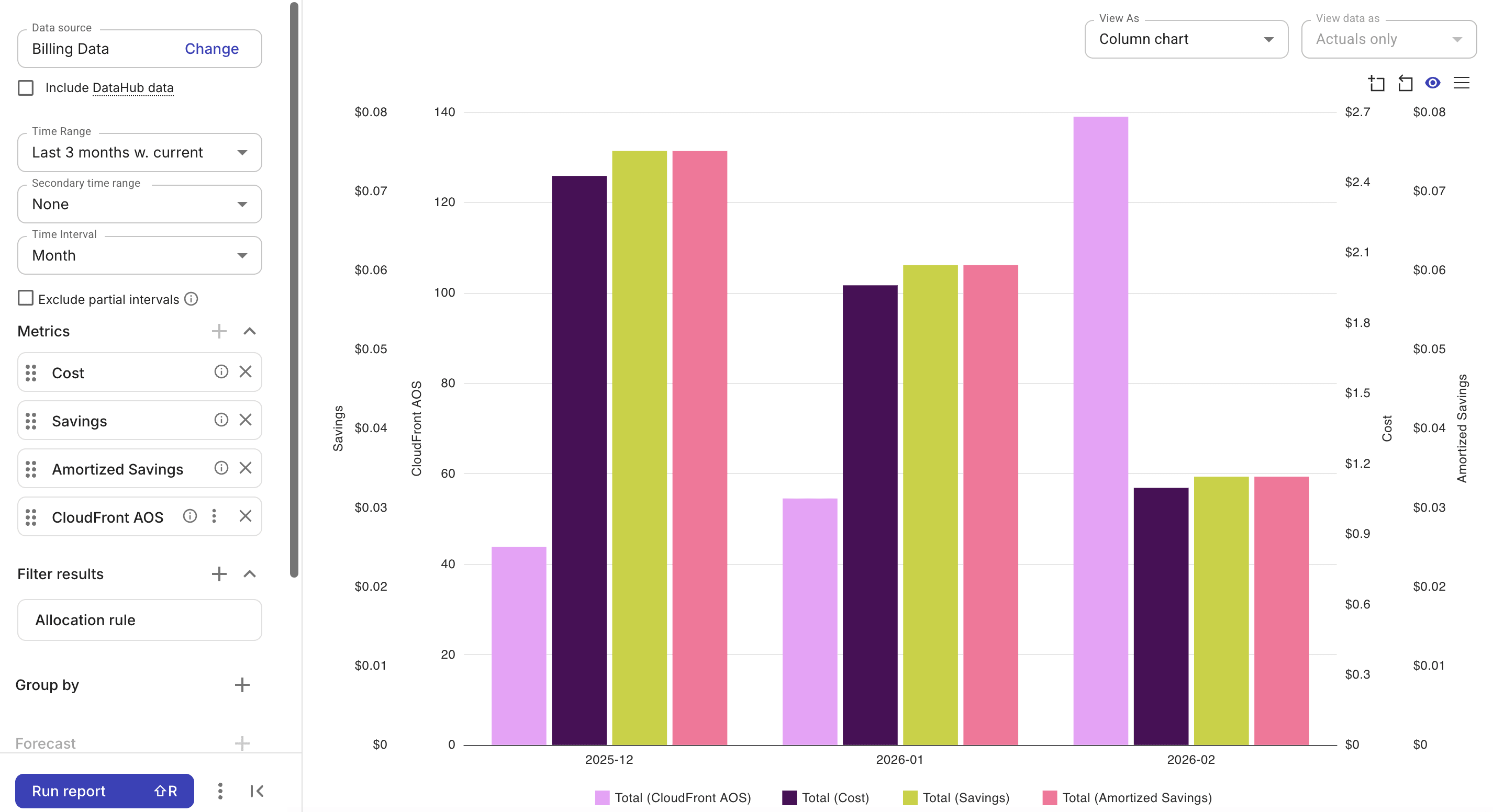
この例では、3 種類のメトリクスを組み合わせています。カスタムメトリクス CloudFront AOS、2 つの基本メトリクス Cost と Savings、および拡張メトリクス Amortized savings です。
カスタムメトリクスを定義するアロケーションルールは、そのメトリクスがレポートに追加されると自動的に適用されます(カスタムメトリクスが削除された場合のみルールも削除されます)。複数のカスタムメトリクスを含むレポートでは、それぞれのカスタムメトリクスに必要なアロケーションルールの和集合に基づいてフィルタリングされます。