Continuous cloud monitoring
The Continuous cloud monitoring dashboard is available after team setup is complete and at least one client's AWS Management Account has connected to the workspace. It appears only on AWS workspaces that use VCL 8.0.
The dashboard displays evidence collected through auto-evidenced VCL collectors and lets you track credential hygiene, support plan compliance, and evidence coverage without leaving the console.
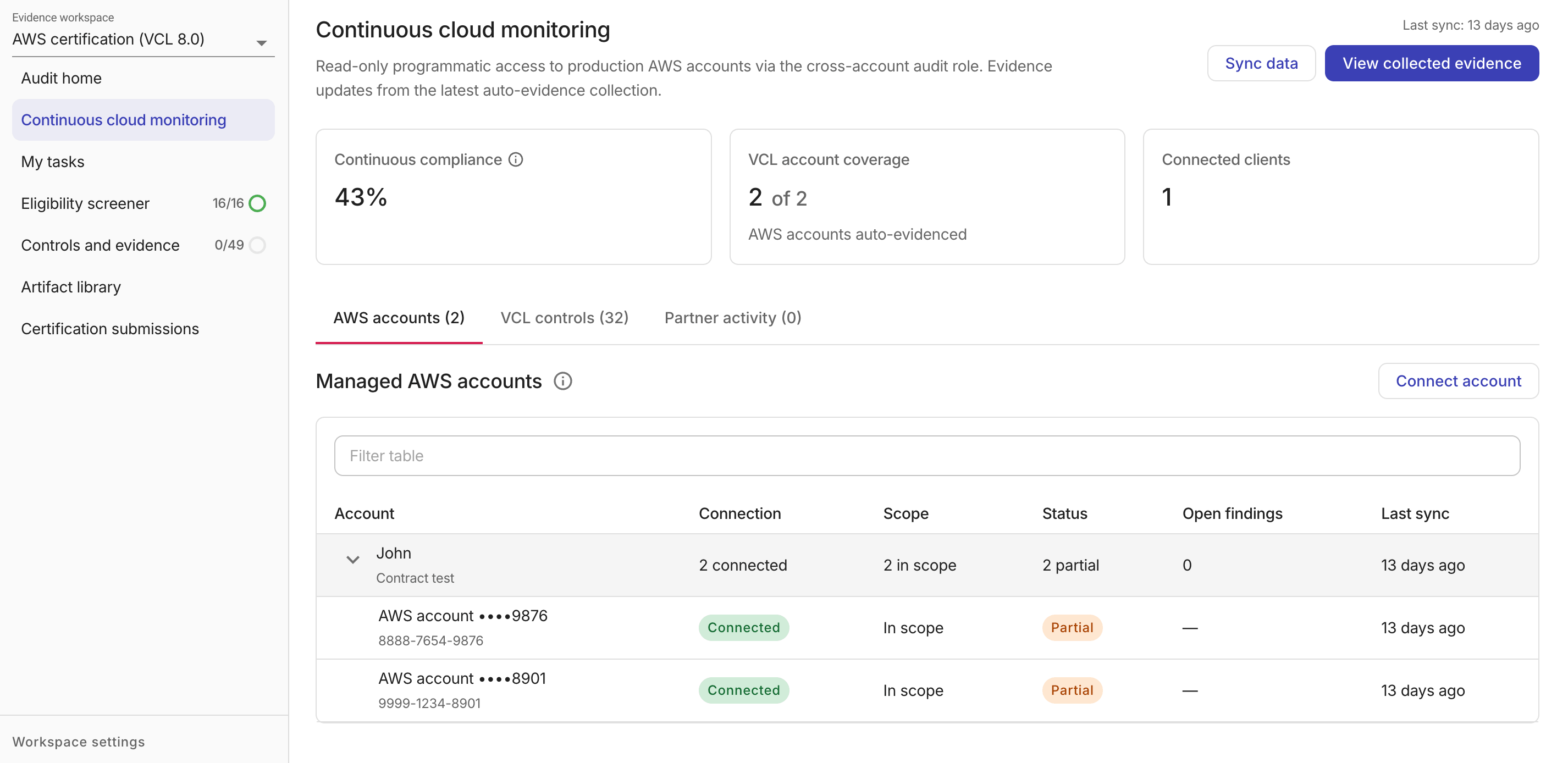
Summary cards
-
Continuous compliance: The certification compliance score for controls with current auto-evidence. Controls without current auto-evidence are excluded from the calculation.
-
VCL account coverage: The number of connected AWS accounts out of the total in-scope accounts. This count does not indicate whether evidence collection has completed.
-
Connected clients: The total number of MSP clients with at least one AWS connection in the workspace.
AWS accounts
The AWS accounts tab lists the managed AWS accounts, grouped by MSP client. Partner Admins can select Connect account to add a new AWS Management Account.
Select a client row to expand or collapse the individual account rows. Each account row includes the following:
-
Account: The last four digits of the AWS account ID, with the full account ID shown below.
-
Connection: The health of the cross-account connection:
Connected,Needs attention, orFailed. -
Scope: Whether the account is
In scopeorOut of scopefor evidence collection. -
Status: The collection status of the account.
Complete: Evidence was collected successfully and no findings were detected.Finding: Evidence was collected and at least one finding was detected.Partial: Evidence collection finished but did not fully cover the account.Not collected: The account is in scope but evidence has not been collected yet.Not scanned: The workspace has not run a scan that includes this account.Out of scope: The account is outside the effective collection scope defined during connection setup.
-
Open findings: The number of resources flagged by the collector.
-
Last sync: The relative timestamp of the most recent evidence collection for this account.
VCL controls
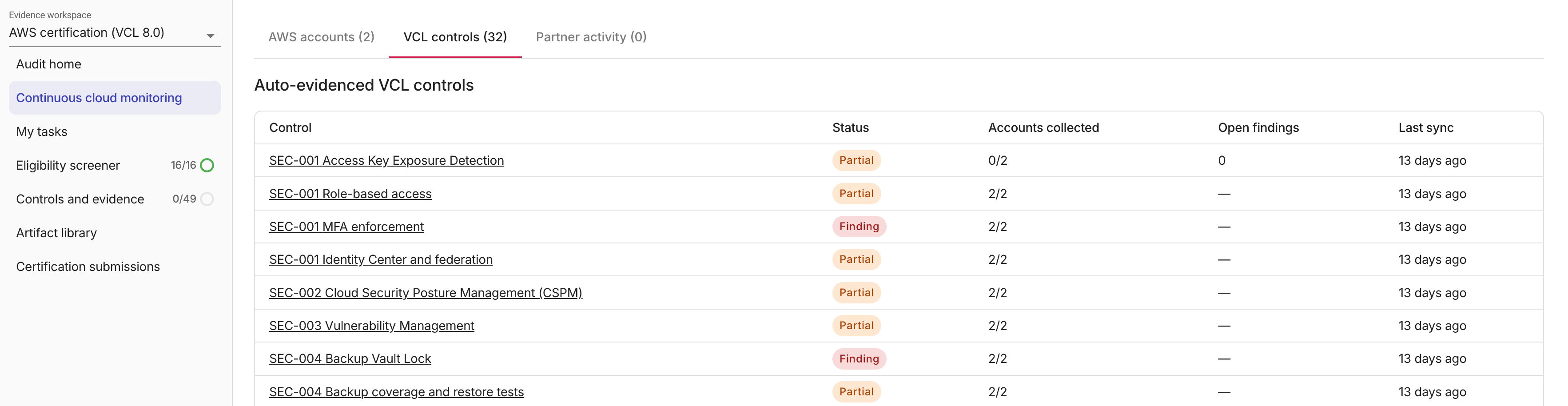
The VCL controls tab lists the auto-evidenced validation checklist (VCL) controls.
The table shows the control code, collection status, accounts collected (out of in-scope accounts), open findings count, and last sync timestamp.
-
SEC-001 Access Key Exposure Detection: Checks IAM credential reports across connected accounts for exposed, unused, or aging access keys.
-
SEC-001 Role-based access: Checks role-based access controls across connected accounts.
-
SEC-001 MFA enforcement: Checks multi-factor authentication enforcement across connected accounts.
-
SEC-001 Identity Center and federation: Checks IAM Identity Center and federation configuration across connected accounts.
-
SEC-002 Cloud Security Posture Management (CSPM): Checks Security Hub aggregated posture and AWS Config compliance across connected accounts.
-
SEC-003 Vulnerability Management: Checks vulnerability findings from Amazon Inspector and Amazon GuardDuty across connected accounts.
-
SEC-004 Backup Vault Lock: Checks AWS Backup vaults across connected accounts for Vault Lock enforcement that protects recovery points from deletion.
-
SEC-004 Backup coverage and restore tests: Checks AWS Backup coverage and restore test results across connected accounts, verifying backup plans against recovery point objective (RPO) and recovery time objective (RTO) requirements.
-
SEC-005 Policy Management: Checks IAM Access Analyzer findings across connected accounts for policy validation and permission reviews.
-
SEC-006 SaaS Tooling Account Access: Checks third-party SaaS tooling access across connected accounts, verifying that integrations use IAM roles with external IDs rather than long-lived credentials.
-
SECP-004 Prompt Injection Prevention: Checks Amazon Bedrock guardrails and agents across connected accounts for prompt-injection protections on generative AI workloads.
-
OPS-002 Observability & Telemetry Management: Checks monitoring coverage across connected accounts, including CloudWatch alarms and metrics, X-Ray trace presence, log group coverage, and resource tagging completeness.
-
OPS-003 DevOps Guru: Checks DevOps Guru enablement, resource coverage, proactive and reactive AIOps insight history, and mean time to recovery (MTTR) across connected accounts.
-
OPS-003 Infrastructure anomaly detection: Checks CloudWatch anomaly detectors and alarms across connected accounts for automated infrastructure anomaly detection.
-
OPS-009 Cost anomaly detection: Checks AWS Cost Anomaly Detection monitors and subscriptions across connected accounts for active cost anomaly alerting.
-
OPS-009 FinOps optimization signals: Checks Cost Explorer rightsizing and Savings Plans recommendations across connected accounts for cost-optimization signals.
-
OPS-009 Spend monitoring configuration: Checks budgets and Cost and Usage Report configuration across connected accounts for active spend monitoring.
-
OPS-009 AI service spend for FinOps: Checks Cost Explorer usage across connected accounts for AI and machine learning service spend tracked under FinOps.
-
OPS-004 AI cost observability: Checks Cost Explorer usage across connected accounts for visibility into AI and machine learning service costs.
-
OPS-004 Bedrock token and latency metrics: Checks CloudWatch metrics across connected accounts for Amazon Bedrock token usage and latency monitoring.
-
OPS-004 Bedrock invocation logging: Checks Amazon Bedrock model invocation logging configuration across connected accounts.
-
OPS-007 Configuration Management: Checks configuration management coverage across connected accounts and their enabled regions.
-
OPS-011 AWS Support Plan Coverage: Checks whether each connected AWS account has a partner-owned or customer-owned support plan and provides remediation guidance for accounts without adequate coverage.
-
PLAT-003 Bedrock & foundation model platform: Checks Amazon Bedrock knowledge bases and guardrails across connected accounts for foundation model platform configuration.
-
PLAT-005 Well-Architected: Checks AWS Well-Architected Tool workloads and lens reviews across connected accounts for completed architecture reviews and high-risk issues.
-
PLAT-006 AWS AI/ML service usage: Checks Cost Explorer usage across connected accounts for adoption of AWS AI and machine learning services.
-
PLAT-007 CI/CD & Deployment Automation: Checks CodePipeline pipelines across connected accounts for CI/CD and deployment automation coverage.
-
PLAT-002 Resource tagging strategy: Checks resource tag keys and AWS Config tagging rules across connected accounts for tagging-strategy compliance.
-
PLAT-002 Infrastructure as Code templates: Checks CloudFormation stacks across connected accounts for infrastructure-as-code adoption.
-
PLAT-001 Multi-Account Strategy & Landing Zone: Checks AWS Organizations structure, organizational units, service control policies, and account vending for multi-account landing-zone governance.
-
OPS-006 FIS fault-injection experiments: Checks AWS Fault Injection Service experiment templates and experiment history across connected accounts for resilience testing.
-
OPS-010 Patch compliance and rollback: Checks Systems Manager instance patch state and maintenance windows across connected accounts for patch compliance and rollback readiness.
Select a control row to open the evidence artifact in a side panel, where you can preview the collected JSON evidence and IAM credential-report data.
Sync data
Partner Admins can select Sync data to trigger an on-demand evidence collection run across all registered collectors.
The collectors run sequentially. The dashboard refreshes automatically as each collector completes.
View collected evidence
Select View collected evidence to navigate to the Artifact library, where you can browse all evidence artifacts across the workspace.