Crypto payments
DoiT works with Stripe to process crypto payments. Only USD stablecoins are accepted.
Eligibility
You can pay outstanding or overdue invoices using cryptocurrency (stablecoins) when all of the following conditions are met:
-
Stripe crypto payments are enabled for your account. (Contact your DoiT Account Manager or open an expert inquiry to enable the feature.)
-
The invoice is billed in USD.
-
The payment amount does not exceed $1,000,000 USD per transaction.
You do not need to set up crypto payments in your billing profile.
Required permissions
- Your DoiT account must have the Invoice Viewer and Billing Profile Admin permissions.
Pay with crypto
To pay an outstanding or overdue invoice with cryptocurrency:
-
Sign in to the DoiT console, select Billing > Invoices from the top navigation mega menu.
-
Locate the invoice and select its Invoice number to open the invoice details page.
-
Select Pay now.
-
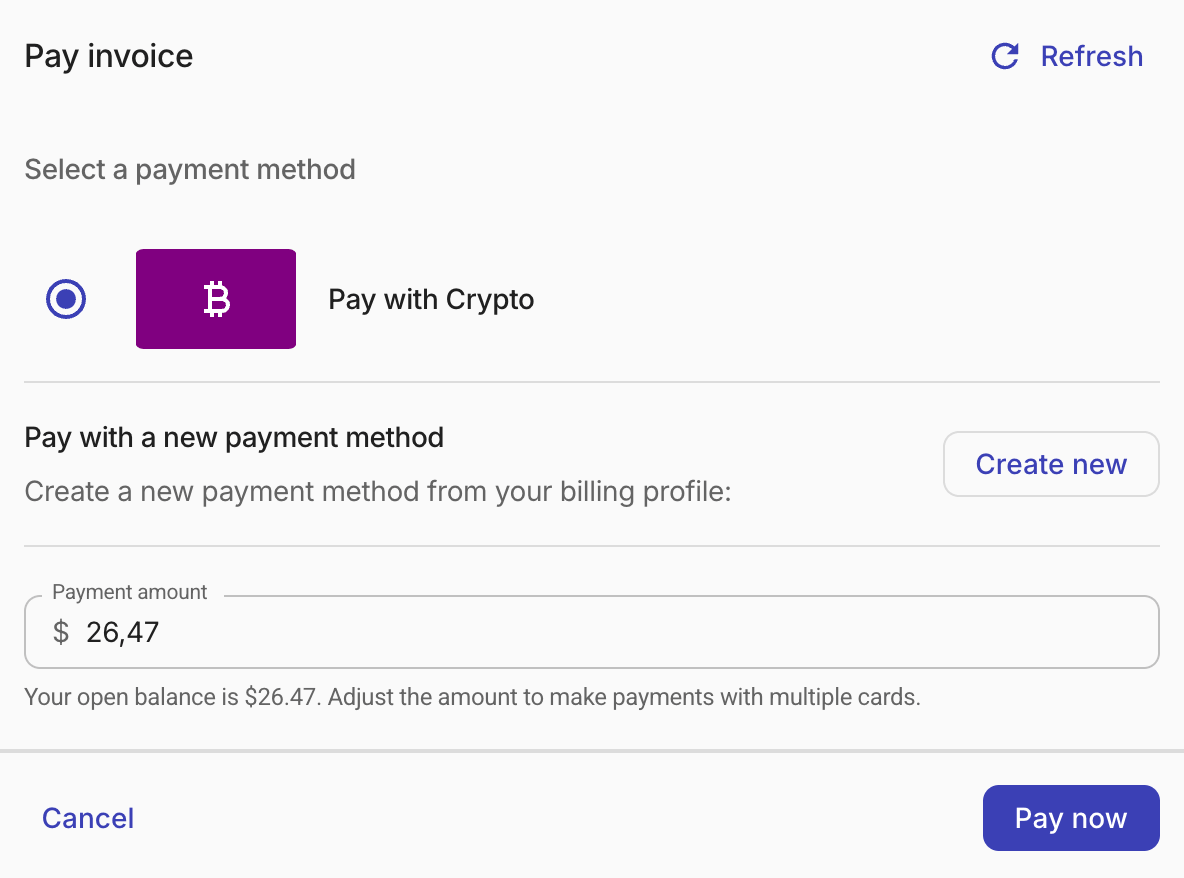
In the Pay Invoice dialog, select Pay with Crypto as the payment method.
-
Review or adjust the Payment amount. You can make a partial payment by changing the amount.
-
Select Pay now. Your browser redirects to Stripe's crypto payment page, where you complete the transaction using a supported cryptocurrency wallet.
Note that:
-
Crypto payments require wallet confirmation and may take a few minutes to process. During this time, the invoice status shows as
processingand the invoice details page displays a confirmation banner. The invoice updates automatically once the payment is complete. -
Only one crypto payment can be in progress for a given invoice at a time. If a previous crypto payment is still processing, you must wait for it to complete before initiating another.