Linked AWS accounts
Distributors and resellers can monitor the status of AWS management accounts of end customers.
Required permission
- Distributor/reseller: Your DoiT account must have the Admin role.
View linked AWS accounts
-
In the DoiT console, select Customers from the top navigation mega menu.
-
Locate the customer of interest, select Settings (the gear icon
) of the entry.Alternatively, select Settings at the distributor/reseller level to list the accounts of all end customers to which you have access.
-
Select Linked AWS accounts.
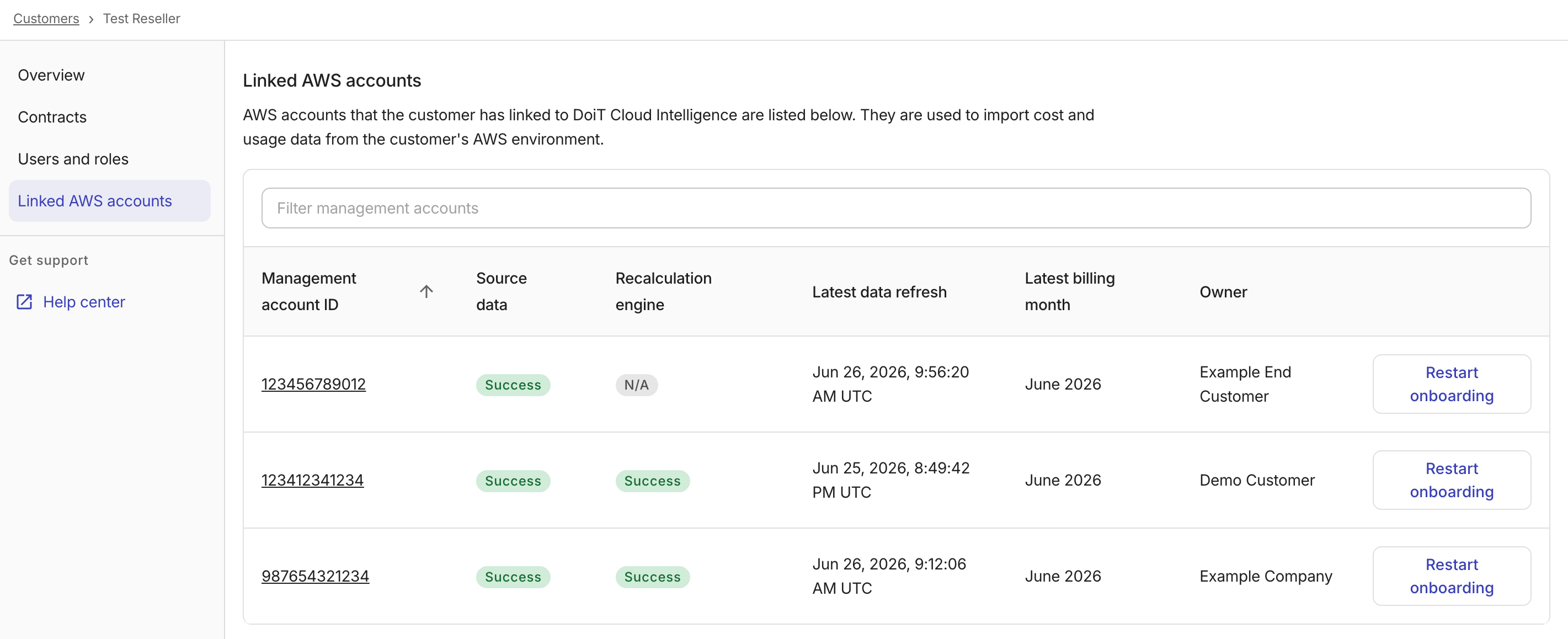
-
Source data: The status of CUR ingestion.
-
Recalculation engine: The status of the recalculation pipeline.
-
Latest data refresh: The last time CUR data was refreshed. It's the lastDelivery timestamp from the DescribeReportDefinitions.
-
Latest billing month: The most recent billing month available.
-
Owner: The owner of the AWS management account.
-
Restart onboarding: To start the AWS onboarding process again. Make sure to review the message displayed in the console before proceeding.
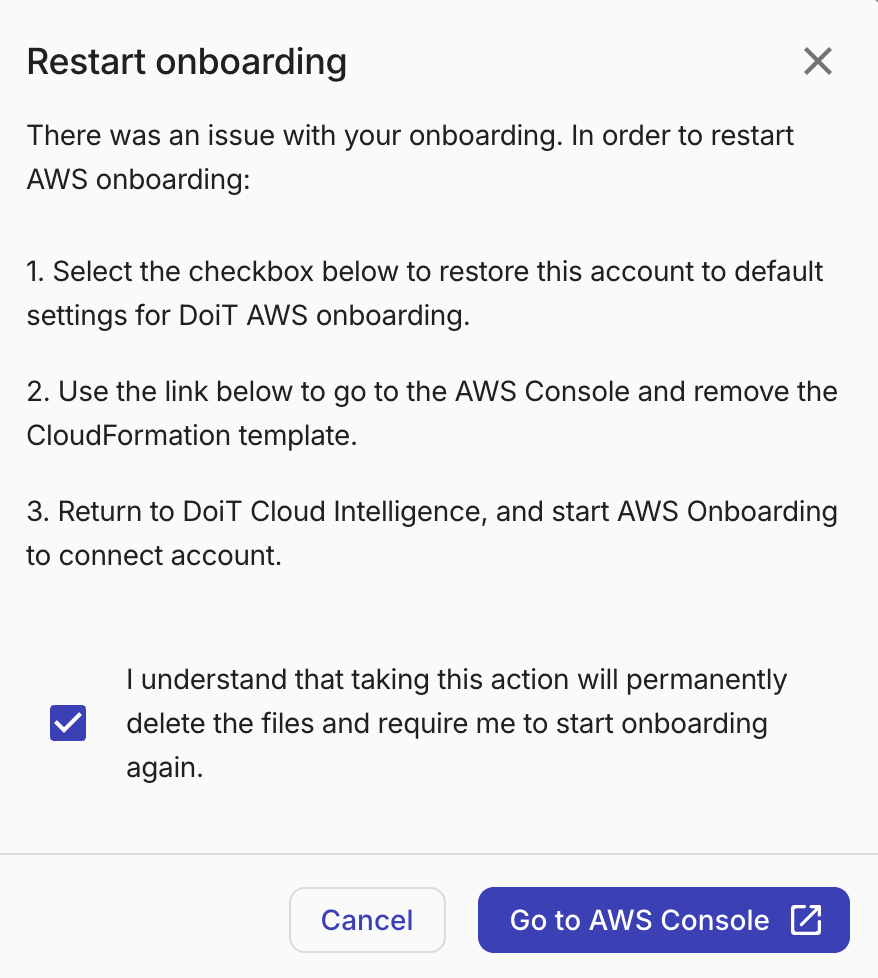
-