監査ホーム
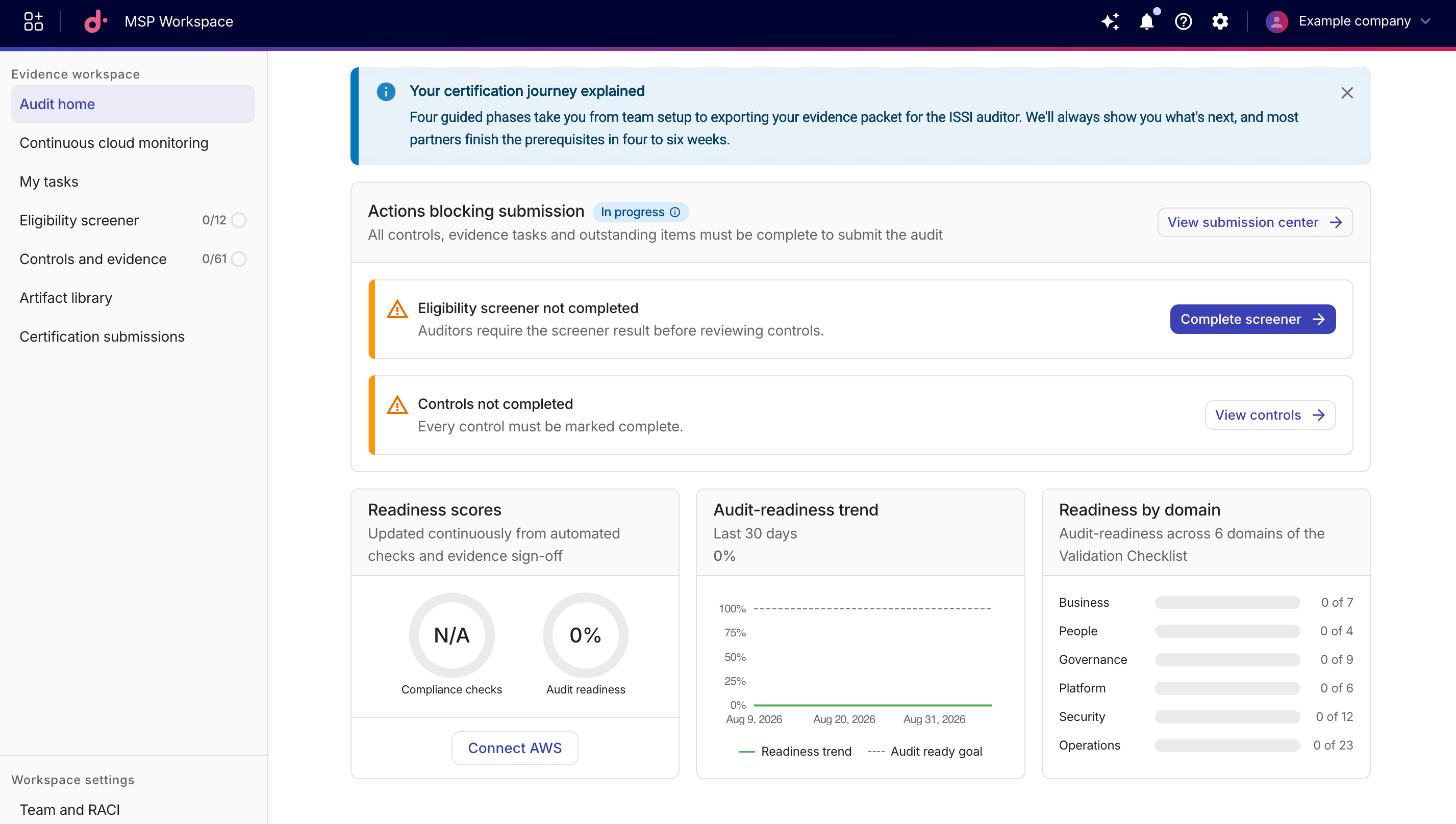
Audit home ページは、MSP 認定の進捗を追跡するための中央ダッシュボードです。現在の提出ステータス、全体的な準備スコア、30 日間の準備状況の推移、およびドメインごとのコントロール完了状況の内訳が表示されます。
提出ステータス
認定プロセスの現在の状態に応じて、次のいずれかのステータスが表示されます。
-
Actions blocking submission:未対応のアイテムがあるため、提出できない状態です。詳細を確認するには View submission center を選択して、Certification submissions ページを開いてください。よくあるブロッカーには次のものがあります。
-
Eligibility screener not completed:監査人がコントロールをレビューする前に、スクリーナーの結果が必要です。Eligibility screener に移動するには Complete screener を選択してください。 -
Controls not completed:すべての前提条件コントロールを完了する必要があります。未完了のコントロールに絞り込んだ Controls and evidence ページを開くには View controls を選択してください。
-
-
Ready for submission:すべてのコントロール、証拠タスク、および未対応アイテムが完了しています。Certification submissions ページに進むには Submit package を選択してください。 -
Certification submitted:認定ドラフトが提出されています。
準備スコア・推移・ドメイン別内訳
-
Readiness scores:このカードは、自動チェックと証拠の承認に基づいて継続的に更新されます。
-
Compliance checks:合格したコンプライアンスチェックのパーセンテージを表示します。
-
Audit readiness:満たしている監査準備基準の全体パーセンテージを表示します。
Connect AWS を選択して、AWS Management Account を MSP Workspace に追加 してください。
-
-
Audit-readiness trend:このカードには、過去 30 日間の準備スコアが表示されます。
-
Readiness by domain:このカードには、6 つの Validation Checklist(VCL)ドメイン(Business・People・Governance・Platform・Security・Operations)全体の監査準備状況が表示されます。