Create and manage threads
DoiT Threads connects Insights with your Jira instance or Linear workspace to track your progress on actionable items. You can create multiple threads for one insight to manage different aspects of the required work.
Before you begin
Prerequisites
Your Jira Cloud instance or Linear workspace should have been connected to the DoiT platform. See Set up Jira integration and Set up Linear integration.
Required permissions
-
Your DoiT account needs the Thread Manager permission.
-
You do not need a Jira or Linear account to create threads in the DoiT console.
Limitations
- Support for non-standard Jira/Linear configuration options is limited.
Create a thread
To create a thread from an insight:
-
Select Create new thread on the insight detail page.
-
Choose where to create the thread.

-
Create in Jira: Select a project from the list fetched from your Jira instance.
-
Create in Linear: Select a team from the list fetched from your Linear workspace.
-
-
Review and edit the auto-populated fields if needed; fill in other fields as required by Jira or Linear.
When you create a thread from an insight that has potential cost savings, the estimated monthly savings are automatically included in the thread. The savings amount is calculated from the insight's potential daily savings multiplied by 30 days and converted to your configured currency.
-
Select Create thread.
Manage threads
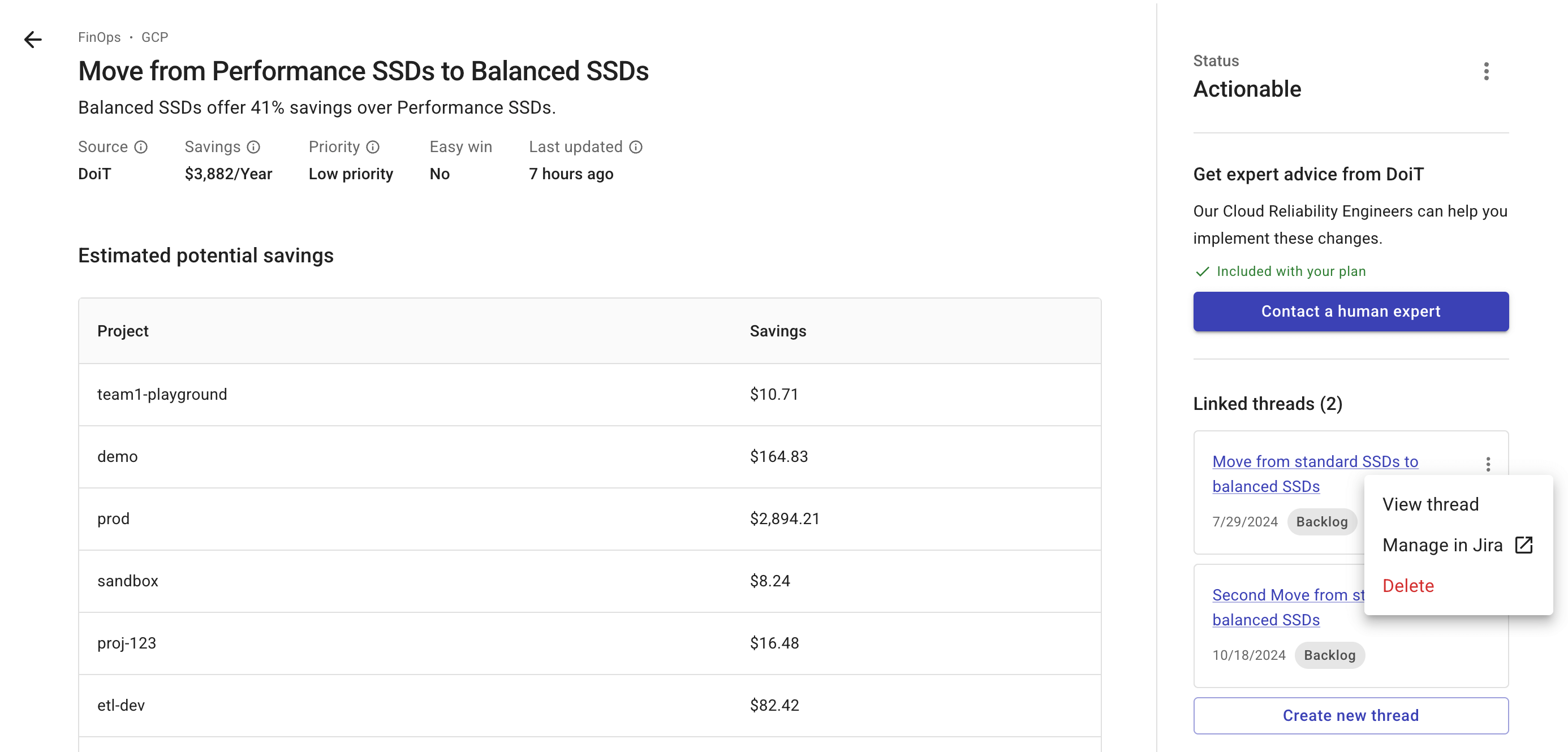
On an insight's detail page, you'll find the following information and options regarding threads:
-
Number of linked threads if there are already threads created for the insight.
-
The option to create a new thread.
-
For each linked thread:
-
Basic information such as the thread name, creation date, and status in Jira or Linear. You can also select the thread name to open the thread details page.
-
A kebab menu (⋮) that allows you to:
-
View thread: View the thread details.
-
Manage in Jira or Manage in Linear: Launch the issue in the corresponding system. You'll need the relevant permissions in Jira or Linear.
-
Delete: Delete the thread from the DoiT platform. For a Jira thread, if you have the required permissions in Jira, you can choose to Delete thread and its associated Jira issue
-
-
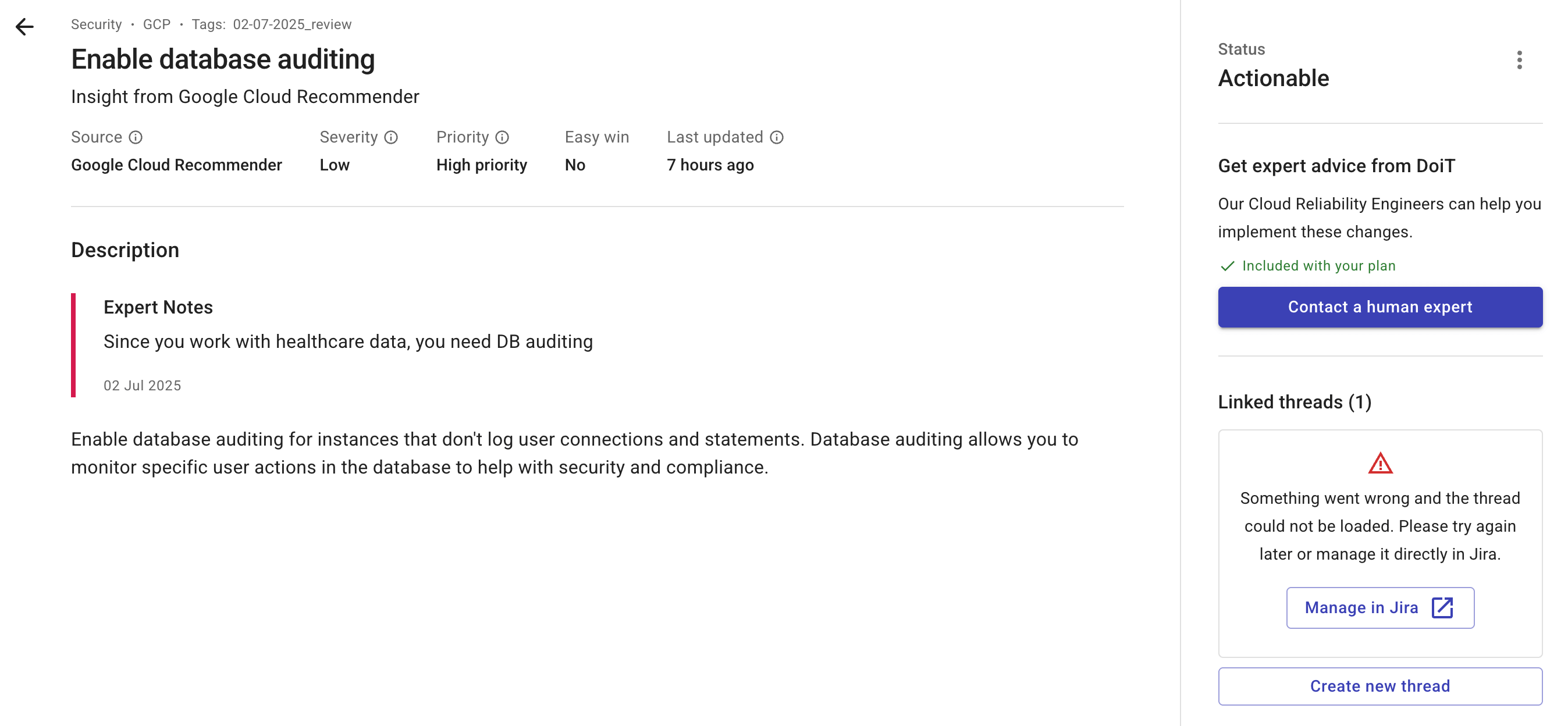
If an issue associated with a thread has already been deleted in your Jira instance or Linear workspace, or cannot be loaded for some other reason, you'll see an error message.
-