キーボード ショートカット、カラーモード、コンパクト UI
キーボード ショートカット、カラーモード、コンパクト UI を使用すると、効率性と快適性のためにコンソールの作業環境を調整できます。
キーボード ショートカット
キーボード ショートカットを使用すると、コンソール内をより高速に移動し、キーボードから手を離さずによく使う操作を実行できます。
コンソール内のどこからでもショートカットのオーバーレイを開くには、? を押します。
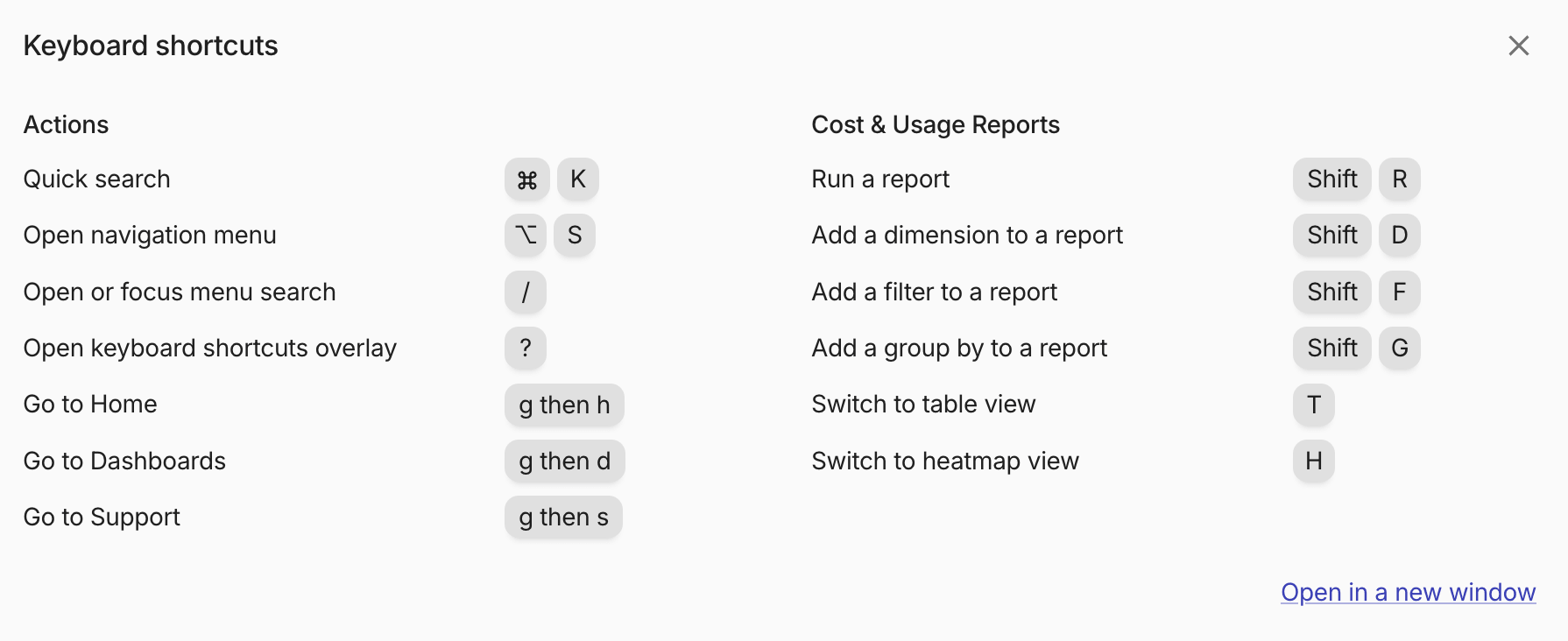
ナビゲーションと一般的な操作
- クイック検索: ⌘ + K(macOS)または Ctrl + K(Windows)
- ナビゲーション メニューを開く: ⌥ + S(macOS)または Alt + S(Windows)
- サイドバーを展開または折りたたむ: Shift + S
- メニュー検索を開くまたはフォーカス: /
- キーボード ショートカット オーバーレイを開く: ?
- ホームへ戻る: g を押してから h を押す
- ダッシュボードへ移動: g を押してから d を押す
- サポートへ移動: g を押してから s を押す
レポート操作
これらのショートカットは Cloud Analytics レポートの操作中に使用できます。
- レポートを実行: Shift + R
- レポートにディメンションを追加: Shift + D
- レポートにフィルターを追加: Shift + F
- レポートにグループを追加: Shift + G
- テーブルビューに切り替える: T
- ヒートマップビューに切り替える: H
カラーモード
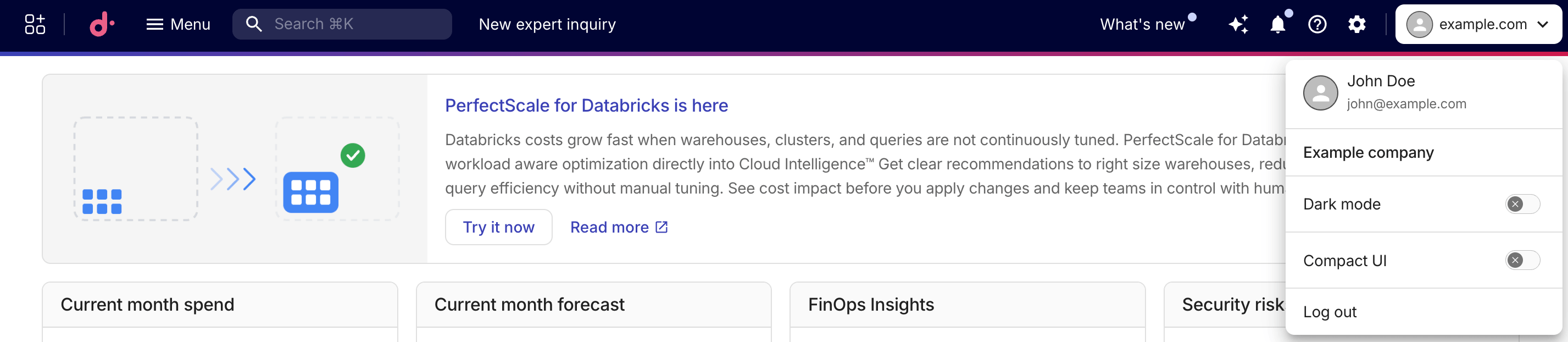
ライトテーマとダークテーマを切り替えるには、上部ナビゲーションバーでアバターを選択し、Dark mode をオンまたはオフに切り替えてください。選択内容は自動的に保存され、ブラウザ セッションをまたいで保持されます。
テーマを選択していない場合、コンソールはお使いのオペレーティング システムのライトまたはダークの設定に従います。
コンパクト UI
コンパクトモードを使用すると、コンソール インターフェースの情報密度が高まり、画面上でより多くのコンテンツを表示できます。
上部ナビゲーションバーでアバターを選択し、Compact UI をオンに切り替えて有効にしてください。選択内容は自動的に保存され、ブラウザ セッションをまたいで保持されます。
コンパクトモードではスペースと要素サイズが小さくなり、さらに Cloud Analytics レポート のレイアウトが変更され、グラフやテーブルにより多くの画面領域が割り当てられます。