Overview
Instead of displaying individual resources, Overview groups your environment into categories such as Database, Kubernetes, Storage, and VPC, so you can quickly access your core infrastructure components and how traffic flows between them.
This is useful when you want to:
-
Onboard to a new cloud environment and understand its architecture at a glance.
-
Identify how VPCs are connected across regions or accounts.
-
See which database, storage, and Kubernetes resources exist without navigating the full diagram.
Required permissions
To use Cloud Diagrams, your DoiT account must have the Cloud Diagram User permission.
View overview
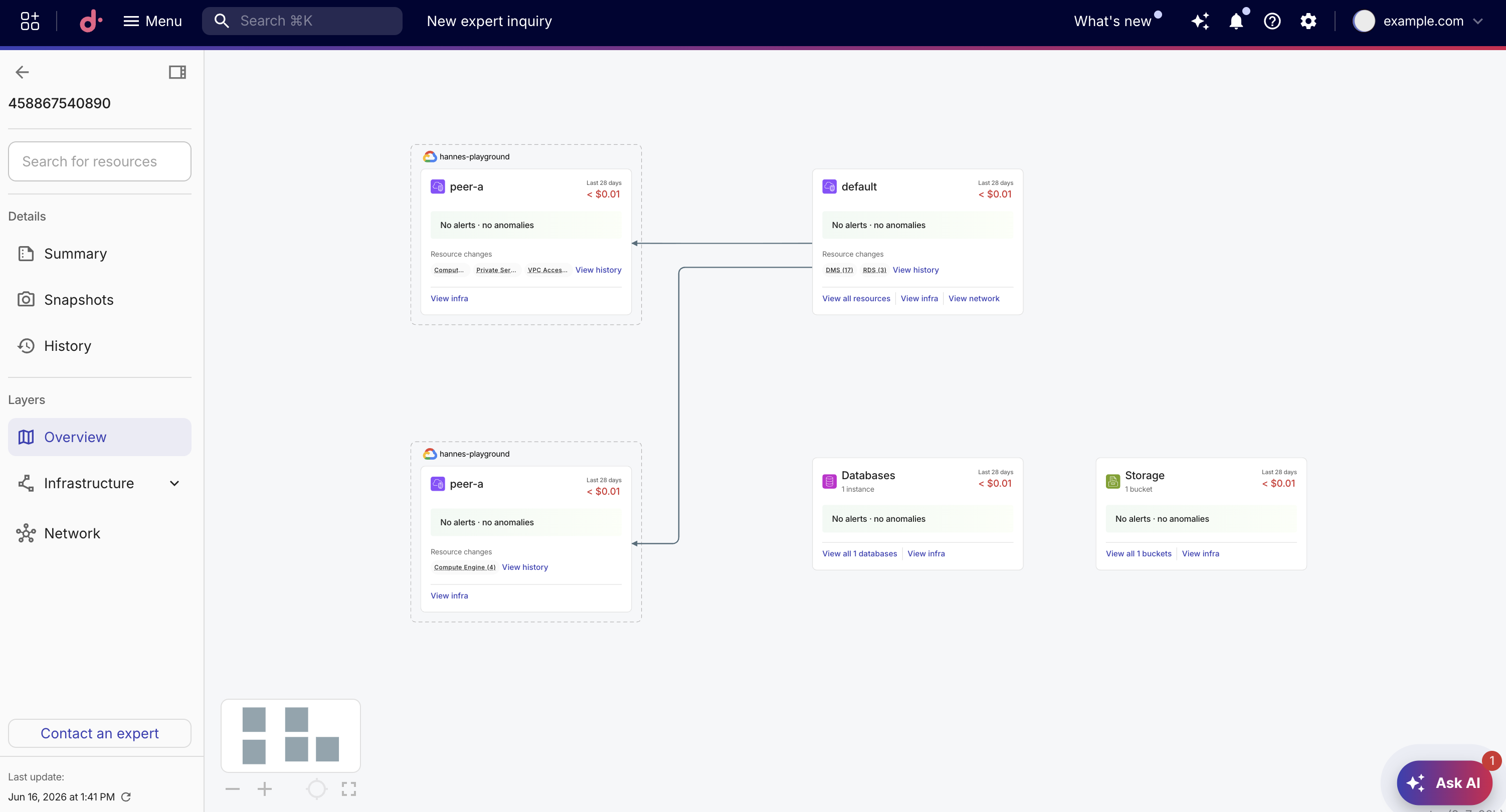
When you select Overview, the diagram is replaced by a set of cards. Each card summarizes a category:
-
Resource counts: The number of instances, nodes, buckets, or other resources in each category.
-
Cost data: Total cost for the selected time period and a trending indicator showing whether costs are rising or falling.
-
Alerts and anomalies: A summary of active cost alerts and cost anomalies for the resources in each card (not shown on Kubernetes cards).
-
Top spenders: A table of the highest-cost resources within the category (not shown on VPC cards).
-
Quick actions: Links to view all resources, inspect the infrastructure, view the network, or review resource change history.
To view Overview for a diagram:
-
Open a Cloud Diagram.
-
In the sidebar, under Layers, select Overview.
Cards
Overview organizes your infrastructure into four card types. A card appears only when matching resources exist in the diagram.
| Card type | Description | Metrics shown |
|---|---|---|
| VPC | One card per virtual private cloud and its networking resources | Cost total, cost trending, alert and anomaly counts, quick actions |
| Database | One aggregate card for all managed database services (for example, RDS, DynamoDB, and Cloud SQL) | Cost total, cost trending, alert and anomaly counts, top three instances by spend, quick actions |
| Storage | One aggregate card for all storage resources (for example, S3 buckets and Cloud Storage) | Cost total, cost trending, alert and anomaly counts, top three buckets by spend, quick actions |
| Kubernetes | One card per cluster (EKS, GKE, or AKS) | Cost total, cost trending, top three namespaces by spend, quick actions |
Drill down into a card
You can drill down from an Overview card to see the underlying infrastructure resources on the diagram.
-
While in Overview, select a card, or select View infra or View all.
-
The overview closes and the diagram displays the resources associated with that card, highlighting and selecting them.
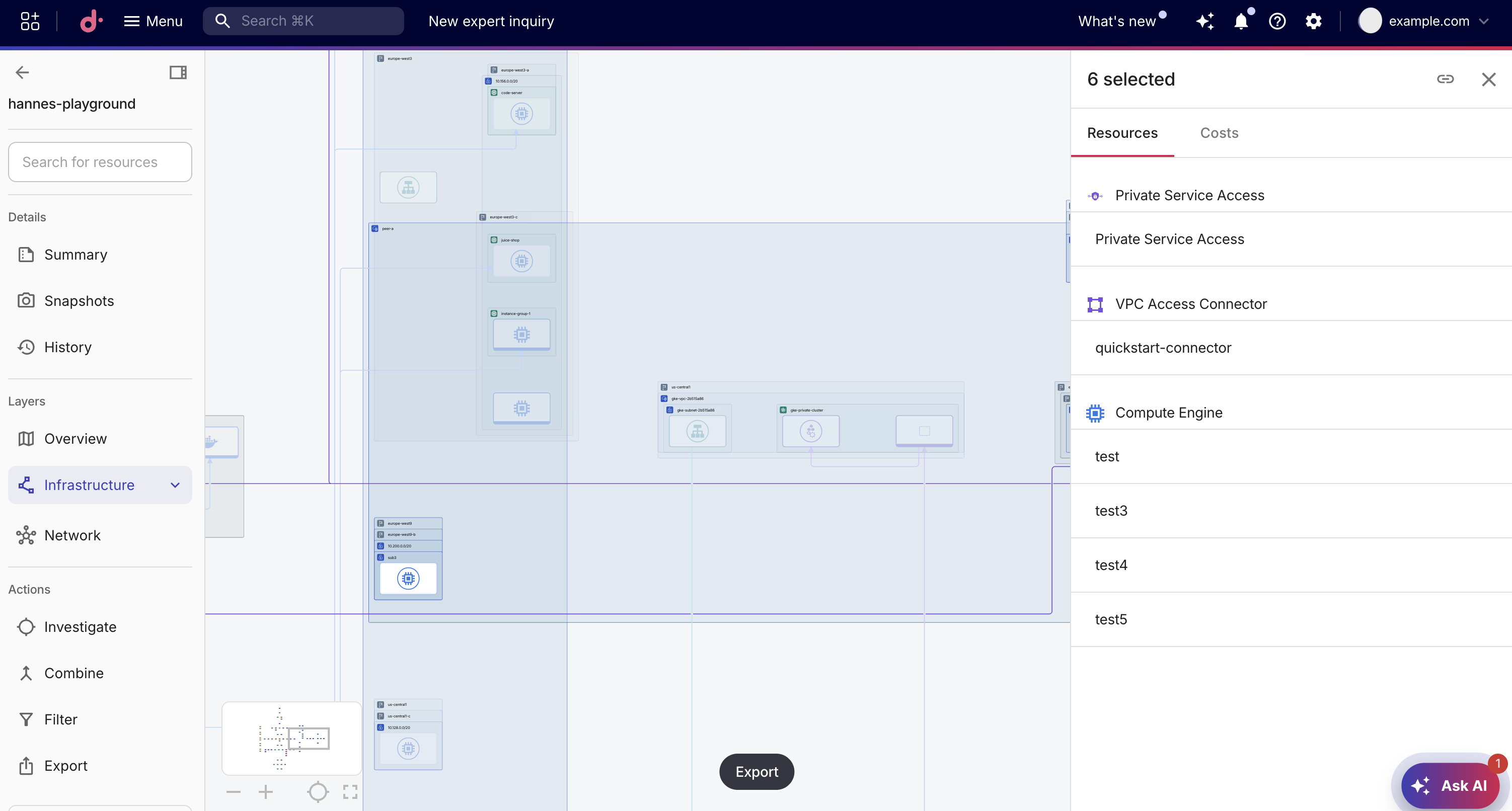
To return to Overview after drilling down, select Overview in the sidebar under Layers. The overview reopens, the selection is cleared, and the diagram re-centers on the cards.
Share a view with URL parameters
You can share Overview states via URL parameters. Copy the URL from your browser's address bar to share a specific view with a colleague.
| URL parameter | Value | Behavior |
|---|---|---|
layer | overview | Opens Overview when the diagram loads. |
overviewPanel | A panel ID | Opens Overview and then drills down into the specified card. |
For example, appending ?layer=overview to a diagram URL opens the diagram directly in Overview.