概要
Overview は個々のリソースを表示する代わりに、環境を Database、Kubernetes、Storage、VPC といったカテゴリにグループ化し、主要なインフラストラクチャコンポーネントと、それらの間でどのようにトラフィックが流れているかをすばやく把握できるようにします。
これは次のような場合に有用です。
-
新しいクラウド環境にオンボーディングし、そのアーキテクチャを一目で把握したい場合
-
VPC がリージョンやアカウントをまたいでどのように接続されているかを特定したい場合
-
完全なダイアグラムをナビゲーションせずに、どの Database、Storage、Kubernetes リソースが存在するかを確認したい場合
必要な権限
Cloud Diagrams を使用するには、DoiT アカウントに Cloud Diagram User 権限が付与されている必要があります。
Overview を表示
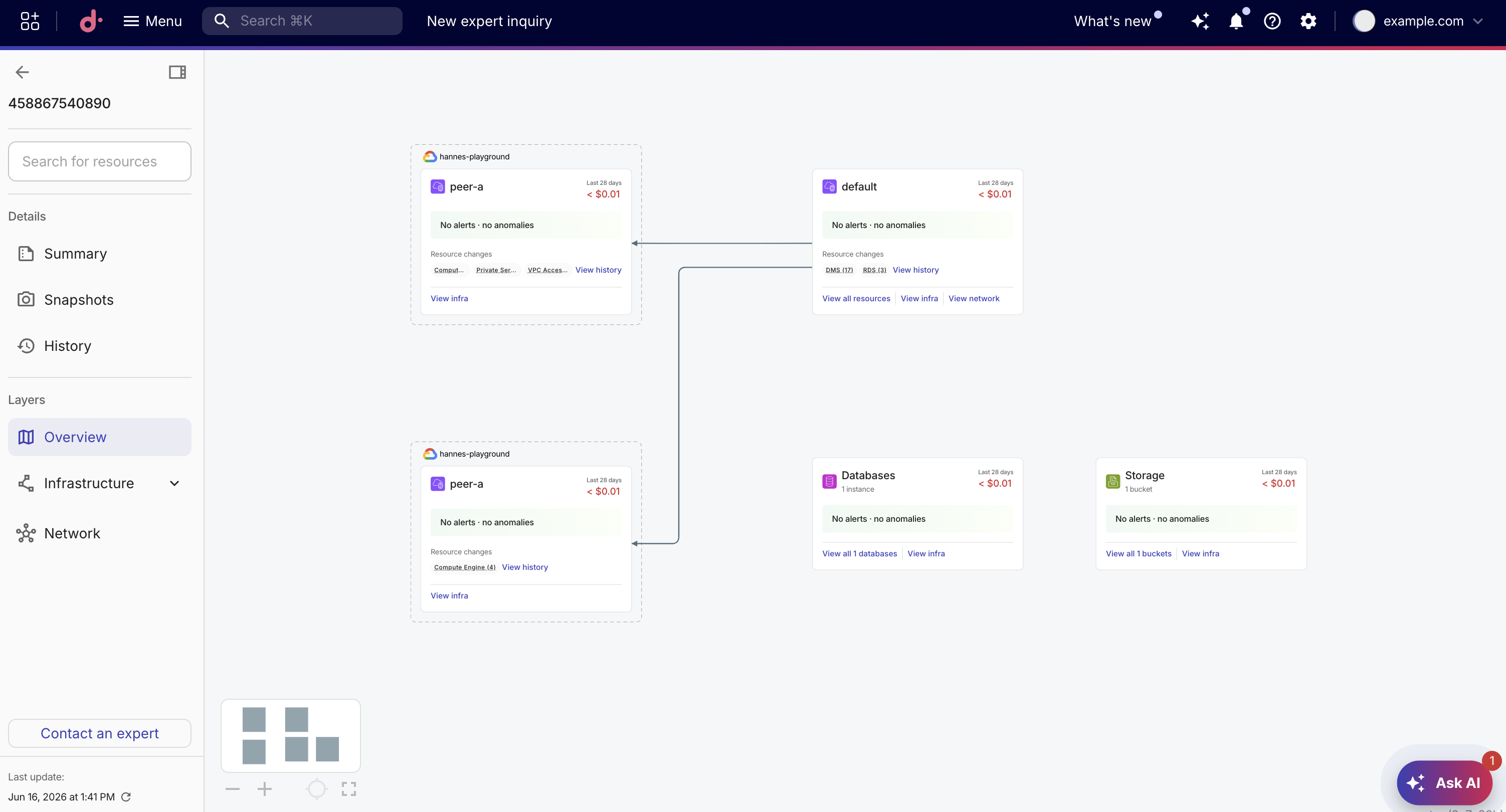
Overview を選択すると、ダイアグラムはカードのセットに置き換えられます。各カードはカテゴリを要約しています。
-
Resource counts: 各カテゴリ内のインスタンス、ノード、bucket、その他リソースの数
-
Cost data: 選択した期間の合計コストと、コストが増加しているか減少しているかを示すトレンド指標
-
Alerts and anomalies: 各カード内のリソースに対するアクティブなコストアラートとコストアノマリーのサマリー(Kubernetes カードには表示されません)
-
Top spenders: カテゴリ内で最もコストが高いリソースのテーブル(VPC カードには表示されません)
-
Quick actions: すべてのリソースの表示、インフラストラクチャの確認、ネットワークの表示、リソース変更履歴の確認へのリンク
ダイアグラムの Overview を表示するには、次の手順を実行してください。
-
Cloud Diagram を開きます。
-
サイドバーの Layers で Overview を選択します。
カード
Overview はインフラストラクチャを 4 種類のカードに整理します。カードは、対応するリソースがダイアグラム内に存在する場合にのみ表示されます。
| カードタイプ | 説明 | 表示されるメトリクス |
|---|---|---|
| VPC | 各 virtual private cloud とそのネットワークリソースにつき 1 枚のカード | コスト合計、コストトレンド、アラートとアノマリー件数、クイックアクション |
| Database | すべてのマネージドデータベースサービス (例: RDS、DynamoDB、Cloud SQL) を集約したカードが 1 枚 | コスト合計、コストトレンド、アラートとアノマリー件数、支出額トップ 3 インスタンス、クイックアクション |
| Storage | すべてのストレージリソース (例: S3 bucket や Cloud Storage) を集約したカードが 1 枚 | コスト合計、コストトレンド、アラートとアノマリー件数、支出額トップ 3 bucket、クイックアクション |
| Kubernetes | 各クラスタ (EKS、GKE、AKS) につき 1 枚のカード | コスト合計、コストトレンド、支出額トップ 3 namespace、クイックアクション |
カードの詳細を表示する
Overview のカードからドリルダウンして、ダイアグラム上で基盤となるインフラストラクチャリソースを表示できます。
-
Overview 表示中に、カード自体、または View infra もしくは View all を選択します。
-
Overview が閉じられ、そのカードに関連付けられたリソースがダイアグラムに表示され、ハイライトおよび選択されます。
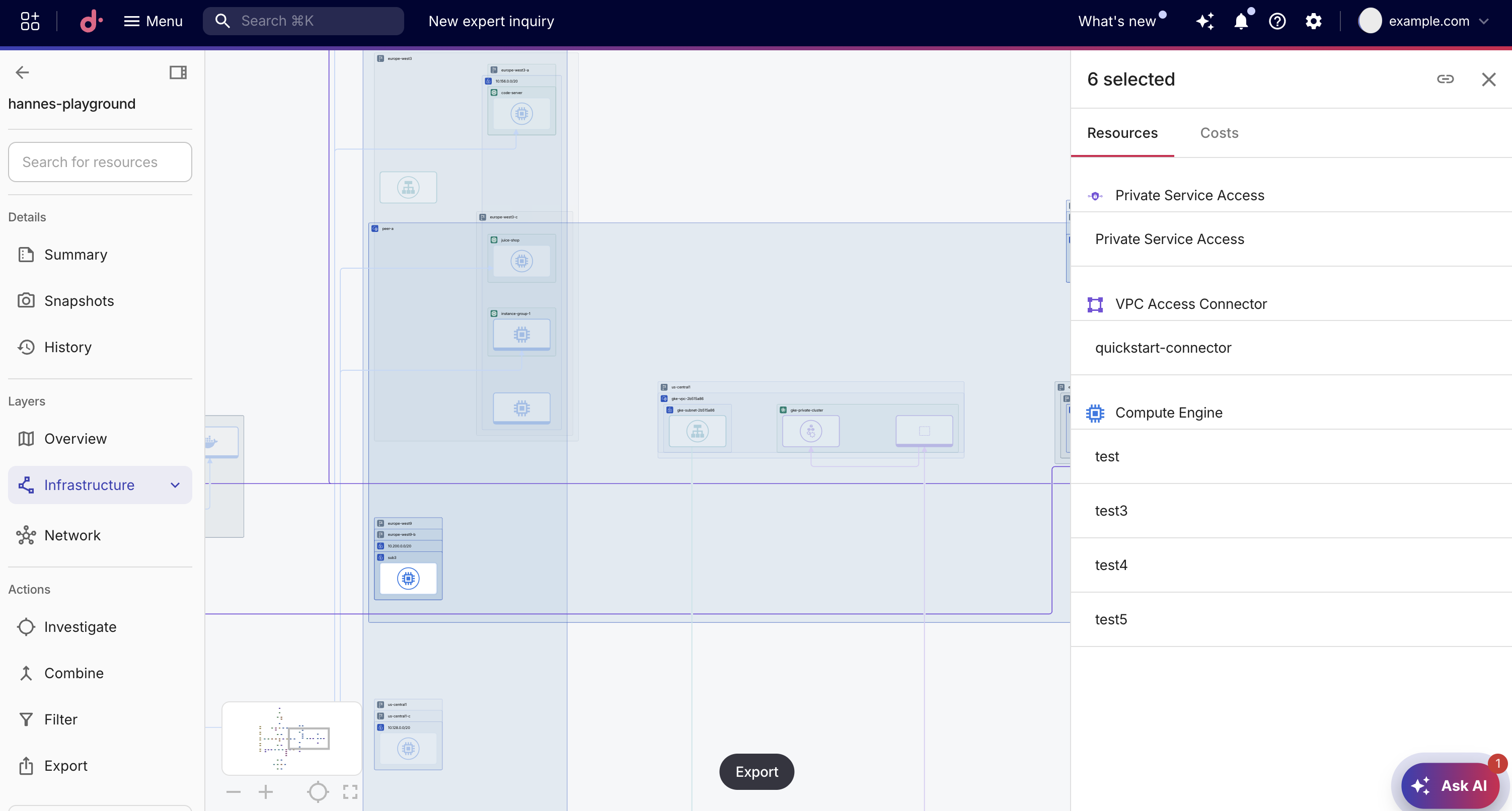
ドリルダウン後に Overview に戻るには、サイドバーの Layers で Overview を選択してください。Overview が再度開き、選択がクリアされ、ダイアグラムはカードを中心に再配置されます。
URL パラメータでビューを共有する
URL パラメータを使用して Overview の状態を共有できます。ブラウザのアドレスバーから URL をコピーして、特定のビューを同僚と共有してください。
| URL パラメータ | 値 | 挙動 |
|---|---|---|
layer | overview | ダイアグラム読み込み時に Overview を開きます。 |
overviewPanel | パネル ID | Overview を開き、その後指定したカードにドリルダウンします。 |
例えば、ダイアグラムの URL の末尾に ?layer=overview を付与すると、ダイアグラムは直接 Overview で開きます。