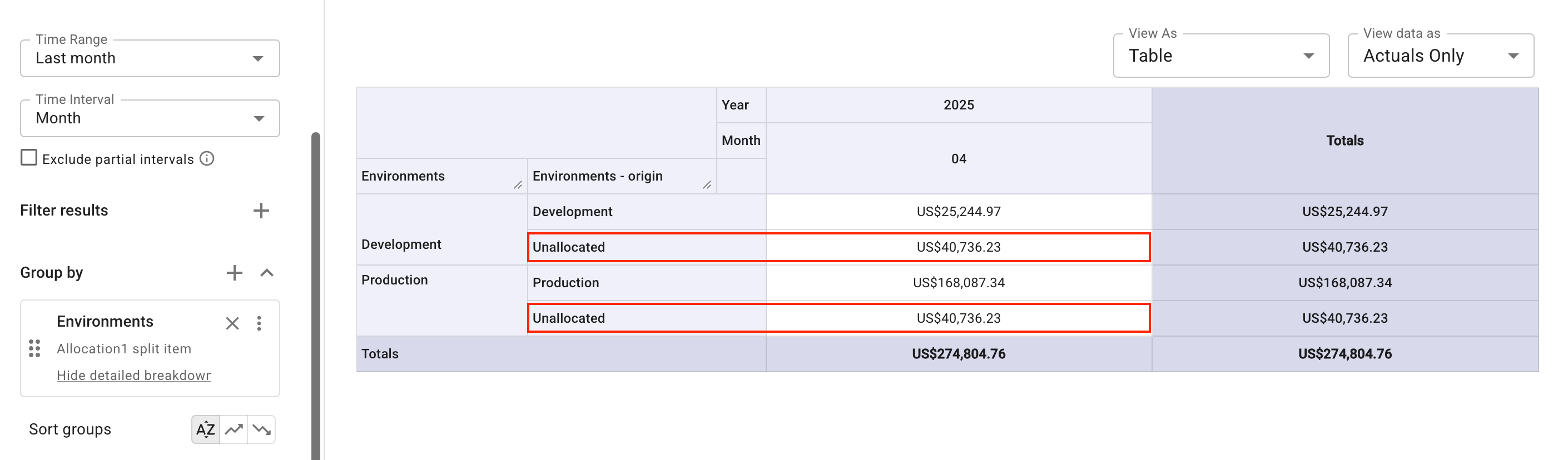
Custom split
The custom method lets you define the exact proportion of cost distributed to each target item. Use it when the split follows an agreement rather than usage — for example, a support fee shared at fixed percentages negotiated between departments.
When defining a custom split, you enter a percentage for each target item; the percentages must add up to 100. Alternatively, select Auto distribute to split the cost evenly among the selected target items.
Split a support fee among services
The example below shows how to distribute the cost of AWS Support (Enterprise) to the services that benefit from it:
-
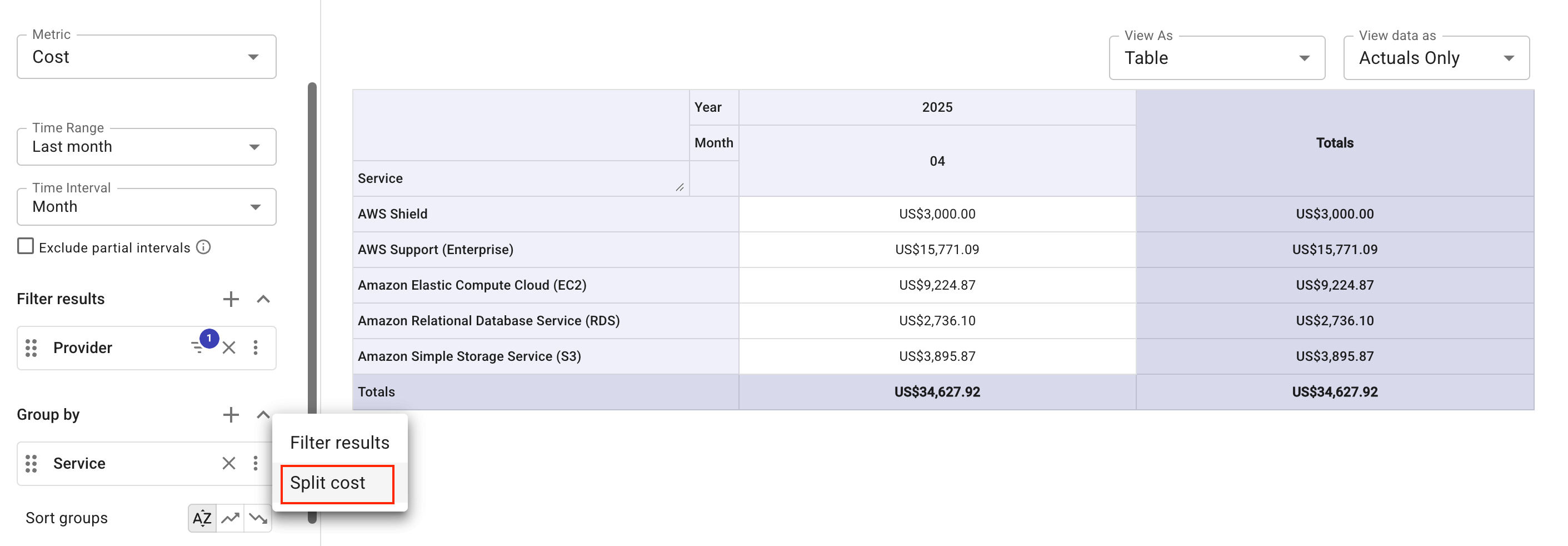
Create a report that shows the costs of four AWS services and AWS Support (Enterprise) in the last month.
-
In the Group by section, select the kebab menu (⋮) at the rightmost end of the Service dimension, and then select Split cost.
-
Select
AWS Support (Enterprise)as the source item to split. -
Use the filter to find the top four services as the target items to distribute the support cost.
-
Specify the distribution method as Custom, and then either enter a percentage for each target item or select Auto distribute to split the cost evenly.
-
Select Split cost, and then run the report to view the results.
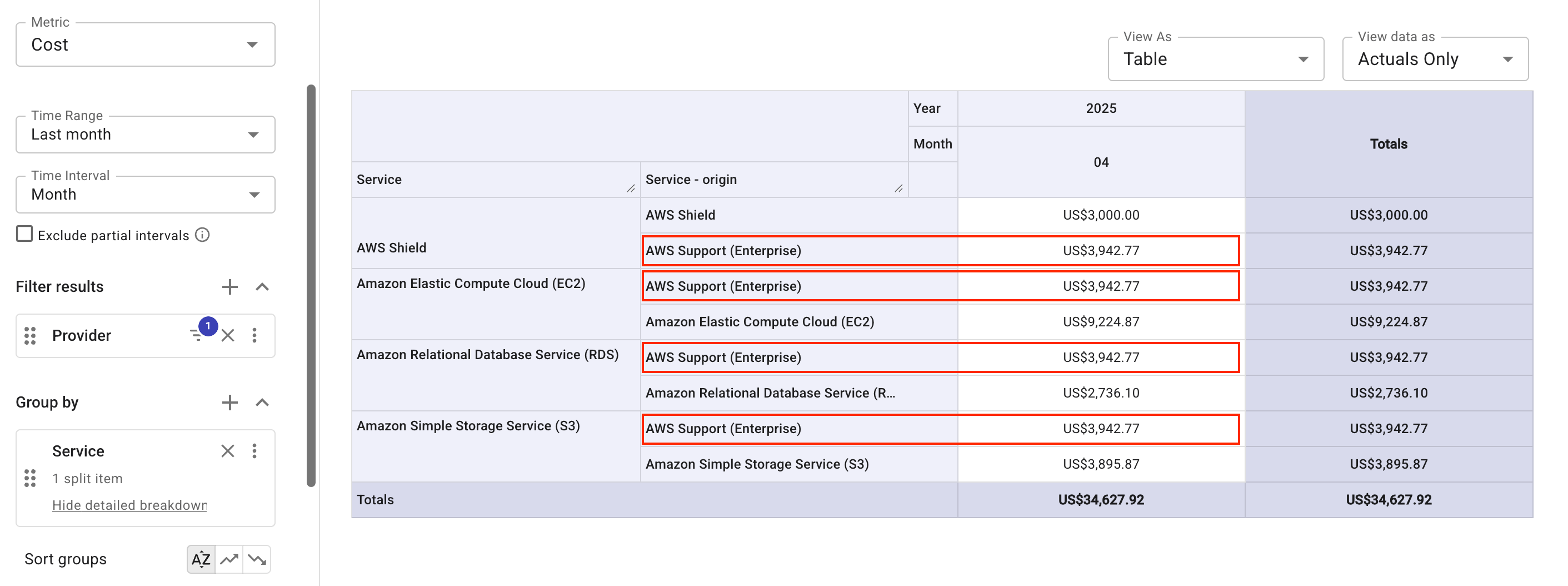
An evenly distributed split looks like this in a report grouped by a group allocation: