カスタム分割
カスタムメソッドを使用すると、各ターゲットアイテムに配分されるコストの割合を正確に指定できます。利用状況ではなく合意内容に基づいて分割する場合に使用します。たとえば、部門間で交渉して決めた固定パーセンテージで共有されるサポート料金などです。
カスタム分割を定義するときは、各ターゲットアイテムに対してパーセンテージを入力します。パーセンテージの合計は 100% でなければなりません。あるいは、Auto distribute を選択して、選択したターゲットアイテム間でコストを均等に分割します。
サービス間でサポート料金を分割する
以下の例では、AWS Support(Enterprise)のコストを、それによって恩恵を受けるサービスに配分する方法を示します。
-
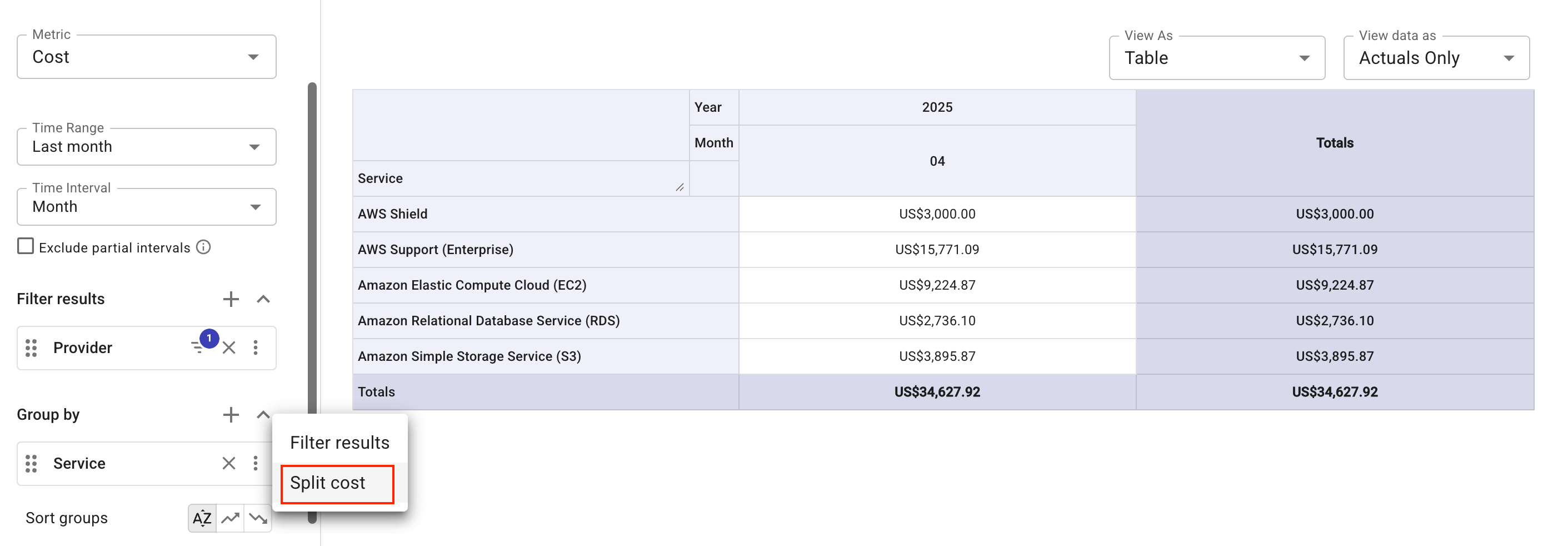
前月の 4 つの AWS サービスと AWS Support(Enterprise)のコストを表示するレポートを作成します。
-
Group by セクションで、Service ディメンションの最も右端にあるケバブメニュー(⋮)を選択し、Split cost を選択します。
-
分割するソースアイテムとして
AWS Support (Enterprise)を選択します。 -
フィルターを使用して、サポートコストを配分するターゲットアイテムとして上位 4 つのサービスを特定します。
-
配分方法として Custom を指定し、各ターゲットアイテムに対してパーセンテージを入力するか、Auto distribute を選択してコストを均等に分割します。
-
Split cost を選択し、レポートを実行して結果を確認します。
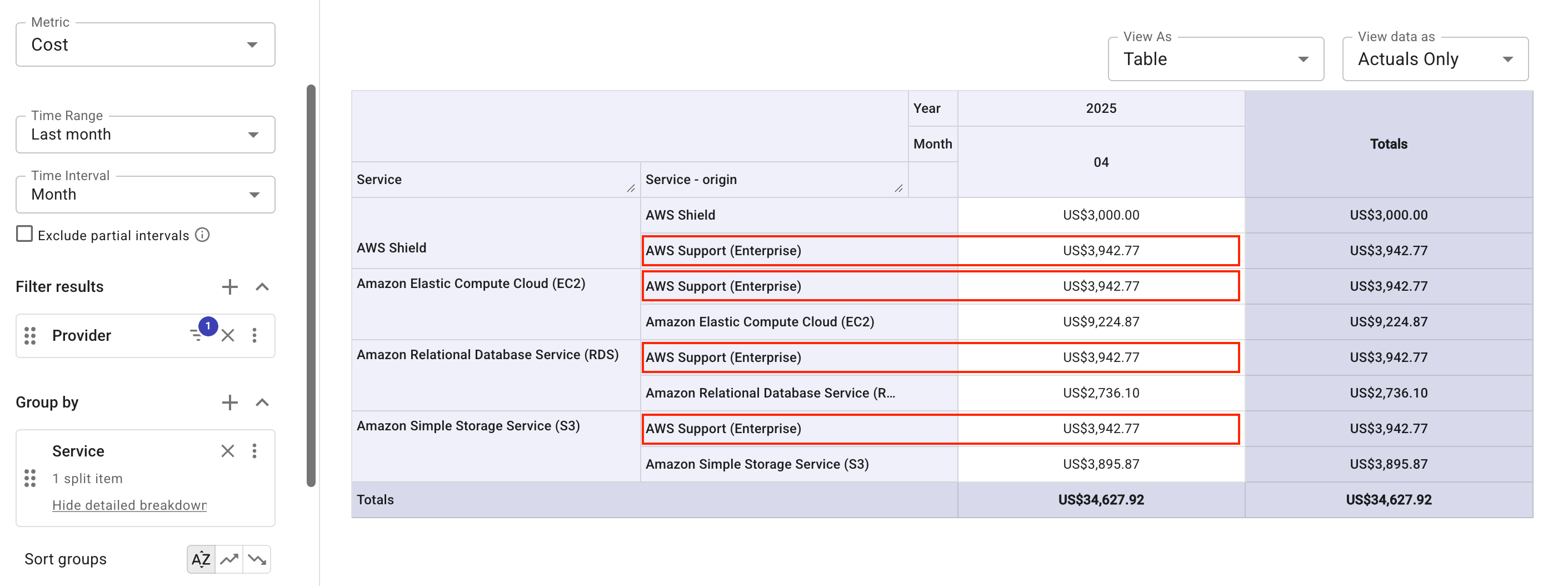
グループアロケーションでグループ化されたレポートでは、均等に分割された結果は次のように表示されます。